UP

Networking

Articles and tutorials on how to build your own network, use Wi-Fi routers, share files and folders, transfer files, or stream media over the internet.

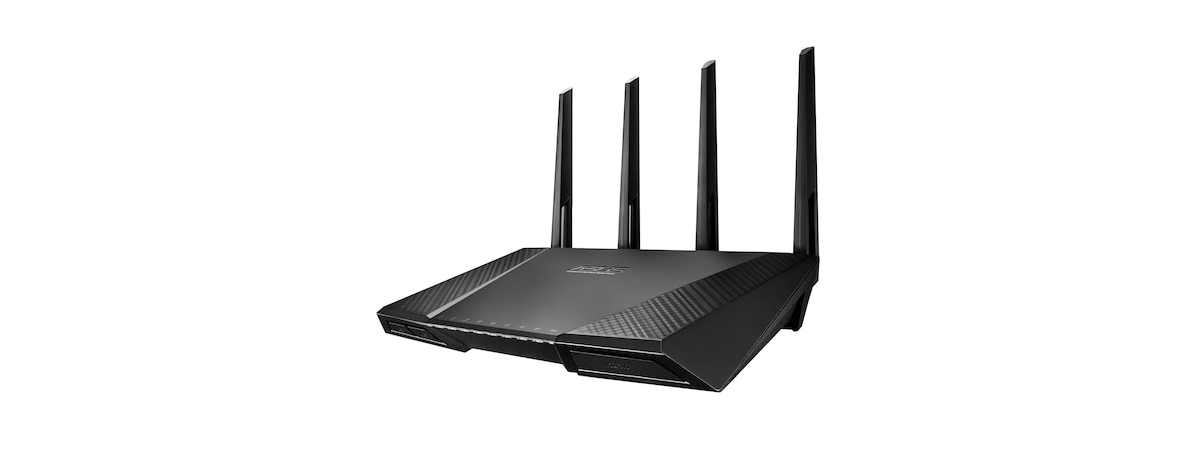
review Reviewing ASUS RT-AC87U - The WiFi Router Batman Would Use

Reviewing ASUS RT-AC87U - The WiFi Router Batman Would Use

When we have learned about the latest router from ASUS - RT-AC87U and its impressive specifications, we really wanted to get a chance to test it. Reading its specifications, we couldn't feel anything but excitement and, after unboxing it, we jokingly said that this is the WiFi router Batman would use. :) But is this true? Is this router as impressive as its specs

tutorial 9 Reasons Why The OneDrive Website Is Awesome

9 Reasons Why The OneDrive Website Is Awesome

One of the best features of OneDrive is that you can download and install it on any sort of device you might have. There are applications for computers with all kinds of operating systems, apps for mobile devices and even an app that is built into Windows 8.1. But, did you know that, in order to experience all of the best features that OneDrive
tutorial How to Configure How the OneDrive Website Works

How to Configure How the OneDrive Website Works

Once your OneDrive account is set up and in use, you may want to check out your options to make sure everything is configured the way you like it. While the defaults are fine for most, power users may enjoy the ability to change default file formats and tagging permissions. This tutorial will show how to change them. How To Access the OneDrive
tutorial How to Work with Files in the OneDrive Website from Any Browser

How to Work with Files in the OneDrive Website from Any Browser

One way to use the OneDrive service is with the help of a web browser. You can use it to add or remove files, edit documents, create documents and many other things, without the need for external applications. Read on to learn all you need to know about working with files in the OneDrive website. How to Add Files to OneDrive from the

Reviewing Linksys WRT1900AC - Is this the best router in the world?

Linksys WRT1900AC is the modern successor of the iconic Linksys WRT54G - one of the most popular routers ever made. It has a very similar look to its predecessor and the most impressive hardware specifications we've seen so far on a wireless router. Some even said that this router is the best in the world. You can imagine that we were very excited to test it out and see for
review Reviewing ASUS RP-AC52 - A Range Extender for 802.11ac WiFi Networks

Reviewing ASUS RP-AC52 - A Range Extender for 802.11ac WiFi Networks

Many wireless routers were launched which promised compatibility with the latest wireless networking standard - 802.11ac. While this is good, it doesn't mean that all of them offer a wide coverage and a strong signal in larger apartments and homes. When you don't have the WiFi coverage you want, it is a good idea to consider buying a range extender. While you may find
tutorial How to Connect to Hidden Wireless Networks in Windows 8 & Windows 8.1

How to Connect to Hidden Wireless Networks in Windows 8 & Windows 8.1

While connecting to a broadcasting wireless network in Windows is a very simple process, the same can't be said of a hidden network. By not broadcasting its SSID (service set identifier), or network name, a hidden network is not visible in the list of available networks you can access from your computer. You'll need to know the SSID, as well as all of the
tutorial How To Disable a Virtual WiFi Network Adapter in Windows 8.1

How To Disable a Virtual WiFi Network Adapter in Windows 8.1

In a previous tutorial, we've shown how to turn any Windows 8.1 laptop or device into a WiFi access point. The process involved creating a virtual wireless network adapter that was used to broadcast the wireless network. When you are done using your Windows 8.1 device as a WiFi access point, it is good to disable and remove the virtual wireless network adapter that
tutorial How to Connect to Wireless Networks in Windows 8 and Windows 8.1

How to Connect to Wireless Networks in Windows 8 and Windows 8.1

Windows 8 and 8.1 provide a simple interface for connecting to wireless networks. The procedure varies depending on whether or not the network broadcasts its name (also known as SSID - Service Set Identifier). If the name is broadcast, connecting to the network is as simple as entering a password. But enough talk, let's see how it works: NOTE: Because the process is

Reviewing the ASUS USB-AC56 Dual-Band Wireless-AC1200 USB Adapter

In this review I take a close look at another wireless adapter from ASUS. This time I have tested ASUS USB-AC56 - a USB adapter which was designed to work on both desktop computers and laptops. After a couple of days of regular use, I can share my conclusions. Read on to learn whether this wireless adapter is a good choice for you. [DC-SUMMARY-BREAK] Unboxing the ASUS USB-AC56 Wireless Adapter
review Reviewing the ASUS PCE-AC68 PCI-Express Wireless Adapter for PCs

Reviewing the ASUS PCE-AC68 PCI-Express Wireless Adapter for PCs

Have you considered removing the network cables in your house and going full-wireless, including on your desktop PCs? If you have, then you should consider purchasing a wireless adapter for your desktop computers. ASUS PCE-AC68 is one such device that is able to work with all modern wireless standards, including 802.11ac. We were very curious to test it and learn more about what you
tutorial How to Delete or Forget Wireless Network Profiles in Windows 8.1

How to Delete or Forget Wireless Network Profiles in Windows 8.1

As soon as I installed Windows 8.1 on my laptop, I noticed a pretty big annoyance: the absence of the "Forget this network" option in the Networks pane. I was left with no intuitive way of removing wireless networks that no longer worked because their password has been changed. How do you get around this problem and remove wireless networks in Windows 8.1? Let's

Reviewing the ASUS RP-N14 Range Extender for Wireless Networks

I live in a reasonably large apartment and I have a few rooms where the signal of my wireless network is not that great. That's why I was very curious to test a wireless range extender and see whether it can deliver a much-required boost in those problematic rooms. We have received the RP-N14 range extender from ASUS - an affordable device for people who want to improve and extend
tutorial How to Connect Windows 8.1 Devices to Wireless Networks via WPS

How to Connect Windows 8.1 Devices to Wireless Networks via WPS

If you have a Windows 8.1 laptop, tablet or hybrid that you can connect to wireless networks, you may need or want to use the WPS standard to make quicker connections to some networks. If that is the case for you, here's how to connect any Windows 8.1 device to a wireless network by using the WPS feature on any router. NOTE: If

How to Report Problems With Microsoft Services, Including OneDrive

One of the good things about Microsoft's services is that they offer a quick way to report when you have issues. Also, Microsoft provides complete service status history so that you can find out what issues have happened in the past and when they were fixed. If any Microsoft service is not working for you (OneDrive, Outlook.com, Family Safety, etc), here's how to report your problem in just a couple

How to Set a Proxy Server on Windows 8.1 Tablet or Hybrid Device

One of the small but good improvements in Windows 8.1 is that it provides a touch-friendly way to set a proxy server. This proxy is then used by Internet Explorer and modern apps from the Windows Store that need to access the web. In Windows 8, even if you had a tablet or a hybrid device like Microsoft Surface, you had to use the desktop version of Internet Explorer to

How to Learn the Countries Where Windows Store Apps are Available

Even though each app in the Windows Store has its own webpage that can be found using a search engine, Microsoft doesn't offer a full web version of the Windows Store. Also, in the Windows Store app, you cannot view apps that are not available in your region. This raises an interesting issue: you can't learn the countries where an app is available. It can happen that an app that

How to Set How Much Data Tiles Use in Windows 8.1

If you are a tablet user with Windows 8.1 and you have a poor data plan, then you will want to limit how much data is used by the operating system, including the tiles. Depending on the apps you have installed and what updates they display on their tiles, they might end up consuming a lot of data. Luckily, Windows 8.1 provides a way for you to control how much

Change the Location of a Network from Private to Public in Windows 8.1

When connecting to a new network in Windows 8.1, you are asked whether you want to find PCs, devices and content on the network. If you answer Yes, the location of the network is set as Private and if you answer No, the location is set as Public. But what if you have made a mistake and you want to change the location from Private to Public or vice-versa? Here's

How to Add, Change or Remove VPN Connections in Windows 8.1

Windows 8.1 provides a more complex PC Settings panel that, for some tasks and settings, it is better and more complete than the traditional Control Panel. One of the surprising things you can do with it is that you can create VPN connections, configure them in detail and remove them when you no longer need to use them. Here's how it all works: [DC-SUMMARY-BREAK] How to Start the Add VPN