UP

Productivity

What does it mean to use technology productively? Which apps and gadgets make your work easier? How to personalize the computers and other gadgets you’re using?

What are power plans and how to switch between them in Windows

Using a mobile device is handy, especially when you travel a lot, but these devices are limited by the amount of energy their batteries can provide. For this reason, paying attention to the power plan that you are using and its settings can make a huge difference in how much battery time you have available. Fortunately, Windows 10, Windows 7 and Windows 8.1 provide us with the necessary tools to

Review ASUS VivoMini VC65-C1: small form factor PC with many expansion options

We had the opportunity to test one of the latest Mini PCs created by ASUS. It is called ASUS VivoMini VC65-C1, and it was launched earlier this year. In a small form factor, it promises high performance offered by 8th generation Intel processors, DDR4 RAM, multiple storage options including the possibility to add a Blu-Ray or a DVD writer unit, support for Optane memory, 4K Ultra HD video output and

9 ways to access the power plans in Windows

Windows operating systems have a useful feature called power plans. They are collections of settings that change the way your hardware and software uses system resources. Thus, power plans can make your PC work faster but use more energy, or they can make your PC work slower but save significant amounts of energy. If you are using a Windows device with a battery, power plans are even more important than

Microsoft Teams is now free, to better compete with Slack. Is it better than Slack free?

Microsoft Teams is a collaboration tool, similar to Slack, that offers IRC-style chat rooms for teams. With it, you can chat, share documents, or make video and voice calls. It is an excellent tool for teams of all sizes, especially for those that are not working in the same place. However, Slack had something which Microsoft Teams did not: a free version for small and mid-size businesses. In response, Microsoft

How to change your user account password in Windows 10

You are probably aware of the risks you are exposed to when you use the same password on all your accounts. Regardless of what type of account you use to log into Windows 10, a weak password can give access to your files to anyone who knows it or can crack it. Therefore, you may want to consider changing it. Also, if your Windows 10 account has been compromised, you

How to free up wasted space with Disk Cleanup, in Windows

When we want to tweak different aspects of Windows, we prefer to use the built-in tools provided by the operating system. All modern versions of Windows and especially Windows 10, provide some great tools you can use. One such tool is the underrated Disk Cleanup, which allows you to free up space on your partitions and safely remove system files that you no longer need. Let's see how it works
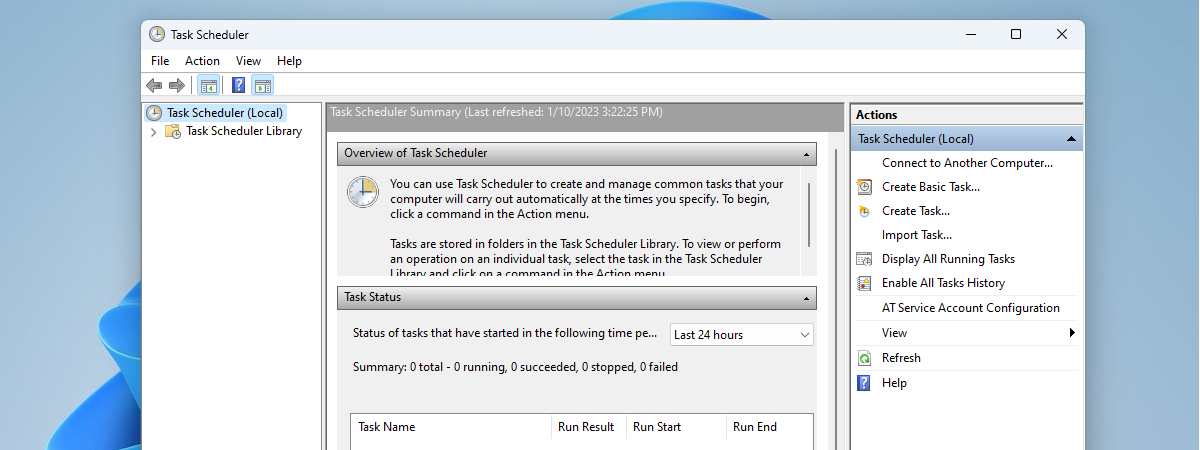
tutorial How to rename a Windows task created with Task Scheduler

How to rename a Windows task created with Task Scheduler

If you landed on this web page, you probably already know how to work with Task Scheduler to create scheduled tasks. Now it may be that you are asking yourself and the internet search engines about a way to rename a task that is already created and scheduled in Task Scheduler. While it may seem a trivial action to some, things are not as

11 ways to start Disk Cleanup, in Windows (all versions)

If you have limited storage space on your Windows 10 PC or device, or if you gather lots of data on it, you might stumble upon issues caused by not having enough free space. In such situations, the first thing you should do is clean the storage of unnecessary files such as temporary files, thumbnails or files that you deleted but are still found in your Recycle Bin. Fortunately, to
tutorial 7 things you can do with the Disk Management tool, in Windows

7 things you can do with the Disk Management tool, in Windows

Modern versions of Windows come with a handy disk management utility that allows you to create, resize and delete drive partitions on the fly, without having to boot into a particular disk utility or purchase additional software. The Windows built-in tool we are talking about is called Disk Management, and it is quite easy to use. If you want to make some changes related

9 things you can do with System Configuration, in Windows

Do you know how excellent the System Configuration (msconfig.exe) tool from Windows is? Although it is a small and somewhat hidden tool, it allows you to change quite a few things about the way Windows works. Among other things, the System Configuration tool lets you configure how Windows starts, change the boot procedure, select startup services, and programs, and also start a series of useful administrative programs. If you want
tutorial How to create basic tasks with Task Scheduler, in 5 steps

How to create basic tasks with Task Scheduler, in 5 steps

With the help of the Task Scheduler, you can create all kinds of automated tasks to be run by Windows. For example, you can schedule some apps to run at specific time intervals or display a message on your desktop when something happens. Unfortunately, not many people know about this tool, as Windows does not advertise it as much as it deserves. To help

8 ways to start System Configuration in Windows (all versions)

The System Configuration tool is also known by its msconfig.exe executable file. This app is useful to people who want to manage the Windows startup and the boot options, as well as troubleshoot stability and performance issues. You can do all that from this handy little tool, but before that, you first have to open it. In this article, we show you eight ways to start System Configuration (msconfig.exe) in
tutorial 8 things you can do with Computer Management in Windows

8 things you can do with Computer Management in Windows

Modern versions of Windows offer many tools that you can use to manage different aspects of the operating system. One lesser known administrative tool in Windows is named Computer Management. Few people know of its existence, and even fewer use it. Over the years, we have come to love Computer Management, and we use it more often than other similar tools from Windows. In
tutorial 2 ways to create a partition, in Windows (all versions)

2 ways to create a partition, in Windows (all versions)

When you get your hands on a new hard disk or solid state drive, the first thing you have to do is partition it. That means that you must create one or more partitions so that you can then store data. Although you could use third-party tools for this task, the Windows operating system includes tools that can handle partitioning disks just as well.
news Windows 10 Spring Creators Update has been silently delayed by Microsoft

Windows 10 Spring Creators Update has been silently delayed by Microsoft

Microsoft has never said anything publicly about the next release of Windows 10: it did not communicate an exact launch date, and it did not even confirm the name - Windows 10 Spring Creators Update. That name only showed up on several occasions to users that are members of the Windows Insider program. Most Windows insiders assumed from the little information that was available
article 12+ reasons why you should get Windows 10 April 2018 Update

12+ reasons why you should get Windows 10 April 2018 Update

On April 30th, 2018, Microsoft releases the next major update to Windows 10: April 2018 Update, which has the codename Redstone 4. The upgrade brings several new features and many quality-of-life improvements to the previous Fall Creators Update. If you want to know what is new, and whether it is worth installing, for free, on your Windows 10 computers and devices, read this article:

FAT32, exFAT or NTFS? How to format SD cards, memory sticks and hard drives

How should I format my SD card, my USB memory stick, USB external hard disk or my new SSD drive? Should I use the old FAT32 file format or the newer NTFS file format? Or should I try exFAT? It is a tough question for most people, and the right answer differs depending on the type of device that you need to format, as well as how and where you

Simple questions: What is FAT32 and why is it useful?

If you ever used a Windows PC or a storage device like a USB memory stick or an SD card, it is almost impossible that you have not heard about FAT32. It is one of the most popular file systems ever used on storage devices of all kinds. If you want to learn more about its history, its purpose and uses, read on. In this article, we are talking about