UP

Tutorials

Tutorials and how to guides about using gadgets, hardware, and software. Our tutorials cover all major operating systems: Windows, Android, iOS and others.

Introducing Windows 8.1: How to Synchronize & Back Up Your Settings

A great feature, first introduced in Windows 8 and further improved in Windows 8.1, is the ability to synchronize your important Windows settings through the SkyDrive service. What's new in Windows 8.1 is that it can also back up your settings automatically, so that you can restore them manually, when needed. Here's how to use all the available sync and backup settings, in Windows 8.1 [DC-SUMMARY-BREAK] NOTE: The synchronization service
How to Create, Configure and Use a VPN Connection in Windows 8 & 8.1

Virtual Private Networks (VPN) provide an easy way to extend a private network across the Internet and gain access to them when needed, in a secure manner. You may use VPN to connect to the network from your workplace, or to your home network when you are on the go. Indifferent of the reason, both Windows 8 and Windows 8.1 offer features that enable you to create, configure and use

How to Boot to the Desktop in Windows 8 & Windows 8.1

Microsoft did not provide any support for setting Windows 8 to boot straight to the Desktop and skip the new Start screen. There was no registry setting available, no group policy and most of the hacks that worked with the test versions of Windows 8 do not work in the final version. Since many people want this feature in Windows 8, Microsoft gave in and, in Windows 8.1 is can

How to Install Windows 8.1 RTM On Your Computer

If you have gotten your hands on Windows 8.1, the final version (build 9600) or on any of the leaked builds, you can install it using this step by step guide. We will cover each step of the process and share useful information regarding more special installation scenarios. [DC-SUMMARY-BREAK] What to Expect from Windows 8.1 There are many new things in Windows 8.1. Some were presented in this article based

Where the Desktop & Lock Screen Wallpapers are Stored in Windows 8

Where can you find the images used by Windows 8 as wallpapers for its default Desktop themes and for the Lock screen? It turns out that they are placed in the same folder and you can copy and paste the images from there with ease. Here's how: [DC-SUMMARY-BREAK] The Wallpapers Used by Windows 8 for the Desktop & the Lock Screen Windows 8 has three default themes: Windows, Earth and

Where are the Start Screen Patterns Located & How to Extract Them?

I like some of the patterns used by Microsoft on Windows 8's Start screen and I thought I could be using them as Desktop wallpapers. But the problem is - where are they located? They are not stored in any of the usual locations used by Windows to store its Desktop wallpapers. It turns out that they are embedded in a special file and you need to use a special

How to Configure the Windows 8 Apps Inside Which You Perform Searches

Performing searches in Windows 8 is fast and easy. One important difference versus Windows 7 is that you can perform searches inside Windows 8 apps, directly from the Start screen. You type a search term, select the app where you want to perform the search and the results are displayed inside that app. Pretty cool, isn't it? Also, you can configure the list of apps inside which you perform searches.

How to Add or Remove Buttons on the Windows Explorer Toolbar

If you are using Windows 7, you have a small selection of buttons available on the Windows Explorer toolbar and this may not help you be very productive. You may want more buttons on it. Luckily, the team from WinAero have created a free tool that you can use to enhance the toolbar and add new buttons to it. With it, you can transform the boring toolbar into a mini-ribbon.

How to Add or Remove the Take Ownership Entry in the Right Click Menu

Do you need an easy way to add the Take Ownership entry to the right-click menu in Windows 7 or Windows 8? If you do, we have two options for you, both of them quick and reliable. They work with both Windows Explorer and File Explorer. [DC-SUMMARY-BREAK] NOTE: If you access this option from the contextual menu, the owner of the selected file or folder will automatically change to your

Introducing Windows 8.1: Transform the Start Screen into a Start Menu

One of the changes made by Microsoft in Windows 8.1 is that, due to user feedback, anyone can change the Start screen with a Start Menu. It's not the old Start Menu from Windows 7, but it sure is close enough. But how do you enable it? Here's how: [DC-SUMMARY-BREAK] The Start Screen vs. The Start Menu in Windows 8.1 In Windows 8.1, just like in Windows 8, the Start

5 Reasons Why the Windows Firewall is One of the Best Firewalls

Since we launched 7 Tutorials, we have tested lots of security products. Over the years, we learned a lot about what it means to provide a good security product and, we also learned that the Windows Firewall is one of the best firewalls available. Here are five reasons why we believe that the Windows Firewall is awesome: [DC-SUMMARY-BREAK] 1. The Windows Firewall Offers the Best Integration With Windows The Windows

Introducing Windows 8: Customize the Look of the Start & Lock Screens

Changing your Desktop wallpaper in Windows 8 is exactly the same procedure you've seen in Windows 7. While the choice to customize your Desktop is a given, Windows 8 goes farther than previous versions of Windows by giving you two more things to customize: the Lock Screen and Start screen. These settings aren't accessible by right-clicking the Desktop, which is what most new users will try first. Rather, you'll have

The Windows Experience Index - How to Use it & Interpret the Results

Starting with Windows Vista, Microsoft includes the Windows Experience Index in its Windows operating systems. According to Microsoft, "the Windows Experience Index measures the capability of your computer's hardware and software configuration and expresses this measurement as a number called a base score". Wonder what that really means? This article will explain how Windows calculates the Windows Experience Index score and its correlation to your computing experience. [DC-SUMMARY-BREAK] What is

Scan for Open Ports & Evaluate the Security of Your System with Nmap

Would you like to know how many open ports are found on each computer or device that is part of your network? Do you want to evaluate how good their firewall protection is and how vulnerable they are? Then, you should try Nmap - an open source tool for security auditing. We use it in our reviews for security solutions and we think it is awesome. You should also try

How to Remove Network Locations Mapped as Drives in Windows 8

The process called mapping, assigns a drive letter on your computer to a location on a remote system allowing you to access and save files over the network easily. We have shown how to make these links permanent by reconnecting them every time you log on, which assures they'll never disappear on you. However, it also means you'll get annoying messages from your tray if the network drive doesn't exist

Set Windows to Play Alarm Sounds When Reaching Low or Critical Battery

Some of our readers have asked how they can set Windows 7 or Windows 8 so that it plays an alarm sound when the battery or their laptop or tablet reaches a low or critically low level. Such alarms can be played automatically with the use of sound schemes. In this tutorial you will learn how this works. [DC-SUMMARY-BREAK] Step 1. Find the Active Sound Scheme First, you need to
tutorial 4+ Free Tools for Making Remote Connections from Macs to Windows PCs

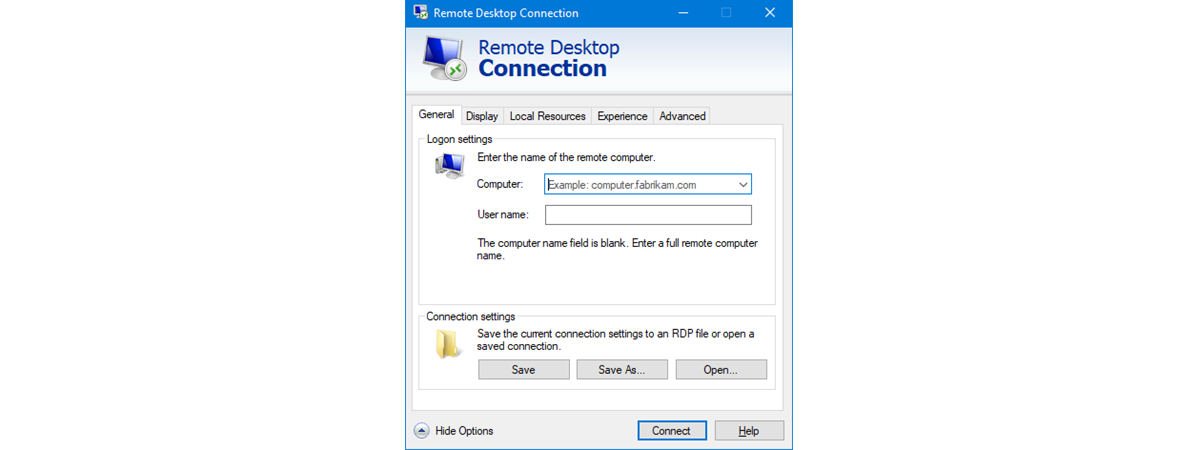
4+ Free Tools for Making Remote Connections from Macs to Windows PCs

When I was asked to update our 2010 article about connecting remotely to a PC from a Mac, I thought it would be a fairly simple task. However, since that article was written, Microsoft has dropped support for their Remote Desktop Connection software for Macs. While there are anecdotal reports of it working on OS X Lion, it definitely will not work on OS

How to Make Windows 8 Temporarily Reveal the Password You Just Typed

When using Windows 8, you encounter all kinds of scenarios in which you are asked to enter one password or another. And, as all operating systems do, Windows 8 masks the passwords you enter with bullets, so that they cannot be read by someone standing nearby. A useful security precaution. But, what if you want to double check what you just typed, to make sure it is correct. How do