UP

System

Articles and tutorials about dealing with system settings, fixing bugs, and adjusting how your computer or devices works. This collection of articles includes guides for all major platforms: Windows, Android, iOS, and more.

How to Use Windows Update from Windows 8.1's PC Settings

In Windows 8.1 there are two Windows Update tools: one available from the Desktop (which hasn't changed since Windows 7) and one in PC Settings, that's optimized for users with touch devices. When using the PC Settings version, you can view information about available updates, check for new updates manually, install those that are available, view your update history, and choose how updates get installed in Windows 8.1. Here's how

Does ReadyBoost Work? Does It Improve Performance for Slower PCs?

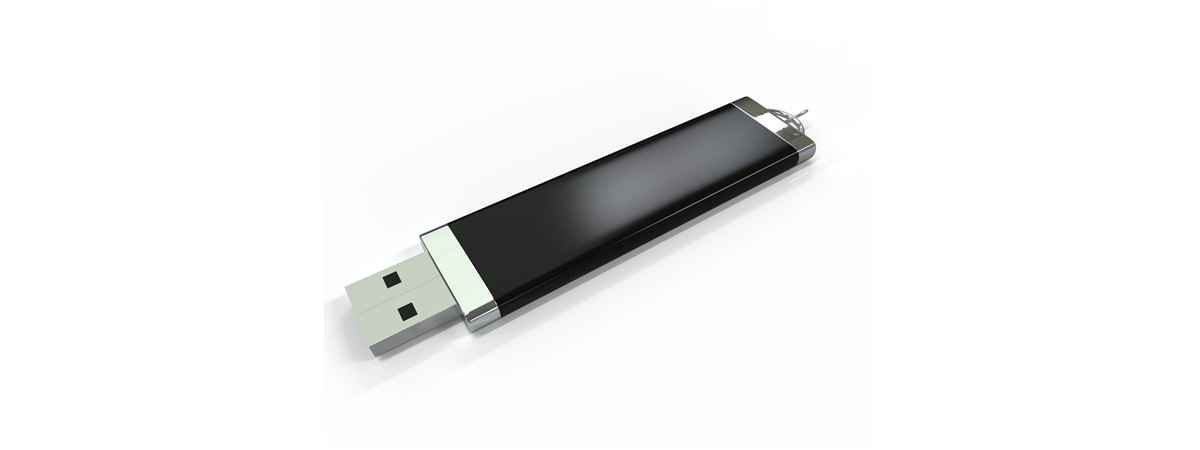
The theory behind ReadyBoost is that it helps speed up older computers with low amounts of RAM memory. However, nobody knows how much of an impact this technology has, so we decided to make our own measurements and learn whether ReadyBoost has a positive impact or not. Read on to learn what we have found: [DC-SUMMARY-BREAK] The PCs Used for the Test Comparison We used three hardware configurations for these

How to Use Windows Defender in Windows 8 & Windows 8.1

Guess what Windows 8 & Windows 8.1 users: when you're using Microsoft's newest operating system you don't need to install virus protection... Oh god, we sound like those Mac elitists, don't we? Well, we aren't saying this due to an over-confidence in virus coders lack of interest in a comparatively small market share. We're saying this because Windows 8 & Windows 8.1 have a baked in antivirus that is sufficient

How to Work with File History in Windows 8.1, from PC Settings

One of the minor but welcome changes in Windows 8.1 is that it allows users to use the File History from PC Settings. If you have a tablet or a computer with touch, you can quickly turn on this feature, select the drive where your data is backed up and perform manual backups. Here's how it works. [DC-SUMMARY-BREAK] NOTE: Before you enable File History, plug in an external hard drive

How to Use the Action Center in Windows 8 & 8.1 to Keep Your PC Secure

The Action Center was first introduced in Windows XP Service Pack 2 and, since then, it has been constantly updated. In Windows 8 and Windows 8.1 it offers many of the old and familiar options but also some exciting new ones, aiming to further increase the security and stability of your system. In this tutorial I will show how to open the Action Center in Windows 8 and Windows 8.1,

Introducing Windows 8.1: Configure the Action Center & its Messages

The Action Center in Windows 8 and Windows 8.1 has an important role in keeping safe your computer or device and having it run well. This feature has received many improvements and it is now more powerful than ever before. In this article, I will show how to access its settings window and how to configure the way it works and how it notifies you. [DC-SUMMARY-BREAK] The Action Center Keeps

How to Add, Change or Remove VPN Connections in Windows 8.1

Windows 8.1 provides a more complex PC Settings panel that, for some tasks and settings, it is better and more complete than the traditional Control Panel. One of the surprising things you can do with it is that you can create VPN connections, configure them in detail and remove them when you no longer need to use them. Here's how it all works: [DC-SUMMARY-BREAK] How to Start the Add VPN

How to Customize or Disable Search with Bing in Windows 8.1

As mentioned in many other articles, one of the biggest changes in Windows 8.1 is related to Search and its strong integration with Bing. In this operating system, Bing provides you with search suggestions and web results when performing any kind of search, directly from the Start screen. Some users will love this but will want to tweak the way it works while others will be freaked out and will

How to Upgrade Windows 8 to Windows 8.1 through the Windows Store

Microsoft has made available Windows 8.1 as a free upgrade for Windows 8 users. The procedure is performed through the Windows Store and, even though it is not very complicated, there are some important requirements and steps you should keep in mind. For the complete upgrade guide, with screenshots and detailed instructions, read this tutorial. [DC-SUMMARY-BREAK] What to do Before the Upgrade Begins There are a couple of things you
tutorial Set Windows 8.1 Apps that May Use the Webcam, Microphone & other devices

Set Windows 8.1 Apps that May Use the Webcam, Microphone & other devices

Another useful new feature in Windows 8.1 is that you can set in detail which apps can use devices like the webcam, microphone and others. This tutorial shows how this configuration is performed. As you will see, it is very quick and painless. :) NOTE: The settings detailed detailed in this tutorial apply only to apps from the Windows Store. Desktop applications are

Introducing Windows 8.1: How to Improve Your Privacy When Using Apps

Windows 8.1 brings many welcome changes, some of which have not been communicated very well by Microsoft. One of the lesser known changes is that Windows 8.1 has very good privacy controls for working with Windows Store apps. As you will see in this tutorial, these controls are detailed and really useful. If you want to set which apps use what data, then reading this guide is a must. [DC-SUMMARY-BREAK]

Introducing Windows 8.1: How to Synchronize & Back Up Your Settings

A great feature, first introduced in Windows 8 and further improved in Windows 8.1, is the ability to synchronize your important Windows settings through the SkyDrive service. What's new in Windows 8.1 is that it can also back up your settings automatically, so that you can restore them manually, when needed. Here's how to use all the available sync and backup settings, in Windows 8.1 [DC-SUMMARY-BREAK] NOTE: The synchronization service

How to Create, Configure and Use a VPN Connection in Windows 8 & 8.1

Virtual Private Networks (VPN) provide an easy way to extend a private network across the Internet and gain access to them when needed, in a secure manner. You may use VPN to connect to the network from your workplace, or to your home network when you are on the go. Indifferent of the reason, both Windows 8 and Windows 8.1 offer features that enable you to create, configure and use

How to Install Windows 8.1 RTM On Your Computer

If you have gotten your hands on Windows 8.1, the final version (build 9600) or on any of the leaked builds, you can install it using this step by step guide. We will cover each step of the process and share useful information regarding more special installation scenarios. [DC-SUMMARY-BREAK] What to Expect from Windows 8.1 There are many new things in Windows 8.1. Some were presented in this article based

5 Reasons Why the Windows Firewall is One of the Best Firewalls

Since we launched 7 Tutorials, we have tested lots of security products. Over the years, we learned a lot about what it means to provide a good security product and, we also learned that the Windows Firewall is one of the best firewalls available. Here are five reasons why we believe that the Windows Firewall is awesome: [DC-SUMMARY-BREAK] 1. The Windows Firewall Offers the Best Integration With Windows The Windows

The Windows Experience Index - How to Use it & Interpret the Results

Starting with Windows Vista, Microsoft includes the Windows Experience Index in its Windows operating systems. According to Microsoft, "the Windows Experience Index measures the capability of your computer's hardware and software configuration and expresses this measurement as a number called a base score". Wonder what that really means? This article will explain how Windows calculates the Windows Experience Index score and its correlation to your computing experience. [DC-SUMMARY-BREAK] What is

Scan for Open Ports & Evaluate the Security of Your System with Nmap

Would you like to know how many open ports are found on each computer or device that is part of your network? Do you want to evaluate how good their firewall protection is and how vulnerable they are? Then, you should try Nmap - an open source tool for security auditing. We use it in our reviews for security solutions and we think it is awesome. You should also try

Set Windows to Play Alarm Sounds When Reaching Low or Critical Battery

Some of our readers have asked how they can set Windows 7 or Windows 8 so that it plays an alarm sound when the battery or their laptop or tablet reaches a low or critically low level. Such alarms can be played automatically with the use of sound schemes. In this tutorial you will learn how this works. [DC-SUMMARY-BREAK] Step 1. Find the Active Sound Scheme First, you need to