

UP

System

Articles and tutorials about dealing with system settings, fixing bugs, and adjusting how your computer or devices works. This collection of articles includes guides for all major platforms: Windows, Android, iOS, and more.

How to Make Windows 8 Temporarily Reveal the Password You Just Typed

When using Windows 8, you encounter all kinds of scenarios in which you are asked to enter one password or another. And, as all operating systems do, Windows 8 masks the passwords you enter with bullets, so that they cannot be read by someone standing nearby. A useful security precaution. But, what if you want to double check what you just typed, to make sure it is correct. How do
10 Features that Make Windows 8 the Most Secure Windows Yet

It will be quite obvious to any first-time user that Windows 8 is very different from previous versions. While the obvious interface changes will be the most talked about, the addition of a number of great security features is really worth getting excited over. Combine new features like early launch anti-malware with oldies like the Windows Firewall and you have an operating system that you can feel secure using. [DC-SUMMARY-BREAK]
tutorial How to Install Any Version of Windows from Other Network Computers

How to Install Any Version of Windows from Other Network Computers

Talk about a complex thing to do: installing Windows over the network. Even installing it via a USB drive is simpler. However, this doesn't mean it cannot be done. Using a free tool named Serva and a bit of time and attention, anyone can set up his/her network environment so that Windows installations are performed with ease, from one network computer. Here's how the

How to Restore Windows 8 to Its Initial Clean State Using Reset

In previous versions of Windows, the only tools available for restoring Windows to a previous state were System Restore and Windows Backup. Even though they are useful tools, you cannot use them to restore Windows to its initial, clean state. You have to perform a manual reinstallation of the operating system. And that is a bit of a pain. Windows 8 introduces a great new feature named Restore. With the

What to do When Windows 8 Says Your Genuine Product Key is Not Valid?

If you installed Windows 8 on a computer and you then changed its hardware configuration (e.g. upgraded the processor, memory or other important components), it can happen that Windows 8 no longer accepts the product key bundled with your original installation disc. This happens also when you buy a new computer and you install the Windows 8 edition you purchased and stop using the old computer. What can you do

How to Schedule a Virus Scan with Windows 8's Built-In Antivirus

If you've spent any time looking at Windows 8's Defender interface, you've likely noticed that it doesn't include any options for scheduling a scan. While Windows Defender provides most of it's protection in real-time, if you're like us, you'll want a back-up scan occurring regularly. Though the user interface does in fact omit a simple way to schedule a scan, this option exists within the Windows 8 Task Scheduler. Read

How to Use File History with Network Drives & Locations to Backup Data

File History can work both with local drives plugged into your computer and drives connected to other computers on the network or to the network itself. How does this work and what is the best way to set things up? Learn this and more from this article. [DC-SUMMARY-BREAK] Connect an External Drive to a Computer & Recommend it to the Homegroup One way to use the same drive to backup

How to Use the Action Center in Windows 8 to Keep the PC Running Smooth

In a previous article we talked about Action Center in Windows 8, its general features and improvements and we also covered the Security checks made by it to keep Windows 8 secure. Today we will take a detailed look at the Maintenance role of the tool and all its new elements and features in this area. [DC-SUMMARY-BREAK] Which Maintenance Aspects are Monitored by Windows 8? First, let's see what kind

How to Remove a Trusted Windows 8 PC From Your Microsoft Account

Having a trusted PC is a great asset to a Microsoft account holder. It allows you to synchronize passwords between trusted Windows 8 PCs and also makes managing your account easier. Rather than having to prove your identity by accessing an email or phone, Microsoft simply accepts that you are who you say your are because you're using your trusted system. While this is very useful, it can also be

Introducing Windows 8: How to Trust a PC Using Your Microsoft Account

If you are a Microsoft account holder, one of the first things you should do after creating the user account is to add your PC as trusted. From an account security standpoint, having a trusted computer gives you a secure place from which you can reset your password or confirm alterations to your account, without having to prove your identity. If you are also a Windows 8 user, trusting your

Evaluate How the Apps & Drivers Installed Weaken the Security of a PC

Everybody knows that installing lots of drivers and software on a computer increases its vulnerability from a security standpoint. As you install stuff, the complexity increases as well as the likelihood of encountering security issues. I always wanted a tool to evaluate how the security of a system evolves while installing software that you plan to use and so far I haven't found one. Luckily, Microsoft released a free evaluation
tutorial How to Install Windows 8 RTM on Your Computer

How to Install Windows 8 RTM on Your Computer

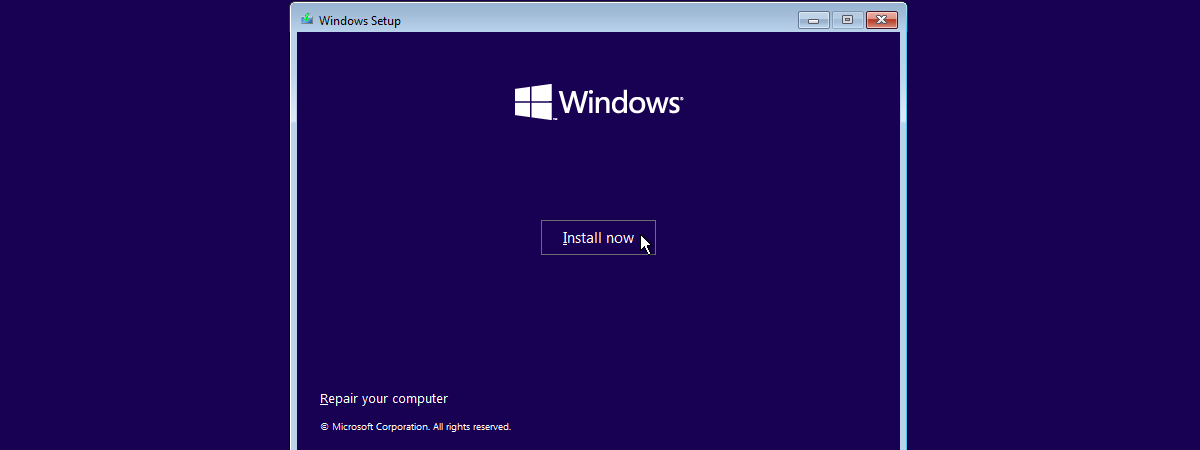
Windows 8 has been finalized and it is made available gradually through different channels. For those who are new to Windows 8 and would like a detailed step by step tutorial on how to install it on their computers and devices, we have created this guide. We will cover the following: how to burn your Windows 8 image to a disc or create a

How to Decrypt a TrueCrypt Encrypted Drive or Partition

If encrypting a partition with TrueCrypt can be a lengthy and painful process, the decryption is a lot smoother and faster. In this guide, I would like to share the steps involved, to make you feel comfortable and confident enough to go ahead with the process. [DC-SUMMARY-BREAK] NOTE: In order to decrypt a drive, it must be first mounted by TrueCrypt. If you are working with an external drive, manually

What is the Performance Impact of System Encryption With TrueCrypt

One of my recent dilemmas was: if I encrypt my computer, how much will computing performance have to suffer because of it? Will there be a big difference? If yes, in which areas? That's why I decided to run some tests on both my computers and learn more about the impact TrueCrypt encryption has on computing performance. [DC-SUMMARY-BREAK] Systems Being Tested The tests were made on two computers: a desktop

How to Encrypt Your System Drive With TrueCrypt In a Multi-Boot Configuration

Many people use TrueCrypt to encrypt their systems and maintain their data as safe as possible. Encrypting your computer when you have one operating system installed and one partition is relatively easy, even with TrueCrypt. But, what about encrypting your system drive when using a multi-boot setup? That's really complicated and this guide is here to help. [DC-SUMMARY-BREAK] Prerequisites - What You Must Have Before You Start There are a

Dual-Monitor Annoyance: Mouse Pointer Drifting to The Other Screen

Having a dual-monitor configuration gives you a pretty good productivity improvement but introduces a few annoyances you don't have when working on a single monitor. For example, it is more likely for your mouse cursor to slip to the second screen when all you want to do is close the active application window or press the Show Desktop button on the taskbar. How do you fix this? We've got a

How to Backup and Restore Windows Vault Passwords

One way to use the Credential Manager is to export your Windows credentials to another Windows computer, or to back them up and import them after you reinstall Windows, so that you don't have to manually type them again. This can be useful in some scenarios and we would like to show how to backup Windows credentials and restore them when needed. [DC-SUMMARY-BREAK] Backup Your Windows User Names and Passwords

Password Security - Turn Your Dumb Habits Into Geek Habits

When it comes to computing habits, people are always bad at security and passwords. We keep reusing the same password(s) over and over again and we don't realize how easy we make it for the bad guys to steal our credit card details and other important information. Even after the big fiasco that was the hacking of the PlayStation Network, both people and companies remain dormant and are slow to

