




Microsoft Edge is now testing a new Global Media Controls design in Canary. This is the same UI that Google has already rolled out to Chrome across Windows, macOS, and Linux.
Global Media Controls is a built-in control panel that lets users control audio and video playing across tabs. It appears when you click the media controls icon on the toolbar. The panel lets users pause playback, skip tracks, control volume, and manage Picture-in-Picture.
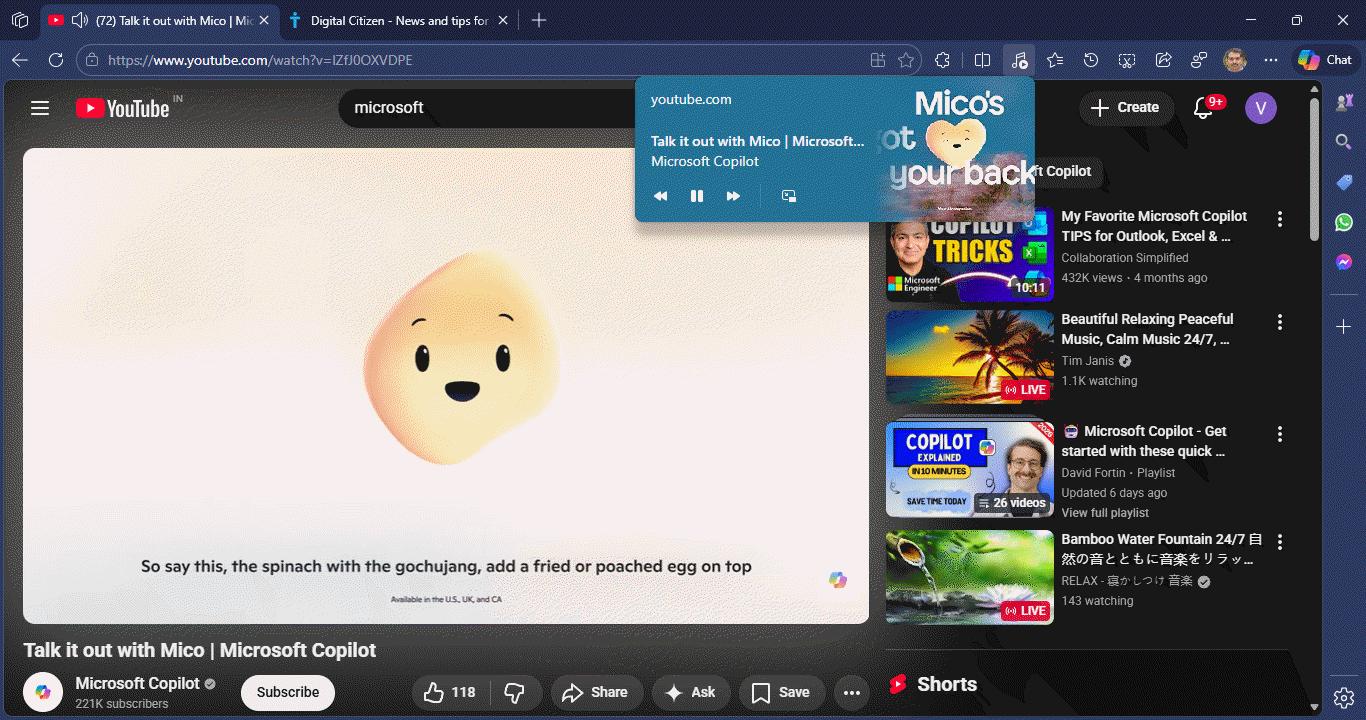
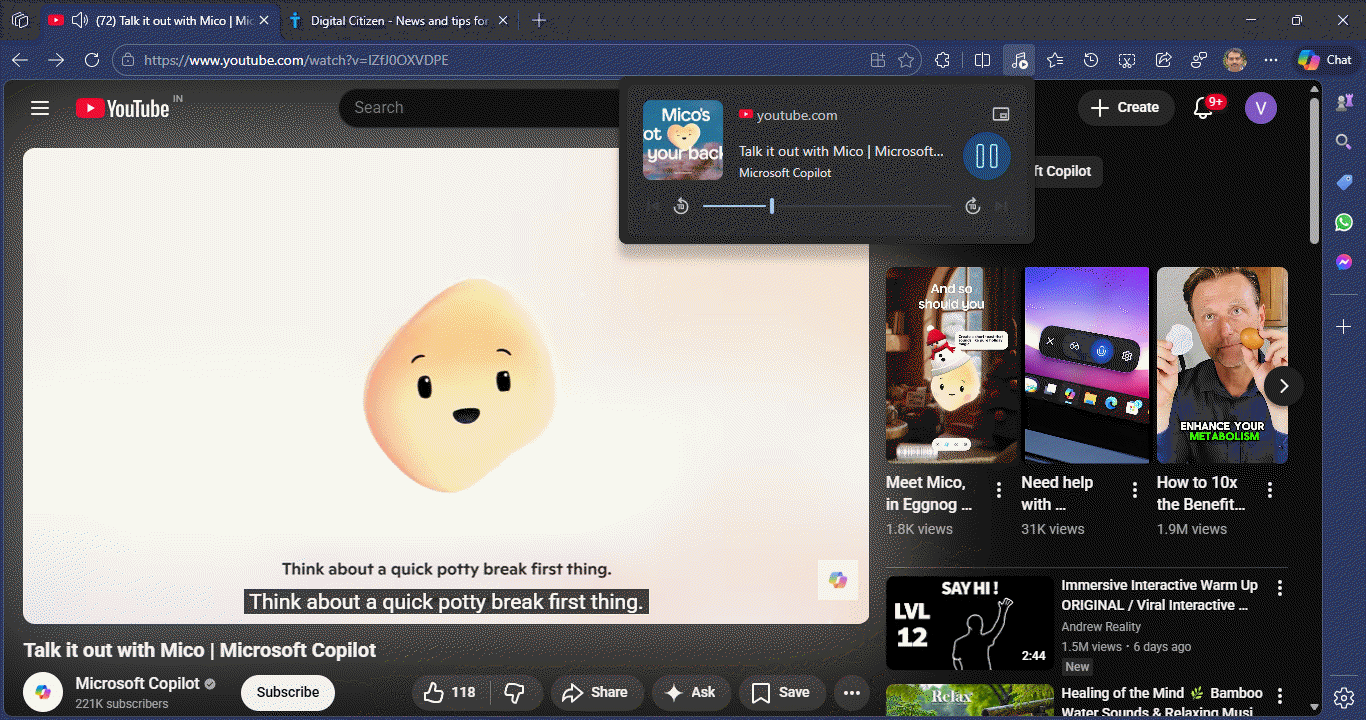
When you play audio or video and click the media controls icon on the toolbar, the redesigned panel shows:
Album artwork or video thumbnail, media title, a large pause button, a slider with replay and forward buttons that jump 10 seconds, and a Picture-in-Picture button above the main controls. The new layout looks cleaner and easier to understand at a glance.
How to enable the new Global Media Controls UI in Edge
- Launch Edge Canary
- Visit edge://flags
- Search for "Use Updated UI for Global Media Controls"
- Set the flag to Enabled and restart Edge

Play any video and click the media controls icon on the toolbar. You should now see the new interface.
Note: The flag description states that the updated Global Media Controls UI is available for testing on Windows, Mac, and Linux.
Edge did not build this from scratch. The feature comes directly from Chromium, the open-source project behind both Chrome and Edge.
Until now, Edge simply used the default media controls UI without surfacing a separate test for the new design. The appearance of this flag shows that Edge stays close to Chromium UI changes, even for smaller browser panels like media controls.
Microsoft has not shared any public details about this test. Right now, the feature only appears in Edge Canary under experimental flags.
That’s not all. Microsoft is testing a customizable side panel in Edge, similar to Chrome, and is removing the strict tracking option in InPrivate.


Discussion (0)
Be the first to comment.