




Microsoft has removed the option that forces Strict tracking prevention in InPrivate mode from Microsoft Edge. The change is now visible in Edge Canary.
Edge’s Tracking Prevention system includes three levels: Basic, Balanced, and Strict. These levels control how aggressively trackers are blocked across websites. Until now, Edge offered a separate option that always applied Strict tracking prevention when browsing in InPrivate, even if normal browsing was set to Balanced.
That InPrivate-specific control no longer appears in the settings.
What changed in Edge’s Tracking Prevention settings
Earlier versions of Edge included a switch labeled “Always use ‘Strict’ tracking prevention when browsing InPrivate.” This made it possible to keep regular browsing set to Balanced while applying stronger protection only in private windows.

In current Edge Canary versions, that switch has been removed. The quick control that previously appeared inside InPrivate windows is also gone. Tracking Prevention now works the same way in both normal and InPrivate browsing, based entirely on the global level selected by the user.
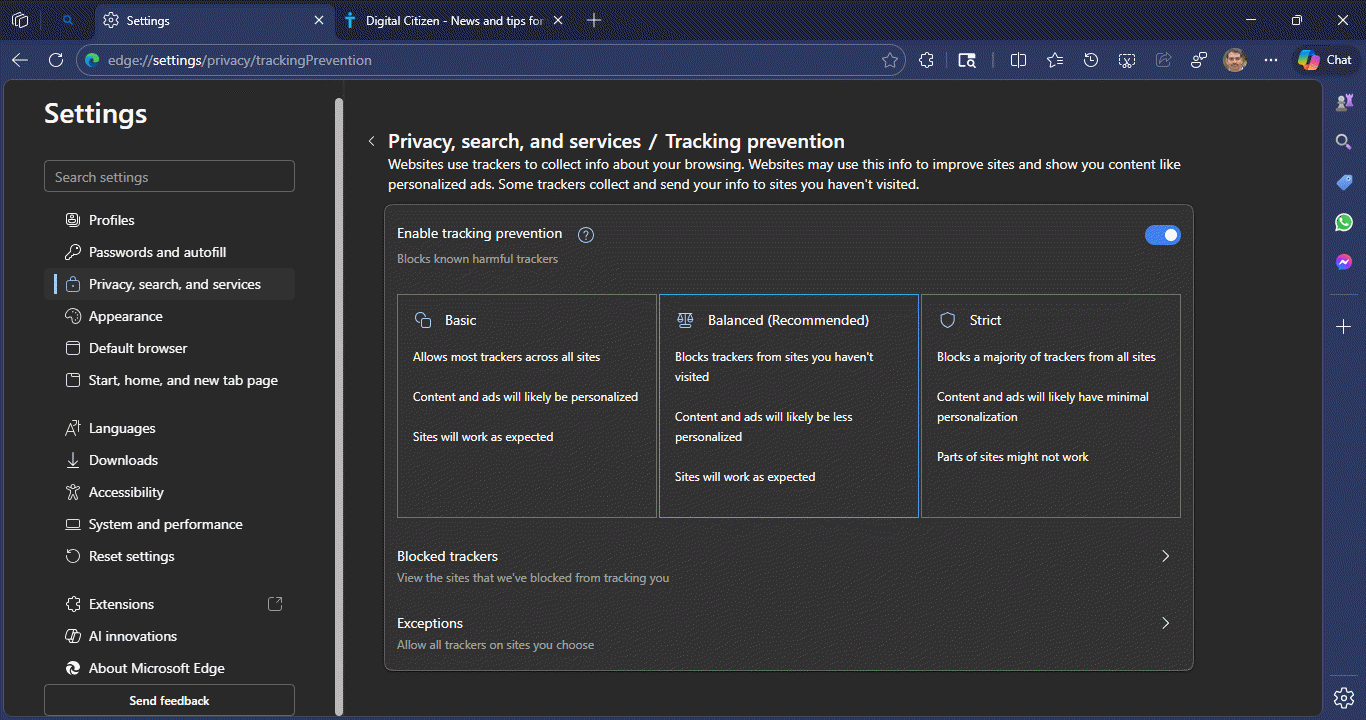
As a result, InPrivate windows no longer have a dedicated Tracking Prevention override. Users who want Strict protection while browsing privately must now switch the global Tracking Prevention level to Strict, which also affects normal browsing.
This change reduces the ability to fine-tune privacy behavior specifically for InPrivate sessions.
Microsoft had already mentioned this removal on its public Edge roadmap. With recent Canary builds, the change is now visible in the browser itself.


Discussion (0)
Be the first to comment.