




If you have ever looked inside a desktop PC, you have seen the Power Supply Unit, or PSU, tucked in the corner of the case. That metal box quietly takes the AC power from the wall and turns it into low-voltage DC power your computer parts can actually use. Understanding what DC power is in a PSU helps you choose a reliable power supply, avoid stability issues, and troubleshoot weird crashes or reboots.
At the most basic level, DC power in a PSU is the steady, one-directional flow of electricity that the unit sends to your motherboard, CPU, GPU, storage, and fans. Modern ATX power supplies use DC rails such as +12V, +5V, and +3.3V to feed different components with the exact voltages they require. When those DC outputs are clean and stable, your system runs smoothly; when they are noisy or out of spec, you can get random blue screens, reboots, and even hardware damage.
Understanding DC Power In A PSU
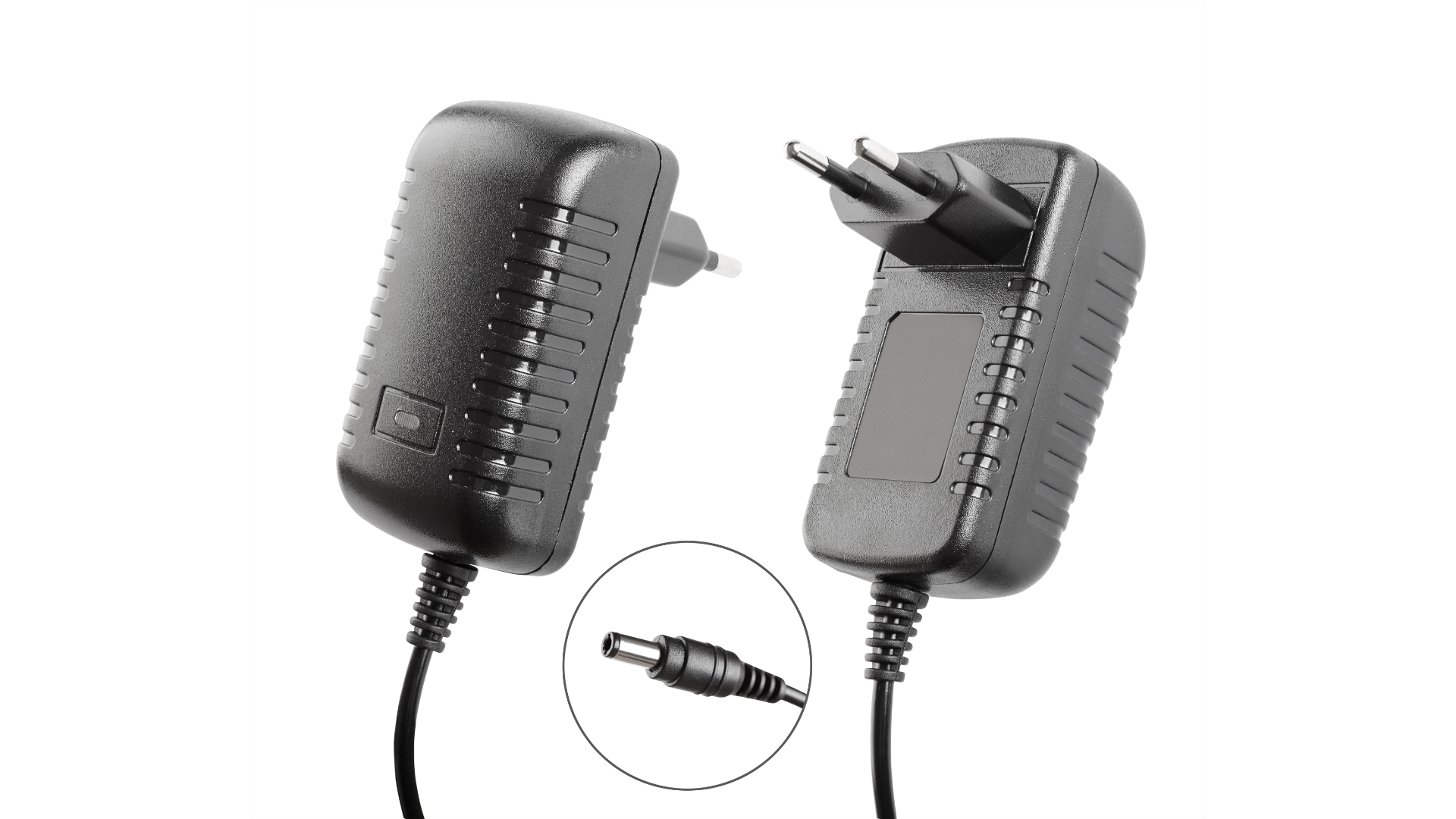
DC power, or Direct Current power, flows in a single direction rather than alternating like AC power. That constant direction and stable DC voltage make it ideal for electronic circuits, including every major chip inside a PC. A DC power supply unit gives the system a predictable voltage and polarity, so sensitive components can operate safely.
Inside a computer, almost everything runs on DC power, even though your wall outlet provides AC. The PSU bridges that gap. It takes high-voltage AC from the outlet and converts it into low-voltage DC power with tightly controlled voltage and current limits. Without that conversion, your motherboard, graphics card, and drives could not function at all.
How A PSU Converts AC Power To DC Power
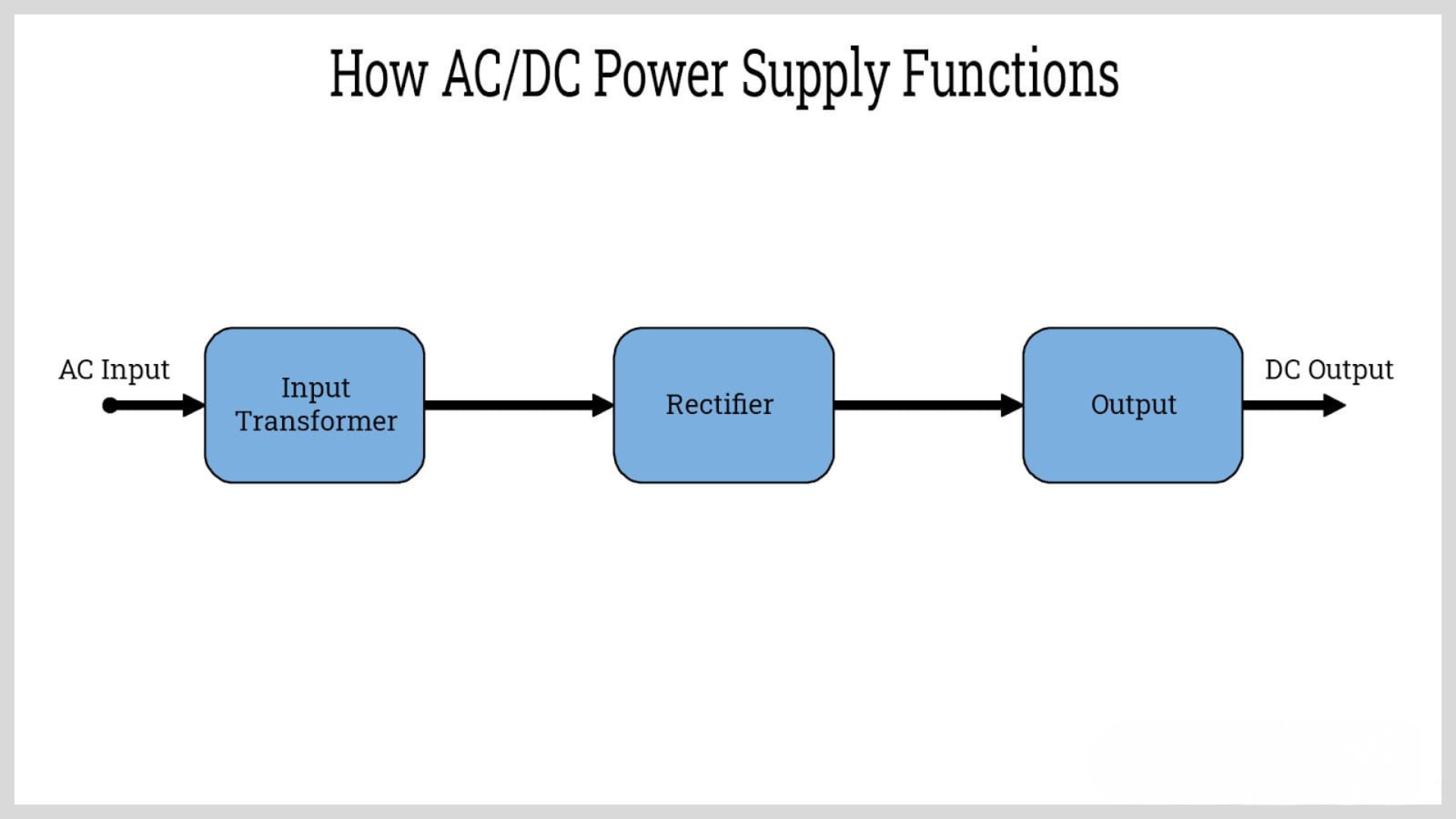
Desktop PSUs are usually switching power supplies (SMPS) that convert AC to efficient DC power. While designs vary between brands, the basic AC-to-DC conversion steps remain the same and explain where the DC power in a PSU comes from.
- Input Filtering And Rectification — The PSU first passes AC through filters that reduce electrical noise, then through a rectifier that uses diodes to convert AC to pulsating DC. At this stage, the output is DC but still bumpy and not ready for your system.
- High Voltage DC and Switching — Large capacitors smooth the pulsating DC into a high-voltage DC bus. High-speed switching transistors then chop that DC into high-frequency pulses, which feed a small transformer. This switching stage makes the PSU more compact and efficient than older linear designs.
- Transformer and Secondary Rectifiers — The transformer steps the switched voltage down to lower levels suitable for PC hardware. On the secondary side, additional rectifiers convert the high-frequency AC back into low-voltage DC outputs.
- Filtering and Voltage Regulation — Filter capacitors and inductors smooth the DC outputs and reduce ripple and noise. Feedback circuits and voltage-regulation chips constantly monitor each rail, adjusting the switching duty cycle to keep +12V, +5V, and +3.3V within tight ATX specs even as the PC load changes.
This entire AC to DC conversion happens continuously while the PC runs. Good regulation and low ripple on the DC rails are what separate a quality DC power supply unit from a poor one, even when both advertise the same wattage.
Key DC Outputs In A Computer PSU

Most consumer PSUs provide several DC power rails, each designed for specific parts of the system. When you ask what DC power is in a PSU in practical terms, you are really asking what each rail does for your hardware.
- +12V Rail — This is the main DC output in modern systems. It powers the CPU through motherboard VRMs, the GPU through PCIe cables, as well as fans, pumps, and drives. High-end PSUs focus on strong +12V capacity and stable current delivery.
- +5V Rail — Historically used for logic circuits and older drives, +5V now mainly feeds USB ports and some legacy components. It still matters for compatibility with certain accessories and external devices.
- +3.3V Rail — This rail powers motherboard logic, sensors, and memory on many boards. Stable +3.3V DC power helps ensure reliable communication between chips and smooth operation of onboard controllers.
- -12V And +5VSB Rails — The -12V rail exists mostly for legacy hardware and some specialized cards. The +5V standby rail keeps a small portion of the system powered when the PC is “off,” enabling wake-on-LAN, USB charging, and soft power-on through the front button.
Together, these DC outputs let the PSU serve as a central DC power hub. When you check PSU labels, you will see each rail listed with its maximum DC voltage and current so you can match it to the needs of your build.
Why Stable DC Power Matters
Clean DC power in a PSU is about more than just hitting the right voltage on paper. Your computer expects DC rails to stay within strict limits, with minimal ripple, noise, and sudden dips when the load changes. Poor DC quality can cause subtle issues long before a PSU fails outright.
- System Stability — Sudden voltage drops or spikes on the +12V rail can trigger reboots, game crashes, or blue screens under load. Stable DC output keeps CPUs and GPUs supplied even during heavy bursts of activity.
- Component Longevity — Excessive ripple and noise heat up capacitors and stress VRMs on the motherboard and graphics card. Over time, that can shorten the life of your hardware even if you never see a dramatic failure.
- Accurate Performance — Storage devices, memory, and USB peripherals expect consistent DC voltage. Fluctuations can cause data errors, disconnects, or random behavior that is hard to trace back to the power supply.
When you pick a PSU, you are really choosing how much trust you place in the DC power that runs your entire system. A good DC power supply unit provides tight regulation and low noise across all its rails, not just a big wattage number on the box.
Power Efficiency And DC Quality In A PSU
Efficiency ratings measure how much of the input AC power a PSU turns into usable DC power for your PC. Higher efficiency means less waste heat, quieter fans, and typically better internal components managing the DC output.
An efficient PSU does not just save energy; it also helps maintain more consistent DC voltage because its components operate under less thermal stress. Running cooler makes it easier for the PSU to keep ripple low and voltage regulation tight across the +12V, +5V, and +3.3V rails.
For gaming builds, workstations, and always-on home servers, investing in a high-efficiency PSU with strong DC regulation pays off in long-term reliability. At the time of writing, most quality desktop units use modern switch-mode designs with active power factor correction and advanced DC monitoring on each rail.
Troubleshooting Common Problems
Even if you never touch the inside of a PSU, basic knowledge of DC power in a PSU helps you spot when the power supply might be the root of your PC problems. These patterns often point back to DC output issues instead of software bugs.
- Random Reboots Under Load — If your PC restarts during gaming or rendering but idles fine on the desktop, the +12V rail may sag when the GPU or CPU pulls high current. A better PSU or lower power draw usually fixes it.
- Coil Whine And Electrical Noise — High-pitched noise during heavy use can come from PSU components reacting to load changes. While not always harmful, it may signal that the PSU is working at the edge of its comfort zone.
- Drives Or USB Devices Dropping Out — If SSDs, HDDs, or USB devices vanish under load, unstable +5V or +3.3V rails could be the cause. Checking cabling and, if needed, replacing the PSU often resolves these intermittent failures.
- Burning Smell Or Visible Damage — Any smell of burning plastic, scorch marks around the PSU, or bulging capacitors is a red flag. Shut the system down immediately and replace the power supply before it damages other components.
For most home users, swapping in a known-good PSU is the simplest way to confirm that DC power problems caused the symptoms. If the new unit clears the issues, the old PSU likely had failing components or weak DC output rails.
Tips
- Choose a PSU from a reputable brand with clear DC rail ratings, not just a large advertised wattage.
- Match the PSU’s +12V capacity to your actual CPU and GPU needs so it is not constantly running near its limit.
- Leave some headroom in total wattage so the power supply can deliver clean DC power even during short spikes.
- Keep the PSU intake and exhaust vents clear of dust to help internal components stay cool and maintain stable DC output.
- Consider upgrading older, no-name PSUs when you install a powerful new graphics card or add multiple drives.
FAQ
What Is DC Power In A PSU
DC power in a PSU is the low-voltage Direct Current the unit delivers to your PC components after converting AC from the wall. It flows in one direction and provides stable voltages like +12V, +5V, and +3.3V for your hardware.
Why Does A Computer Need DC Power Instead Of AC
Electronic circuits, microprocessors, memory, and storage devices are designed to run on steady DC voltage. AC reverses direction many times per second, which would damage those components, so the PSU converts AC into regulated DC power first.
What Do PSU Rails Mean
Rails are separate DC outputs within the PSU, each set to a specific voltage level. In a typical ATX power supply, the +12V rail powers high-draw parts like the CPU and GPU, while +5V and +3.3V rails serve logic circuits, USB ports, and other peripherals.
Can A Bad PSU Damage Other Components
Yes, a failing PSU that provides unstable DC power, excessive ripple, or overvoltage can damage motherboards, GPUs, and drives. Using a quality PSU with good protection circuits reduces that risk significantly.
How Do I Know If My PSU Is Strong Enough
Compare your system’s estimated peak power draw to the PSU’s rated wattage and +12V current. If you are close to the limit or see reboots under load, upgrading to a higher-capacity, higher-quality PSU can provide more reliable DC power.
Summary
- DC power in a PSU is the regulated, one-direction current that runs your PC components after AC to DC conversion.
- Modern PSUs use switching designs to turn AC into efficient DC power across multiple rails like +12V, +5V, and +3.3V.
- Stable DC voltage with low ripple keeps systems reliable, protects hardware, and prevents random crashes or reboots.
- Efficiency ratings, cooling, and internal design all affect how clean and dependable a PSU’s DC outputs will be.
- Recognizing power-related symptoms helps you troubleshoot PSU issues and decide when to replace an aging unit.
Conclusion
DC power in a PSU is the foundation for everything your desktop PC does. By converting high-voltage AC from the wall into stable low-voltage DC rails, the power supply quietly supports every frame of a game, every file transfer, and every workload you run.
When you understand how a PSU generates DC power, what each rail does, and why clean voltage matters, it becomes easier to pick the right unit and spot power-related problems early. With a solid DC power supply unit in your build, the rest of your hardware can perform at its best for years.


Discussion (0)
Be the first to comment.