



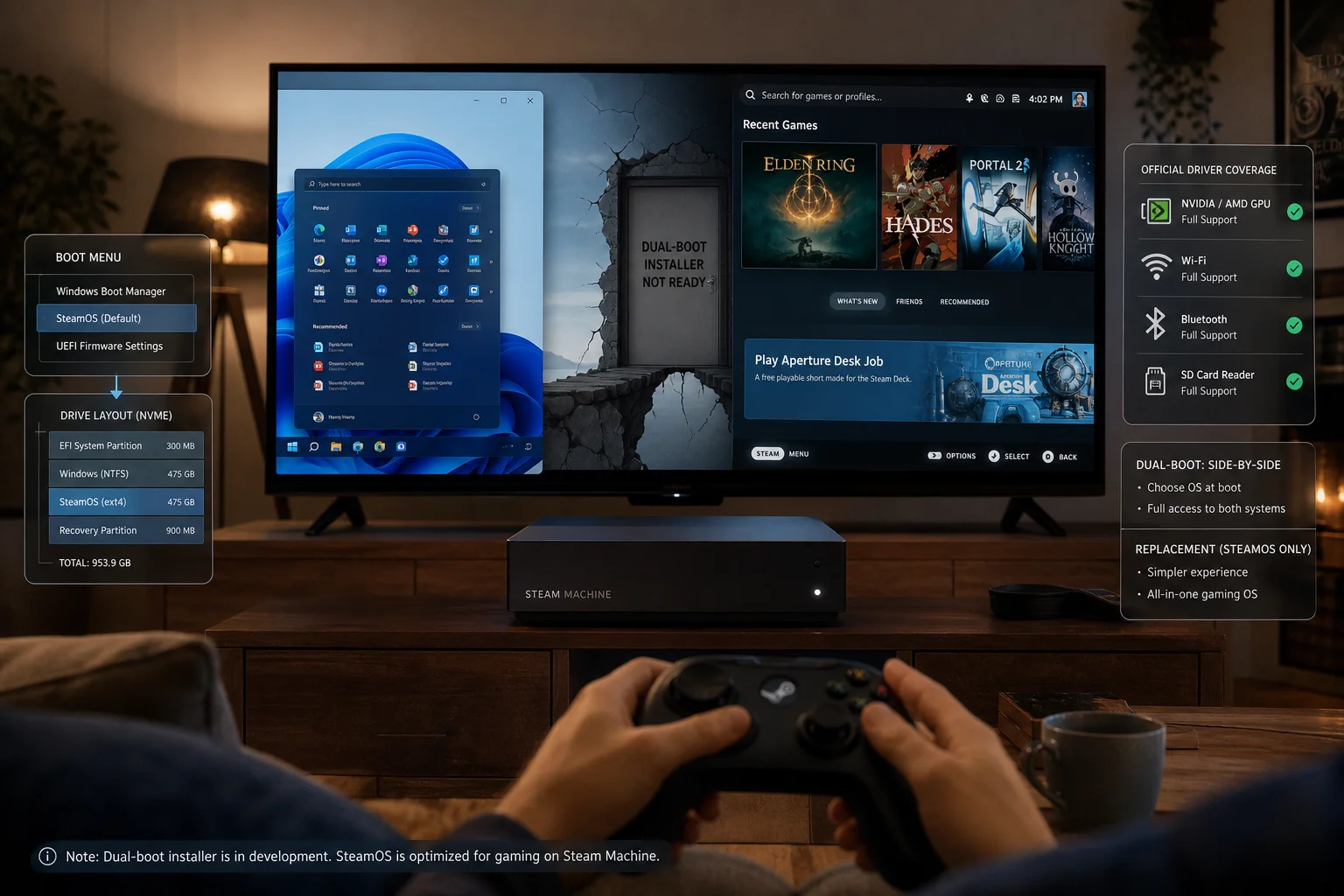
Valve has released Windows drivers for the Steam Machine, giving owners the option to install Microsoft’s operating system instead of using SteamOS. The move is useful for players who want broader game compatibility, especially for titles that still do not run properly on Linux because of anti cheat systems or launcher restrictions.
The driver package currently covers four key hardware areas: graphics, WiFi, Bluetooth, and the SD card reader. With these installed, Windows should be able to recognize and use the Steam Machine’s main components more effectively. That makes the device more flexible for people who want a small living room PC but are not ready to rely fully on SteamOS.
The release is good news for anyone who wants to play games such as Call of Duty or Battlefield, where Linux compatibility can remain a problem. SteamOS has improved greatly because of Proton, but some major multiplayer titles still block or limit Linux based systems. Windows can solve that issue, at least from a software compatibility standpoint.
Installing Windows gives players more options, but there are important tradeoffs
Valve’s Windows driver release does not mean the Steam Machine is becoming a Windows first device. The hardware is still designed around SteamOS, and Valve is not offering full Windows support for the system. The drivers are provided as is, which means users should not expect the same update pace or support attention that SteamOS receives.
| Steam Machine Windows driver detail | What it means |
|---|---|
| Graphics driver | Enables Windows to use the GPU properly |
| WiFi driver | Needed for wireless networking after setup |
| Bluetooth driver | Supports wireless accessories and controllers |
| SD card reader driver | Allows Windows to access SD card storage |
| Ethernet requirement | Needed during setup because WiFi is not ready at first |
| Dual boot status | Official SteamOS dual boot is not supported |
| Valve support | Windows drivers are provided as is |
| Best reason to install Windows | Games that do not run on SteamOS or Linux |
One practical issue is installation. Users will need an Ethernet cable during the Windows setup process because the WiFi driver will not be available until after installation. That is common with fresh Windows installs on specialized hardware, but it is still something buyers need to prepare for before wiping SteamOS.
The bigger limitation is dual booting. Valve does not officially support dual booting SteamOS and Windows on the Steam Machine, so owners have to choose one operating system. That makes the decision more serious than simply testing Windows on a spare partition. If you replace SteamOS, you may lose the smoother console style experience Valve built the device around.
There is also the question of long term driver maintenance. Valve’s own software gets frequent attention, but Windows drivers for Valve hardware have historically moved more slowly. The Steam Deck OLED’s Windows driver package has not seen frequent updates, and the older LCD Steam Deck driver set also went long stretches without changes. That does not mean the Steam Machine drivers will be abandoned, but it is a valid concern for anyone who wants the best future compatibility.
SteamOS remains the better choice for most Steam Machine owners. It is what Valve is actively improving, and it is likely where features such as performance tuning, controller integration, system updates, suspend and resume behavior, and living room navigation will work best. The device is meant to feel more like a console than a normal Windows desktop PC.
Windows still has a clear role. If your library depends on unsupported anti cheat games, Game Pass PC titles, specific launchers, or software that does not work under Proton, installing Windows may be worth the tradeoff. It can turn the Steam Machine into a more traditional small form factor gaming PC.
The best approach depends on your priorities. If you bought the Steam Machine for a polished SteamOS living room setup, staying with Valve’s default software is the safer path. If you need maximum Windows game compatibility and are comfortable managing drivers, setup issues, and possible future update gaps, the new driver package gives you that option.
Valve releasing the drivers is still a positive step. It gives owners more control over their hardware, even if the company clearly expects most people to use SteamOS. For many players, Windows support will be a backup plan rather than the main way to use the Steam Machine.



Discussion (0)
Be the first to comment.