UP

Windows

Tutorials, how-to guides, and blog posts about using Windows. How to use laptops, tablets, PCs, and other gadgets with Windows.

Introducing Windows 8.1: Transform the Start Screen into a Start Menu

One of the changes made by Microsoft in Windows 8.1 is that, due to user feedback, anyone can change the Start screen with a Start Menu. It's not the old Start Menu from Windows 7, but it sure is close enough. But how do you enable it? Here's how: [DC-SUMMARY-BREAK] The Start Screen vs. The Start Menu in Windows 8.1 In Windows 8.1, just like in Windows 8, the Start
5 Reasons Why the Windows Firewall is One of the Best Firewalls

Since we launched 7 Tutorials, we have tested lots of security products. Over the years, we learned a lot about what it means to provide a good security product and, we also learned that the Windows Firewall is one of the best firewalls available. Here are five reasons why we believe that the Windows Firewall is awesome: [DC-SUMMARY-BREAK] 1. The Windows Firewall Offers the Best Integration With Windows The Windows

What's New in Windows 8.1 Public Preview (codename "Blue")?

Windows 8.1 Public Preview is now available for download and it brings many changes to Windows 8. There's lots of new stuff coming in this update and all of it is good. While many of you would think that Windows 8.1 is mostly about touch and tablets, you would be very wrong to think so. Windows 8.1 packs lots of upgrades for traditional PC users. I tested the latest version

Introducing Windows 8: Customize the Look of the Start & Lock Screens

Changing your Desktop wallpaper in Windows 8 is exactly the same procedure you've seen in Windows 7. While the choice to customize your Desktop is a given, Windows 8 goes farther than previous versions of Windows by giving you two more things to customize: the Lock Screen and Start screen. These settings aren't accessible by right-clicking the Desktop, which is what most new users will try first. Rather, you'll have

The Windows Experience Index - How to Use it & Interpret the Results

Starting with Windows Vista, Microsoft includes the Windows Experience Index in its Windows operating systems. According to Microsoft, "the Windows Experience Index measures the capability of your computer's hardware and software configuration and expresses this measurement as a number called a base score". Wonder what that really means? This article will explain how Windows calculates the Windows Experience Index score and its correlation to your computing experience. [DC-SUMMARY-BREAK] What is

Scan for Open Ports & Evaluate the Security of Your System with Nmap

Would you like to know how many open ports are found on each computer or device that is part of your network? Do you want to evaluate how good their firewall protection is and how vulnerable they are? Then, you should try Nmap - an open source tool for security auditing. We use it in our reviews for security solutions and we think it is awesome. You should also try

How to Remove Network Locations Mapped as Drives in Windows 8

The process called mapping, assigns a drive letter on your computer to a location on a remote system allowing you to access and save files over the network easily. We have shown how to make these links permanent by reconnecting them every time you log on, which assures they'll never disappear on you. However, it also means you'll get annoying messages from your tray if the network drive doesn't exist

Set Windows to Play Alarm Sounds When Reaching Low or Critical Battery

Some of our readers have asked how they can set Windows 7 or Windows 8 so that it plays an alarm sound when the battery or their laptop or tablet reaches a low or critically low level. Such alarms can be played automatically with the use of sound schemes. In this tutorial you will learn how this works. [DC-SUMMARY-BREAK] Step 1. Find the Active Sound Scheme First, you need to
tutorial 4+ Free Tools for Making Remote Connections from Macs to Windows PCs

4+ Free Tools for Making Remote Connections from Macs to Windows PCs

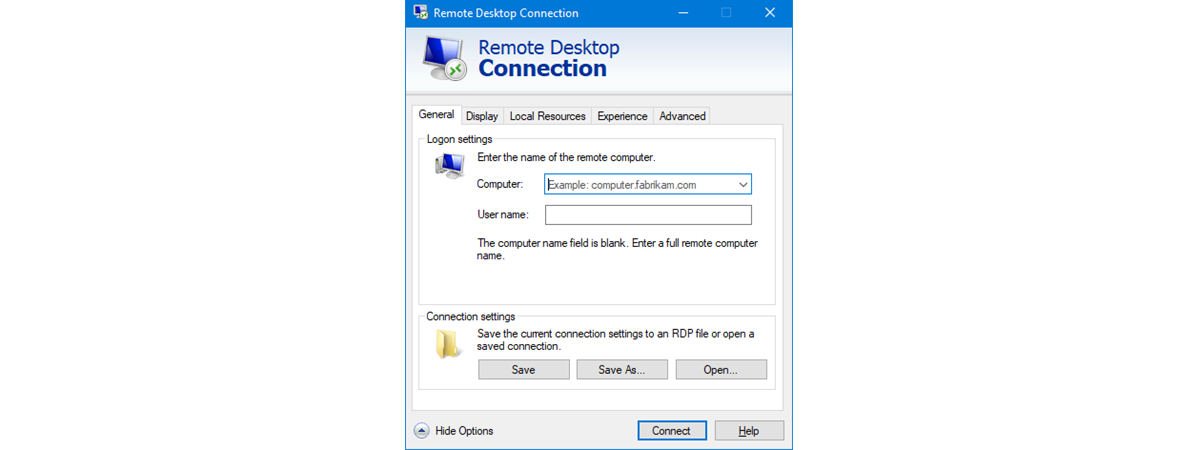
When I was asked to update our 2010 article about connecting remotely to a PC from a Mac, I thought it would be a fairly simple task. However, since that article was written, Microsoft has dropped support for their Remote Desktop Connection software for Macs. While there are anecdotal reports of it working on OS X Lion, it definitely will not work on OS

How to Make Windows 8 Temporarily Reveal the Password You Just Typed

When using Windows 8, you encounter all kinds of scenarios in which you are asked to enter one password or another. And, as all operating systems do, Windows 8 masks the passwords you enter with bullets, so that they cannot be read by someone standing nearby. A useful security precaution. But, what if you want to double check what you just typed, to make sure it is correct. How do

10 Features that Make Windows 8 the Most Secure Windows Yet

It will be quite obvious to any first-time user that Windows 8 is very different from previous versions. While the obvious interface changes will be the most talked about, the addition of a number of great security features is really worth getting excited over. Combine new features like early launch anti-malware with oldies like the Windows Firewall and you have an operating system that you can feel secure using. [DC-SUMMARY-BREAK]
tutorial How to Install Any Version of Windows from Other Network Computers

How to Install Any Version of Windows from Other Network Computers

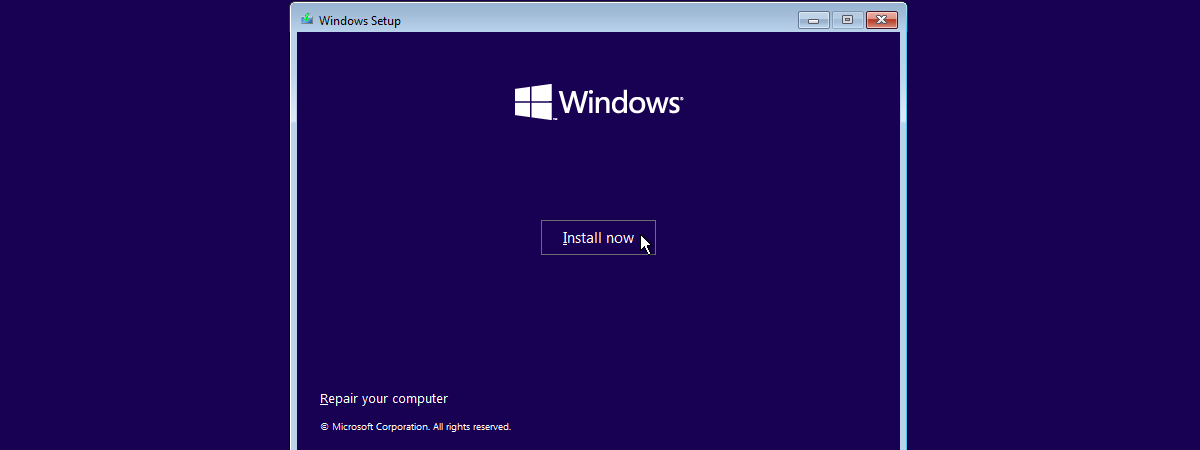
Talk about a complex thing to do: installing Windows over the network. Even installing it via a USB drive is simpler. However, this doesn't mean it cannot be done. Using a free tool named Serva and a bit of time and attention, anyone can set up his/her network environment so that Windows installations are performed with ease, from one network computer. Here's how the

How to Use Special Characters in Windows with Character Map

What do you do when you have to insert special characters that can't be found on your keyboard? You use the Character Map tool found both in Windows 7 and Windows 8. It allows you to insert scientific notations, mathematical operators, currency symbols and characters from languages like Japanese Hiragana , Katakana, Korean Hanji and others. In this tutorial, I will show how to find the Character Map, share a

How to Restore Windows 8 to Its Initial Clean State Using Reset

In previous versions of Windows, the only tools available for restoring Windows to a previous state were System Restore and Windows Backup. Even though they are useful tools, you cannot use them to restore Windows to its initial, clean state. You have to perform a manual reinstallation of the operating system. And that is a bit of a pain. Windows 8 introduces a great new feature named Restore. With the

What is the Public Folder & How to Use it?

The Public folder was first introduced in Windows Vista and it has appeared in every version of Windows since. It is not much of a feature - just a folder with a slightly special setup that can be useful in certain scenarios. To help you understand what the Public folder is, how to use it, and when it is useful to use it, we created this guide which explains the

What to do When Windows 8 Says Your Genuine Product Key is Not Valid?

If you installed Windows 8 on a computer and you then changed its hardware configuration (e.g. upgraded the processor, memory or other important components), it can happen that Windows 8 no longer accepts the product key bundled with your original installation disc. This happens also when you buy a new computer and you install the Windows 8 edition you purchased and stop using the old computer. What can you do

How to Add a Clock Showing the Time on the Windows 8 Start Screen

One of the things I do not like about the Start screen in Windows 8 is the fact that it doesn't show the time and date, as the taskbar does on the Desktop. I wish Microsoft had provided an easy way to add a clock in a live tile. Luckily there are quite a few apps available to fill this gap. The better ones cost money but there are also

How to Schedule a Virus Scan with Windows 8's Built-In Antivirus

If you've spent any time looking at Windows 8's Defender interface, you've likely noticed that it doesn't include any options for scheduling a scan. While Windows Defender provides most of it's protection in real-time, if you're like us, you'll want a back-up scan occurring regularly. Though the user interface does in fact omit a simple way to schedule a scan, this option exists within the Windows 8 Task Scheduler. Read

Introducing Windows 8: The Complete Guide to the Messaging App

Chatting has become a very large part daily computer usage for many people. Whether messaging on Facebook or with a chat client, you've likely spent a significant amount of time messaging with friends back and forth. Using separate clients to chat with contacts can get annoying, so Windows 8 has taken a step to try and make it easier. The Messaging app allows you to aggregate your contacts from both