

UP

Windows

Tutorials, how-to guides, and blog posts about using Windows. How to use laptops, tablets, PCs, and other gadgets with Windows.

Reviewing the ASUS Transformer Book T100HA

ASUS Transformer Book T100 is one of the most popular 2-in-1 devices that were sold with Windows 8.1. It's a device that mixes a netbook with tablet and the result is a hybrid that is powerful enough to withstand common day to day activities, yet light enough to carry with you anywhere you go and with great battery life. This popular model has now received an upgrade, called ASUS Transformer

Windows 10 At Work For Dummies - Why you should read it

This month, my 7th book was published. As you might assume, it is about Windows 10 and it represents an important launch for me: it's my first book published under the For Dummies brand. I am no longer working with Microsoft Press and I have switched to working with Wiley, the publisher that owns For Dummies. The book is named Windows 10 At Work For Dummies and here's what you

IC3: Internet and Computing Core Certification Global Standard 4 Study Guide

Earlier this year I published a book that represented a first for me: a book for an international certification in digital literacy. To be more specific, I wrote the book for the IC3 Global Standard 4 Certification, which aims to help people take all their exams when they apply for this certification. If you would like to learn more about the certification, as well as the book itself, don't hesitate
tutorial Simple Questions: What Are Remote Desktop Connections?

Simple Questions: What Are Remote Desktop Connections?

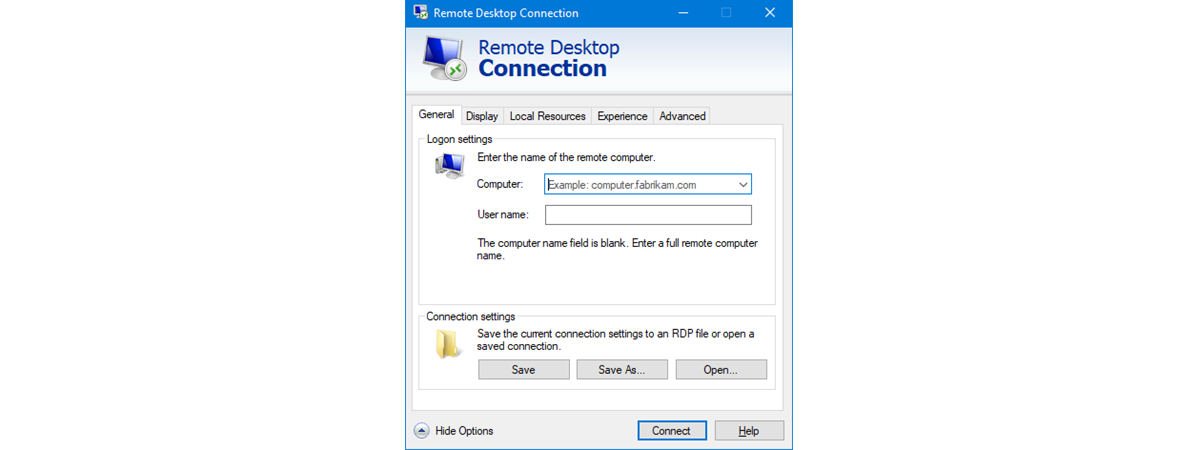
You might have heard about remote desktop connections, either at work, from your network admin or just from a friend who is rather geeky and knowledgeable about computers and networks. If you don't know what remote desktop connections are, then this article is for you. After receiving a number of questions regarding the purpose and usefulness of remote desktop connections, we've come to the

Reviewing Toshiba PORTEGE Z20t-B - A Versatile Hybrid Ultrabook For Business Users

Toshiba PORTEGE Z20t-B is a hybrid ultrabook aimed mostly at business users. It promises amazing battery life, lots of connectivity options, a free upgrade to Windows 10 or a downgrade to Windows 7, as well as decent performance for most computing situations. We took it for a spin, used it for about two weeks, ran lots of benchmarks and we are now ready to share our conclusions, in this review:

13 Ways To Save Power By Tweaking Power Plans In Windows

When you use a mobile device, spending energy as efficiently as possible is a must, so that you can use it as long as possible. This is why in modern versions of Windows, you can configure lots of advanced settings to get the best balance between performance and power saving. Read this article and learn 13 advanced ways to configure power plans in Windows, so that you can save as

How To Create Or Delete Your Own Custom Power Plans In Windows

All modern Windows operating systems allow users to create their own custom power plans and use one of the default plans as the starting point. The procedure for creating them is not very complex and it allows you to configure in detail all the settings that are related to power plans. Here's how to create your own power plan in Windows 7, Windows 8.1 and Windows 10: [DC-SUMMARY-BREAK] How To

What's Different About File Explorer In Windows 10 Vs. Windows 8.1

In many ways, Windows 10 is similar to both Windows 8.1 and with Windows 7. However, it's also very different from both these operating systems. And amongst all the similarities and differences, here's one very interesting question some of our readers asked: "What are the differences between Windows 10's File Explorer and Windows 8.1's File Explorer? What's changed?". We believe this question deserves an answer, so today we're going to

Top 6 Improvements In Windows 10's File Explorer

Windows 10 brought many changes and improvements when compared to Microsoft's previous operating systems. One of the best changes is the improved File Explorer that comes with a slightly different design and some new features and options. While it didn't undergo any radical transformations, at least not when compared with Windows 8.1, its small changes and improvements are noticeable and working with it just got better. In this article, we'll

Download The Desktop Shortcut To PC Settings/Settings For Windows 8.1 & Windows 10

While we do like the modern interface offered by Windows 8.1 and Windows 10, there is one thing that we definitely dislike: it's rather difficult to create custom shortcuts to different apps and configuration panels, including the new Settings app from Windows 10. That's why we decided to give you our own special shortcut for PC Settings in Windows 8.1 and Settings in Windows 10, which involved a bit of
tutorial How To Chat Or Group Text Chat With The Skype For Windows Desktop App

How To Chat Or Group Text Chat With The Skype For Windows Desktop App

Skype for desktop is a great tool that will allow you to stay connected with your family, friends and colleagues. One of its highly useful features is the ability to chat for free with almost anyone in the world. Also, you can use Skype for desktop to communicate with your friends while doing other things like browsing the web, playing a game or listening
tutorial Troubleshoot Internet Connection Problems Over A Wireless Network

Troubleshoot Internet Connection Problems Over A Wireless Network

Have you ever connected to a wireless network at a friend's house and could not access the Internet, even though you were connected? Did Windows tell you that there is no Internet access? If the answer is yes, then read this article to find out how to troubleshoot and fix this issue. How To Tell If You Don't Have Internet Access The first
tutorial How To Link A Skype ID To A Microsoft Account With Skype For Desktop

How To Link A Skype ID To A Microsoft Account With Skype For Desktop

If you used Skype before, you might have noticed that you can link your Skype and Microsoft accounts. Microsoft recommends linking the two account primarily because you will only need to remember one user account and password that can be used across multiple devices and Microsoft services. Secondly, linking your accounts allows the integration of Skype with Outlook and the merging of all your
tutorial How To Manage Your Skype Account From The Skype For Windows Desktop App

How To Manage Your Skype Account From The Skype For Windows Desktop App

As we have already explained, Skype is going to discontinue the "Modern" Skype app and make its users migrate to the Skype for desktop app. This action is an attempt to simplify the your user experience with the help of a single application that works with either a keyboard and mouse or a touchscreen. This tutorial continues our series of articles about the Skype
tutorial The Best Tools To Check For Software Updates

The Best Tools To Check For Software Updates

During the early days of Windows, the operating system was usually the direct target of most malware creators. Along the way, Microsoft has worked a lot on hardening the operating system by creating and delivering security patches to its users in as timely a manner they possibly could. Today, Windows is becoming more and more secure and therefore it forces malware creators to shift

Project To Another Display From Windows 8.1 Using The Microsoft Wireless Display Adapter

Miracast is a wireless technology that your Windows 8.1 devices can use to project their screens to TVs, projectors, and streaming media players that support this technology. However, if your TV or monitor doesn't offer Miracast, you can purchase the Microsoft Wireless Display Adapter and use it to project wirelessly to any display with both an HDMI port and a powered USB port. Here's how to project from a Windows

The Complete Guide To Pinning Everything To The Windows 8.1 Start Screen

Have you ever wondered what kind of items can you pin on your Start screen? Well, there's a lot of stuff you can pin that you probably didn't know about such as libraries, networks locations, websites, different apps and many others. If you didn't really liked the Start screen or you never saw its usefulness maybe after reading our guide you will. If you haven't figured it out yet, our

Introducing Windows 8.1: Group Shortcuts On The Start Screen & Name Them

Organization is the key to productivity. Having important stuff you pinned on the Start screen scattered all over the place is not very efficient. Your favourite apps will be hard to find, especially if there's a large number of apps pinned on the Start screen. The best option for Windows 8.1 users is to group the items and label them properly. Besides the utility of this feature, you will notice

8 Things You Can Do With The Health & Fitness App In Windows 8.1

If you've always wanted to start exercising, to build a healthy body but didn't know where to begin, the Health and Fitness app from windows 8.1 could get you on the right path. You'll find workouts, diets and tips to help you get started on that dream body, and also to maintain a healthy lifestyle and diet after you reach your goal weight. Let's start and go through all the

How To Clear Your Personal Information From Your Start Screen Tiles

If you're a Windows 8.1 user, you surely noticed that some of the tiles pinned on your Start screen gather and display personal information like notifications with messages you receive from others, your meetings and to-dos, your personal pictures and so on. At some point, you may want to clean all that information so that others won't see it. In this guide we will show you the steps you need



