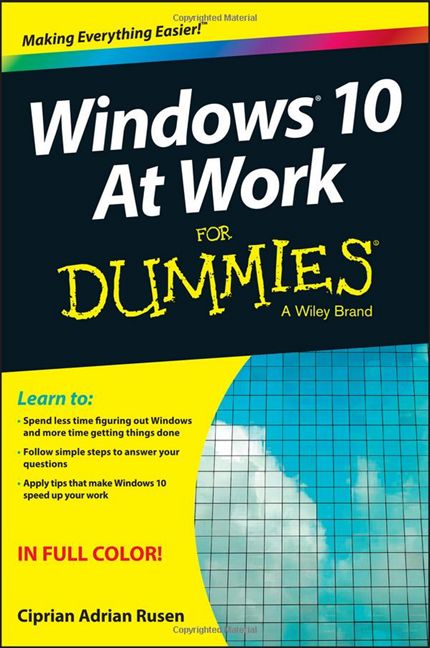
This month, my 7th book was published. As you might assume, it is about Windows 10 and it represents an important launch for me: it's my first book published under the For Dummies brand. I am no longer working with Microsoft Press and I have switched to working with Wiley, the publisher that owns For Dummies. The book is named Windows 10 At Work For Dummies and here's what you get if you decide to purchase it:
Windows 10 At Work For Dummies - What's inside the book?
Windows 10 At Work For Dummies is aimed mainly at people who use Windows 10 at work. It uses a task-focused approach for users who are familiar with Windows and want to quickly get up-to-speed on the latest features in Windows 10. The book includes more than 300 tasks that cover areas like: using the new Start Menu, using new apps like Mail, Calendar, Cortana and so on, working with devices, doing your work while on the go, protecting your data and improving your privacy when using Windows 10.
Windows 10 At Work For Dummies, book
When writing this book, I thought about business professionals who receive a Windows 10 device from their workplace. They will use it in the office while traveling, and when working from home. The most common situations such a business professional will go through, are all covered in the book. For example, you will learn how to establish and use VPN connections, how to change your proxy settings, or how to use the Work Folders feature to access your work when you are at home. Security and encryption are also important subjects that are covered in the book.
Windows 10 At Work For Dummies has 416 pages and it is split into 25 chapters, each organized into a series of tasks. Each task is explained in a very straightforward manner and, if you follow my instructions, you should encounter no issues in performing the tasks that you are interested in.
Access to Windows 10 video tutorials
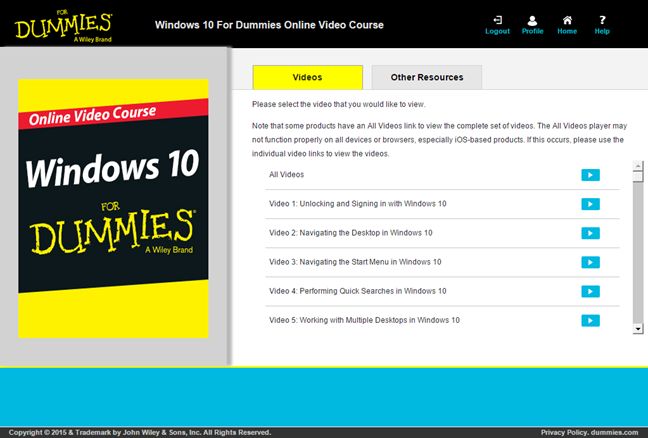
At the end of the book you will find an access code that you can use to register on the For Dummies website. With it, you can access a series of short video tutorials that illustrate key concepts and tools in Windows 10. In total, you will get access to 150 step-by-step videos which complement the contents of the book.
Windows 10 At Work For Dummies, book
Buy Windows 10 At Work For Dummies
If you are interested in this book, you can find it in many libraries and online shops, across the US, Canada, and the UK. One of the best places where you can buy it is Amazon. There you will find the book both in the Kindle format and in paperback. To purchase the book, see Amazon.com.
Please review the book
If you purchase and read the book, please review it on Amazon. Your feedback is very valuable and it will also help others decide whether this book is worth buying or not. Therefore, don't be shy and express your opinion of it: What did you enjoy? What is missing? What would you like to have included in future reprints of the book?
ps. A good simple (highly desirable) system would dump all the unwanted complications like ‘Dropbox’ (which automatically gobbles up my screenshots and disappears them into cyberspace), ‘Cortana’, the entire ‘Cloud’ garbage, assorted ‘Sharing’ facilities, etc. NONE OF WHICH ARE WANTED by vast numbers of people, but confuse everything else.
Jackson Wallace ·
This abomination called Windows 10 needs to be shot, drowned and fucked with a pineapple!
It’s a piece of automated dictatorial garbage that REFUSES to allow me to use MY computer as I see fit. (A computer supplied by an insurance company after my house burned down and my cherished XP system ~ including Outlook Express! ~ was lost.)
I’m 65 years too old to be a 5 yo nerd, and would pay a good price to dump this pile of rubbish (and the unwanted ‘apps’, ‘accounts’ and other ‘required’ crapppp that perforce go with it’) and reinstall a working version of XP and a decent, onboard, mail client that does what I want it to do without necessarily being online.(read: Outlook Express)
EVERYONE I speak to says the same thing, and some baby nerd could make a LOT OF MONEY by creating such an OS.
For myself: I’m tempted to take this piece of shit to the tip and buy a Mac., which I’m told would suit MY requirements, Contact me if you want ideas or financing to create something useful (and perhaps including a help-desk manned by REAL people, instead of mechanical noises that NEVER address your concerns.)







Discussion (6)
cool book
Glad you like it. 😉
ps. A good simple (highly desirable) system would dump all the unwanted complications like ‘Dropbox’ (which automatically gobbles up my screenshots and disappears them into cyberspace), ‘Cortana’, the entire ‘Cloud’ garbage, assorted ‘Sharing’ facilities, etc. NONE OF WHICH ARE WANTED by vast numbers of people, but confuse everything else.
This abomination called Windows 10 needs to be shot, drowned and fucked with a pineapple!
It’s a piece of automated dictatorial garbage that REFUSES to allow me to use MY computer as I see fit. (A computer supplied by an insurance company after my house burned down and my cherished XP system ~ including Outlook Express! ~ was lost.)
I’m 65 years too old to be a 5 yo nerd, and would pay a good price to dump this pile of rubbish (and the unwanted ‘apps’, ‘accounts’ and other ‘required’ crapppp that perforce go with it’) and reinstall a working version of XP and a decent, onboard, mail client that does what I want it to do without necessarily being online.(read: Outlook Express)
EVERYONE I speak to says the same thing, and some baby nerd could make a LOT OF MONEY by creating such an OS.
For myself: I’m tempted to take this piece of shit to the tip and buy a Mac., which I’m told would suit MY requirements, Contact me if you want ideas or financing to create something useful (and perhaps including a help-desk manned by REAL people, instead of mechanical noises that NEVER address your concerns.)
Congrats!!! 7th book…wow…what an accomplishment!
Thank you! Kent.