


UP

Tutorials

Tutorials and how to guides about using gadgets, hardware, and software. Our tutorials cover all major operating systems: Windows, Android, iOS and others.

tutorial How to Connect Windows 8.1 Devices to Wireless Networks via WPS

How to Connect Windows 8.1 Devices to Wireless Networks via WPS

If you have a Windows 8.1 laptop, tablet or hybrid that you can connect to wireless networks, you may need or want to use the WPS standard to make quicker connections to some networks. If that is the case for you, here's how to connect any Windows 8.1 device to a wireless network by using the WPS feature on any router. NOTE: If
Keep Track of the Apps That Were Installed on Your Windows 8.1 Devices

If you use Windows 8.1 on more than one device and you try lots of apps, you will quickly lose track of the apps that you have installed on your devices. Luckily, the Windows Store has a nice feature that allows you to view all the apps that were installed on all your devices. Here's how to keep track of all your installed apps, using the Your Apps lists available

How to Find, Install and Review Apps in the Windows 8.1 Store

Windows Store is the place where Windows 8.1 users can find, install and update their apps. Because the Windows Store was launched with Windows 8, it does not yet have a large number of apps, like other app stores from Microsoft's competitors, but their number is increasing steadily. Since nobody wants an operating system without apps, you will want to use the Windows Store to discover and install apps and

How to Report Problems With Microsoft Services, Including OneDrive

One of the good things about Microsoft's services is that they offer a quick way to report when you have issues. Also, Microsoft provides complete service status history so that you can find out what issues have happened in the past and when they were fixed. If any Microsoft service is not working for you (OneDrive, Outlook.com, Family Safety, etc), here's how to report your problem in just a couple

Connect Windows 8.1 Devices With Mini DisplayPorts to HDMI Displays

Surface and Surface Pro tablets from Microsoft do not have an HDMI port and it isn't very obvious how to connect them to an external monitor. The same is true about many other Windows 8.1 devices, including laptops and tablets created by HP, Dell or Lenovo. All these modern devices do have a Mini DisplayPort that you can use for connecting them to all kinds of displays and projectors that
tutorial 35 Keyboard Shortcuts That Increase Your Productivity in Windows 8.1

35 Keyboard Shortcuts That Increase Your Productivity in Windows 8.1

While using Windows 8.1's user interface might require some time to accommodate, the tasks of navigating through the operating system and its new apps can be simplified by using the keyboard shortcuts that Microsoft has made available. The shortcuts shared in this article were chosen by us while thinking what apps or settings you might access or use on a regular basis. They are
tutorial Introducing Windows 8.1: How to Share Screenshots from Any App

Introducing Windows 8.1: How to Share Screenshots from Any App

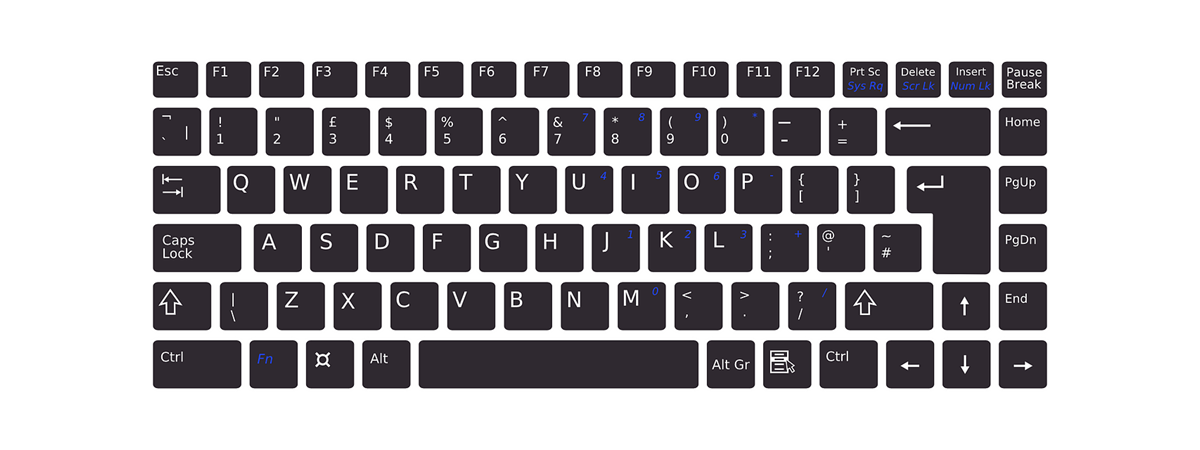
Windows 8.1 comes with a bundle of many apps, from Sports and News to Finance and Health & Fitness. Chances are you are going to stumble upon some interesting content while using these apps, and you may want to quickly share a screenshot with it. Traditionally this meant using the PrtScn key, saving the screenshot in an image editor and then using another program

How to Use the Video App in Windows 8.1 to Play Movies Stored Locally

I bet most of you enjoy watching movies on your computers and devices, both when at home and while travelling. With the help of the Video app you can watch all kinds of movies both from your PC and your tablet. This friendly modern app also enables you to organize your movies in a digital library. Without further ado, let's see how to use the Video app to play your

How to Record Audio with the Sound Recorder App in Windows 8.1

Windows 8.1 includes a reasonably large bundle of apps when you install it. One of these apps is Sound Recorder. This is a very interesting app that allows you to record sounds, trim their length, save them and share them with your friends. Let's take a closer look at the Sound Recorder app and see how to use it. [DC-SUMMARY-BREAK] How to launch the Sound Recorder App in Windows 8.1

How to Set Timers & Use the Stopwatch in Windows 8.1's Alarms App

Aside from setting alarms, the Alarms app in Windows 8.1 also allows you to set timers and provides a stopwatch that you can use to track laps and splits. Let's see how to use the timers and the stopwatch in Windows 8.1. [DC-SUMMARY-BREAK] How to Set Timers in the Alarms app To set a timer in the Alarms app, first launch the app itself. If you are not sure how

What are ReadyBoost & SuperFetch? How to Use Them in Windows

ReadyBoost is a component of Windows operating systems, that was first available in Windows Vista. Its purpose is to help the SuperFetch service in making your system run smoother, by using a fast USB flash drive that helps reduce number of read and writes to your hard drive. If you would like to learn what SuperFetch and ReadyBoost are and how they work together, don't hesitate to read this article.

How to Add, Edit and Remove Alarms in Windows 8.1

If you are looking for an easy way to use your Windows 8.1 device to keep track of time during certain activities, the operating system offers an easy and friendly way of doing this - the Alarms app. It enables you to set alarms, timers or use a stopwatch for managing your time, waking up for work in the morning or even timing your favorite activities. In this first article

How to Share and Synchronize Content in Windows 8.1's Reading List App

Today we're going to take a look at two important features of the Reading List app: share and sync. They might be either a deal breaker or a deal maker in using this app. Reading List allows you to share the content you add to it with your friends. It also allows you to synchronize the its content across Windows 8.1 devices, so you can add an article to Reading

Simple Questions: What is Hands-Free Mode in Windows 8.1?

If you have used Windows 8.1 or at least read about it, you might have encountered a feature named Hands-Free Mode. As the name implies, it is about using your Windows 8.1 device without your hands. But how does it work? Is it any good? Let's find out from this guide. [DC-SUMMARY-BREAK] What is Hands-Free Mode in Windows 8.1? This feature is designed for tablet or hybrid devices that have

The Complete Guide to the Weather App in Windows 8 & 8.1

Knowing the weather is essential to planning anything from an upcoming weekend away to which route to drive to work. While many users watch the news for their weather information and others might check the Internet, Windows 8 and Windows 8.1 provide a great alternative with their bundled Weather app. Once configured, this app provides extended forecasts, hourly forecasts, weather maps and even historical data. This is a very useful

How to Remove Content & Categories from Windows 8.1's Reading List App

In this third episode of our series about the Reading List app in Windows 8.1, I will guide you through the process of removing categories and content from this app. If you want to reorganize the way content is classified or you just want to clean up some less interesting content, this guide will be useful to you. [DC-SUMMARY-BREAK] If you need to refresh your memory on how to add

How to Add & Categorize Content in Windows 8.1's Reading List App

In this second episode of our series about the Reading List app in Windows 8.1, I would like to share how to add content to this app, how to read it and how to categorize it, so that you keep everything well organized. As you will see, this app is quite versatile and can be a great tool for storing and organizing what you want to read later. [DC-SUMMARY-BREAK] If

What the Reading List App in Windows 8.1 is & Why You Should Use it

Let's face it, no matter how much the Internet has improved and eased the way you get informed, it is still full of recycled, misunderstood or erroneous information. You will likely need to carefully filter through all the information you find on the web in order to read the news, blog posts or any other kind of content that is both useful for you and correctly written. Fortunately, Microsoft included

Stop Autocorrect & Keyboard Sounds While Typing on a Windows 8.1 Tablet

Are you using a Windows 8.1 tablet like the Surface 2 or a hybrid device with a touch screen? Then, while typing, you might have noticed some issues with the way the touch keyboard works in Windows 8.1. If that's the case for you, then read this guide on how to set up the touch keyboard, so that it works the way you want to. [DC-SUMMARY-BREAK] Go to PC Settings

How to Set a Proxy Server on Windows 8.1 Tablet or Hybrid Device

One of the small but good improvements in Windows 8.1 is that it provides a touch-friendly way to set a proxy server. This proxy is then used by Internet Explorer and modern apps from the Windows Store that need to access the web. In Windows 8, even if you had a tablet or a hybrid device like Microsoft Surface, you had to use the desktop version of Internet Explorer to