A new trend on the internet is that of using websites to mine cryptocurrencies without the knowledge of their visitors. As a result, the visitor's web browser gets slow, and the web browsing experience becomes incredibly frustrating. If you use Google Chrome and your computer's processor usage goes up a lot, when visiting a specific website, then you must read this article. We explain why this issue occurs and what you need to do, to protect yourself:
The problem: The CPU usage of Google Chrome goes up when I visit a particular website
In the last few months, many users complained about this problem: when you try to visit a specific site, the processor (CPU) usage of Google Chrome shoots up to a large percentage like 45%, 75%, 90% or more. The computer or laptop being used gets louder because the ventilation kicks in to cool the processor. This also leads to increased power consumption.
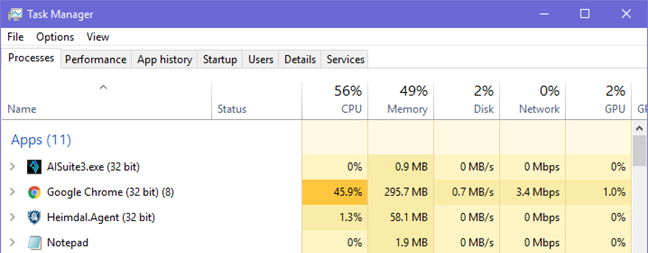
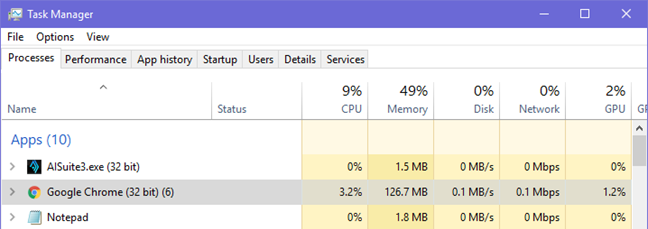
When you close the tab with that website, everything goes back to normal. This recently happened to us too, on a website or two. Below, you can see the CPU usage of Google Chrome, with only one tab open and one website loaded.
Google Chrome, No Coin
This is a lot if you ask us, especially when using a powerful desktop computer, with plenty of CPU power.
Why does this happen? Because of cryptocurrency mining!
Google Chrome tends to use more processing resources than other web browsers like Microsoft Edge or Firefox. However, if this problem takes place only when visiting specific websites and it goes away when you close the tabs where they are loaded, then this behavior is not normal, and it is not Google Chrome's fault for the high CPU usage. Most probably, you are a victim of cryptocurrency mining. The website(s) that you are visiting loaded a Javascript into your web browser that mines for cryptocurrency or displays compromised ads that use your computer's hardware for mining cryptocurrency. Why do some websites do this? To make money by using the computing resources of their visitors, as cryptocurrencies can be converted into cash
It is not moral, but there are no laws against this practice, yet.
How to fix the problem: Install No Coin for Google Chrome
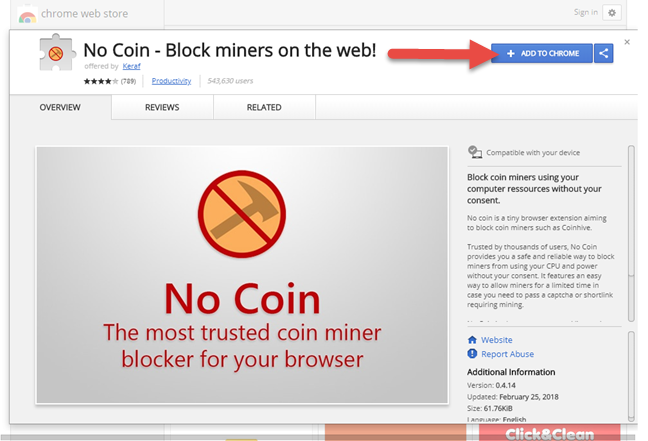
No Coin is an open-source project that was created by Rafael Keramidas. It blocks cryptocurrency mining automatically so that you are protected from this practice when browsing the web. Opera has this tool built-in, while Google Chrome has a No Coin extension that anyone can install. In Google Chrome, go here, and then click or tap "Add to Chrome."
Google Chrome, No Coin
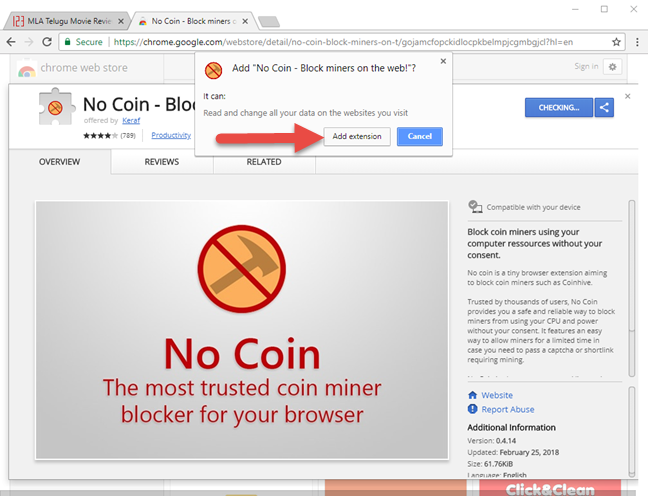
Confirm that you want to add this extension to your browser by clicking "Add extension."
Google Chrome, No Coin
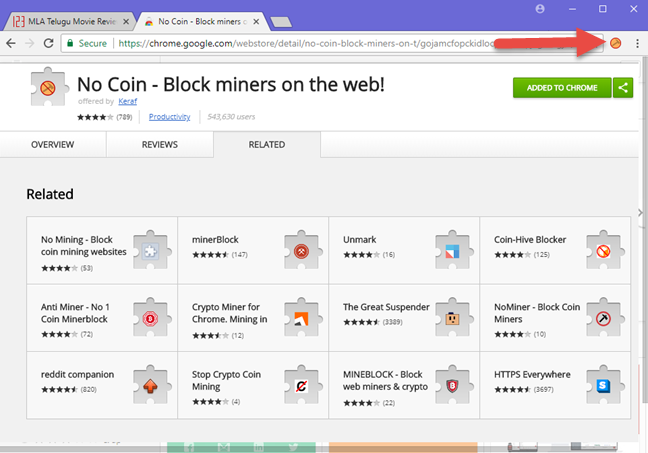
You are informed that No Coin was added to Google Chrome, and you can see its icon near the address bar on the top. You can see it highlighted in the screenshot below.
Google Chrome, No Coin
When this icon is displayed in Google Chrome, you are protected from cryptocurrency mining, because this extension automatically blocks the scripts and the ads that are used for this practice.
Does No Coin work, for real?
To make a quick test, we visited the same website that does cryptocurrency mining, after No Coin was added to Google Chrome. You can see, that the processor usage decreased from 45% (in the first screenshot) to 3% (the screenshot below). That is a considerable improvement that leads to an excellent user experience.
Google Chrome, No Coin
How often do you have issues with websites that mine for cryptocurrency?
Before closing this tutorial, share with us your experience with websites that do cryptocurrency mining. Did you encounter many of them? How did Google Chrome behave when you visited such websites? Comment below and let's discuss.
I was having this exact issue with one specific site: https://www4.9anime.is/watch. Whenever I went to it, my cooling fan started overworking and got really loud. My CPU went up to over 40%. Just like this article said, these problems resolved themselves after I deleted the tab in Chrome, and this was the only website I was having problems with. After installing the No Coin extension, I went back to the site and then checked my CPU. It stayed at the normal average 10% range, and my fan didn’t go haywire. This article saved my sanity because I love this site, and the noisy fan was driving me nuts. THANK YOU!
Anonymous ·
Happy to help Kayla.
tazmo8448 ·
I’ve applied the No Coin Extension but still get over 1 gb RAM Chrome usage sometimes hitting 2 gb’s with nothing but gmail open…it is a hog. CPU usage is low tho.
Ciprian Adrian Rusen ·
This extension will only reduce the CPU and GPU usage when some websites try to do crypto mining.










Discussion (7)
It worked just like you said it would. Thank you.
I was having this exact issue with one specific site: https://www4.9anime.is/watch. Whenever I went to it, my cooling fan started overworking and got really loud. My CPU went up to over 40%. Just like this article said, these problems resolved themselves after I deleted the tab in Chrome, and this was the only website I was having problems with. After installing the No Coin extension, I went back to the site and then checked my CPU. It stayed at the normal average 10% range, and my fan didn’t go haywire. This article saved my sanity because I love this site, and the noisy fan was driving me nuts. THANK YOU!
Happy to help Kayla.
I’ve applied the No Coin Extension but still get over 1 gb RAM Chrome usage sometimes hitting 2 gb’s with nothing but gmail open…it is a hog. CPU usage is low tho.
This extension will only reduce the CPU and GPU usage when some websites try to do crypto mining.
Good Heads Up!
Glad you find it useful. 😉