




Google is testing deeper AI Mode integration in Chrome for Android through its new “Contextual Tasks” feature, which now opens AI Mode directly inside the browser. The change brings Google’s contextual task work from desktop Chrome to mobile and connects it more closely with AI Mode on Android.
AI Mode is Google Search’s conversational AI interface that supports follow-up questions and contextual responses. Google has gradually brought it into more Chrome surfaces as part of its AI work for the browser.
Contextual Tasks connect browsing activity with AI interactions instead of treating AI as a separate destination. The feature could allow Chrome to use active tabs, searches, shopping activity, and unfinished browsing sessions during AI interactions.
Google first introduced contextual task experiments on desktop Chrome through side-panel workflows and browsing-aware AI interactions. The Android version now brings similar AI Mode integration into Chrome for mobile.
In the latest Chrome Canary build for Android, enabling the new Contextual Tasks option changes how Chrome handles AI Mode internally. It is available behind the Contextual Tasks flag alongside several related flags. After it is turned on, visiting chrome://contextual-tasks in the address bar immediately redirects to the AI Mode interface shown in the screenshots below.
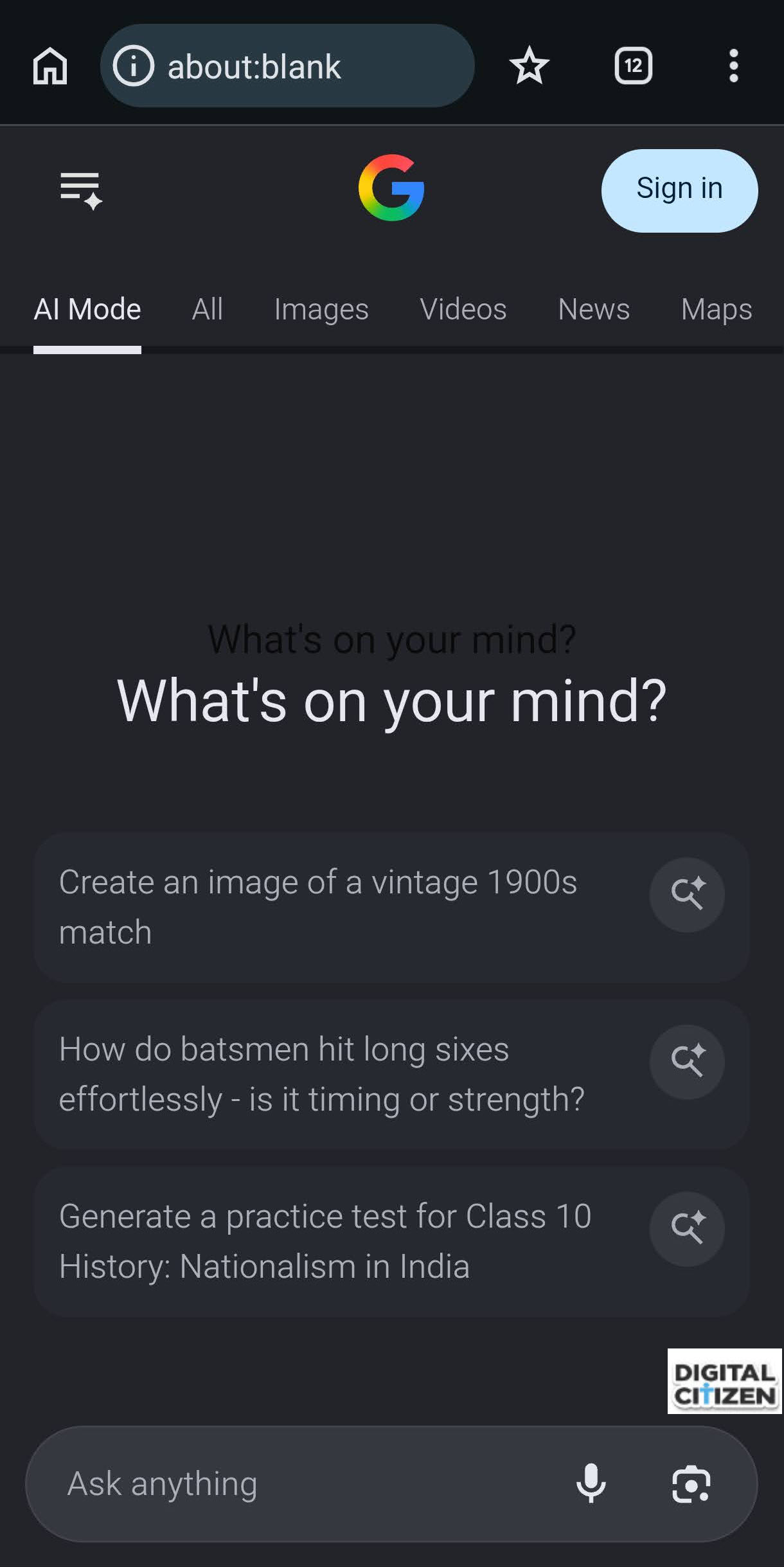
The Android implementation also includes several experiment variations tied to AI Mode behavior. Available configurations include:
- Full bundle with expando button
- Full bundle without Lens migration
- Full bundle with no auto added context in side panel
- Ephemeral logo entrypoint
- Close-to-expand button variations
Some of the labels reveal how Google currently tests the feature inside Chrome. One configuration references “No auto added context in side panel,” while another references “Lens migration,” pointing to tighter integration between browsing activity, Lens, and AI Mode.
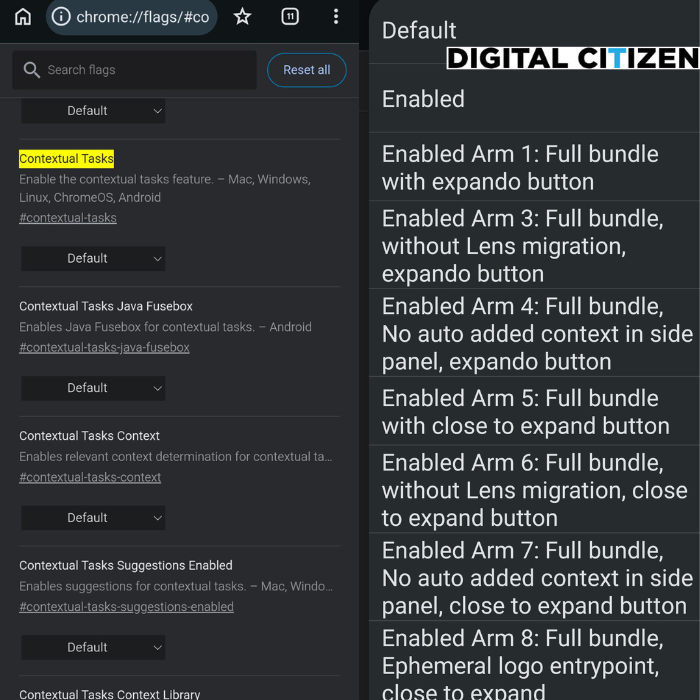
Chrome Canary also includes additional Contextual Tasks flags tied to:
- Context detection
- Contextual suggestions
- Shared context libraries
- Java Fusebox integration
The feature remains experimental in Chrome Canary, and Google has not announced rollout plans.
Based on the available experiments and flag descriptions, that could allow Chrome to:
- Continue research sessions across tabs
- Summarize active pages
- Surface shopping comparisons
- Reconnect unfinished browsing activity
- Link Lens interactions with AI Mode workflows
For Android users, the latest experiments show AI Mode interacting more directly with live browsing activity. The current tests reference active tabs, contextual suggestions, Lens-related behavior, and automatic context handling inside side panels.
The Android version may be more important because mobile browsing sessions are often interrupted. Users frequently switch between apps, leave tabs unfinished, and return later. The current experiments suggest Google wants AI Mode to interact more directly with interrupted browsing sessions on mobile.
Google is also testing support for more file types in AI Mode on desktop Chrome.

Discussion (0)
Be the first to comment.