



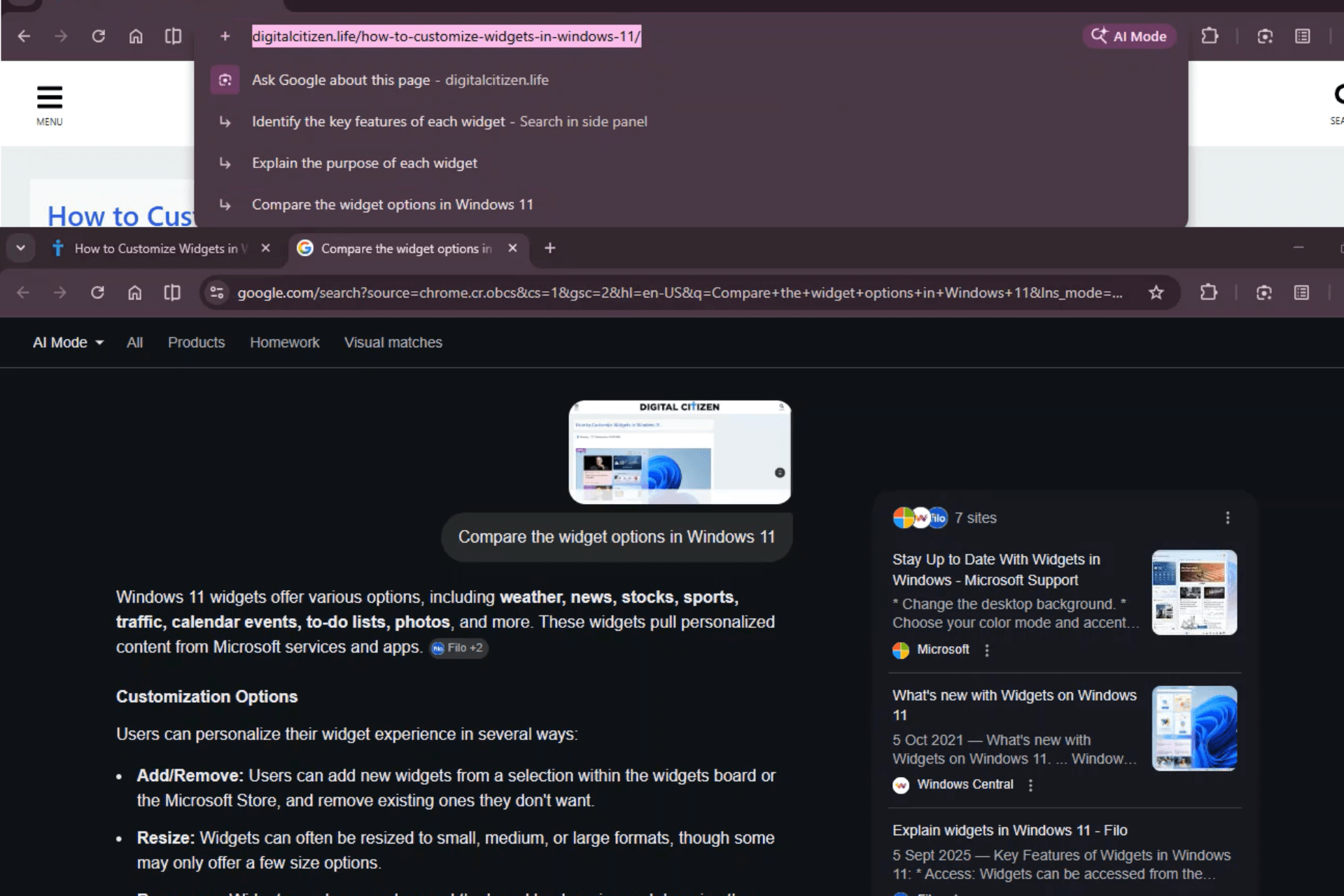
Chrome now shows new page-aware prompts inside the address bar dropdown. These prompts did not exist before. When you select a page’s full URL in the omnibox, Chrome can suggest actions such as summarizing the article, explaining changes, or comparing updates. In Chrome Stable, these prompts open in the Search side panel with AI Overview. In Chrome Beta, they open in AI Mode instead.
The prompts do not appear on every page. They show only on certain URLs where Google can generate AI responses. On unsupported pages, selecting the URL produces no suggestions.

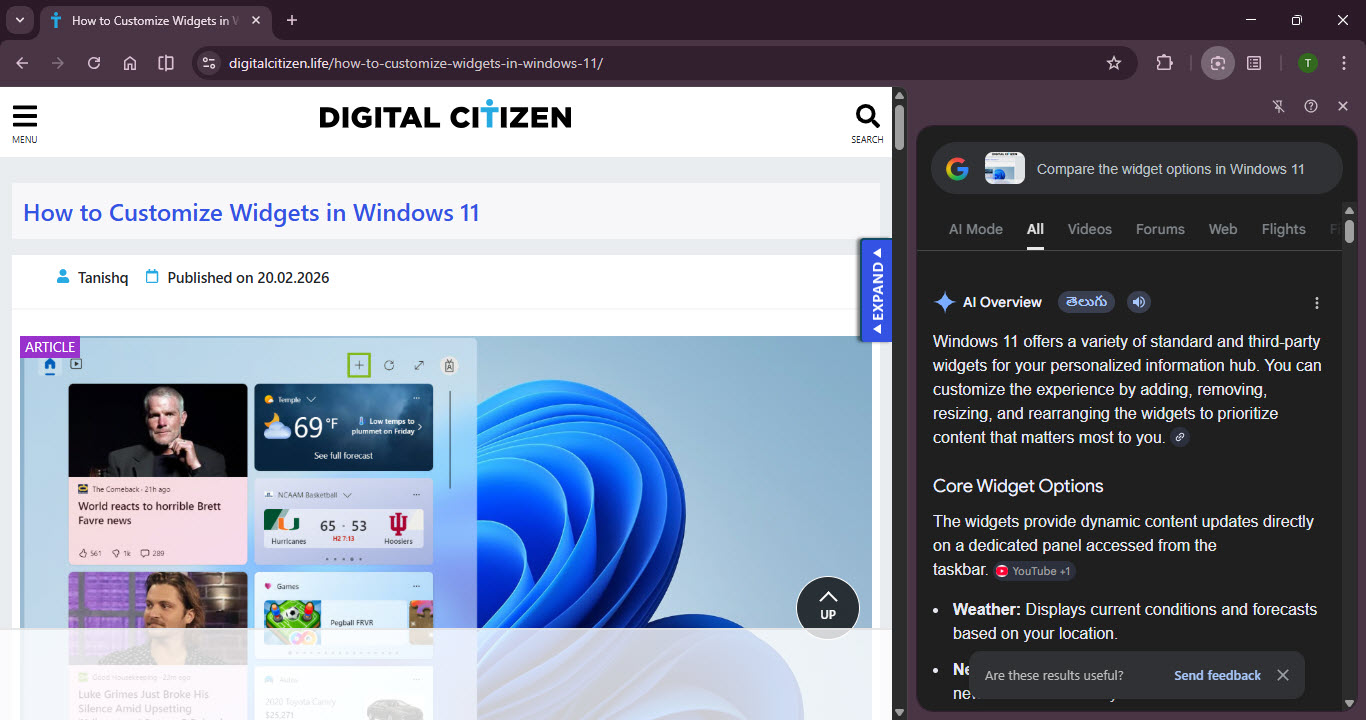
In Chrome Stable, clicking one of these prompts opens Google Search inside the side panel.
The result loads under the standard Search tabs and includes an AI Overview at the top. The experience stays within the panel.
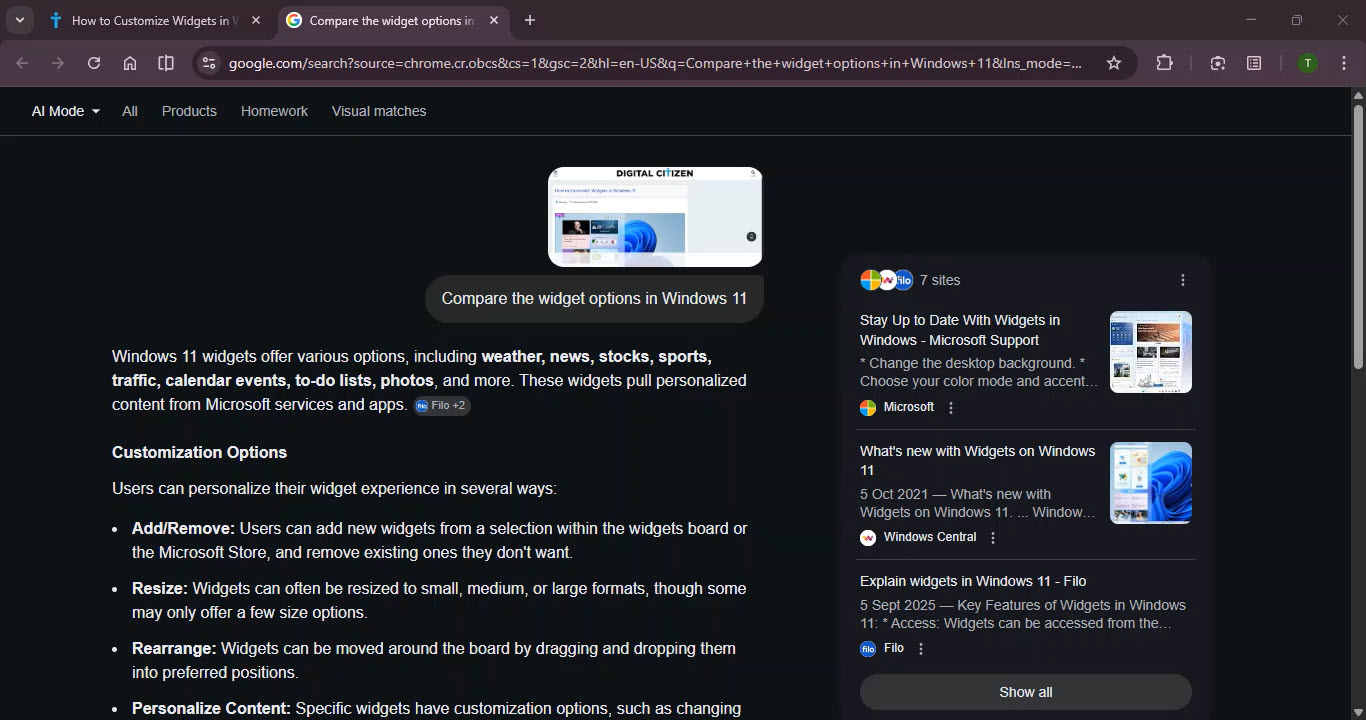
In Chrome Beta, the flow changes. When a prompt is clicked, Chrome first attempts to open the Search side panel. The panel flashes briefly. The browser then opens AI Mode in a new tab instead.
The behavior is consistent. There is no visible flag controlling it in Beta.
For these address bar contextual page prompts, Chrome handles execution differently across channels.
Stable routes them to Search with AI Overview in the side panel, while Beta routes them to AI Mode.
This shows that Chrome routes certain contextual queries differently in Stable and Beta.
For users, the difference changes where the AI response appears. Stable keeps the answer inside the browser panel. Beta opens a full AI Mode tab.
On supported pages, selecting the URL now brings up AI-generated actions directly in the address bar. In Beta, choosing one of those actions opens AI Mode rather than the Search side panel.

Discussion (0)
Be the first to comment.