




Google is testing a redesigned Security settings page in Chrome Canary on Windows, Mac, Linux, and ChromeOS to simplify managing security.
Chrome already includes built-in security settings such as Safe Browsing, with Standard and Enhanced protection options. Standard blocks known dangerous sites and downloads, while Enhanced uses real-time checks and shares more data with Google for stronger protection.
Users can access the page from Settings > Privacy and security > Security.
The new layout groups protections into two clear options: Standard protection and Enhanced protection.
The page opens with a large “Browsing protection” section. Users can switch between Standard and Enhanced using simple cards instead of digging through multiple sections.
This layout replaces the older structure, where many security controls were spread across the page and some options were hidden under Advanced.
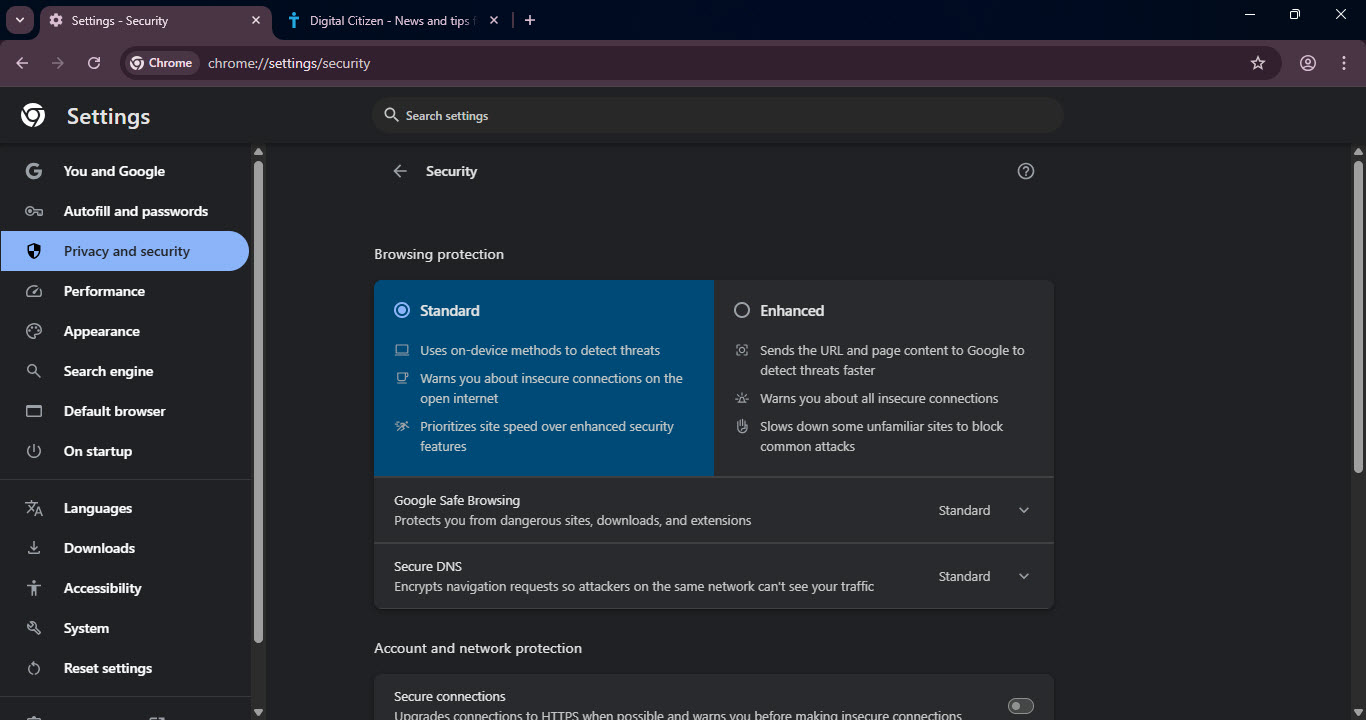
The redesign focuses on clarity rather than new protections.
Users now see:
- A clearer split between Standard and Enhanced protection
- Safe Browsing shown directly within the main protection section
- Fewer controls buried deeper in the page
- The aim is to make security choices easier for everyday users, without requiring technical knowledge.
Chrome is also moving Secure DNS into the new layout. With this change, Secure DNS shifts from the Advanced section into the main protection area alongside Safe Browsing.
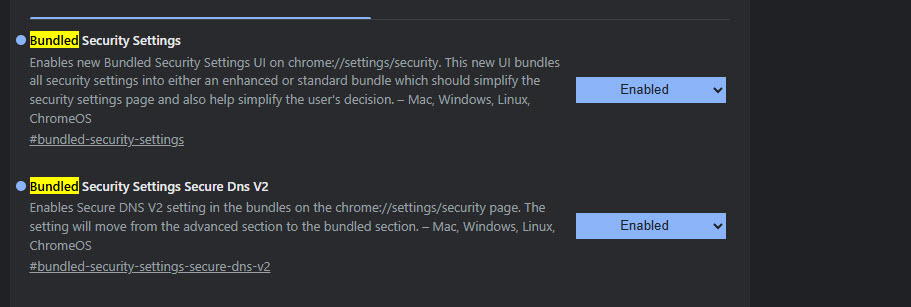
These changes are being tested behind flags, so advanced users may need to enable them to see the new layout.
Google is also testing gesture-based permission prompts and a tab bottom sheet in Chrome on Android. Chrome also plans to add lazy loading for video and audio.



Discussion (0)
Be the first to comment.