




Google continues to build out vertical tabs in Chrome Canary, and recent changes make the layout more practical for everyday use with tab groups and split view support.
Vertical tabs remain an optional layout in Chrome. Users can switch from the traditional horizontal tab strip to a vertical tab list from the Appearance settings, where the feature is still in testing. We previously shared a hands-on look at the early version of vertical tabs.
Now, the feature is picking up more real-world improvements.
Tab groups now work in vertical tabs
Chrome now supports tab groups inside the vertical tab list. Users can create groups, add tabs to them, and expand or collapse each group as needed.
This makes it easier to manage long browsing sessions, especially when many tabs are open at the same time. Collapsing a group helps reduce clutter and keeps the tab list easier to scan.
Right-clicking a tab in the vertical list now shows more useful actions, including:
- New tab below
- Split view with current tab
- Add tab to tab group
- Close other tabs
- Close tabs below
- Add to Reading List
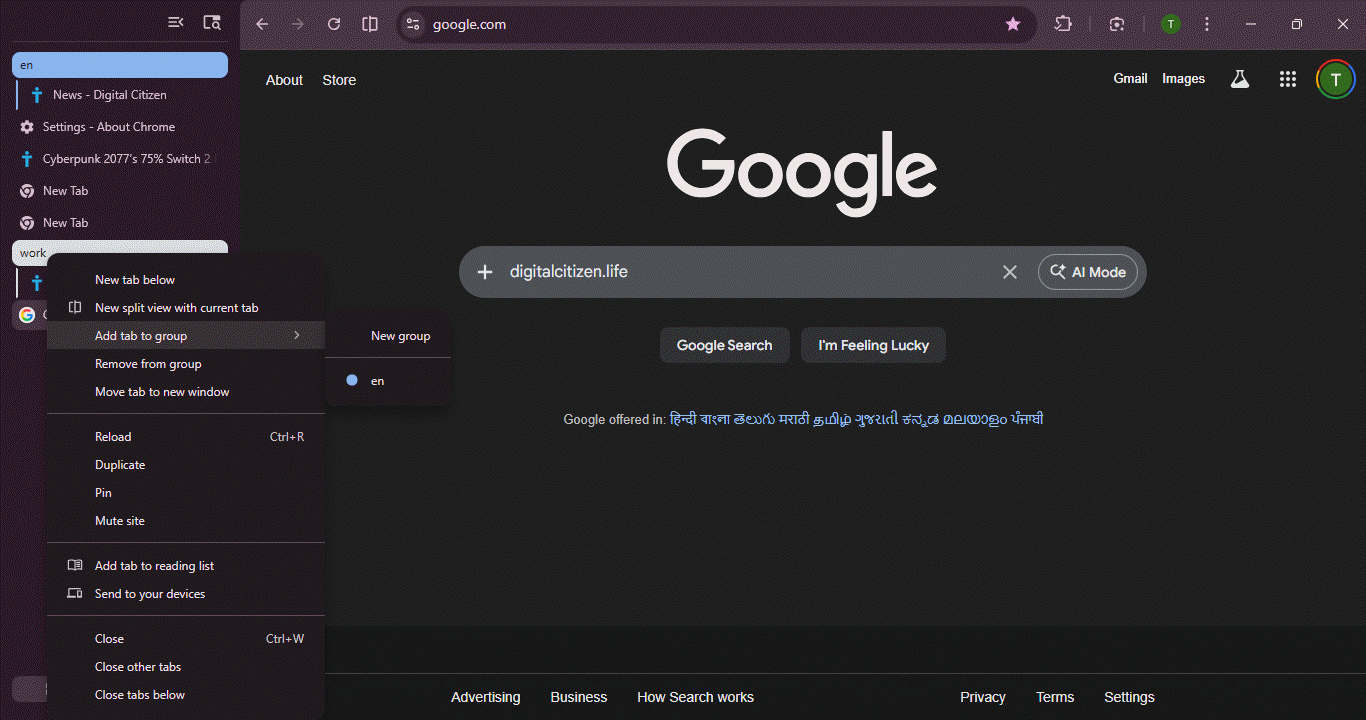
These options reduce the need to rely on menus or keyboard shortcuts.
Split view tabs appear clearly in the tab list
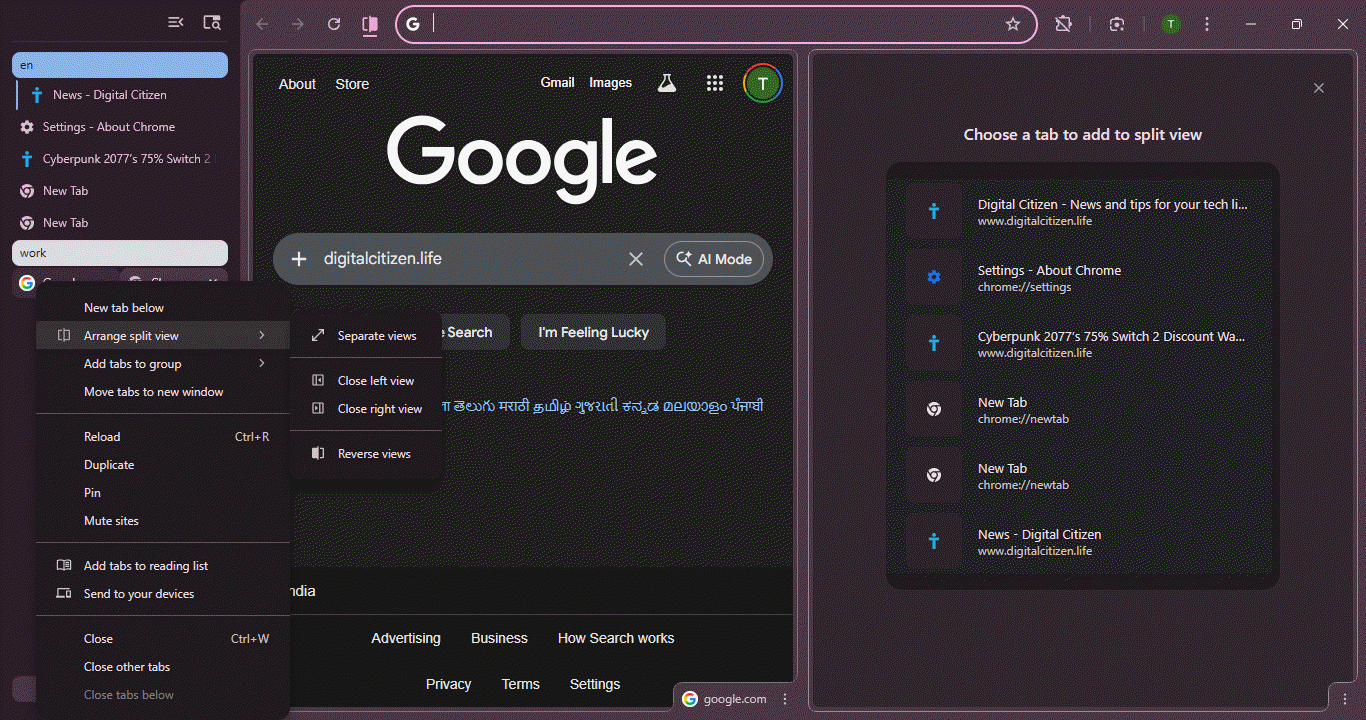
Google recently introduced Split View in Chrome. It lets users view two tabs side by side for comparison.
When two tabs are placed in split view, Chrome treats them as separate entries in the vertical tab list. They appear much like regular tabs, such as a New Tab page shown alongside a website.

This makes split view easier to understand at a glance, rather than feeling hidden or tied together.
Vertical tabs already help on wider screens. With tab groups, clearer split view behavior, and more useful right-click options, the layout now feels closer to something users can rely on for everyday browsing.



Discussion (0)
Be the first to comment.