


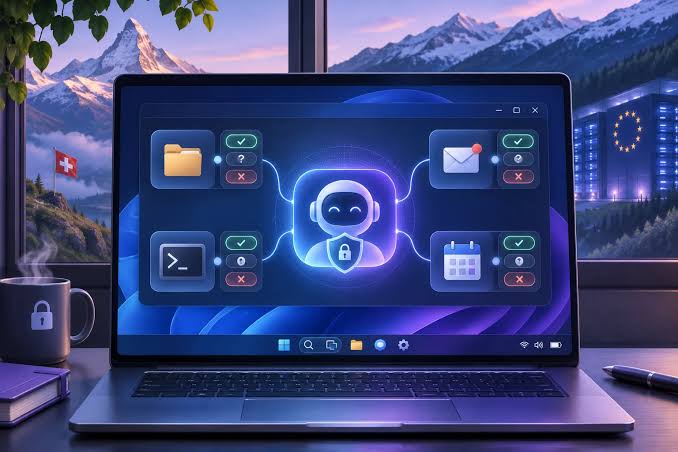
Proton has released Lumo Desktop, a standalone AI assistant for Windows, macOS, and Linux that can access local files, search documents, and automate everyday tasks. The application became available on November 18, 2026, with a focus on privacy and giving you control over how AI interacts with your computer.
The new desktop application expands Lumo beyond its previous interface by allowing it to work directly with files stored on your device and information available through connected services.
You can connect Lumo to services such as Google Drive and Proton Mail, allowing the assistant to retrieve relevant information without manually copying content into conversations.
Proton also says that conversations and connected application data are not used to train AI models, while chat history is protected through encryption.
Lumo Desktop Can Search Files and Run Commands on Your PC
One of the main additions is the Connections feature, which allows Lumo to interact with different sources of information.
Through Connections, the AI assistant can search documents stored in local folders, retrieve information from connected services, and access web content when necessary.
The feature also supports executing commands, allowing Lumo to perform certain actions on your computer.
However, Proton has introduced permission controls to help you decide how much access the assistant receives.
You can configure actions based on three permission levels:
| Permission | What It Means |
|---|---|
| Allow automatically | Lumo can perform approved actions without asking each time |
| Require approval | Lumo must request permission before performing an action |
| Block | Lumo cannot perform the selected action |
These controls are particularly relevant when an AI assistant can interact with personal documents or execute commands.
For example, you could allow Lumo to search a particular folder while requiring approval before running commands that affect your computer.
Schedules Feature Brings Automated Tasks to Lumo
Proton has also introduced Schedules, a feature designed to automate tasks that need to be completed regularly.
Instead of manually asking Lumo to perform the same activity every day or week, you can configure a recurring schedule.
For example, the assistant can be instructed to compile information from emails every week or review documents at regular intervals.
This could be useful for organizing work, monitoring information, or preparing recurring summaries.
The feature also reduces the need to repeatedly enter the same instructions, particularly when working with documents and connected applications.
However, the actions Lumo can perform remain subject to the permissions configured through its Connections system.
Skills Let You Create Reusable AI Instructions
Another addition is Skills, which allows you to define reusable instructions for specific tasks.
A Skill determines how Lumo should approach a particular activity, helping maintain consistent behavior across repeated requests.
For example, you could create instructions for summarizing documents in a particular format or organizing information according to your preferred structure.

Instead of explaining these requirements during every conversation, the assistant can reuse the saved instructions when carrying out the relevant task.
Skills and Schedules serve different purposes. Skills control how an activity is performed, while Schedules determine when recurring activities should take place.
Together, these features make Lumo Desktop more suitable for regular productivity tasks that involve multiple sources of information.
Proton Says Lumo Conversations Are Protected by Encryption
Privacy remains one of Lumo's main features.
According to Proton, conversations with the assistant and information retrieved from connected applications are not used to train its AI models.
The company also says that chat history is protected by encryption designed to prevent Proton itself from reading stored conversations.
This approach is intended to reduce exposure of personal information when using AI for sensitive documents, emails, or workplace activities.
However, the assistant's ability to access external services and local files means that permission settings remain important.
You can decide which connections Lumo can use and whether particular actions should require manual approval.
Lumo Desktop Is Available for Three Major Operating Systems
Lumo Desktop is now available for Windows, Linux, and macOS.
You need a Proton account to access the application.
With the desktop release, Proton is expanding Lumo from a conversational AI assistant into a tool capable of interacting with files, connected accounts, and recurring workflows.
The addition of Connections, Schedules, and Skills gives you more options for managing everyday tasks while retaining control over the assistant's access to your information.
Proton has not detailed pricing or subscription restrictions for these new capabilities in the announcement.


Discussion (0)
Be the first to comment.