



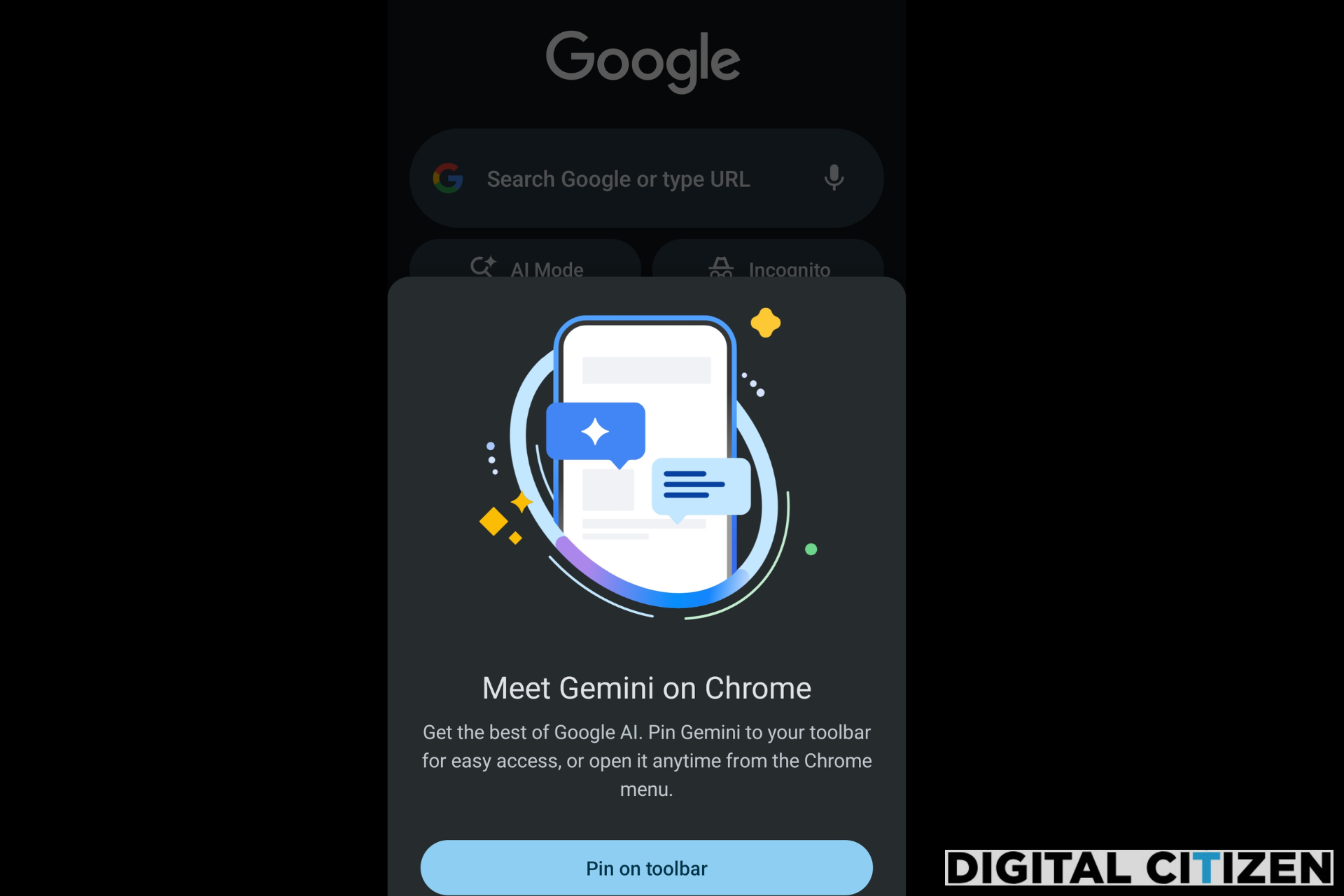
We recently reported that Google is nudging users to try Gemini in Chrome on Android. Now, Chrome Canary on Android shows a prompt that introduces Gemini and asks users to pin it to the toolbar. The browser also includes a toolbar shortcut and a dedicated settings page that controls how Gemini works inside Chrome.
Gemini in Chrome shows up on Android in Canary
Gemini in Chrome is already available on desktop and iOS in select regions, where it is built into the browser interface. On Android, it is not available yet, but Chrome Canary now shows how Google is preparing to introduce it. Early versions of features often appear in Canary before reaching more users.
The prompt appears as a full-screen message titled “Meet Gemini on Chrome.” It asks users to pin Gemini for quick access, with the option to open it later from the Chrome menu. A “Pin on toolbar” button is shown, along with a dismiss option.
The prompt reads:
"Meet Gemini on Chrome. Get the best of Google AI. Pin Gemini to your toolbar for easy access, or open it anytime from the Chrome menu."
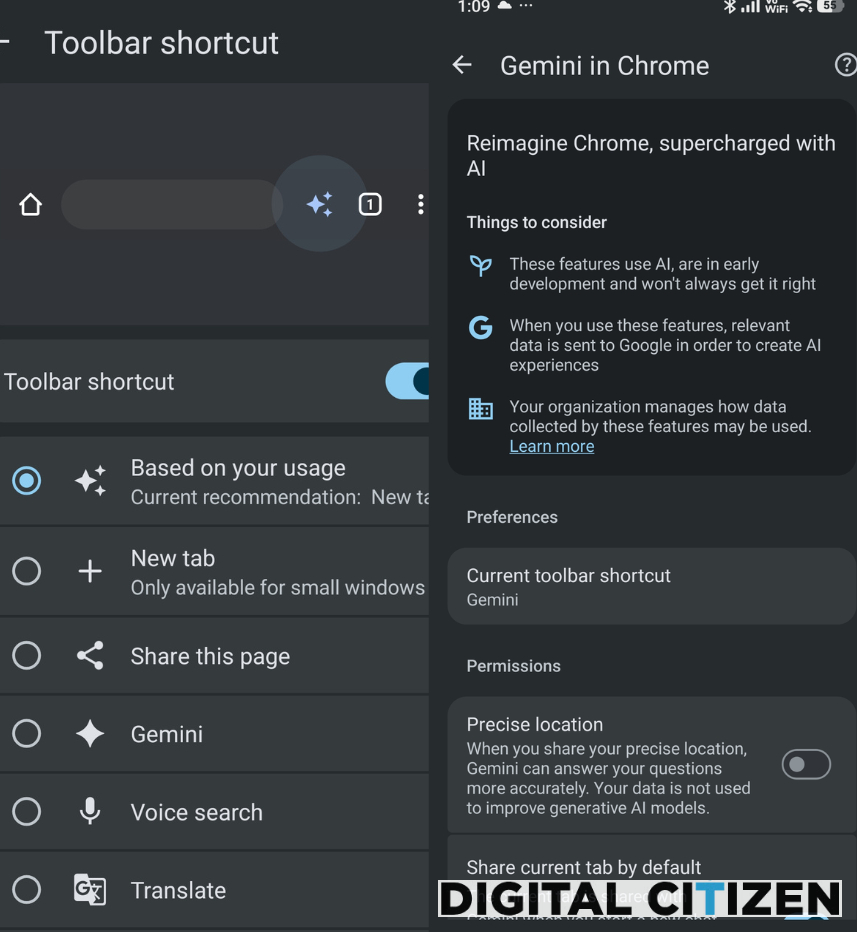
Once enabled, Gemini can be selected as the toolbar shortcut from Chrome’s settings on Android. It appears alongside options like Share, Voice search, and Translate. This places Gemini in the same row as common browser actions, so it can be opened with a single tap.
Chrome for Android also includes a “Gemini in Chrome” section in settings. This page lets users control how Gemini works in the browser. It includes options like "precise location" access and a setting to "share the current tab" when starting a new chat. The toolbar shortcut selection is also shown here. This confirms that Gemini can stay pinned for quick access.
In summary, Chrome is placing Gemini directly inside the browser interface on Android. It introduces the feature through a prompt, keeps it within reach through the toolbar, and provides controls through settings.


Discussion (0)
Be the first to comment.