



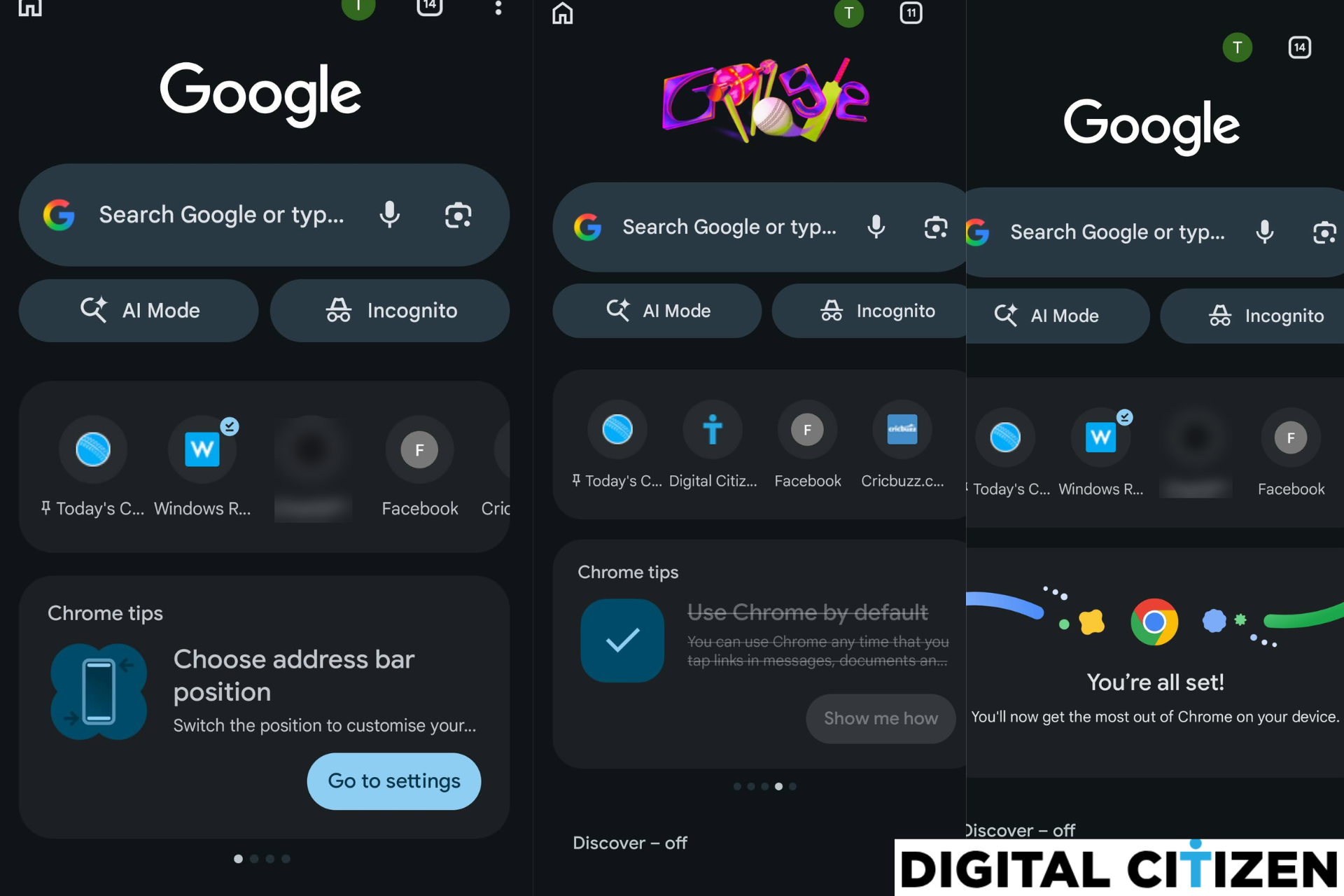
Chrome for Android may soon guide new users through key browser settings with a "setup list" on the New Tab page.
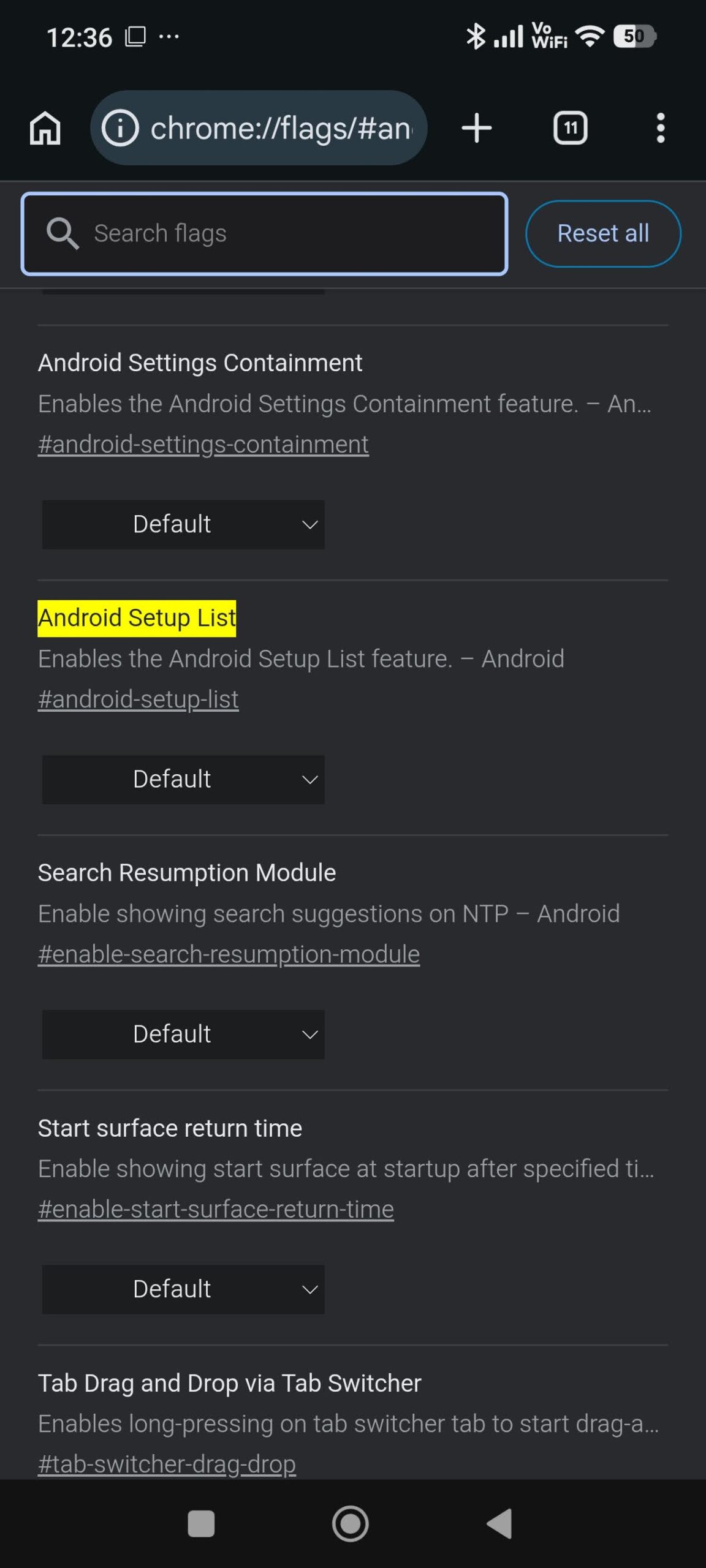
Google is testing a feature called "Android SetupList" behind a flag in Chrome Canary. When enabled, it turns the Chrome tips carousel on the New Tab page into a short setup checklist that prompts users to finish important browser setup steps.
Instead of general tips, Chrome shows a series of setup cards. Each card represents a task such as signing in, turning on sync, saving passwords, setting Chrome as the default browser, or adjusting basic settings. Chrome crosses out cards for tasks that are already complete.
Chrome checks the current browser and device state for these tasks. Completed tasks show a checkmark and appear crossed out in the Setup List. Cards for tasks that still require attention remain active.
Some cards also include a “Show me how” option. When selected, Chrome opens a visual guide that explains the feature. For example, the "Save passwords in Chrome" card displays an illustrated screen that explains how Chrome offers to store login details after a user signs in to a website.
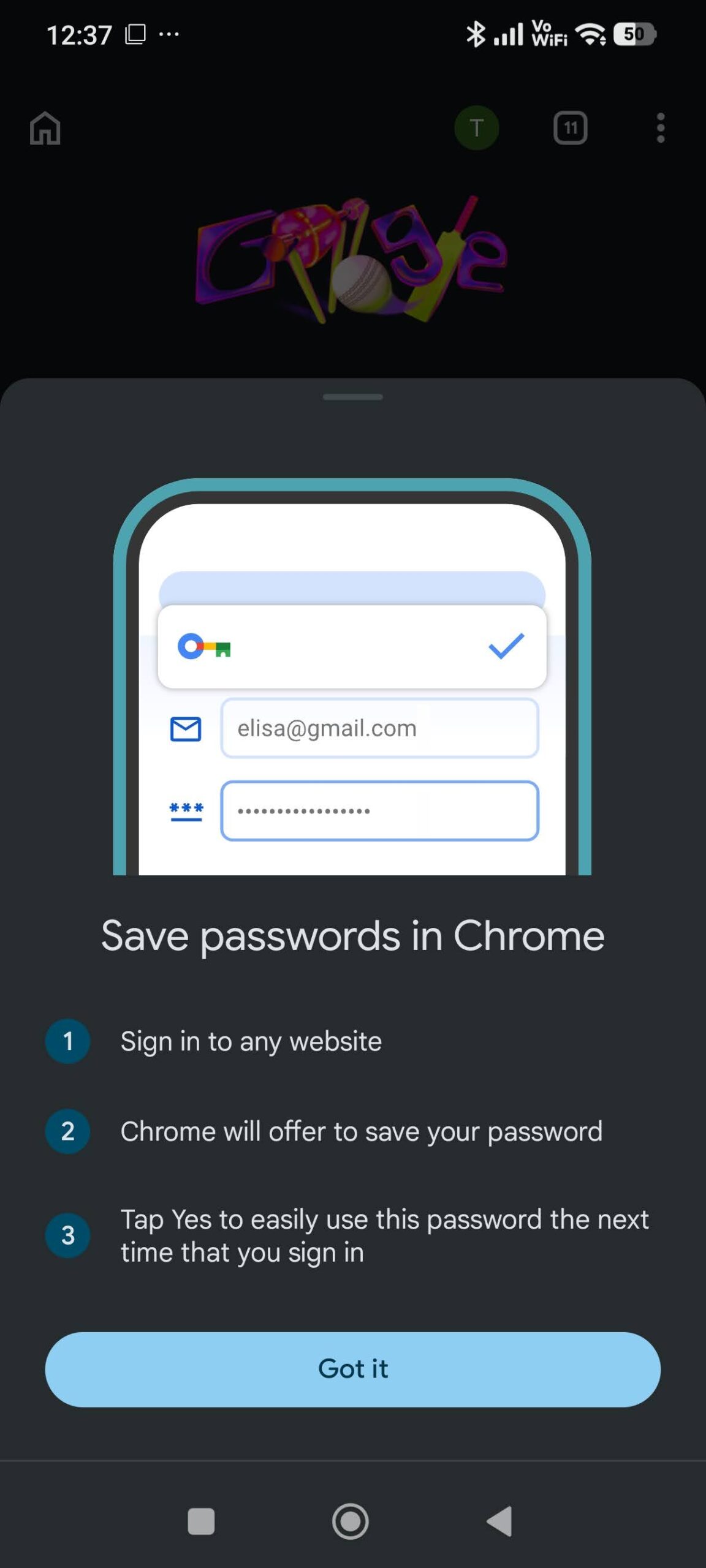
The guide explains that Chrome can store the login information and fill it automatically the next time the user signs in.
Code changes also confirm that Google limits this checklist to new Chrome installations. The feature activates after the first-run setup process finishes. Users who already have Chrome and install a newer version do not receive the checklist.
The list also updates when the primary account changes. Chrome refreshes the cards so completed steps no longer appear as pending.
Once all tasks are complete, Chrome replaces the checklist with a confirmation card on the New Tab page that reads “You're all set!”, which indicates that the setup process has finished.
The feature is currently present behind an experimental flag in Chrome Canary, which Google uses to test features before public release. Chrome for Android is also experimenting with a New Tab bottom sheet UI.

Discussion (0)
Be the first to comment.