




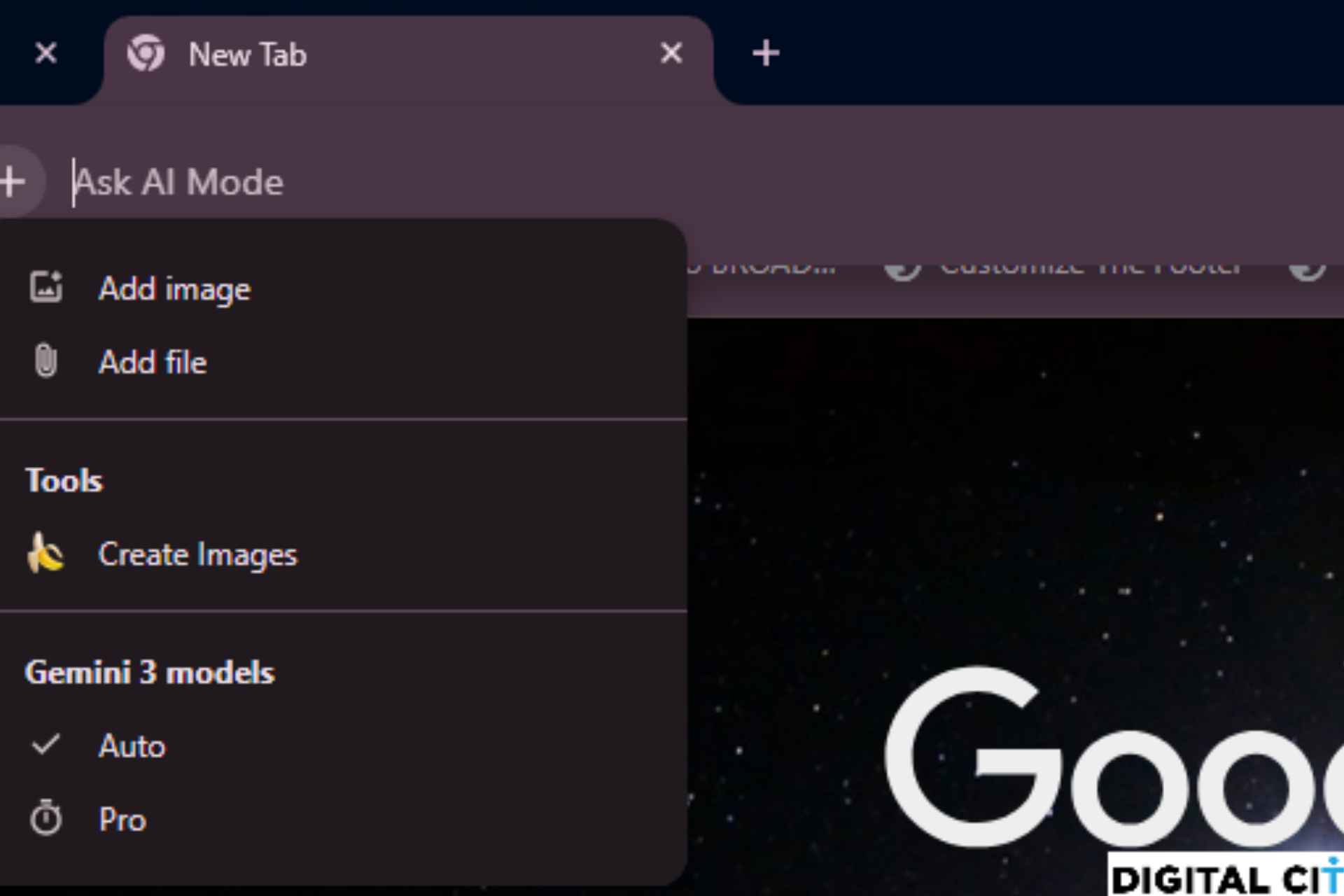
Google is moving its AI features beside the + button for AI Mode in Chrome Canary. The “Ask Google about this page” and “Search with Google Lens” options now appear next to the AI upload control in the address bar.
When users click “Ask Google about this page,” Chrome does not open the side panel right away.
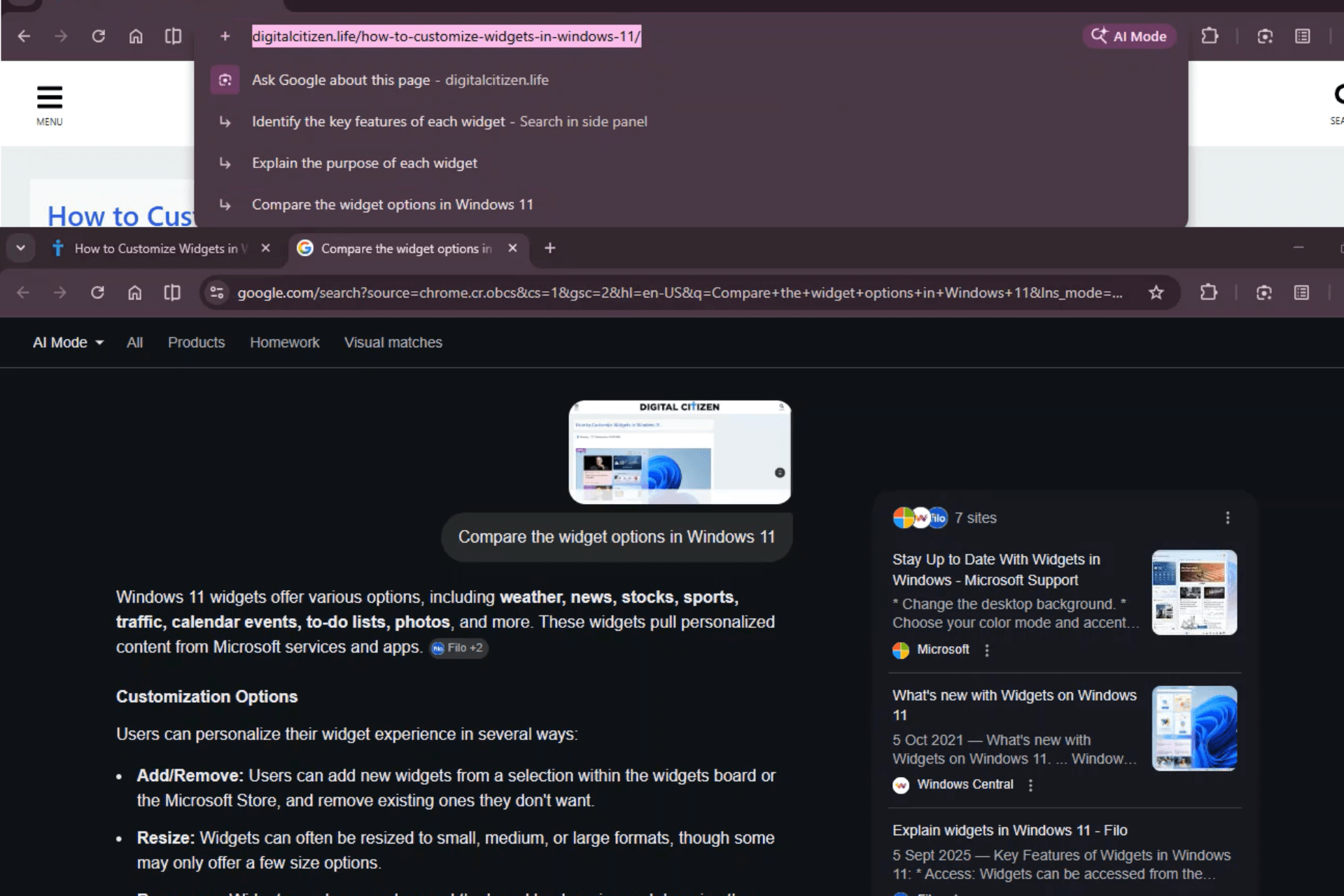
Instead, AI-generated questions appear in the address bar drop-down. These suggestions relate to the open page and are based on its topic or content. It works like search suggestions, except the questions are based on the page you are reading.
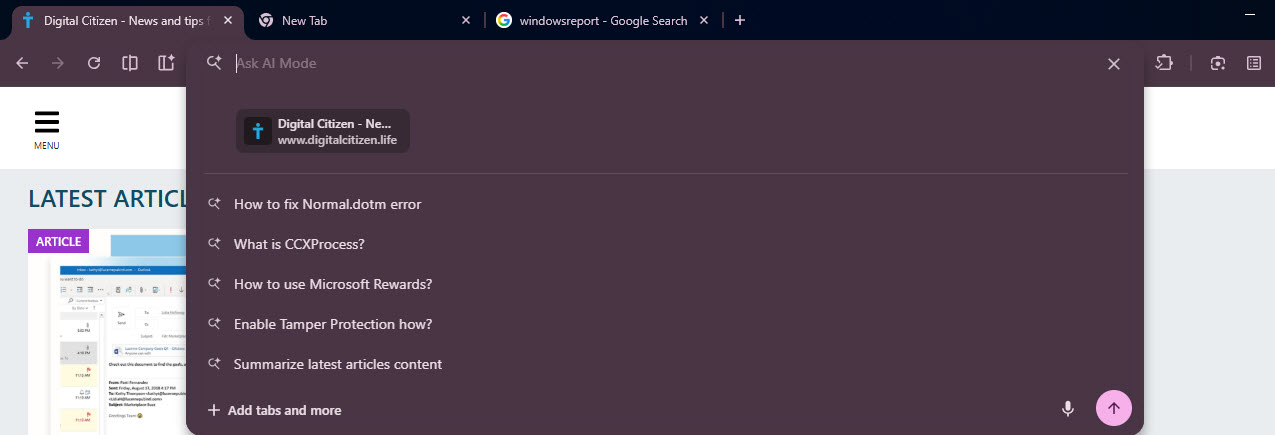
After a user selects a suggestion, Chrome loads the full AI response inside the left side panel. The main tab stays active while the answer appears next to the webpage instead of opening a new tab.
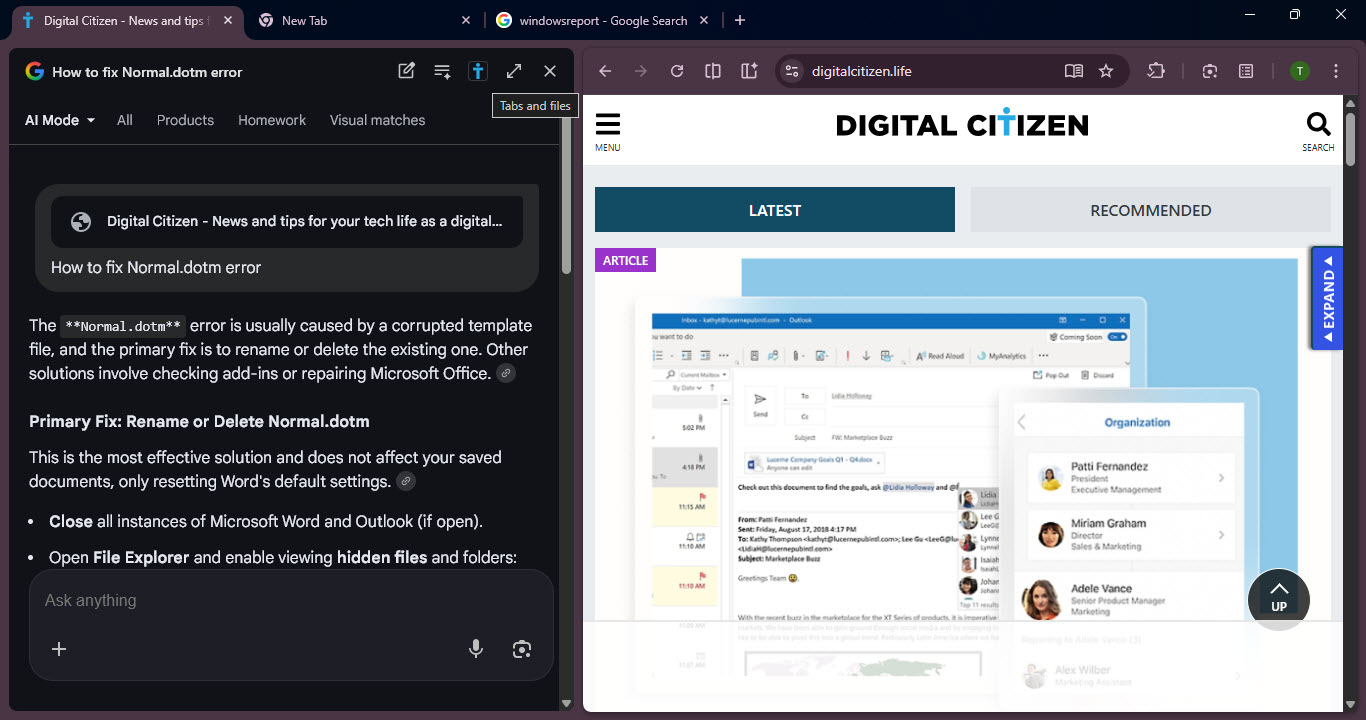
The way AI Mode opens in the side panel mirrors how pages previously opened using the “Browse with AI” button.
The flow works in two steps:
- Contextual AI questions appear in the address bar
- Detailed answers open in the side panel
In Canary, “Search with Google Lens” now routes users to AI Overview inside the side panel instead of a traditional search results page. Chrome shows image-based queries in the same interface instead of opening a new results tab.

Lens, AI suggestions, and AI Overview now work within the same side panel system in Chrome Canary.
Discussion (0)
Be the first to comment.