UP

Smarthome

What is a smart home? How do you create a Wi-Fi network? How do you pick a good Wi-Fi router? How do you use and install smart products into your home?

NETGEAR Nighthawk AX4 review: The more affordable Wi-Fi 6 router!

Netgear has launched several wireless routers with support for the new Wi-Fi 6 wireless standard. The most affordable in this line-up is the new NETGEAR Nighthawk AX4 (model RAX40), which, unlike its brothers, uses an Intel processor, instead of one made by Broadcom or Qualcomm. If you want to see what the NETGEAR Nighthawk AX4 dual-band wireless router has to offer, and whether it is a good fit for you,

ASUS ROG Rapture GT-AC2900 review: The wireless router for gamers!

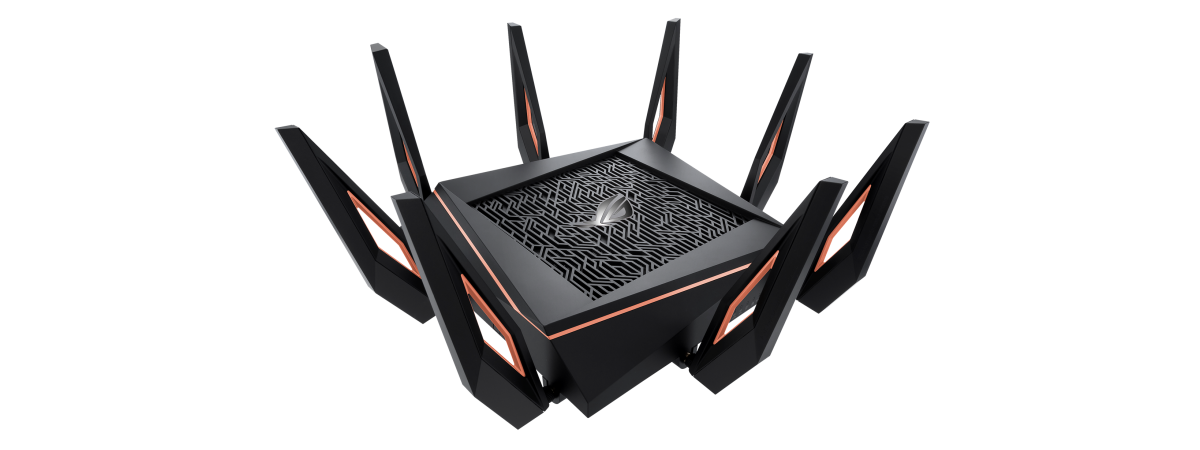
ASUS has a thing for gamers. That's not new, as their Republic of Gamers brand is famous worldwide. A new trend is for the company to develop wireless routers for gaming, that are packed with many friendly features for online gamers. The latest addition to their lineup of gaming routers is the new ASUS ROG Rapture GT-AC2900, which also features some spectacular RGB lighting. If you want to know what
tutorial How do I connect a Bluetooth mouse to my Mac?

How do I connect a Bluetooth mouse to my Mac?

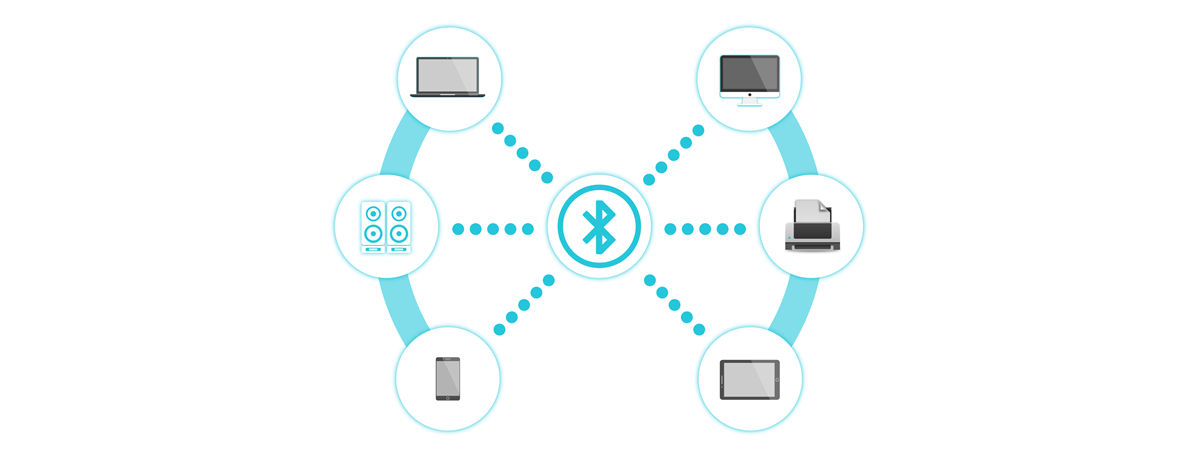
The mouse is a big part of how cozy your experience is when you are using your computer. The more time you spend in front of your iMac or your MacBook, the more you realize that comfort is your biggest priority, so connecting your favorite mouse to it is the next logical step. But what if the mouse of your choice is not Apple's

TP-Link Archer C5400X review: One of the fastest Wi-Fi 5 routers!

The market for wireless routers is slowly being invaded by devices with support for the new Wi-Fi 6 (802.11ax) wireless standard. However, those devices are expensive, and if you do not have a fast internet connection with speeds of 500 Mbps or more, they are a waste of money. That's why, at Digital Citizen, we are still interested in wireless routers like the TP-Link Archer C5400X, which works using the
tutorial How to connect to WiFi from Windows 10

How to connect to WiFi from Windows 10

Connecting to wireless networks in Windows 10 is an easy and straightforward process, involving a few simple steps. It is true that it depends on whether the wireless router broadcasts the name of the Wi-Fi network or not. However, if it does, connecting to that network is as simple as entering its password and choosing whether you want your Windows 10 PC or device

ASUS RT-AC85P wireless router review: What does it have to offer?

ASUS RT-AC85P is an AC2400 wireless router with a classic, robust design, similar to that of many popular routers from the same company. This router's positioning on the market, as well as its hardware and feature set, are slightly different from that of other ASUS routers that we recently tested. Therefore, we were curious to see how it performs, and who is the right audience for this wireless router. If
tutorial 3 ways to connect to hidden Wi-Fi networks in Windows 10

3 ways to connect to hidden Wi-Fi networks in Windows 10

Hidden WiFi networks do not broadcast their names, so they are not visible in the list of wireless networks that Windows 10 displays. However, that does not mean that you cannot connect to a hidden WiFi: you can, but you have to know its name, password and other security information. Here are three different ways to connect to hidden Wi-Fi networks, on laptops, tablets

How to change the Workgroup on a Mac, in 4 steps

Workgroups are the simplest way to link together a small number of computers and devices in order to make networking and sharing easier, making them ideal for your home network. If you want your laptop(s), desktop computer(s), printer(s) and other devices to share resources, they need to be part of the same workgroup. This tutorial shows how to change the workgroup on a Mac in just four steps: [DC-SUMMARY-BREAK] NOTE:

ASUS XG-C100C review: Great yhen you need more than 1 Gbps!

Our team enjoys using 1 Gbps internet connections. For most people in the world, that is fast. However, 10 Gigabit internet connections and devices are starting to show up. Yes, they are mostly for business users, but internet service providers are going to create 10G plans for consumers too. If you were to have such an internet connection, you could download any game from Steam in 5 to 10 seconds.

Review TP-Link Deco M9 Plus: mesh WiFi that plays nice with your smart home!

TP-Link makes interesting mesh WiFi systems that provide a balance between price, performance, and features. This time we are testing their most expensive mesh WiFi system to date: TP-Link Deco M9 Plus. It has modern hardware, and it features integration with smart home devices like smart bulbs, smart plugs, sensors, thermostats, and so on, including those made by brands other than TP-Link. If this has aspect alone has stirred your
article What is the MAC address, and how is it used?

What is the MAC address, and how is it used?

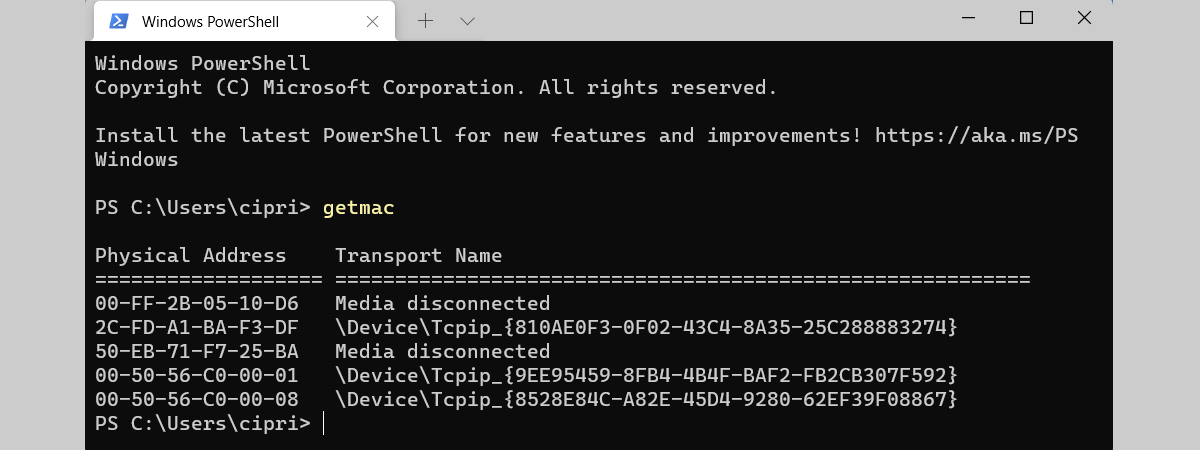
MAC addresses are a vital part of networking. Much like IP addresses, MAC addresses can be a confusing concept for someone without a technical background. Nevertheless, in this article, we give you enough information about MAC addresses for you to understand what they are, why you need them, and how they are used. Let's get started: First, the basic components of all networks

Reviewing ASUS RT-AC67U: The most affordable AiMesh WiFi system!

ASUS RT-AC67U is a mesh WiFi system composed of two wireless routers. Their firmware was optimized so that they work as a mesh WiFi system while offering all the tools, configuration options, and benefits of a typical wireless router. All this at a price that is more competitive than the ASUS Lyra lineup of mesh WiFi systems. If we have stirred your curiosity, and you want to know what this

Reviewing Synology DiskStation DS418: Modular and well built!

Synology is quite the brand name when it comes to NAS (Network Attached Storage) solutions. Recently, we received their DiskStation DS418 4-bay NAS for testing. It is a well-built device, with excellent modular software. By default, when you turn it on the first time, it includes only the bare-bones features of a NAS. However, you can extend it to be anything you wish, from a personal cloud storage solution to
review ASUS ROG Rapture GT-AX11000 review: Over the top, in every way!

ASUS ROG Rapture GT-AX11000 review: Over the top, in every way!

If you search the news about the ASUS ROG Rapture GT-AX11000 wireless router, you see journalists and bloggers saying things like: "world's first tri-band 802.11ax router," "ASUS wants to supercharge your home network with this ultra-fast router," or "we wouldn't want to encounter one of these in a dark alley." When you see its picture, it is clear that you are dealing with a

Netgear Nighthawk X10 review: Is it worth investing in the 802.11ad standard?

NETGEAR Nighthawk X10 is not a new wireless router, even though it is one of the first on the market to bring support for the 802.11ad wireless standard. However, it is a new wireless router for us, at Digital Citizen, as it is the first time we get the chance to review a wireless router from this company. Nighthawk X10 is a massive wireless router, with impressive hardware, specs, and

ASUS RT-AX88U review: The first router that showcases the new Wi-Fi 6 standard!

Even though the 802.11ax wireless standard, also known as Wi-Fi 6 is not yet finalized, we already see wireless routers with support for it being launched. The first consumer 802.11ax wireless router comes from ASUS. Its name is ASUS RT-AX88U, and this router is a beast, regarding size, hardware, and features. If you want to know what the first AX wireless router has to offer, read our review for ASUS

With the upcoming Deco M4, TP-Link allows users to use different Decos in one network

While working on the world premiere review of the upcoming Deco M4 mesh WiFi system, we discovered that TP-Link is preparing through firmware updates, cross-mesh WiFi compatibility between all their Deco models, both existing and upcoming. As a result, users are going to be able to create their unique network topology using TP-Link Deco M9 Plus, Deco P7, Deco M5, and the upcoming Deco M4. Learn more from this news

TP-Link Deco M4 review: Affordable and with excellent potential!

TP-Link is preparing the international launch of a new mesh WiFi system, called Deco M4 or Deco M4R. It is their most affordable mesh WiFi system yet, and it plans to compete with other brands that have aggressive pricing like Tenda. It packs solid hardware, and also fewer features than previous models. If you want to know more about the most affordable mesh WiFi from TP-Link, read our world-premiere review