



Microsoft has stopped issuing updates for Windows 11 version 24H2 on Home and Pro PCs, and the two versions it offers instead do not buy the same amount of time. Version 25H2 reaches its own end of updates on October 12, 2027, while version 26H2 runs to October 10, 2028.
Both dates sit in the same Microsoft release information table, a column apart. The shorter option is worth 347 days from today, and the longer one is worth 711.
What end of updates actually means
The 24H2 deadline landed on October 13. Microsoft's message center entry that morning said the October 2026 monthly security update was "the last update available for these editions".
Those devices "will no longer receive monthly security and non-security preview updates containing protections from the latest security threats", in Microsoft's words. The final build Home and Pro could install was 26100.9711, from KB5127648.
This is not the retirement of a whole product, which is the distinction that trips people up. Version 24H2 is still being serviced, just not for consumer editions.
Microsoft's table proves the point by printing the words "End of updates" in the Home and Pro column while still carrying October 12, 2027 in the column beside it. That table even logs a 24H2 out-of-band update on October 26, thirteen days after Home and Pro stopped qualifying.
Digital Citizen covered the deadline itself before it fell.

Check the edition, not only the version
Microsoft documents two routes. Typing winver into the search bar and pressing Enter shows the version, and Start, then Settings, then System, then About displays Edition, Version and OS Build together.
The Edition line is the one that decides whether any of this applies. Pro is finished, and so is Home.
Education and Enterprise are not, and they keep monthly security updates until October 12, 2027. A reader on Pro who reads a headline about 24H2 having another year has read the wrong column.
This guide to checking the Windows 11 version and edition walks through both routes if the About page is unfamiliar.
25H2 and 26H2 are on different clocks
Moving to 25H2 ends the immediate problem and creates a smaller one about eleven months out.
Microsoft's own cadence note explains why. Feature updates carry "24 months of support for Home, Pro, Pro for Workstations, and Pro Education editions; 36 months of support for Enterprise and Education editions".
So 25H2 Home and Pro expire on October 12, 2027. That is the same day 24H2 Enterprise and Education expire, which means a Pro machine moving to 25H2 lands on a date an untouched Enterprise machine already has.
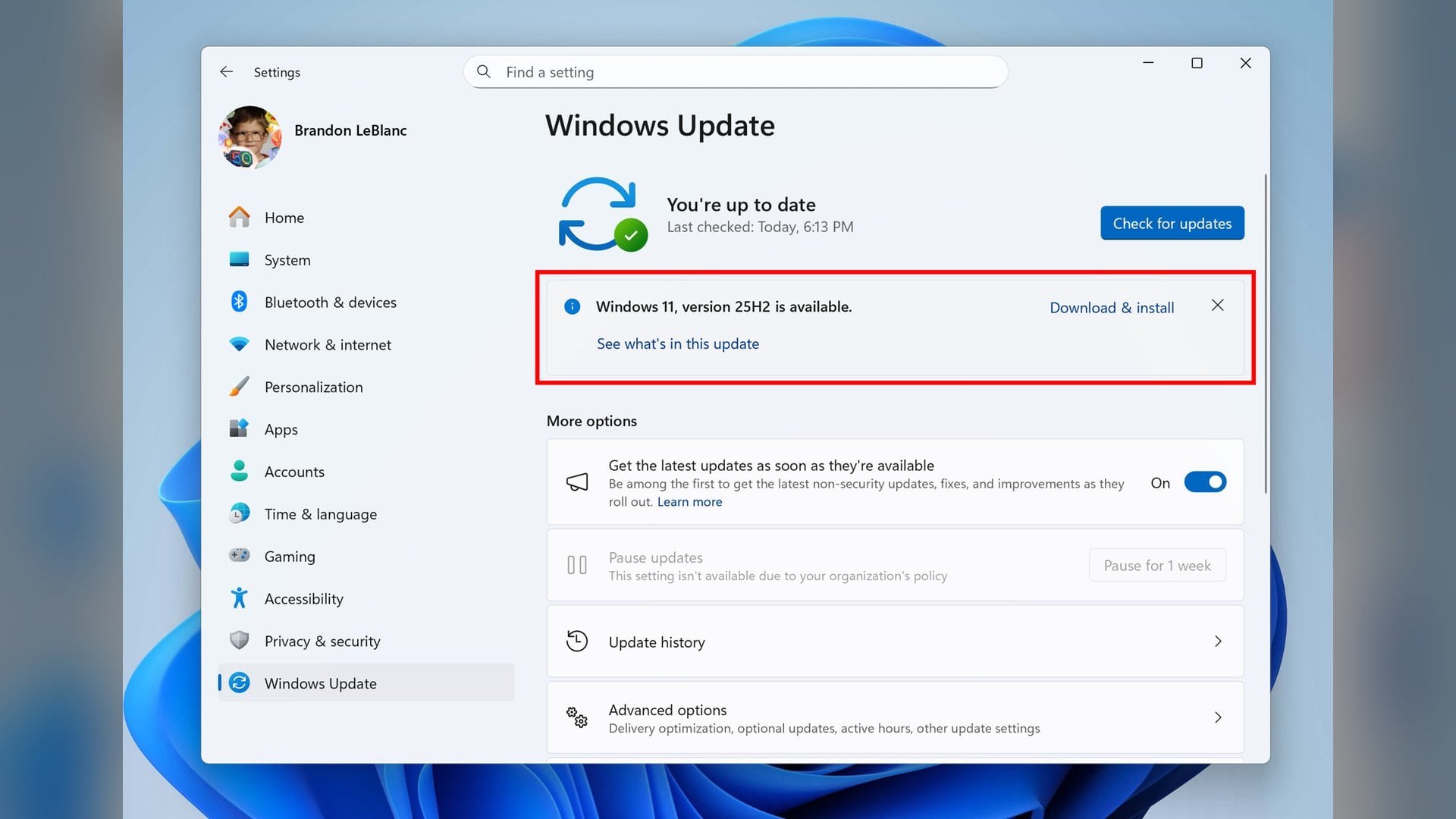
Version 26H2 Home and Pro run to October 10, 2028 instead. Microsoft has been pushing 25H2 onto consumer PCs since June, as Digital Citizen reported at the time, so plenty of machines will be offered the shorter path by default.
Version 26H1 is not a third option. Microsoft says it "is not designed as a feature update for existing devices" and "is not offered as an in-place update from 24H2 or 25H2".
The move is an enablement package, not a reinstall
Nobody is being asked to rebuild a PC. Microsoft says devices on eligible versions "can move to version 26H2 through a small enablement package rather than a full operating system upgrade".
Versions 26H2, 25H2 and 24H2 "share a common servicing branch", so most of the code is already installed. Microsoft describes 26H2 as enabling selected features and resetting the support lifecycle.
The 24H2 status page puts the install cost plainly: "A single restart will complete the process." That page also says the 26H2 rollout "has reached full availability" for devices on 25H2 and 24H2.
If 26H2 has not been offered yet
Full availability is not the same as universal. Microsoft warned in September that some devices might temporarily not be offered 26H2 if it detects an incompatibility, and that a safeguard hold might follow until the issue is resolved.
Safeguard holds "prevent a device with a known issue from being offered a new feature update", per KB5006965. Selecting Learn More on the Windows Update notice opens a summary of any holds affecting that specific PC.
A held machine is the one most exposed, because 25H2 remains available while the hold lasts. That is a shorter runway, but it is a supported one.
There is a cost to waiting that Microsoft's documentation shows rather than states. The Remote Desktop error 0xC000000D still reads Mitigated on the 24H2 known-issues page, last updated October 13, while the same entry on the 25H2 and 26H2 pages reads Resolved by an update released October 28.
That fix arrived in a non-security preview update, and Microsoft confirmed in September that 24H2 had already received its final preview update. A separate USB audio fault stays open across every version listed.
Microsoft's note on the Remote Desktop issue says it is working on a fix "in a future Windows update". On a Home or Pro machine still running 24H2, that update is not coming.
The Dolby Digital audio crash fixed on October 13 therefore sits among the last repairs those PCs will ever receive.
Discussion (0)
Be the first to comment.