




Unlocking your AT&T SIM card gives you the flexibility to move your phone to another carrier, use local SIM cards while traveling, and avoid unnecessary roaming costs. This guide explains the current unlock process, why AT&T still requires certain eligibility checks, and how to complete the unlock on both Android and iPhone devices.
At the time of writing, AT&T maintains a structured SIM unlock procedure that protects account security and ensures devices meet unlock requirements. The steps below help you verify eligibility, submit a request, enter your unlock code (if required), and confirm your phone is ready for use on other networks.
Check Your AT&T Unlock Eligibility
Before unlocking your AT&T SIM card, verify that your device meets the carrier’s unlock rules. This avoids rejected requests and speeds up approval.
- Your device must not be reported lost, stolen, or flagged for fraud.
- Your account should be active, paid up, and in good standing.
- Installment plans must be fully paid before AT&T approves an unlock.
- Prepaid phones must meet AT&T’s minimum active-use period.

Find Your IMEI Before Requesting The Unlock
Your IMEI is required for the unlock request. This unique device identifier also helps AT&T confirm that the phone is eligible for SIM unlocking.
- Open Settings > About on your phone to find the IMEI.
- On any device, dial *#06# to display it instantly.
- Write down the IMEI so you can use it in AT&T’s unlock portal.
Submit Your Unlock Request Through AT&T
You can request an unlock even if you’re not an AT&T customer anymore. This process is required for both iPhone and Android devices.
- Visit the official AT&T device unlock portal.

- Enter your IMEI and complete the on-screen verification steps.
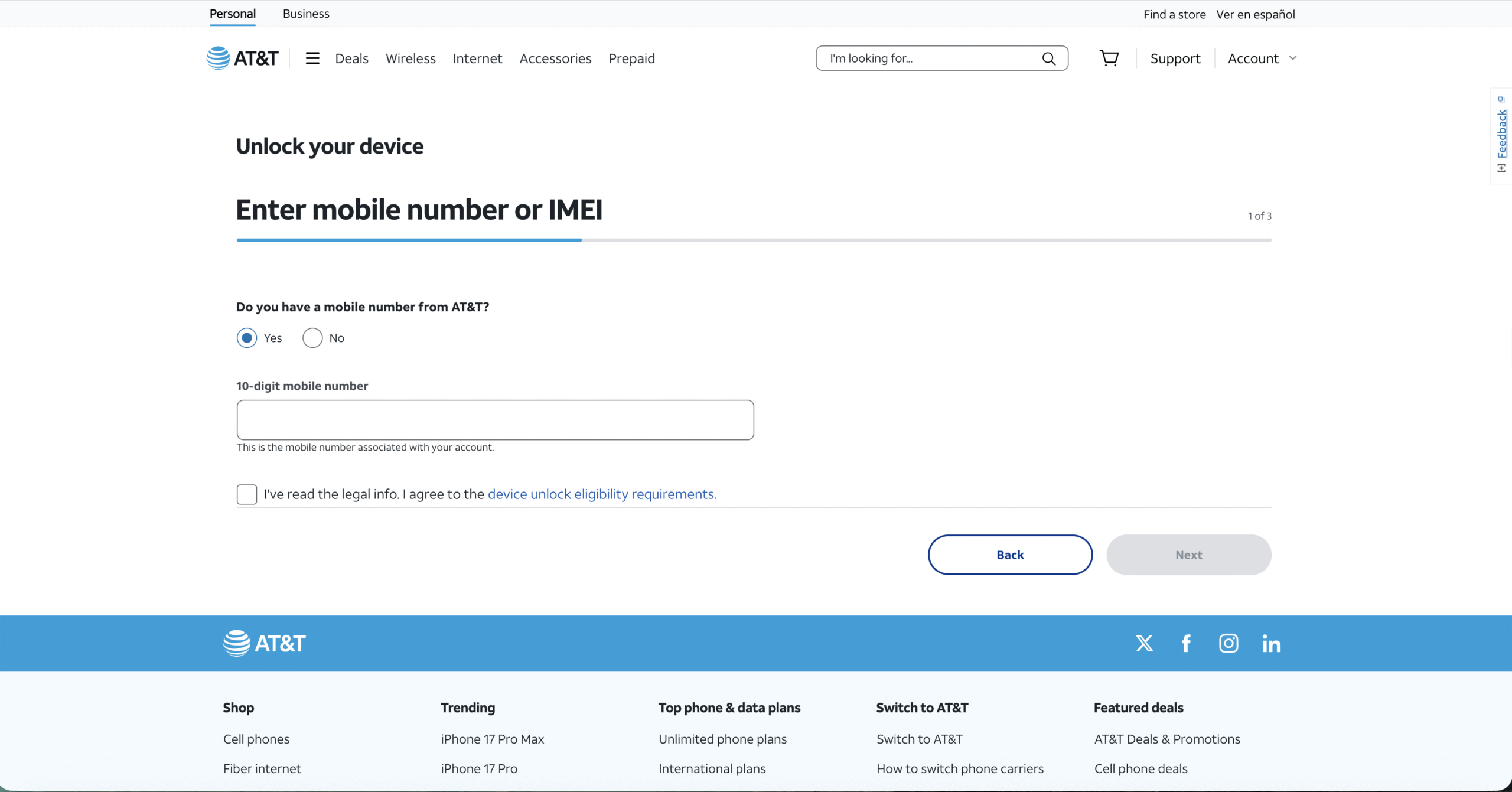
- Confirm your email to activate the request if prompted.
- Wait for AT&T’s approval message or additional instructions.
AT&T typically responds within minutes for eligible devices, but some requests may take longer depending on account status or device history.
Enter Your AT&T SIM Unlock Code (Android Only)
Some Android phones require a SIM network unlock code after approval. iPhones unlock automatically once AT&T processes the request.
- Power off your phone and insert a SIM card from another carrier.
- Turn the device back on to trigger the unlock prompt.
- Enter the unlock code provided by AT&T.
- Restart the device to finalize the unlock.
You should see carrier signal from the new network after completing these steps, confirming the SIM card is now unlocked.
Verify That Your AT&T SIM Unlock Worked
Testing your phone with another carrier’s SIM ensures the unlock was applied correctly and that the device works across voice, text, and data services.
- Check that the new carrier name appears in the status bar.
- Try sending a text and making a call.
- Enable mobile data to confirm LTE/5G compatibility.
- Restart the device if any features don’t activate immediately.
Troubleshooting Common Problems
- “Invalid Unlock Code”: Re-enter the code carefully or request a recheck from AT&T’s unlock support.
- No Signal After Unlock: Your device may not support the new carrier’s bands; test another SIM if possible.
- Request Rejected: The device might still be tied to a payment plan or a past-due balance.
- iPhone Still Locked: Connect to Wi-Fi and restart the phone so Apple’s servers can apply the unlock.
Tips
- Always unlock your SIM before traveling to avoid high roaming fees.
- Save a photo of your IMEI so you don’t lose it.
- Use AT&T’s official portal—third-party unlock sites may be unsafe or unreliable.
- Check network compatibility before switching carriers.
FAQ
Is Unlocking My AT&T SIM Card Free? Yes. AT&T does not charge for SIM unlocking when the device meets eligibility requirements.
How Long Does The Unlock Take? Most requests process the same day, but AT&T may take longer for older or inactive accounts.
Will My Phone Work On Any Carrier? Many devices support multiple networks, but some older phones may not support all US bands.
Do I Need An Unlock Code For iPhone? No. iPhones unlock automatically through Apple’s activation servers once approved.
Summary
- Unlocking your AT&T SIM card gives you the freedom to switch carriers.
- Verify eligibility and gather your IMEI before requesting the unlock.
- AT&T processes eligibility through its official unlock portal.
- Android devices may require a code; iPhones unlock automatically.
- Test the device with another SIM to confirm the unlock worked.
Conclusion
Unlocking your AT&T SIM card creates long-term flexibility, reduces travel costs, and allows you to choose the best wireless plan for your needs. Completing AT&T’s official unlock steps ensures your device remains secure while giving you full control over how and where your phone is used.


Discussion (0)
Be the first to comment.