UP

Wi-Fi

How to set up your Wi-Fi, configure your wireless router, or mesh Wi-Fi system. How to work with networking features, share files, stream media, and more.

ASUS Lyra Voice review: Transformers meets WiFi routers!

In a crowded market where new wireless routers look and behave much like those launched before them, it is difficult to stand out. ASUS has recently launched a device that's ambitious in its approach. It is named Lyra Voice, and it is a three-in-one mesh WiFi router with built-in Amazon Alexa and stereo speakers. Does it make you think of the characters from the Transformers movies? You can use the

How to use Windows advanced sharing to share folders with specific users

Modern versions of Windows, such as Windows 10 and Windows 7, allow users to share folders with other computers and devices from the local network, using a wizard that is supposed to make things easy. However, it does not allow for the same level of customization that the old-school Advanced Sharing feature does. If you want to share folders with specific users, limit the number of users who have access
tutorial Four ways to forget a WiFi network in Windows 10

Four ways to forget a WiFi network in Windows 10

When you connect to a wireless network in Windows 10, the operating system creates a profile for that connection, in which it stores information like the network name (or SSID), the password, and the type of encryption that it uses. When you travel a lot, Windows 10 may end up storing lots of WiFi networks, so that it can easily connect to them the

ASUS RT-AX92U review: the first AiMesh WiFi system with Wi-Fi 6!

The Wi-Fi 6 or 802.11ax wireless networking standard is slowly gaining a foothold on the market of consumer WiFi products. We had a few premium wireless routers launched with support for this technology, and now we are seeing the first mesh WiFi systems with Wi-Fi 6. ASUS RT-AX92U is an interesting kit, that combines the best of ASUS wireless routers with the mesh WiFi technology, and the new Wi-Fi 6

TP-Link Deco E4 review: beautifully affordable!

With Deco E4 or E4R, TP-Link is lowering the price of entry in the mesh WiFi ecosystem for consumers. This new model is available at an affordable price, it can work with other models in the Deco lineup, and it has some exciting features. If you want to know more about TP-Link Deco E4, and whether it is a good fit for you and your needs, read this detailed review:

TP-Link Archer T2U Plus review: The affordably priced USB WiFi adapter!

The TP-Link Archer T2U Plus wireless USB adapter is not a high-end piece of hardware, but it is an interesting one. It has an affordable price and promises to deliver excellent wireless range and speeds, both on 5 GHz wireless bands as well as on 2.4 GHz bands. We have tested it for a few days, to evaluate how well it performs and what it has to offer. If you
article What does AC1200, AC1750, AC1900 or more, mean and what's the difference?

What does AC1200, AC1750, AC1900 or more, mean and what's the difference?

All wireless routers have AC in their name, followed by a number. For example, you have routers that are called: Tenda AC9 AC1200, TP-Link Archer C7 AC1750, NETGEAR Nighthawk XR500 AC2500, or ASUS RT-AC88U AC3100. What does this AC followed by a number mean? Does the number following AC tell you how fast the router is? Is an AC1900 router faster than an AC1200

NETGEAR Nighthawk AX4 review: The more affordable Wi-Fi 6 router!

Netgear has launched several wireless routers with support for the new Wi-Fi 6 wireless standard. The most affordable in this line-up is the new NETGEAR Nighthawk AX4 (model RAX40), which, unlike its brothers, uses an Intel processor, instead of one made by Broadcom or Qualcomm. If you want to see what the NETGEAR Nighthawk AX4 dual-band wireless router has to offer, and whether it is a good fit for you,

ASUS ROG Rapture GT-AC2900 review: The wireless router for gamers!

ASUS has a thing for gamers. That's not new, as their Republic of Gamers brand is famous worldwide. A new trend is for the company to develop wireless routers for gaming, that are packed with many friendly features for online gamers. The latest addition to their lineup of gaming routers is the new ASUS ROG Rapture GT-AC2900, which also features some spectacular RGB lighting. If you want to know what

TP-Link Archer C5400X review: One of the fastest Wi-Fi 5 routers!

The market for wireless routers is slowly being invaded by devices with support for the new Wi-Fi 6 (802.11ax) wireless standard. However, those devices are expensive, and if you do not have a fast internet connection with speeds of 500 Mbps or more, they are a waste of money. That's why, at Digital Citizen, we are still interested in wireless routers like the TP-Link Archer C5400X, which works using the
tutorial How to connect to WiFi from Windows 10

How to connect to WiFi from Windows 10

Connecting to wireless networks in Windows 10 is an easy and straightforward process, involving a few simple steps. It is true that it depends on whether the wireless router broadcasts the name of the Wi-Fi network or not. However, if it does, connecting to that network is as simple as entering its password and choosing whether you want your Windows 10 PC or device

ASUS RT-AC85P wireless router review: What does it have to offer?

ASUS RT-AC85P is an AC2400 wireless router with a classic, robust design, similar to that of many popular routers from the same company. This router's positioning on the market, as well as its hardware and feature set, are slightly different from that of other ASUS routers that we recently tested. Therefore, we were curious to see how it performs, and who is the right audience for this wireless router. If
tutorial 3 ways to connect to hidden Wi-Fi networks in Windows 10

3 ways to connect to hidden Wi-Fi networks in Windows 10

Hidden WiFi networks do not broadcast their names, so they are not visible in the list of wireless networks that Windows 10 displays. However, that does not mean that you cannot connect to a hidden WiFi: you can, but you have to know its name, password and other security information. Here are three different ways to connect to hidden Wi-Fi networks, on laptops, tablets

Review Logitech MK850 Performance: Good quality multi-device peripherals!

Do you type on multiple computers and devices? Do you want fewer cables on your desk and prefer using a wireless keyboard and mouse? Then, you should consider the Logitech MK850 Performance wireless keyboard and mouse kit. This combo's superpower is that you can use it with up to three different devices wirelessly, using Bluetooth or Wi-Fi. If you are curious about this kit, and you want to see whether

How to change the Workgroup on a Mac, in 4 steps

Workgroups are the simplest way to link together a small number of computers and devices in order to make networking and sharing easier, making them ideal for your home network. If you want your laptop(s), desktop computer(s), printer(s) and other devices to share resources, they need to be part of the same workgroup. This tutorial shows how to change the workgroup on a Mac in just four steps: [DC-SUMMARY-BREAK] NOTE:

Review TP-Link Deco M9 Plus: mesh WiFi that plays nice with your smart home!

TP-Link makes interesting mesh WiFi systems that provide a balance between price, performance, and features. This time we are testing their most expensive mesh WiFi system to date: TP-Link Deco M9 Plus. It has modern hardware, and it features integration with smart home devices like smart bulbs, smart plugs, sensors, thermostats, and so on, including those made by brands other than TP-Link. If this has aspect alone has stirred your
article What is the MAC address, and how is it used?

What is the MAC address, and how is it used?

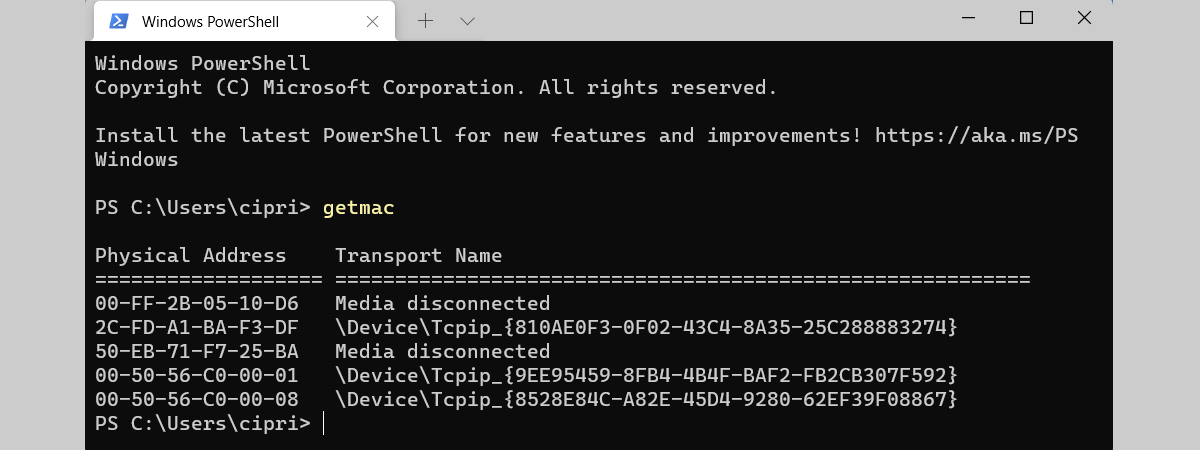
MAC addresses are a vital part of networking. Much like IP addresses, MAC addresses can be a confusing concept for someone without a technical background. Nevertheless, in this article, we give you enough information about MAC addresses for you to understand what they are, why you need them, and how they are used. Let's get started: First, the basic components of all networks