




Sending blank messages on WhatsApp may sound impossible at first, but it actually works when you use the right method. WhatsApp blocks normal empty spaces, so you need a character that looks invisible but still counts as text.
People often use blank messages for pranks, spacing, or testing chat behavior. At the time of writing, WhatsApp, Instagram, Telegram, and similar apps still allow blank or invisible messages when you use the techniques below.
Send Blank Messages Using A Unicode Character
The most reliable way to send a blank message on WhatsApp uses a special Unicode character. The Braille Pattern Blank (U+2800) appears empty but registers as a valid character.
- Open a browser on your phone or computer.
- Search for the Unicode character U+2800 (Braille Pattern Blank).
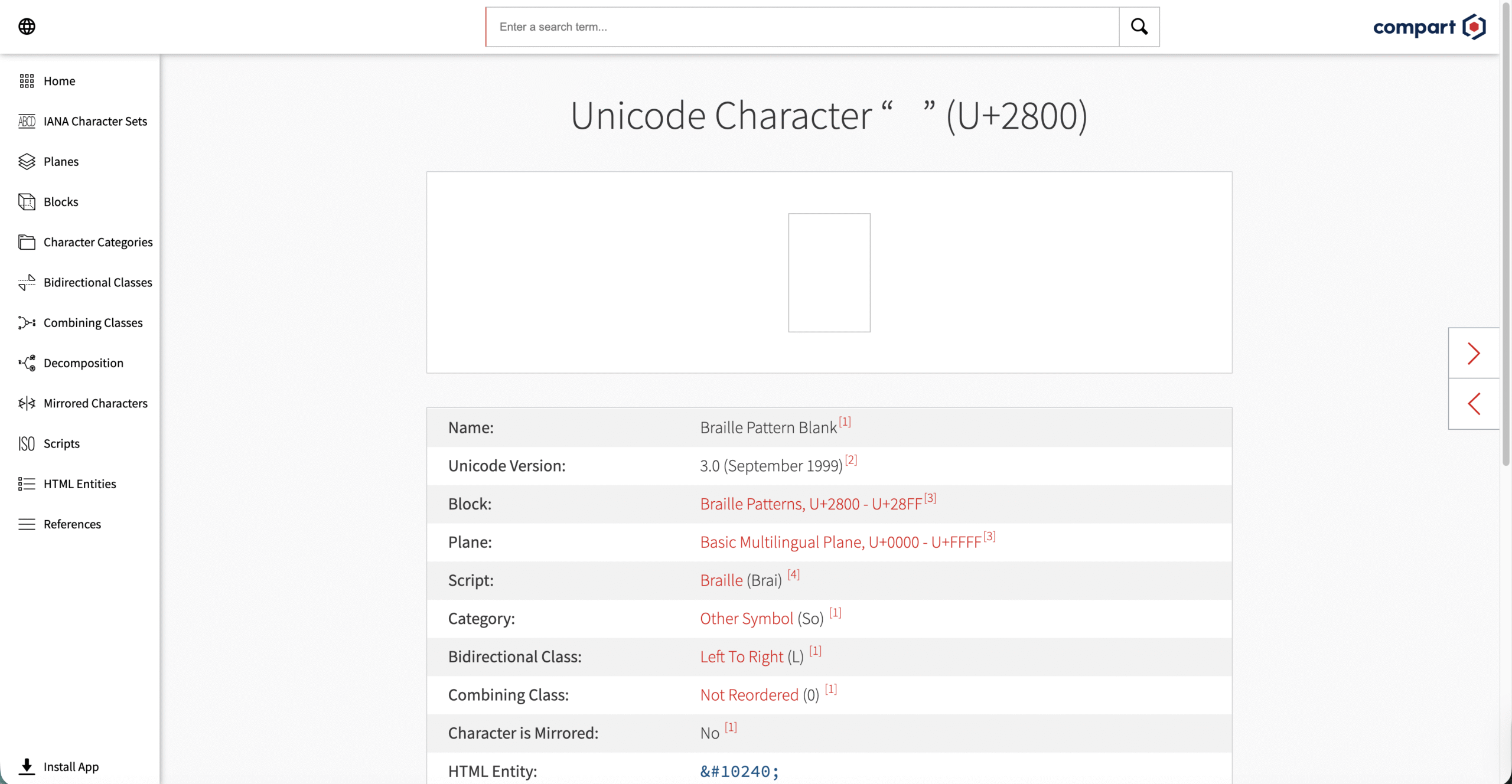
- Copy the blank character from the page.

- Open WhatsApp or WhatsApp Web.
- Paste the character into the chat box.
- Tap Send to deliver the blank message.
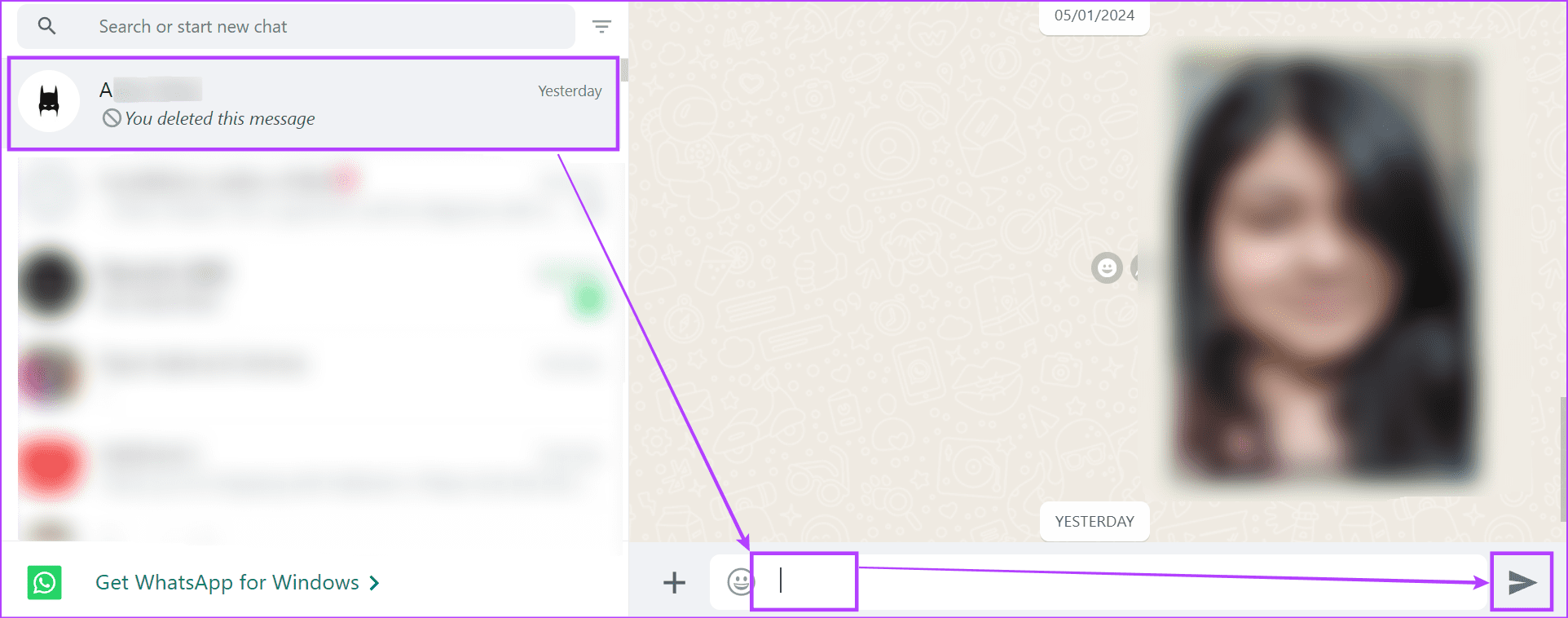
The recipient will see an empty message bubble, even though WhatsApp technically delivered text.
Send Blank Messages Using An Empty Text Generator
If copying Unicode characters feels inconvenient, empty space generator websites simplify the process. These tools convert normal text into invisible characters that WhatsApp accepts.
- Open an empty text generator website in your browser.
- Enter any word or character into the generator field.
- Tap Generate to create invisible text.
- Copy the generated blank text.
- Paste it into a WhatsApp chat and send.
This method works on WhatsApp Web and mobile apps, and it also works on Instagram and Telegram.
Send Blank Messages Using Android Apps
Several Android apps automate blank message creation and remove the need for manual copying. Stick to well-reviewed apps from the Play Store to avoid security risks.
- Open the Google Play Store.
- Search for an app like Blank Text & Invisible Text.
- Install and open the app.
- Select the Invisible Text option.
- Choose the number of rows and character length.
- Tap WhatsApp or Copy to send the blank message.
These apps also support Instagram, Telegram, and other messaging platforms.
Troubleshooting Common Problems
If WhatsApp refuses to send your blank message, the character you copied likely contains standard spaces. WhatsApp blocks normal whitespace.
Always use Unicode-based invisible characters or generator tools. Restart WhatsApp if pasting fails, especially on older Android devices.
Tips
- Use Unicode characters instead of plain spaces.
- Test the message in a private chat first.
- Avoid sending repeated blank messages to unknown contacts.
- Use trusted apps only from official app stores.
FAQ
Can you send blank messages on WhatsApp without apps?
Yes. Unicode characters like U+2800 allow blank messages without installing apps.
Do blank messages work on Instagram and Telegram?
Yes. These methods work on most messaging platforms that accept Unicode text.
Can WhatsApp ban you for sending blank messages?
WhatsApp does not block accounts for occasional blank messages, but excessive spam may trigger restrictions.
Can blank messages be deleted?
Yes. Blank messages behave like normal messages and can be deleted by the sender or receiver.
Summary
- WhatsApp blocks normal empty spaces.
- Unicode characters enable blank messages.
- Generators and Android apps simplify the process.
- The same methods work across multiple messaging apps.
Conclusion
Sending blank messages on WhatsApp works when you use invisible Unicode characters instead of regular spaces. Whether you prefer manual copying, generator websites, or Android apps, each method delivers reliable results without breaking WhatsApp rules.


Discussion (0)
Be the first to comment.