




Finding someone on WhatsApp works differently from social networks. WhatsApp does not support public profiles, usernames, or name-based searches. The app relies entirely on phone numbers, which means you must understand how contact discovery actually works before trying anything else.
Below, you will find every reliable method that WhatsApp supports, plus clear explanations for cases where finding someone fails.
Table of contents
Find someone on WhatsApp using their phone number
Using a phone number remains the fastest and most reliable option.
Add a contact and refresh WhatsApp
Save the person’s phone number to your device's contacts. Open WhatsApp, tap the New chat icon, and pull down on the contact list to refresh.
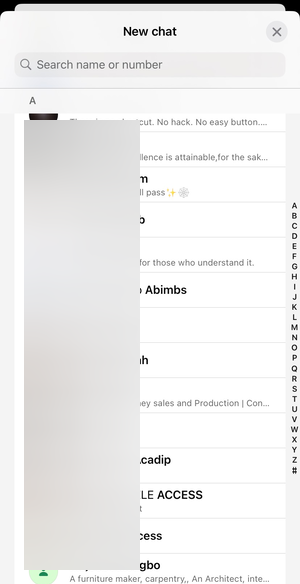
WhatsApp syncs your address book and displays the contact if the number has an active account.
Use the correct country code format
Always save numbers in international format. Include the country code, even if the person lives in the same country as you.
For example, save a US number as +1 followed by the full number. Incorrect formatting often prevents contacts from appearing.
Find someone on WhatsApp without saving the contact
Many users prefer not to store temporary or one-time numbers.
Use WhatsApp’s click-to-chat feature
WhatsApp supports direct chat links using the wa.me format. Open a browser and enter https://wa.me/ followed by the full phone number with country code.
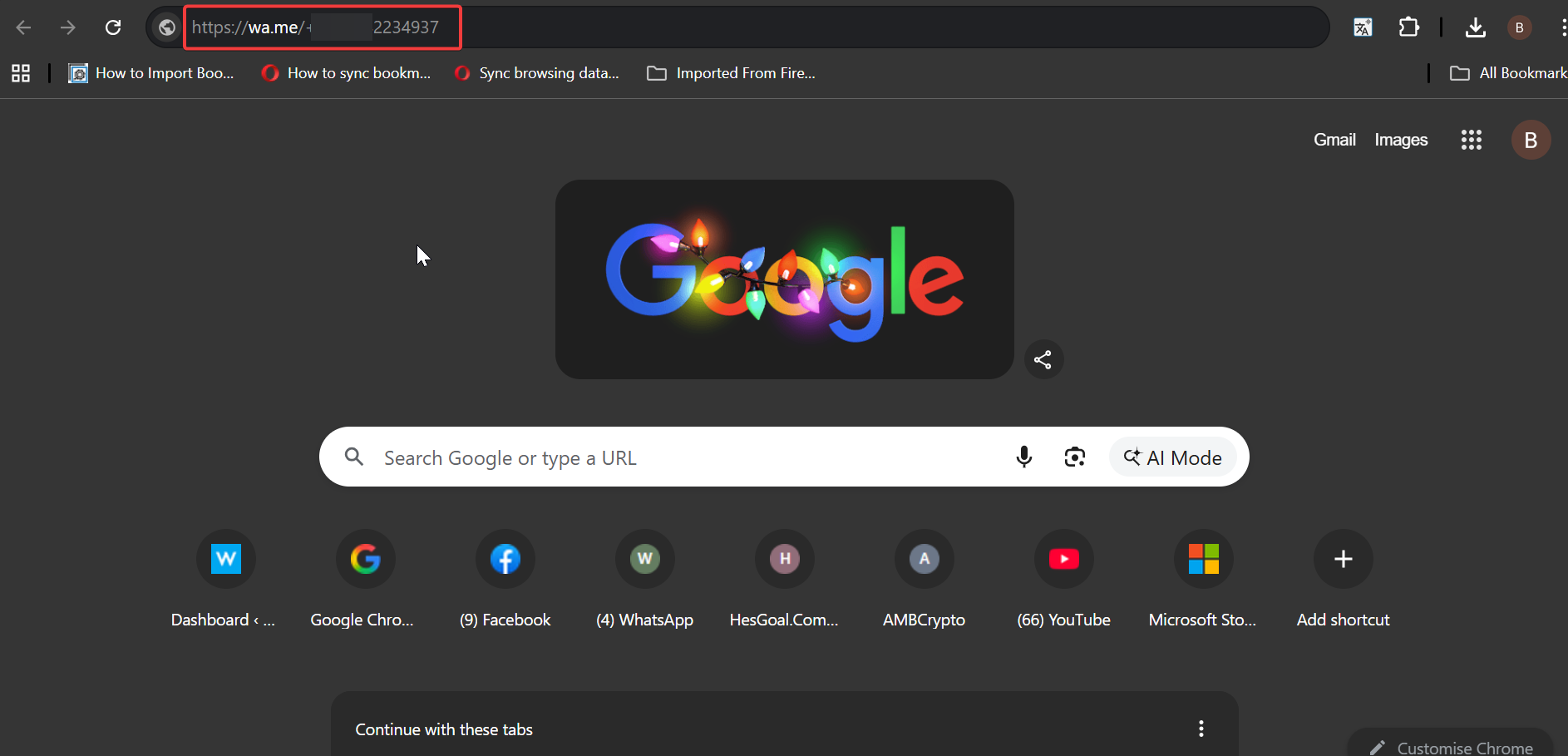
If the number exists on WhatsApp, the app opens a chat window without saving the contact.
Why you can’t find someone on WhatsApp
When a contact does not appear, the issue usually has a clear explanation.
The number is not registered on WhatsApp
If the person never created a WhatsApp account or deleted it, the app will not show the number.
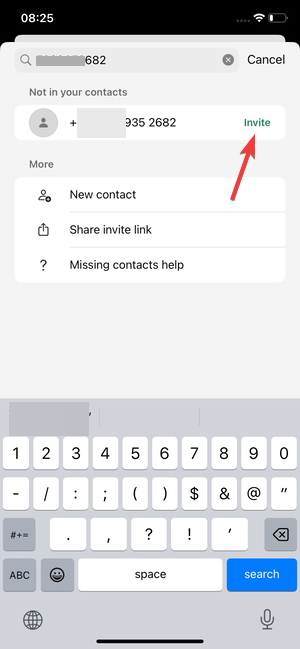
WhatsApp does not notify you when a number lacks an account.
Privacy settings or blocks prevent discovery
If someone blocked you, you will not see their profile photo, status, or last seen. In some cases, the chat may fail to load entirely.
Privacy settings can also hide profile details, which often creates confusion.
Contact sync issues on Android or iPhone
To add a contact to WhatsApp on Android or iPhone, or to find an existing contact, the app needs contact access permissions. If permissions are disabled, new contacts will not sync.
Sync delays also occur after restoring backups or switching devices.
Find someone on WhatsApp on Android vs iPhone
Contact handling differs slightly between platforms.
Android contact sync behavior
Android uses Google Contacts as the primary source. Make sure the contact saves to the correct Google account and not device-only storage.
Open WhatsApp, refresh the contact list, and confirm contact permissions remain enabled.
iPhone contact permissions and refresh
iOS requires explicit permission for contact access. Open Settings, tap Privacy & Security, select Contacts, and allow WhatsApp.
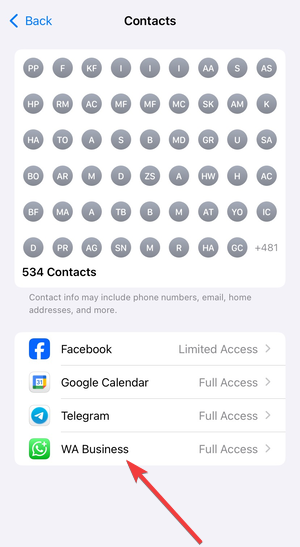
Restarting WhatsApp often forces a fresh sync on iPhones.
Safe alternatives if you don’t have someone’s number
Sometimes you cannot obtain a phone number directly.
Ask for a WhatsApp invite link or QR code
WhatsApp lets users share chat invite links and QR codes. These options allow instant connection without manual searching or contact saving.
This method respects privacy while avoiding sync issues.
Tips for finding contacts faster on WhatsApp
- Save numbers using international format.
- Refresh the WhatsApp contact list after adding a number.
- Verify contact permissions on your device.
- Avoid third-party “WhatsApp finder” tools.
- Ask contacts to message you first when possible.
FAQs
Can I find someone on WhatsApp by username?
WhatsApp does not support usernames or public handles.
Can I search WhatsApp by email address?
WhatsApp does not index email addresses.
Why does WhatsApp show some contacts but not others?
The missing contacts likely lack WhatsApp accounts or proper number formatting.
Can someone hide from being found on WhatsApp?
Users cannot hide their number entirely, but they can block you or limit profile visibility.
Summary
- WhatsApp finds people using phone numbers only.
- Correct number formatting determines visibility.
- Contact permissions and sync matter.
- Click-to-chat links bypass saving contacts.
WhatsApp prioritizes privacy over discoverability. Once you understand its limitations, finding someone becomes straightforward and predictable.

Discussion (0)
Be the first to comment.