



ABC offers some of the most popular live TV programming in the U.S., and watching ABC Live on Roku is one of the easiest ways to stream news, sports, and primetime shows. Whether you want to use the official ABC app, sign in with your TV provider, or watch ABC without cable through a live TV service, your Roku device supports multiple reliable options. This guide walks you through each method step by step.
Before you begin, make sure your Roku device has a stable internet connection and that your Roku account is already set up. Once that's done, you’re ready to add ABC to your streaming lineup and start watching live TV on Roku.
Add The ABC App To Your Roku Device
The ABC app is the primary way to access ABC Live on Roku. Adding it takes only a moment.
- Turn on your Roku and go to the Home screen.
- Scroll to Streaming Channels to open the Channel Store.
- Select Search Channels.

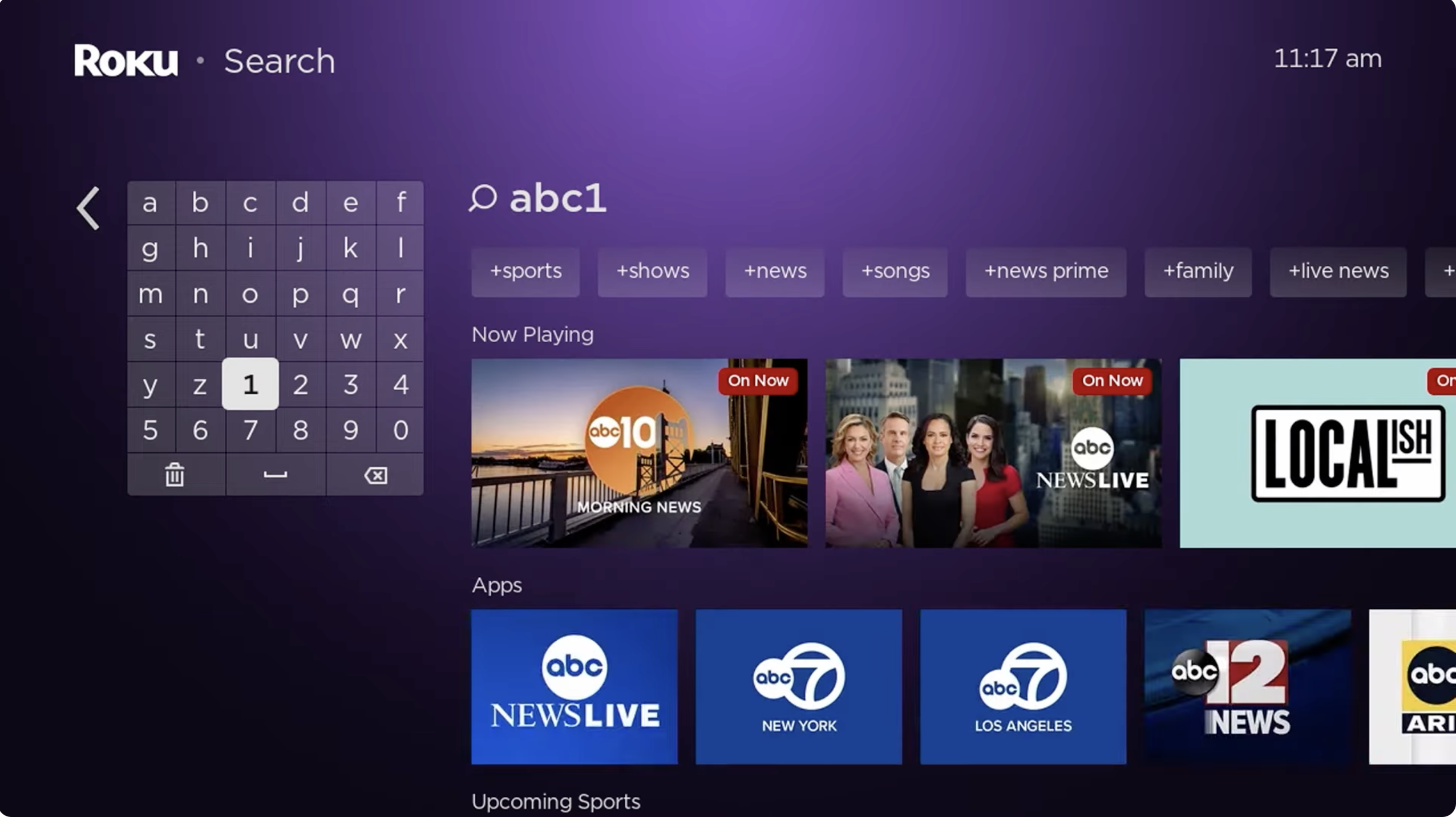
- Type ABC and select the ABC channel from the suggestions.
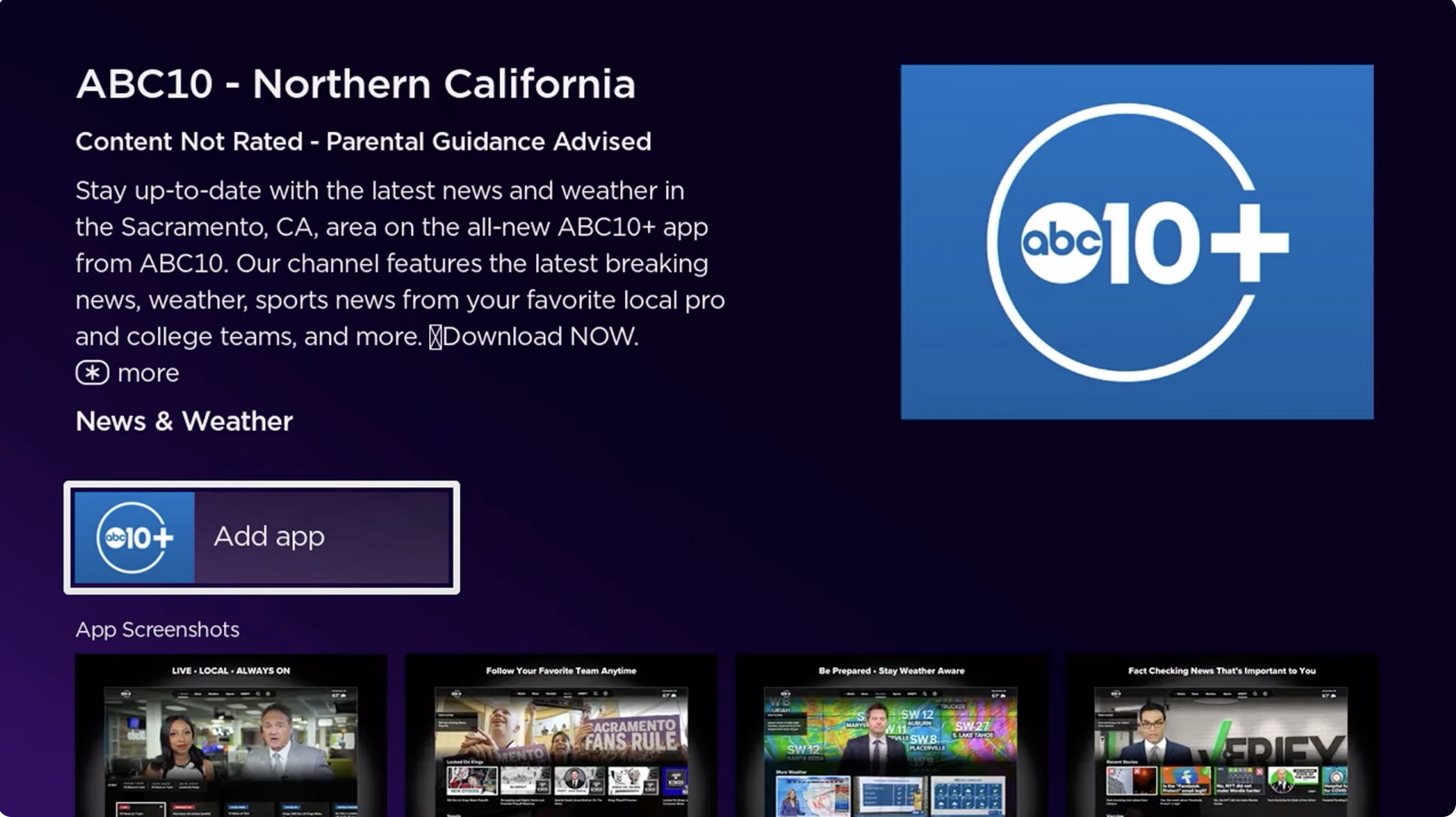
- Choose Add App/Channel and wait for installation.
- Return to the Home screen and open the ABC app.
Now that the ABC app is installed, you can activate it and link it to your ABC profile.
Activate ABC On Roku
To stream ABC Live on Roku using the official ABC app, you’ll need to activate it using a computer or mobile browser.
- Open the ABC app on your Roku device.
- Write down the activation code shown on your TV.
- On your phone or computer, go to abc.com/activate.
- Enter the activation code.
- Sign in with your ABC account or create one if needed.
- Wait for the Roku app to refresh and unlock live content.
After activation, you can browse ABC shows, on-demand episodes, and live streams depending on your TV provider.
Sign In With Your TV Provider To Unlock ABC Live
To watch the ABC Live stream on Roku, many regions require signing in with a supported TV provider. This verifies your access to broadcasts such as Good Morning America, NFL games, and local ABC stations.
- Open the ABC app on Roku.
- Go to Settings inside the app.
- Select Sign In.
- Follow the instructions to authenticate with your TV provider login.
- Return to your Roku and wait for the live stream to unlock.
Once authenticated, you can enjoy full ABC Live programming directly through your Roku device.
Watch ABC Live On Roku Without A TV Provider
If you’re a cord-cutter, you can still stream ABC Live on Roku using a live TV streaming service. These services offer ABC as part of their channel lineup in most U.S. markets.
- Hulu + Live TV
- YouTube TV
- Sling TV (ABC available in select markets or via Sling Blue + ABC add-on)
- Fubo
- DirecTV Stream
To watch ABC without cable:
- Open the Roku Channel Store.
- Install your preferred live TV app.
- Create an account or sign in.
- Select ABC from the live guide.
- Start streaming ABC Live instantly.
This method is ideal if you want ABC Live without a cable subscription but still want access to local channels.
Troubleshooting ABC Live On Roku
If ABC Live won’t load or the app stops working, try these fixes.
- Check your internet connection and restart the router.
- Restart the Roku by going to Settings → System → System Restart.
- Highlight the ABC app, press *, and select Check for Updates.
- Remove the ABC app and reinstall it.
- Clear app cache by restarting the Roku after uninstalling the ABC app.
- Ensure your TV provider login is correct.
- Contact Roku Support if the issue persists.
Conclusion
You now know how to watch ABC Live on Roku using multiple reliable methods, whether through the official ABC app, a TV provider login, or a cable-free live TV streaming service. With the right setup, you can enjoy ABC news, primetime shows, and special live events on your Roku device anytime. If anything stops working, the troubleshooting steps above will help you get ABC Live running again quickly.


Discussion (0)
Be the first to comment.