



Cocomelon remains one of the most viewed children’s series online, and at the time of writing, many parents still want a reliable way to save episodes offline. If you're searching for how to download Cocomelon videos on phone, several methods still work today. These steps show you how to set up safe offline viewing and reduce streaming issues when Wi-Fi isn’t available.
How To Download Cocomelon Videos On Phone
You can download Cocomelon videos using YouTube Premium, trusted downloader apps, or your device’s built-in screen recording tool. These options work on Android and iPhone.
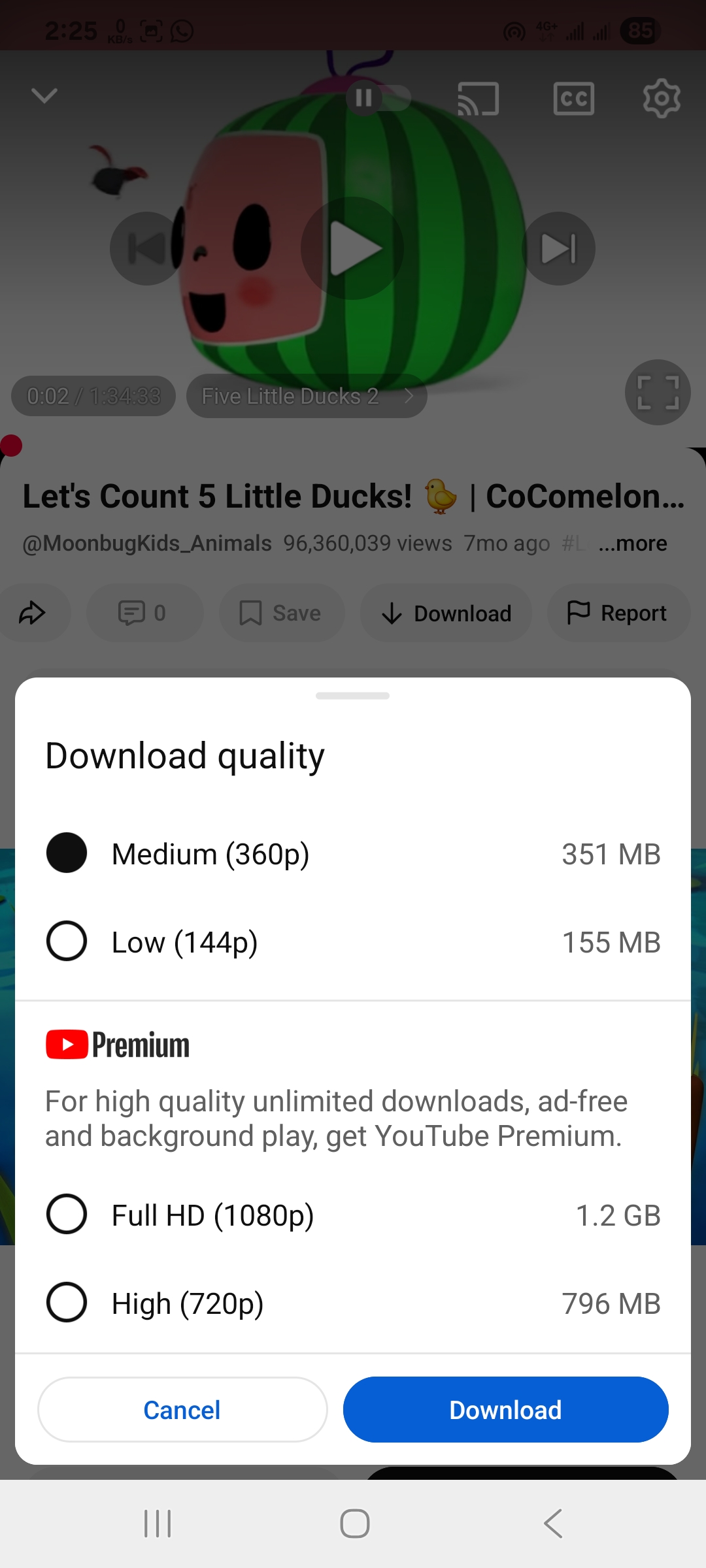
- Open the YouTube app and search for Cocomelon.
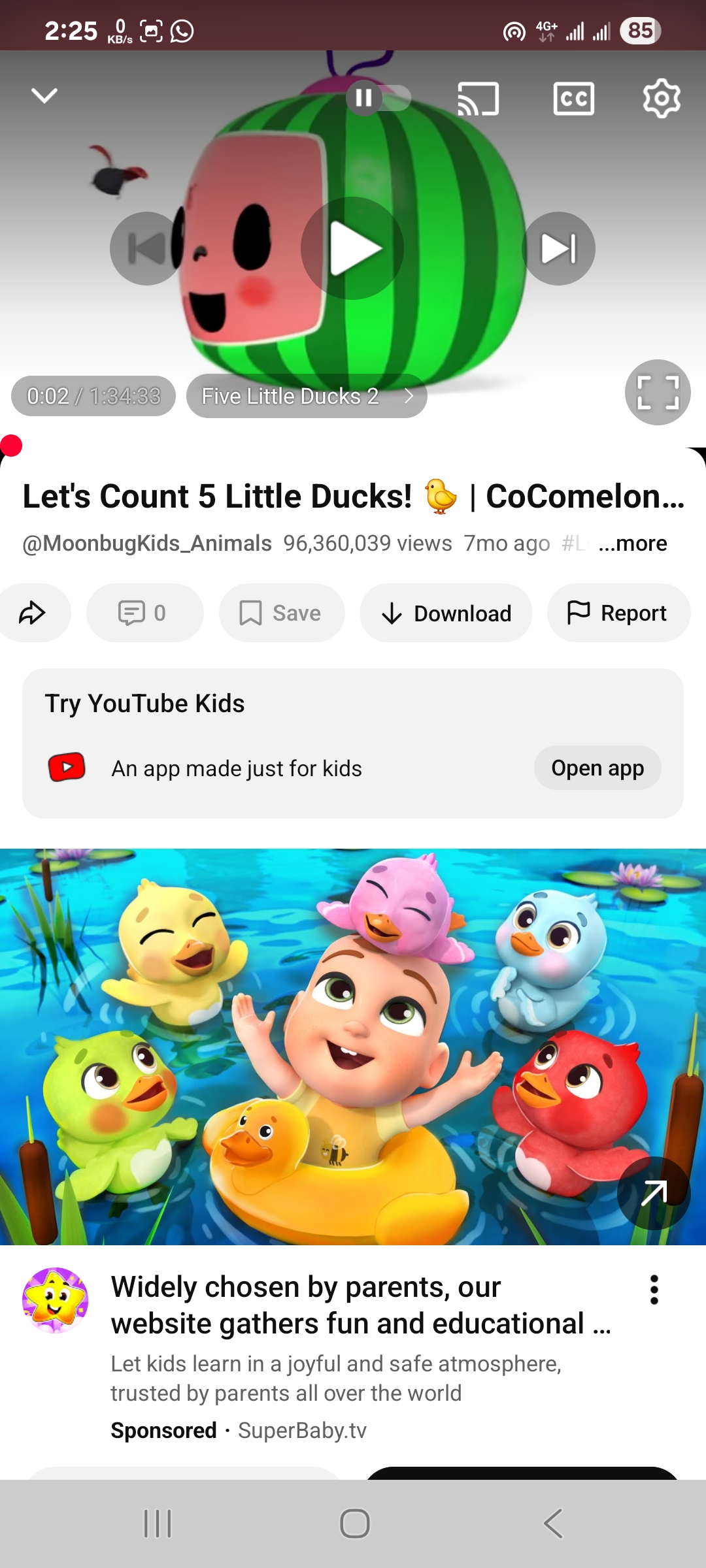
- Check whether the episode includes an official Download button for offline playback.
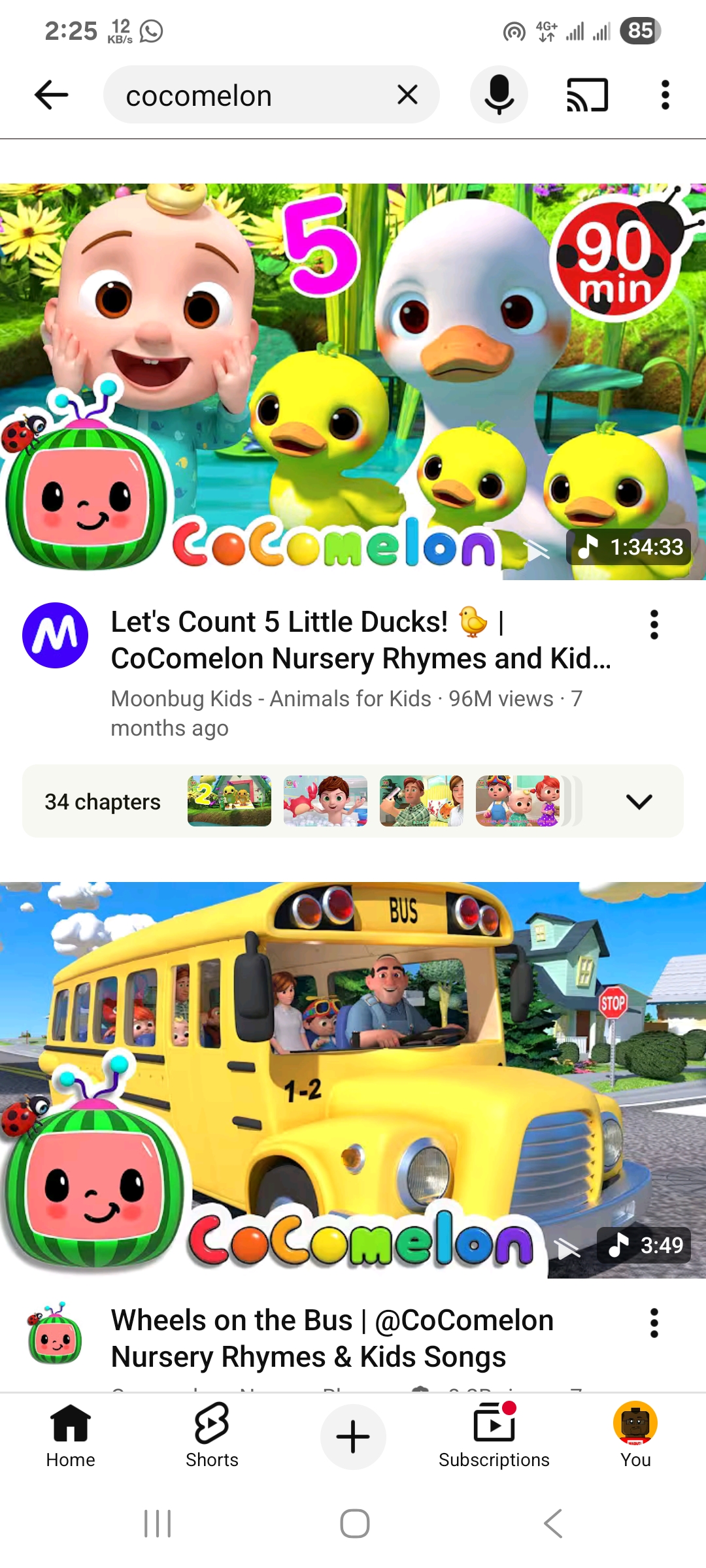
- Tap Download and choose a resolution suited for mobile screens, such as 360p or 720p.
- Open Library → Downloads to confirm the episode is stored locally.
- Install a reputable downloader app from the Google Play Store if you need additional saving options.
- Search for the Cocomelon episode inside the app’s built-in browser and select the resolution offered.
- Start the download and verify the file appears in your device’s gallery or video folder.
- Enable your device’s Screen Recording feature if the episode cannot be downloaded directly.
- Record the episode while it plays, then stop the recording and trim the video as needed.
- Move downloaded or recorded episodes into a dedicated folder to make offline viewing easier for kids.
- Activate parental controls if your child will access saved videos independently.
Troubleshooting Common Problems
If downloads fail, update the YouTube app or recheck your Premium status. When downloader apps stop processing links, clear the cache or reinstall the app. If screen recordings look blurry, increase device resolution or brightness before recording.
Tips
- Download over Wi-Fi to avoid large data charges.
- Choose 720p for smoother playback on tablets and phones.
- Store downloaded videos in a single folder so kids can find them easily.
- Test every episode before traveling to ensure offline playback works.
- Avoid sketchy downloader apps; stick to known developers only.
FAQ
Can I download Cocomelon videos for free? Some episodes allow free offline downloads, but the most reliable way is using YouTube Premium.
Why is the download button missing? Some videos do not support YouTube’s offline mode because the creator has limited downloads.
Is screen recording allowed? Screen recordings should be for personal use only and cannot be shared publicly.
Where are downloads stored? YouTube stores offline files inside the app, while downloader apps save files to your gallery or internal storage.
Summary
- Use YouTube Premium when available.
- Install a trusted downloader app if you need more flexibility.
- Record your screen if downloads are restricted.
- Organize files for quick access offline.
- Use parental controls for safe video viewing.
Conclusion
Downloading Cocomelon videos allows kids to watch their favorite episodes without buffering or constant Wi-Fi. With the right method, you can set up safe offline viewing in minutes.


Discussion (0)
Be the first to comment.