




Ethernet cables remain the backbone of wired internet connections, and knowing how fast a Cat 5 Ethernet cable can go helps determine if your setup still meets modern speed needs. Although Cat 5 was once the industry standard, its speed capabilities now fall short of those of Cat 5e and Cat 6 cables.
WHAT IS A CAT 5 ETHERNET CABLE?

A Cat 5 (Category 5) Ethernet cable uses twisted copper pairs to transmit data across a local network. It supports up to 100 megabits per second (Mbps) and 100 MHz of bandwidth, making it suitable for basic web browsing, email, and streaming. These cables were common in home and small-business networks throughout the 2000s but have been mostly replaced by newer standards.
Cat 5 cables support the 10BASE-T and 100BASE-TX Ethernet standards, meaning they can handle 10 Mbps or 100 Mbps speeds, depending on your network hardware. They typically perform well up to 100 meters (328 feet) in length before signal loss begins to affect data transfer rates.
HOW FAST CAN A CAT 5 ETHERNET CABLE REALLY GO?

Officially, Cat 5 cables are rated for speeds up to 100 Mbps at 100 MHz. However, some high-quality or well-installed Cat 5 cables can handle Gigabit Ethernet (1000 Mbps) over short distances, usually under 30 meters, if interference is minimal and terminations are solid. This is possible when a Cat 5 cable meets or exceeds the Cat 5e cable manufacturing standards.
Despite these exceptions, you shouldn’t rely on Cat 5 Ethernet cables for consistent gigabit speeds. For stable, long-distance performance, Cat 5e and Cat 6 Ethernet cables offer better signal integrity and lower crosstalk, making them more reliable for modern high-speed networks.
FACTORS THAT AFFECT CAT 5 ETHERNET SPEED
- Cable length: The longer the cable, the more signal loss you’ll experience. Keep runs under 100 meters for best performance.
- Interference: Devices such as power cables and microwave ovens can cause electromagnetic interference, slowing data transfer.
- Connector quality: Poor crimping or damaged RJ45 connectors can degrade the signal and limit speed.
- Network hardware: Routers, switches, and adapters must support higher speeds for optimal performance.
- Environment: High interference or unshielded cables in busy electronic areas can reduce throughput.
CAT 5 VS CAT 5E VS CAT 6: SPEED COMPARISON
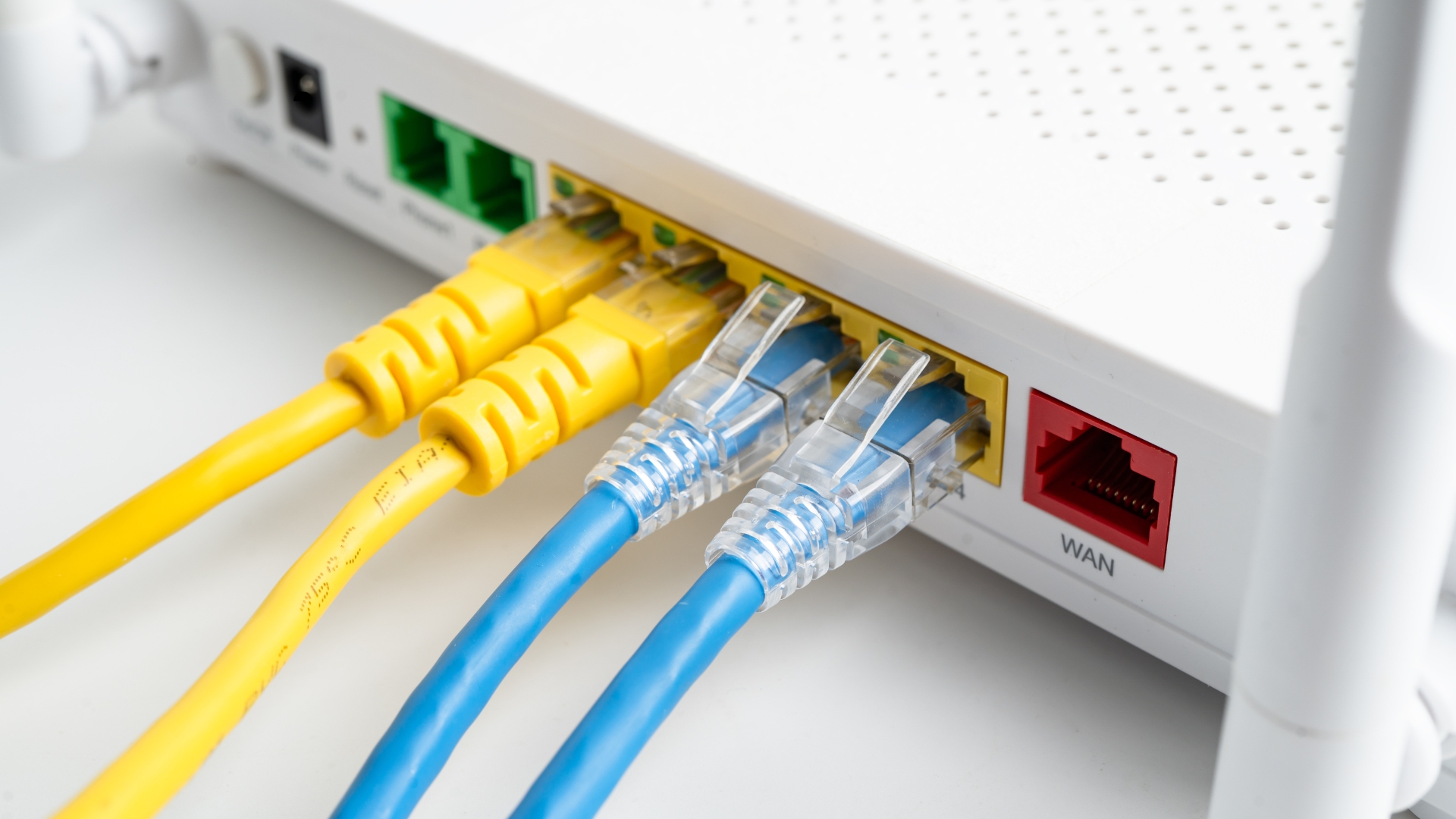
While a Cat 5 Ethernet cable tops out around 100 Mbps, Cat 5e can reach 1 Gbps, and Cat 6 can achieve up to 10 Gbps over shorter distances. Here’s the breakdown:
- Cat 5: 100 Mbps speed, 100 MHz bandwidth
- Cat 5e: 1 Gbps speed, 100 MHz bandwidth with improved shielding
- Cat 6: 10 Gbps speed, 250 MHz bandwidth, reduced crosstalk
Cat 5e and Cat 6 cables use tighter twists and better insulation to minimize interference, ensuring more consistent gigabit or multi-gigabit performance. For users running modern smart homes, gaming setups, or streaming systems, upgrading to at least Cat 5e is highly recommended.
CAN A CAT 5 CABLE SUPPORT GIGABIT ETHERNET?
Technically, some Cat 5 cables can handle Gigabit Ethernet speeds if they are short, high-quality, and properly installed. Real-world tests and Reddit discussions show that certain Cat 5 installations achieve 1 Gbps speeds under ideal conditions. However, the results are inconsistent — interference, distance, and aging cables often cause speed drops or connection instability.
To guarantee gigabit speeds and stable connectivity, Cat 5e or Cat 6 cables are the better choice. They meet modern signal standards, ensuring reliable data transfer even at full bandwidth capacity.
WHEN TO UPGRADE YOUR CAT 5 CABLE
- If your internet plan exceeds 100 Mbps, but your connection caps below it.
- When you experience lag or signal drops during 4K streaming or gaming.
- If your cables are older than 15 years or show physical wear.
- When adding new devices that support Gigabit Ethernet or Wi-Fi 6 routers.
Upgrading to Cat 5e or Cat 6 is inexpensive and helps future-proof your setup. You’ll experience faster transfers, fewer drops, and better support for multi-device networks.
FAQ
Is Cat 5 Ethernet still good?
Yes, but it’s limited to 100 Mbps. For faster speeds, upgrading to Cat 5e or Cat 6 is ideal.
Can Cat 5 run 1 Gbps?
Sometimes, but only under perfect conditions. It’s better to use Cat 5e or Cat 6 for consistent gigabit performance.
What is the maximum length for Cat 5?
The standard limit is 100 meters (about 328 feet) before signal loss becomes noticeable.
Does Cat 5 work with modern routers?
Yes, most routers still support Cat 5 cables, but the cable may limit your overall internet speed.
SUMMARY
- Cat 5 Ethernet cables support up to 100 Mbps and 100 MHz bandwidth.
- Some high-quality Cat 5 cables can reach 1 Gbps under ideal conditions.
- Interference, distance, and hardware quality affect speed performance.
- Cat 5e and Cat 6 cables deliver faster, more reliable connections.
- Upgrading ensures better performance and network future-proofing.
CONCLUSION
So, how fast is a Cat 5 Ethernet cable? Officially, it’s rated for 100 Mbps, but high-quality installations can sometimes reach 1 Gbps. While Cat 5 remains functional for basic browsing and light work, today’s internet demands faster, more stable cables. Upgrading to Cat 5e or Cat 6 ensures you can enjoy full-speed connections, smoother streaming, and long-term reliability across all your devices.

Discussion (0)
Be the first to comment.