




A Cat6 Ethernet cable is a high-speed network cable that supports data transfer rates up to 10 Gbps. It’s designed to minimize interference, reduce signal loss, and improve reliability across home and business networks. Whether you’re gaming, streaming, or connecting multiple devices, Cat6 cables provide a stable, wired connection that outperforms Wi-Fi.
1) Understanding the Cat6 standard
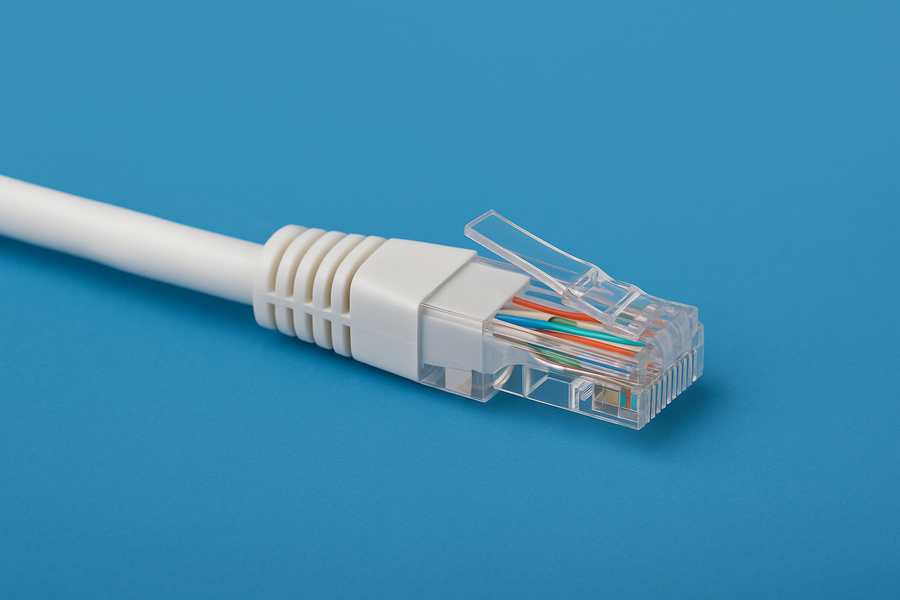
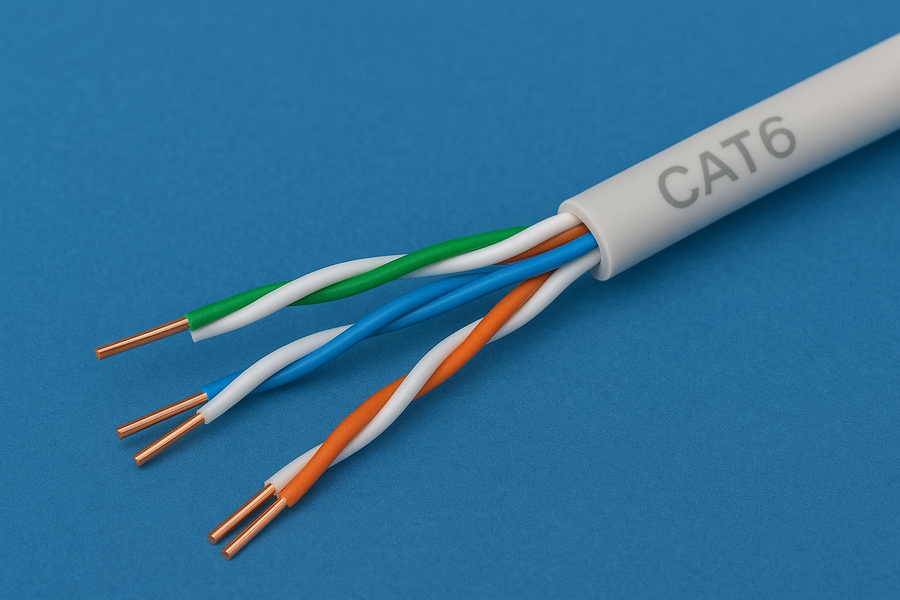
Cat6, or Category 6, is part of the IEEE and TIA cabling standards that define electrical performance for Ethernet connections. It improves upon Cat5e by using tighter twists in the copper pairs and stricter crosstalk specifications, allowing for faster and more consistent data delivery.
2) Cat6 ethernet cable specifications
Cat6 cables deliver up to 10 Gbps speeds at 250 MHz bandwidth over distances up to 55 meters (180 feet). Most use 23-AWG solid copper conductors and standard RJ45 connectors, which makes them compatible with most routers, switches, and network cards.
3) Cat6 vs Cat5e vs Cat6a: Key differences
Compared with older cables, Cat6 offers faster speeds and stronger noise resistance. Here’s how they compare:
| Type | Max Speed | Bandwidth | Distance for 10 Gbps |
|---|---|---|---|
| Cat5e | 1 Gbps | 100 MHz | 100 m |
| Cat6 | 10 Gbps | 250 MHz | 55 m |
| Cat6a | 10 Gbps | 500 MHz | 100 m |
4) When should you use a Cat6 cable?
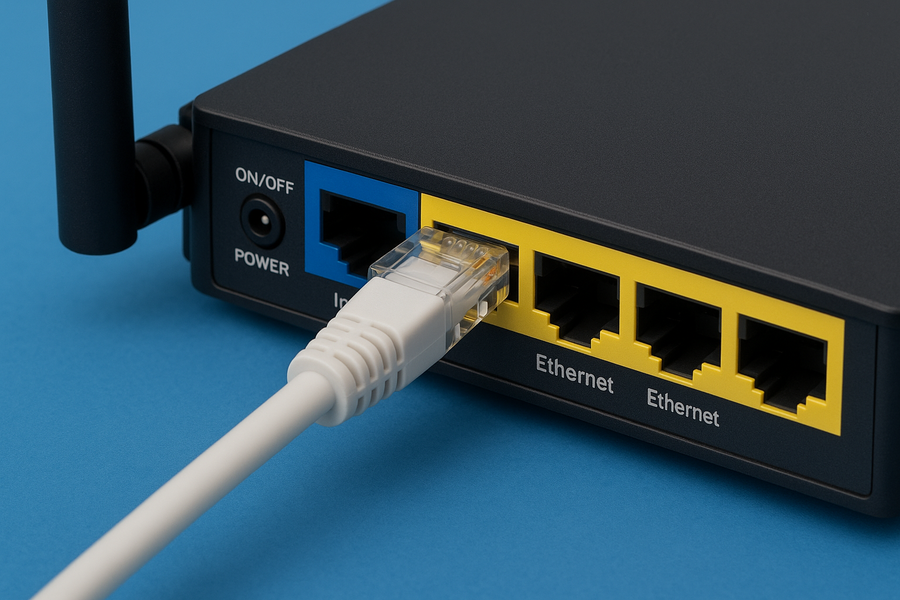
Use Cat6 when you need high-speed, low-latency connections. It’s perfect for gamers, 4K streamers, and offices transferring large files. If your devices support Gigabit Ethernet or higher, Cat6 ensures your network keeps up with them.
5) Cat6 cable types and shielding
Cat6 comes in two primary types: UTP (Unshielded Twisted Pair) and STP (Shielded Twisted Pair). UTP is best for typical home use, while STP or FTP cables reduce electromagnetic interference in industrial or data-dense environments.
6) Choosing the right Cat6 cable for your setup
When buying Cat6, check the cable jacket type. CM works for standard setups, CMR for riser spaces, and CMP for air ducts. Always choose solid copper over copper-clad aluminum (CCA) for best signal quality and longevity.
7) Installation and performance tips
Keep cable runs straight, avoid sharp bends, and stay away from power lines. Use quality keystone jacks or connectors, and test each run with a cable tester to confirm signal strength. A well-installed Cat6 cable can deliver consistent speeds for over a decade.
8) Compatibility and backward support
Cat6 cables are backward-compatible with Cat5 and Cat5e hardware. You can plug them into any RJ45 port without adapters, allowing easy incremental upgrades instead of replacing your whole network.
9) Cat6 cable length limitations
To maintain full 10 Gbps performance, limit cable runs to 55 m (180 ft). For longer distances, use Cat6a or install a switch or repeater between segments to avoid speed drops.
10) Testing and verifying your Cat6 connection
After installation, test your cables using a network cable tester or your computer’s built-in speed diagnostics. Verifying signal integrity ensures your cable meets the expected performance and reduces troubleshooting later.
11) Common mistakes to avoid
- Never mix patch and riser cables in the same run.
- Avoid using CCA cables labeled as Cat6 - they often fail certification tests and can overheat under load.
- Stick to known-quality brands and certified copper wiring.
12) Future-proofing your network
Cat6 supports most Gigabit and 10 Gbps needs today, but future standards like 10 Gig LAN and Wi-Fi 7 will demand even higher performance. Upgrading to Cat6a during new builds provides an extra buffer for evolving network speeds.
FAQs
Is Cat6 overkill for home use? Not really. If you have fast internet or multiple connected devices, Cat6 ensures low latency and full Gigabit performance for years to come.
Can Cat6 improve internet speed? It won’t change your ISP bandwidth, but it removes local bottlenecks and gives you the full wired performance your plan supports.
What’s the difference between Cat6 and Cat6a? Cat6a doubles the frequency (500 MHz) and maintains 10 Gbps up to 100 m, making it better for larger or high-interference installations.
Summary
- Cat6 cables support up to 10 Gbps speeds over 55 m.
- They improve upon Cat5e with better noise resistance and faster data transfer.
- Cat6 is ideal for home and office use, especially for gaming, streaming, and large data transfers.
- They are backward-compatible with Cat5 and Cat5e hardware.
- Cat6 cables come in UTP or shielded versions for different environments.
- To ensure full performance, limit cable runs to 55 m for 10 Gbps speeds.
Conclusion
Cat6 Ethernet cables strike the perfect balance between cost and performance for most home and office networks. They provide faster data speeds, lower interference, and long-term reliability compared to older cable types. Whether you’re upgrading your internet setup or wiring a new workspace, Cat6 ensures your devices perform at full capacity without bottlenecks.
If you plan to expand your network or add smart home devices, investing in Cat6 - or even Cat6a for longer runs - will future-proof your setup for years to come.


Discussion (0)
Be the first to comment.