




Cosmic orange wallpapers for iPhone combine warm tones, deep contrast, and modern design to create a standout lock screen or home screen. These wallpapers work well across all iPhone models, delivering a bold aesthetic without overwhelming icons or widgets.
Below is a curated selection of high-resolution orange iPhone wallpapers, optimized for OLED displays and modern screen sizes.
3D Orange Spheres Wallpaper

This abstract orange wallpaper uses smooth gradients and spherical depth to create a futuristic look. It works especially well on iPhone lock screens with minimal widgets.
Orange Beach And Teal Ocean Wallpaper
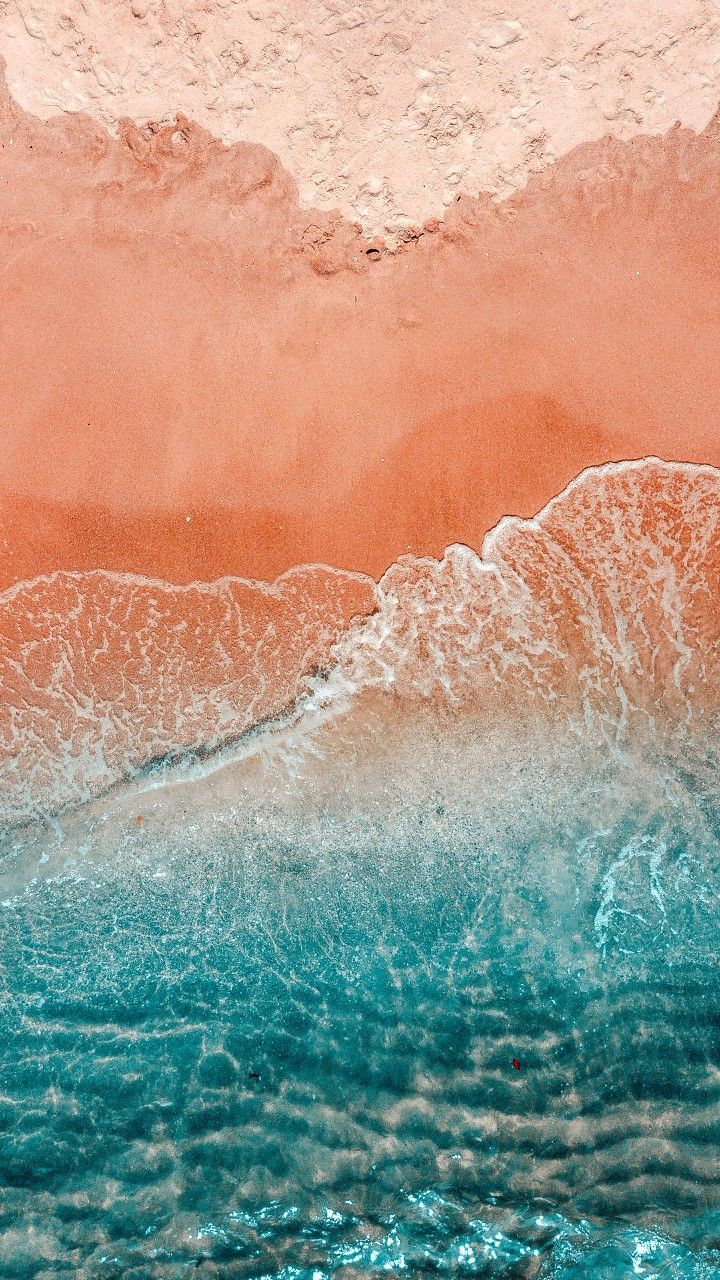
This landscape wallpaper blends orange sand with deep teal water for strong color contrast. It fits users who prefer dramatic scenery with a cosmic aesthetic.
Orange Sunset Aesthetic Wallpaper

A soft orange sunset wallpaper that adds warmth without visual clutter. Ideal for users who prefer calm tones over sharp patterns.
Artistic Orange Still Life Wallpaper
This orange background wallpaper combines creative elements with bold color balance. It pairs well with dark mode icons and minimal layouts.
Minimal Orange iPhone Background
A clean orange wallpaper designed to highlight app icons and widgets. Best suited for home screens that prioritize readability.
Abstract Orange Wave Wallpaper
This abstract orange wallpaper features flowing motion and layered texture. It creates depth while keeping the screen visually balanced.
Orange Fall Leaves Wallpaper
A seasonal orange aesthetic wallpaper inspired by autumn scenery. It works well for lock screens during fall months.
Tropical Orange Floral Wallpaper
This wallpaper blends orange flowers with green foliage for a vibrant look. It adds personality without overwhelming the screen.
Vintage Orange Art Wallpaper
A retro-inspired orange wallpaper with soft grain and warm tones. Ideal for users who prefer artistic or nostalgic visuals.
Orange Anime Style Wallpaper
An anime-inspired wallpaper featuring orange lighting and soft shading. Popular among users who want expressive visuals on their iPhone lock screen.
Troubleshooting Common Problems
If a wallpaper looks blurry, ensure the image resolution matches your iPhone screen size. Always download the highest available resolution before applying.
If colors appear washed out, disable Reduce Transparency and Increase Contrast in Accessibility settings.
Tips
- Use orange wallpapers on the lock screen and darker wallpapers on the home screen for better icon visibility.
- Enable Depth Effect on compatible wallpapers for a more immersive lock screen look.
- Pair orange backgrounds with black or dark widgets for cleaner contrast.
- Test wallpapers in both Light Mode and Dark Mode before settling on one.
FAQ
Are these cosmic orange wallpapers compatible with all iPhones?
Yes, these wallpapers scale properly on all modern iPhone models, including Pro and Plus variants.
Do orange wallpapers drain battery on OLED displays?
Bright colors may use slightly more power than black backgrounds, but the impact is minimal during normal use.
Can I use these wallpapers on the home screen?
Yes, many designs work well on both lock screens and home screens, especially minimal or abstract styles.
Do these wallpapers support Lock Screen widgets?
Yes, all wallpapers listed leave enough space for clock and widget visibility.
Summary
- Cosmic orange wallpapers add bold color without sacrificing clarity.
- High-resolution images ensure sharp results on all iPhone displays.
- Abstract and minimal designs work best with widgets and icons.
Conclusion
Cosmic orange wallpapers for iPhone offer a simple way to refresh your device with warmth and personality. Whether you prefer abstract designs, scenic views, or anime-inspired visuals, these wallpapers balance color and usability for everyday use.


Discussion (0)
Be the first to comment.