



Hello Kitty wallpapers remain some of the most popular iPhone backgrounds for users who love cute, colorful, and nostalgic designs. From pastel aesthetics to neon styles and dark mode-friendly options, Hello Kitty wallpapers in 4K resolution let you personalize your iPhone without sacrificing image quality.
This guide highlights a curated selection of high-resolution Hello Kitty iPhone wallpapers that look sharp on modern Retina displays. Each option works well across different iPhone models and supports Lock Screen widgets without awkward cropping.
Hello Kitty Wallpaper Styles That Look Best On iPhone
Not every wallpaper works equally well on an iPhone screen. Designs that keep the subject centered, use soft gradients, and avoid clutter near the top tend to look best with the notch and Dynamic Island.
The selections below focus on 4K Hello Kitty wallpapers that balance cuteness with clean composition, making them ideal for daily use.
Hello Kitty In Space-Themed Designs

Space-inspired Hello Kitty wallpapers mix playful character art with starry backgrounds and soft neon highlights. These designs look especially good on OLED displays, where dark backgrounds help colors pop.
Pastel And Minimal Hello Kitty Backgrounds

Pastel Hello Kitty wallpapers remain a favorite for users who prefer soft pinks, whites, and minimal compositions. These styles reduce visual noise and work well with app icons and widgets.
Action And Racing-Inspired Hello Kitty Wallpapers
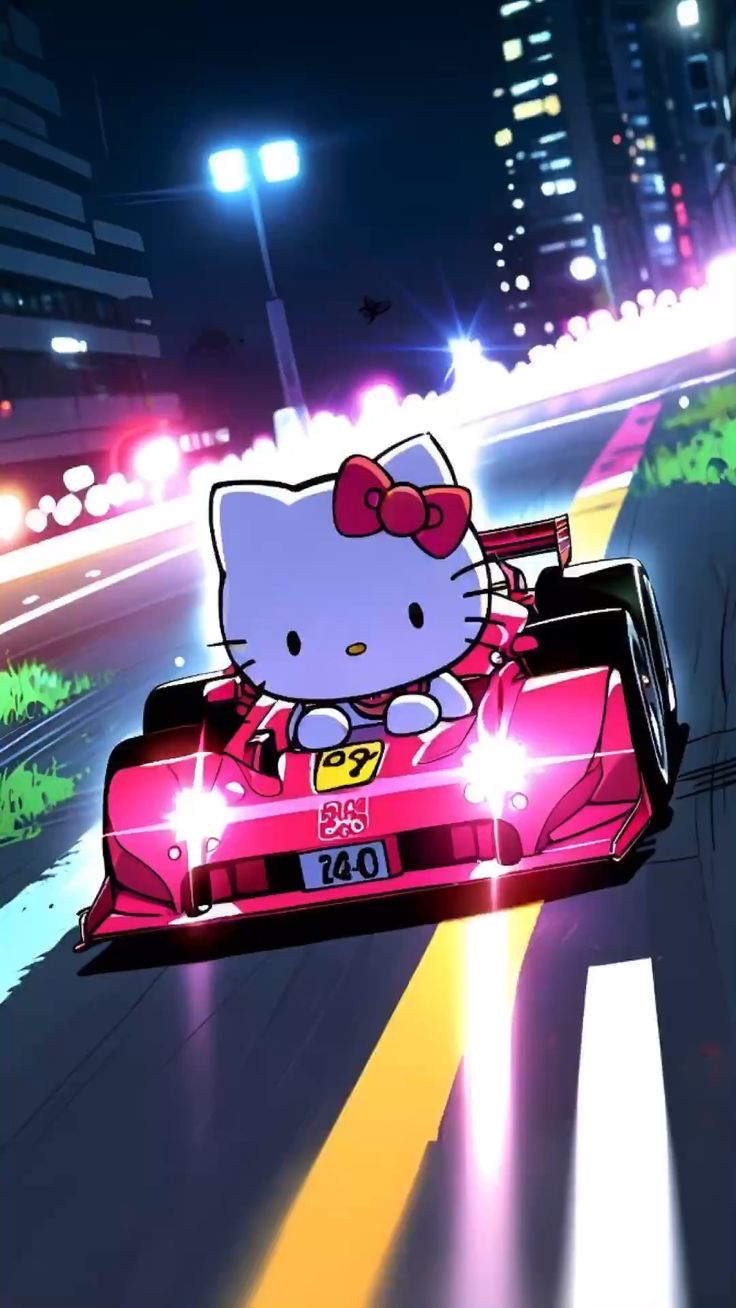
Some Hello Kitty iPhone wallpapers take a more energetic approach, featuring racing scenes, motion effects, or bold colors. These designs add personality while still keeping the character recognizable.
Dark Mode Hello Kitty Wallpapers
Black or dark-themed Hello Kitty wallpapers are ideal for users who keep Dark Mode enabled. They reduce glare at night and help preserve battery life on OLED iPhones.
How To Download And Set Hello Kitty Wallpapers On iPhone
Using the correct setup steps ensures your Hello Kitty wallpaper stays crisp and properly framed.
- Save the wallpaper image to the Photos app.
- Open Settings and tap Wallpaper.
- Select Add New Wallpaper and choose the saved image.
- Adjust zoom and positioning to avoid cropping important details.
- Set it as your Lock Screen, Home Screen, or both.
Troubleshooting Common Problems
If a Hello Kitty wallpaper looks blurry, stretched, or cropped, the image resolution may not match your iPhone display. Always choose 4K or higher-resolution images designed for portrait orientation.
If widgets or the clock overlap key artwork, reposition the wallpaper during setup or switch to a design with centered characters and open background space.
Tips
- Choose portrait wallpapers sized larger than your screen for better cropping flexibility.
- Avoid wallpapers with text near the top center of the image.
- Dark backgrounds work best for night use and OLED screens.
- Minimal designs help keep app icons readable.
- Preview wallpapers on your device before finalizing.
FAQ
Are Hello Kitty wallpapers free to use on iPhone?
Many Hello Kitty wallpapers are available for personal use, but always avoid redistributing copyrighted artwork.
Do 4K wallpapers drain iPhone battery faster?
No. Wallpaper resolution does not significantly affect battery usage.
Will these wallpapers work on older iPhones?
Yes, but older models may automatically downscale very high-resolution images.
Do Hello Kitty wallpapers work with iOS Lock Screen widgets?
Yes, especially designs that leave open space near the top and center.
Summary
- Hello Kitty wallpapers remain popular for iPhone users of all ages.
- 4K resolution ensures sharp visuals across modern iPhone displays.
- Pastel, dark mode, and minimal styles work best with widgets.
- Proper positioning prevents cropping and overlap issues.
Conclusion
Hello Kitty wallpapers offer an easy way to personalize your iPhone while keeping a clean and polished look. By choosing high-resolution designs with thoughtful composition, you can enjoy cute aesthetics without sacrificing usability or clarity on your Lock Screen and Home Screen.


Discussion (0)
Be the first to comment.