




Chrome on Android is starting to bring Google Lens directly into webpage browsing. Recent Canary builds add a “Search with Google Lens” option to the three-dot menu. Tap it, and visual search launches from the current page.
Google Lens is already closely integrated into desktop Chrome through side panels, right-click actions, and page-level search tools. On mobile, Chrome on Android and iPhone still keep Lens more limited, mainly through the New Tab Page and image context menus instead of direct integration into webpages.
Google plans to move Lens directly inside Chrome on Android through a native overlay, closer to how the feature already works on desktop Chrome.
The current implementation still depends on the Google app. Chrome captures a screenshot of the visible page, passes the image and related page data to the app, and opens Lens as an overlay there instead of inside Chrome itself. Tapping the back button immediately returns users to Chrome.
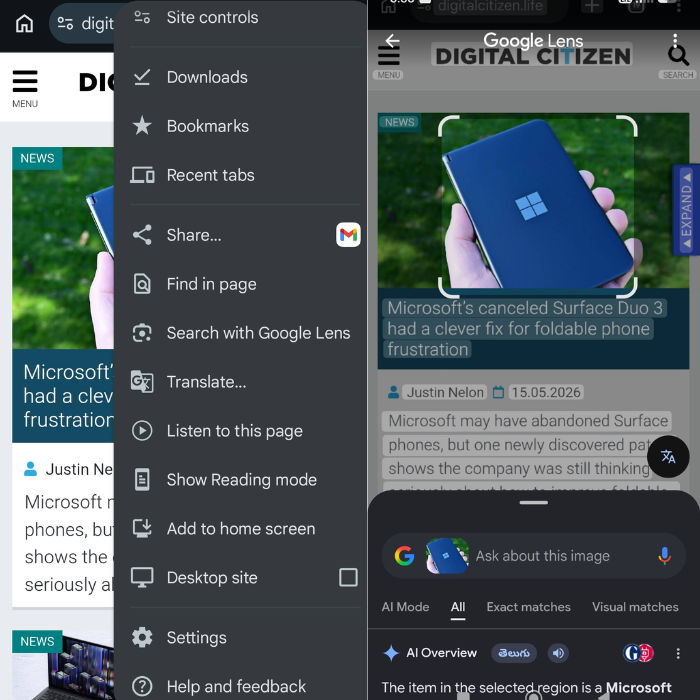
Implementation notes tied to the feature show this is only the first phase. Google describes the current version as a short-term handoff system before moving to a native overlay hosted directly inside Chrome.
“Long-term: Host a Chrome-native overlay that provides the feature's WebUI directly within the browser, reusing existing Desktop code,” the Lens Overlay Android commit notes state.
Google’s current aim is to bring Lens Overlay to Chrome on Android for larger-screen devices (LFF devices), but the company is also making the feature available on regular Android phones during testing.
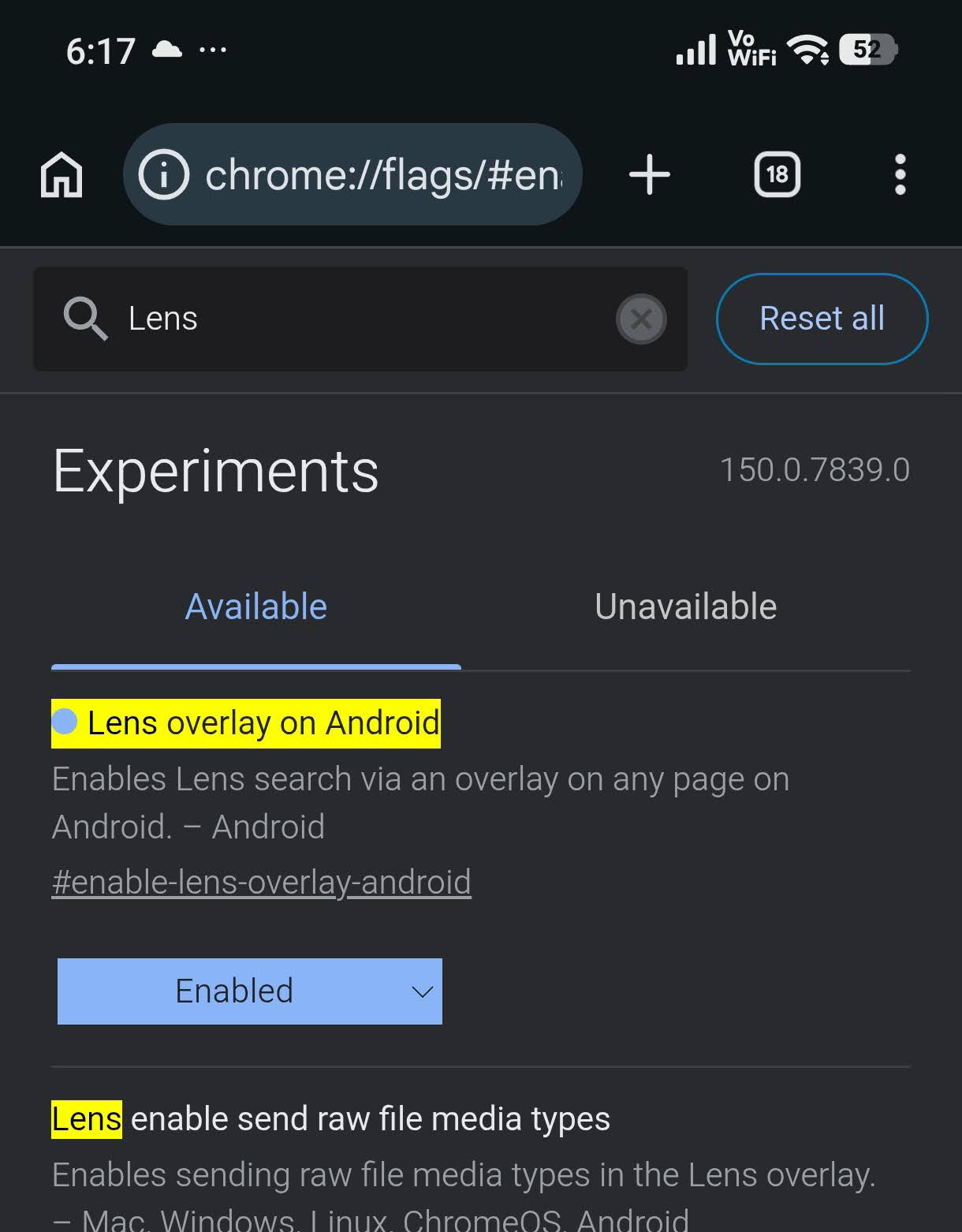
The experiment can currently be enabled in Chrome Canary through the #enable-lens-overlay-android flag.
“Enables Lens Search via an overlay on any page on Android,” the flag description states.
Lens Overlay is not the only desktop-style browsing feature moving to Android. Google is also working on bringing Contextual Tasks to Chrome for Android.



Discussion (0)
Be the first to comment.