UP

Productivity

What does it mean to use technology productively? Which apps and gadgets make your work easier? How to personalize the computers and other gadgets you’re using?

2 ways to see which Windows 10 apps drain the most battery

Most smartphones and tablets offer ways of finding out which apps drain their batteries. However, Windows devices did not have this feature in the past, and there was no easy way to discover which apps consumed the most power on our laptops or tablets. However, newer versions of Windows 10 have brought new features that change all that. Now, there are two ways in which you can find which apps

7 ways to tell how many cores your processor has

Unless you own an old computer, and by that we mean a computer that's from the nineties, you probably have a multicore processor inside it. Do you know how many cores and logical processors your CPU has? Do you want to find out this information? In this article we will show you seven methods that you can use to see how many cores your computer's processor has, or how many
tutorial How to use the Resource Monitor in Windows

How to use the Resource Monitor in Windows

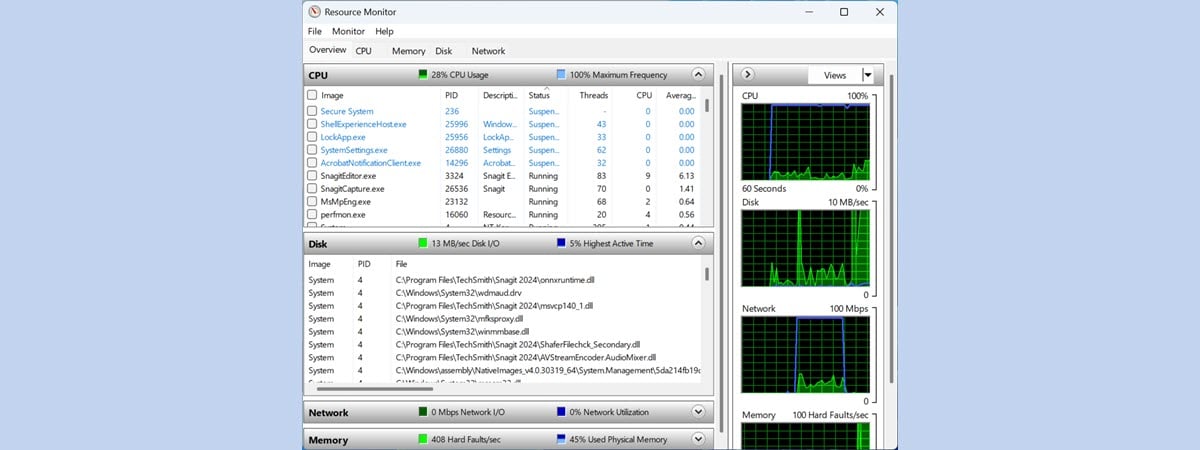
When Windows slows down or freezes, we usually turn to the Task Manager to figure out what is going on. If you need a better understanding of the way Windows and its apps use the resources of your computer, Resource Monitor (resmon.exe) is the right tool for the task. The information is concise and real-time with graphs and grouping by resources. You can monitor

15 ways to improve File Explorer or Windows Explorer in Windows (all versions)

When you want to browse your files and work with them in Windows, most people fire up File Explorer (in Windows 10 and Windows 8) or Windows Explorer (in Windows 7). While these apps are good-enough file managers, for most people, they can be improved and tweaked to work even better. To improve your user experience, we have compiled a list of fifteen tips that you can apply, so that
tutorial Connect to a Windows PC from Ubuntu using Remote Desktop Connection

Connect to a Windows PC from Ubuntu using Remote Desktop Connection

One useful feature of Windows is that you can connect to your desktop from another location to remotely manage your computer. Fortunately, major Linux distributions also offer this feature and Ubuntu is one of them. If you want to connect to your Windows computers from Ubuntu remotely, you can use the default RDP client found in it, called Remmina. Here is how to create,
tutorial 9 ways to remove desktop programs and Microsoft Store apps in Windows

9 ways to remove desktop programs and Microsoft Store apps in Windows

From time to time, we stumble upon applications that are hard to remove or delete, as some users would say. Sometimes their Add/Remove Programs entries are deleted for whatever reason, or they do not have a handy Uninstall shortcut available. The problems vary from case to case. That is why we decided to make a roundup of all the methods that can be used

How to enable the Dark Mode in Microsoft Office (change themes and backgrounds)

Starting with Microsoft Office 2016, Microsoft has introduced a Dark Mode for all Office apps. In Office 2019 you get two Dark Modes to choose from. If you purchased an Office 365 subscription, you also get background patterns for your Office apps. Here is how to personalize the theme and the background used by your Office apps, and enable Dark Mode, if you want to: [DC-SUMMARY-BREAK] NOTE: The background and
tutorial 3 reasons to create more than one partition on your PC

3 reasons to create more than one partition on your PC

We all know that most computer users have one physical hard disk drive or solid state drive on their PCs and only one partition is labeled C. Some people also know that you can create more than one partition on a computer and there are several advantages to doing it. For example, if you have two partitions, one for the operating system and one
tutorial 5 ways to boot Windows 7 into Safe Mode

5 ways to boot Windows 7 into Safe Mode

If you want to boot Windows 7 into Safe Mode, it means that there is probably something wrong with your computer. Safe Mode can help you diagnose and sometimes even repair issues. However, before doing so, you must first know how to boot your Windows 7 computer into Safe Mode. In this article, we discuss what Safe Mode is and how it works, and

Microsoft Surface Arc Mouse review: Beautiful and highly portable!

Microsoft Surface Arc Mouse is a beautiful Bluetooth device, that looks like a mix between the Microsoft Arc Touch Mouse SE, and Microsoft Touch Mouse (We loved using Microsoft Arc Touch Mouse SE, and we disliked the Microsoft Touch Mouse). You can imagine that we were curious to test it and see if it is new "hybrid" is a good choice for laptop and tablet users. Read this review and

ASUS ZenScreen MB16AC review: A beautiful portable monitor!

For this review, we tested a rather interesting device: a portable Full HD display created by ASUS, called ZenScreen MB16AC. It is a monitor which you can connect to your laptop via USB Type C or USB Type A, and which is small and light enough to fit in a small bag. The ZenScreen MB16AC is designed for people who are used to working on dual screen setups and who
article Download the shortcut for “Shut Down Windows”

Download the shortcut for “Shut Down Windows”

Do you want a shortcut that opens the "Shut Down Windows" menu, so that you can quickly shut down or restart your Windows computer or device? Based on requests from our readers, we have created this shortcut for you to use on any Windows computer. It works on Windows 10, Windows 8.1 and Windows 7. Here is how to use it and how to
tutorial How to create advanced tasks with the Task Scheduler

How to create advanced tasks with the Task Scheduler

Do you want to make your PC sleep or shut down at a particular time every day? Or maybe you want your PC to start playing a motivational video each time you start it or when it is 12 o'clock? If you wished for a way to program your PC to do certain things at certain times, you should read this article, as we
tutorial 9 ways to boot Windows 8 or Windows 8.1 into Safe Mode

9 ways to boot Windows 8 or Windows 8.1 into Safe Mode

Are you struggling to boot Windows 8 or Windows 8.1 into Safe Mode? Have you tried pressing both F8 and Shift + F8 and they do not work? That is because the boot procedure in Windows 8 is different compared to older versions of Windows such as Windows 7. The boot is so fast that it literally cannot be interrupted by any of your