




It’s one thing to use your notes app to create wishlists, but what if you need to share them with others or track what has already been purchased? That's where dedicated wishlist tools come into play.
In this Wishwave review, I get hands-on with the free wishlist creator that suits any occasion and any online store.
What is Wishwave?
Wishwave is a wishlist platform that lets you create, manage, and track multiple wishlists for free. The tool can be accessed via browser or mobile apps for Android and iOS.
You get full control over your lists, with the ability to add gifts and items from different stores and you can share lists with guests in one click or tap.
Your personal dashboard keeps track of everything, including gifts that have been reserved.
It even offers an AI gift finder to help you formulate your lists.
Wishwave is suitable for virtually any occasion that requires a list of products or gifts, such as weddings, baby showers, birthdays, or just personal wishlists.
Main Features
Let’s take a closer look at Wishwave’s features and what it can do:
Easy List Creation
After creating an account, I was able to build multiple wishlists, add products from various websites, and share them with friends and family using a simple link.
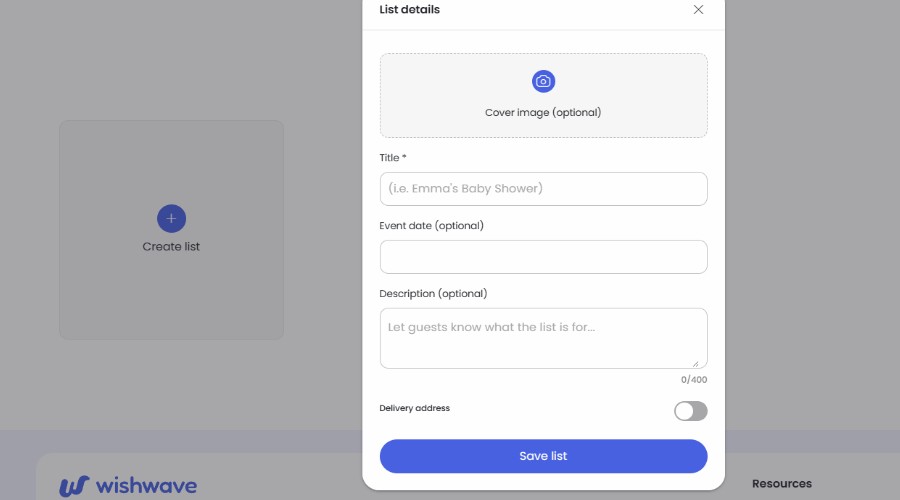
You can create a new wishlist in just a few clicks by giving it a name and optionally adding descriptive information, event date, and delivery address.
The dashboard is clean and easy to navigate, making it straightforward to manage multiple lists at once. During testing, I created separate wishlists for birthdays, holiday gifts, and personal purchases without any confusion.
Each item can include a title, image, price, description, and retailer link. Wishwave keeps everything neatly organized, making lists easy to browse for both the creator and recipients.
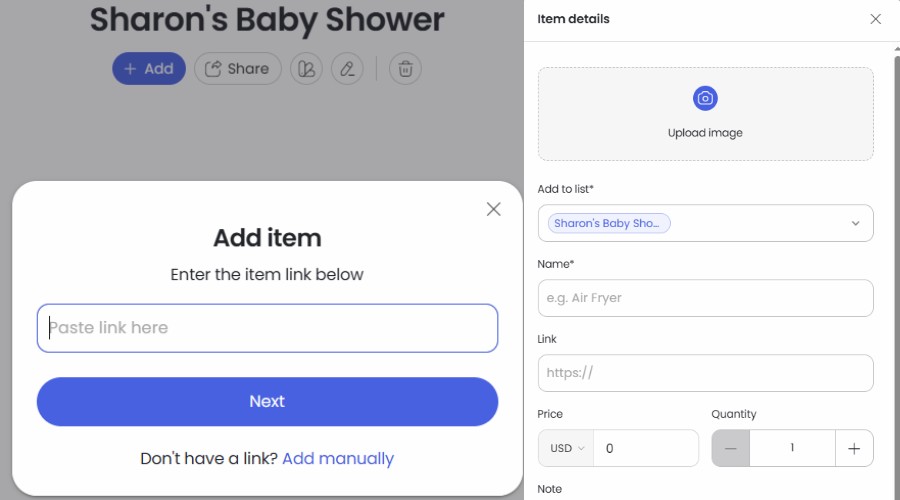
Unlike basic note-taking apps, the platform feels purpose-built for wishlist management rather than simply storing text links.
AI Gift Finder
One feature that immediately stood out was the AI Gift Finder, which helps generate gift ideas when you're unsure what to add to a list.
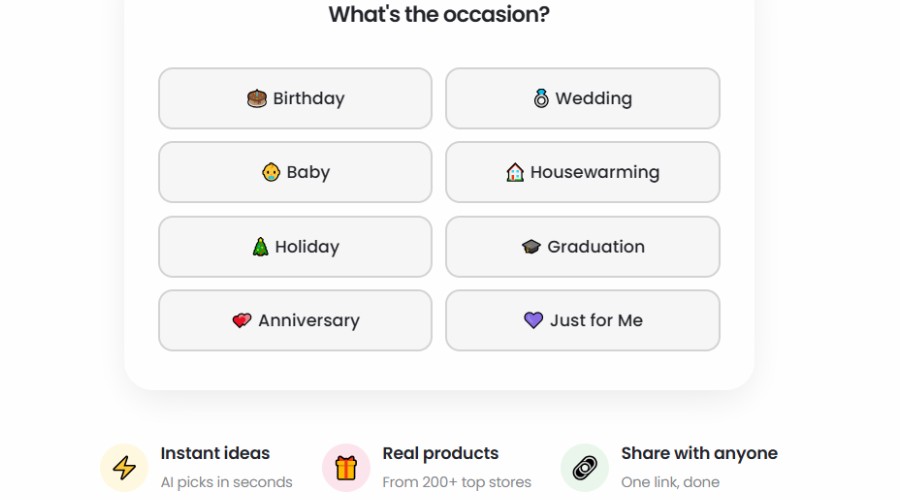
Rather than manually searching for gift ideas, you select an occasion, describe what you’re looking for, and set a budget. The AI then generates tailored gift suggestions that can be added directly to a wishlist.
The recommendations were a useful starting point. While they aren't always perfect, they provide useful inspiration when you're struggling to think of gift ideas.
Supports Any Online Store
One of Wishwave's biggest advantages is that it isn't tied to a single retailer and doesn’t try to force “partners” into your lists.
It allows you to add a product you desire via link. During testing, I added items from Amazon, Etsy, independent retailers, and various specialist websites without any issues.
If product details aren't automatically populated, you can manually customize the title, image, price, and description. This flexibility ensures that virtually any product can be included regardless of where it is sold.
Wishlist Sharing
Sharing lists is one of Wishwave’s stronger features.
Every wishlist receives its own unique shareable link that can be sent through email, messaging apps, or social media. Recipients do not need to create a Wishwave account in order to view the list, which removes a major barrier to participation.

From the recipient's perspective, the experience is simple. They can browse the list, reserve items, and indicate purchases without complicated registration requirements.
As the list creator, I could see which items had been reserved, helping prevent duplicate purchases while maintaining a clear overview of gift activity.
For events such as weddings and baby showers, this functionality alone makes Wishwave more practical than a spreadsheet or note-based wishlist.
Mobile Apps
Wishwave is available on both Android and iOS, allowing users to manage lists while away from their computer.

The mobile apps largely mirror the functionality available through the web version. I was able to create lists, add products, browse gift ideas, and share wishlists directly from my phone.
This mobile-first approach makes a lot of sense because wishlists are often updated while shopping, browsing online stores, or discussing gift ideas with friends and family.
The apps remained responsive throughout testing and provided a seamless experience across devices.
Wishwave Review – Verdict
After spending time with Wishwave, I came away with a positive impression. Creating a simple wishlist in a notes app is easy enough, but sharing it, keeping track of reserved gifts, and managing lists for different occasions can quickly become messy.
Wishwave offers a more practical solution. It keeps the experience simple, while still covering the essentials. E.g., adding items from different online stores, sharing lists with people who do not need an account, preventing duplicate gifts, and getting inspiration from the AI Gift Finder.
It is not trying to be a full event-planning platform, and some users may still prefer retailer-specific registries when they want store perks. However, for birthdays, baby showers, weddings, holidays, or everyday gift planning, Wishwave is a flexible and easy-to-use option. Since the service is currently free, it’s worth checking out!



Discussion (0)
Be the first to comment.