


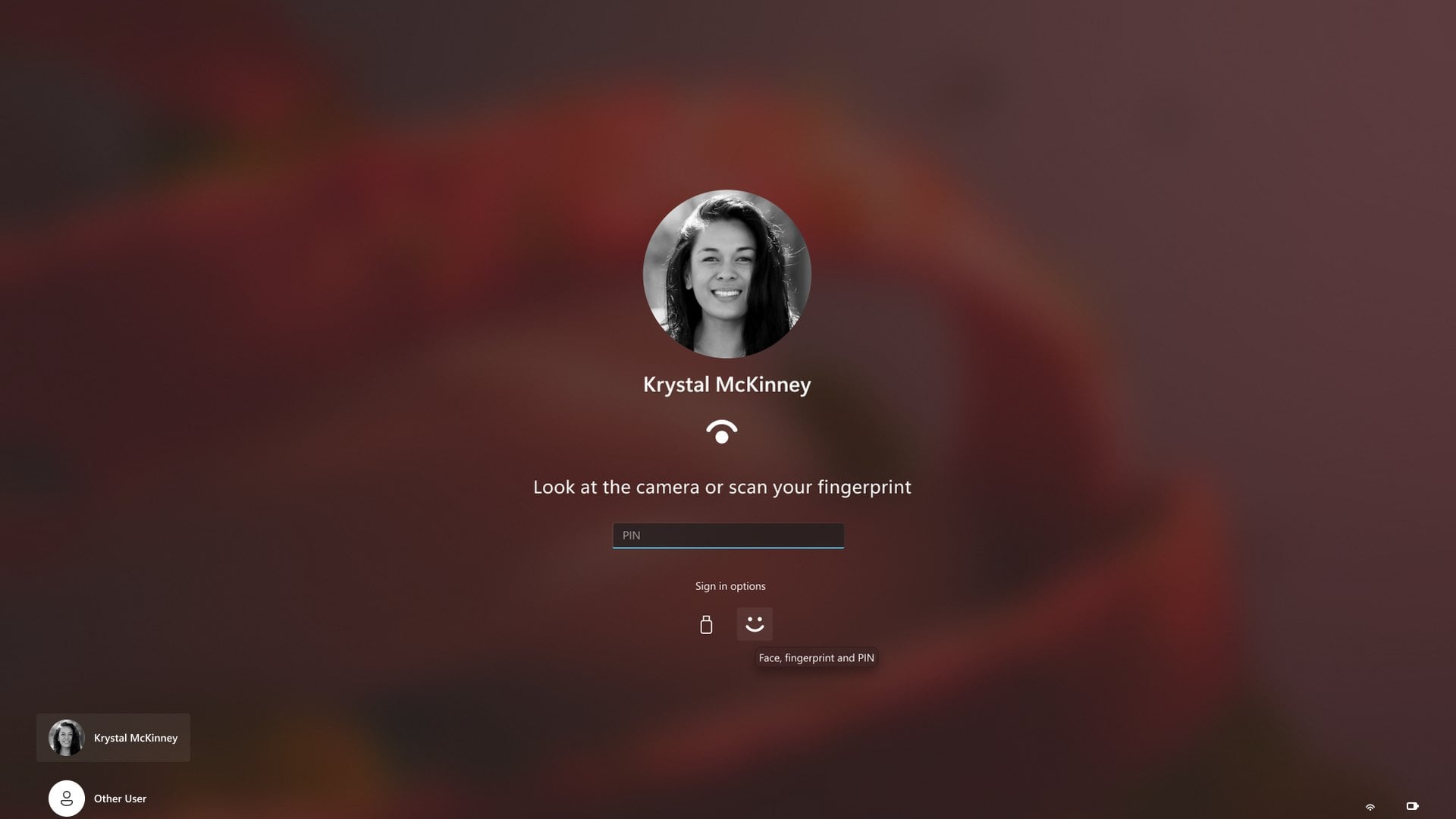
Windows 11 is testing a lock screen that no longer makes you wait for face or fingerprint recognition before you can type your PIN. The change reached Windows Insiders on November 6 in Experimental channel build 26340.9882. It goes after one of the smallest but most frequent annoyances on any PC with a Windows Hello camera or fingerprint reader.
According to the release notes, sign-in and unlock now accept whichever method works first: face, fingerprint or PIN. There is one exception. After a restart, and at certain other times, Windows still asks for the PIN first, and biometrics work as usual after that.
The feature is rolling out gradually, so not every Insider in the channel will see it at once. Two related changes arrived in the same set of builds. One brightens the screen so face recognition works in a dark room, and the other brings app-by-app camera, microphone and location controls to traditional desktop apps.
Why Windows Hello makes you wait before you can type your PIN
If you use face unlock in Windows 11, you probably know the moment. The camera keeps looking for you because the light is poor or you sat down at an odd angle, and the PIN box is not ready until recognition finishes. The same thing happens with a finger that will not scan.
The test build removes that wait. Your PIN, your face and your fingerprint are all offered together, so the fastest one wins. Microsoft describes the result as sign-in and unlock that behave more consistently and give clearer guidance.
Businesses get something too. Two new Security log events in Event Viewer, 4628 and 4629, record which Windows Hello methods a person has set up, which one they used to sign in and any failed attempts. Both rely on the existing Audit Logon policy, and the sign-in screen itself does not change because of them.
Windows Hello face recognition can now brighten a dark screen
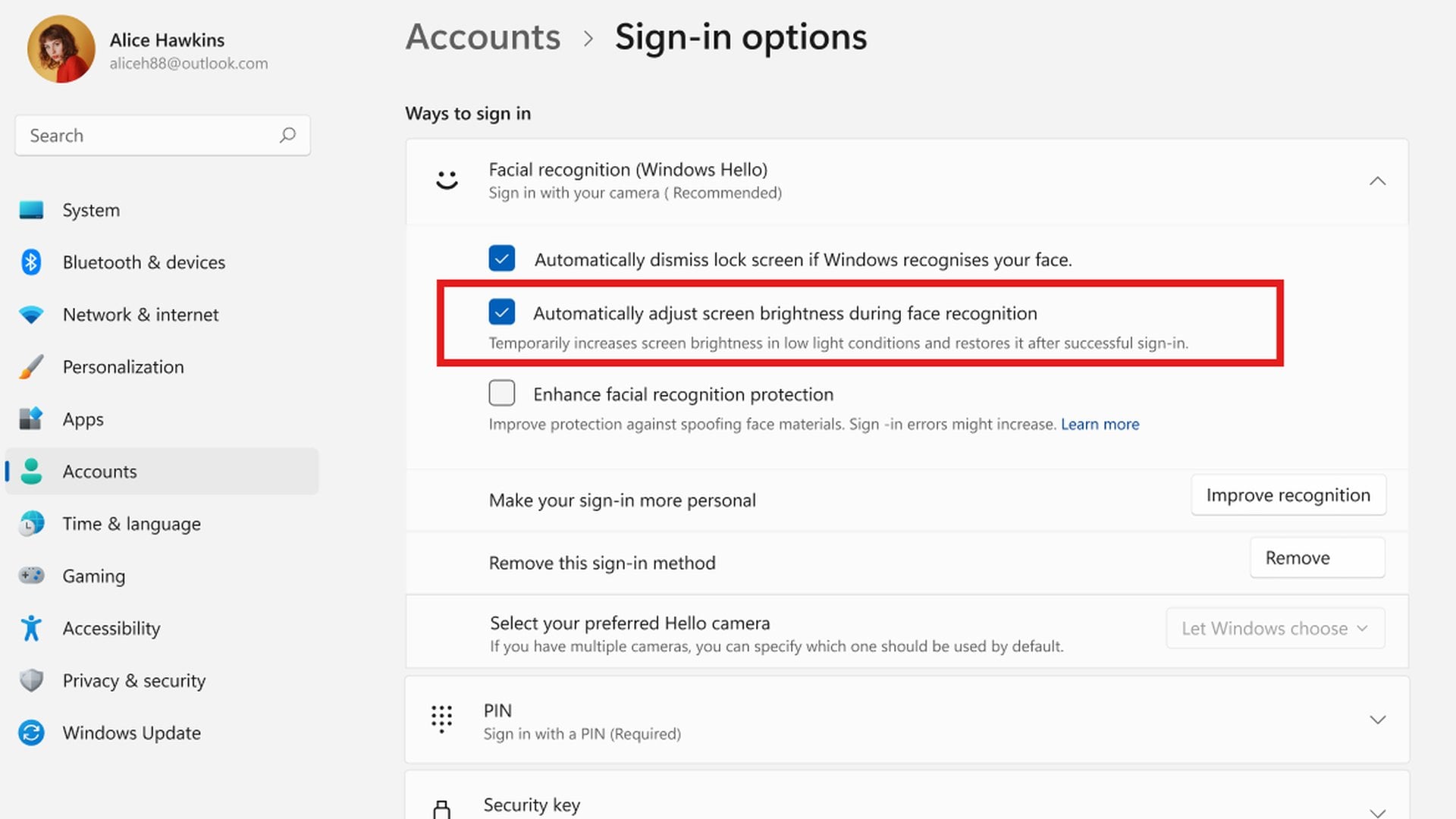
The Beta channel got its own Windows Hello change in build 26320.9876. Facial recognition can temporarily raise screen brightness to help it see you in a dark or dimly lit room, then restore it once you are signed in. You turn it on under Settings, Accounts, Sign-in options, Facial recognition (Windows Hello), where the switch is labeled "Automatically adjust screen brightness during face recognition".
That build also moves the Beta channel to Windows 11 version 26H2 through an enablement package, which is why the build number jumps to 26320. Microsoft says the version change alone should not bring any significant difference. Web sign-in also now works on Microsoft Entra hybrid joined work PCs. Employees can sign in with a FIDO2 security key, a passkey on their phone or a Temporary Access Pass instead of a password.
Per-app camera, microphone and location controls for desktop apps
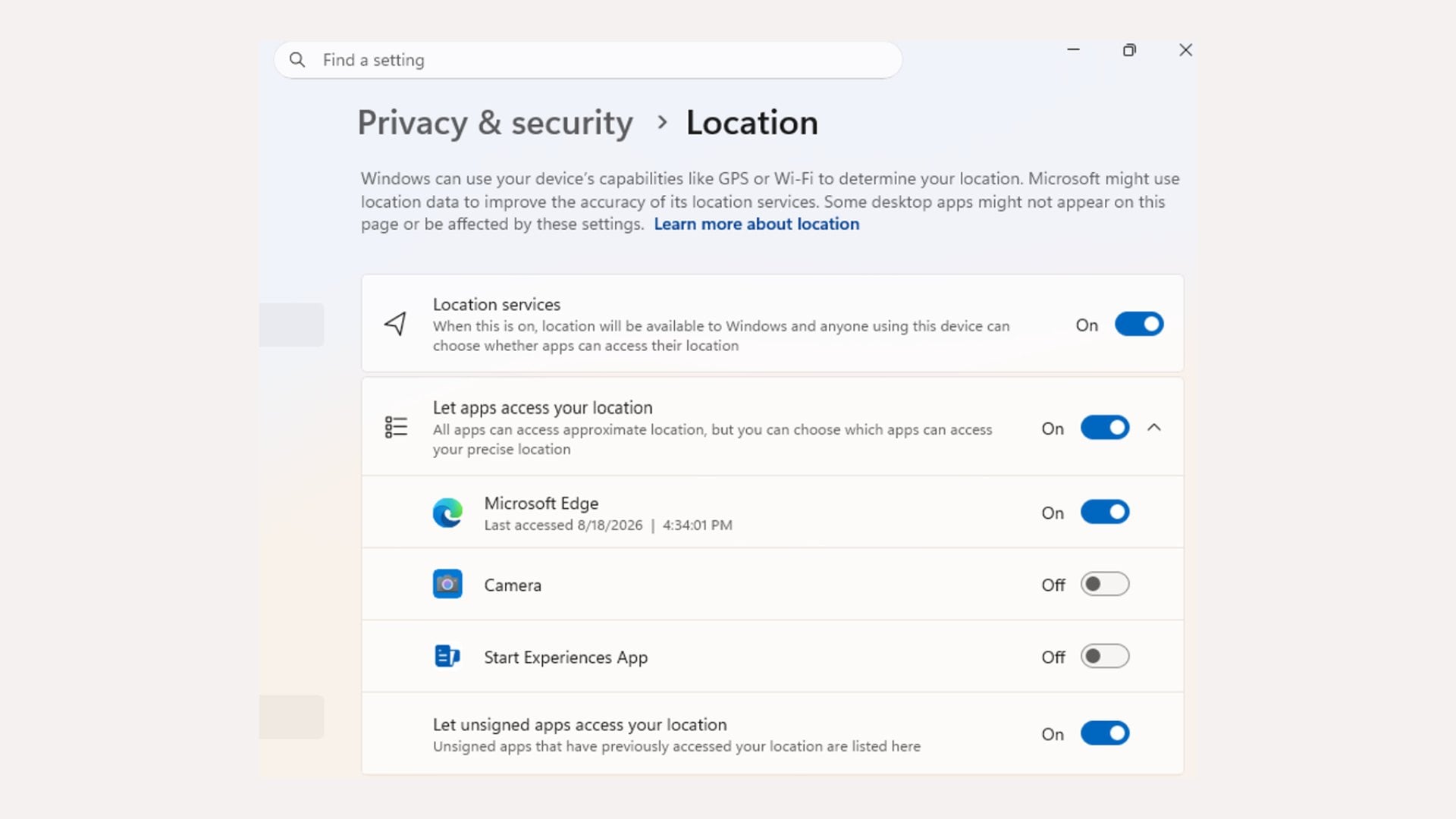
The third change is about who gets to use your hardware once you are in. Build 29704.1000 in the Experimental (Future Platforms) channel lets you allow or deny camera, microphone and location access for each desktop app individually. Until now, access for traditional desktop programs was handled by a single device-wide setting.
This is the working version of the granular camera and microphone privacy controls Windows 11 has been heading toward. The switches live under Settings, Privacy & security, in the Camera, Microphone and Location pages. An app that has never used one of those resources will ask the first time it tries.
Nothing you already decided is thrown away. Apps that had access keep it, apps you blocked stay blocked, and existing enterprise policies keep working. Some programs may show up as Unsigned when Windows cannot verify their publisher, and Microsoft advises granting access only to apps you recognize and trust.
When the new Windows Hello sign-in could reach your PC
Microsoft has not given a release date for any of these changes. Features in the Experimental channels can change, be replaced or never ship beyond Windows Insiders, and the PIN change is still reaching testers through a controlled rollout.
The Experimental and Beta builds now sit on version 26H2, the same release that is already available to every eligible Windows 11 PC. Microsoft has not said which update will carry these changes to everyone else. Until then, a PIN set up next to your face or fingerprint sign-in remains the fallback when recognition fails.



Discussion (0)
Be the first to comment.