



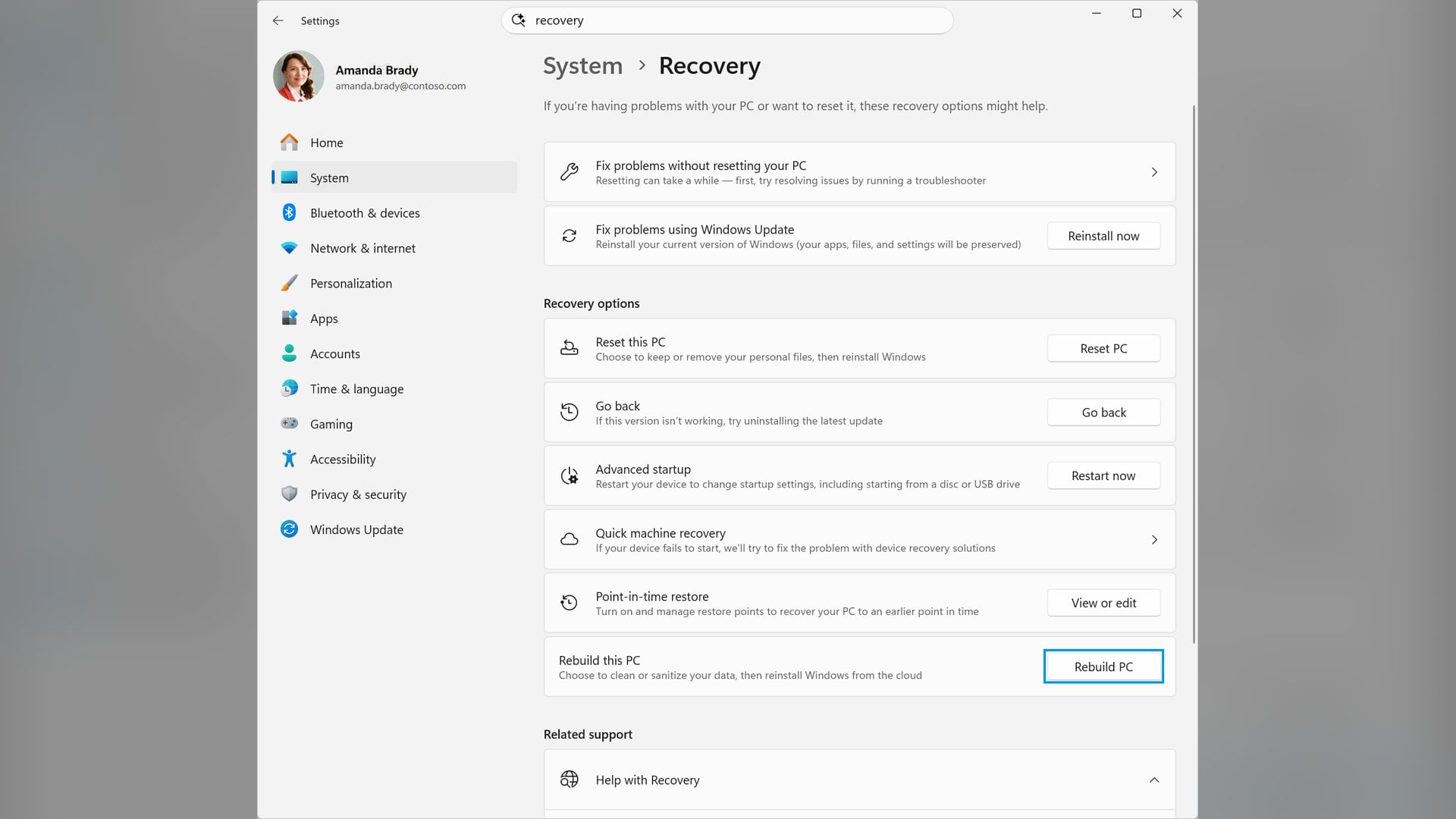
Microsoft's October 2026 non-security preview update for Windows 11 adds cloud rebuild, a reinstall that pulls Windows and your device drivers from Windows Update instead of a local recovery partition. Microsoft's own documentation is blunt about what that costs, because cloud rebuild never keeps your files.
The update is KB5127936, published on 28 October 2026 as OS builds 26300.9818 and 26200.9818. Microsoft lists it for Windows 11 versions 26H2 and 25H2, all editions.
Version 26H1 got a separate preview update the same day, KB5127653, which does not contain cloud rebuild.
Cloud rebuild never keeps your files
Reset this PC has a keep my files option. Cloud rebuild has nothing equivalent.
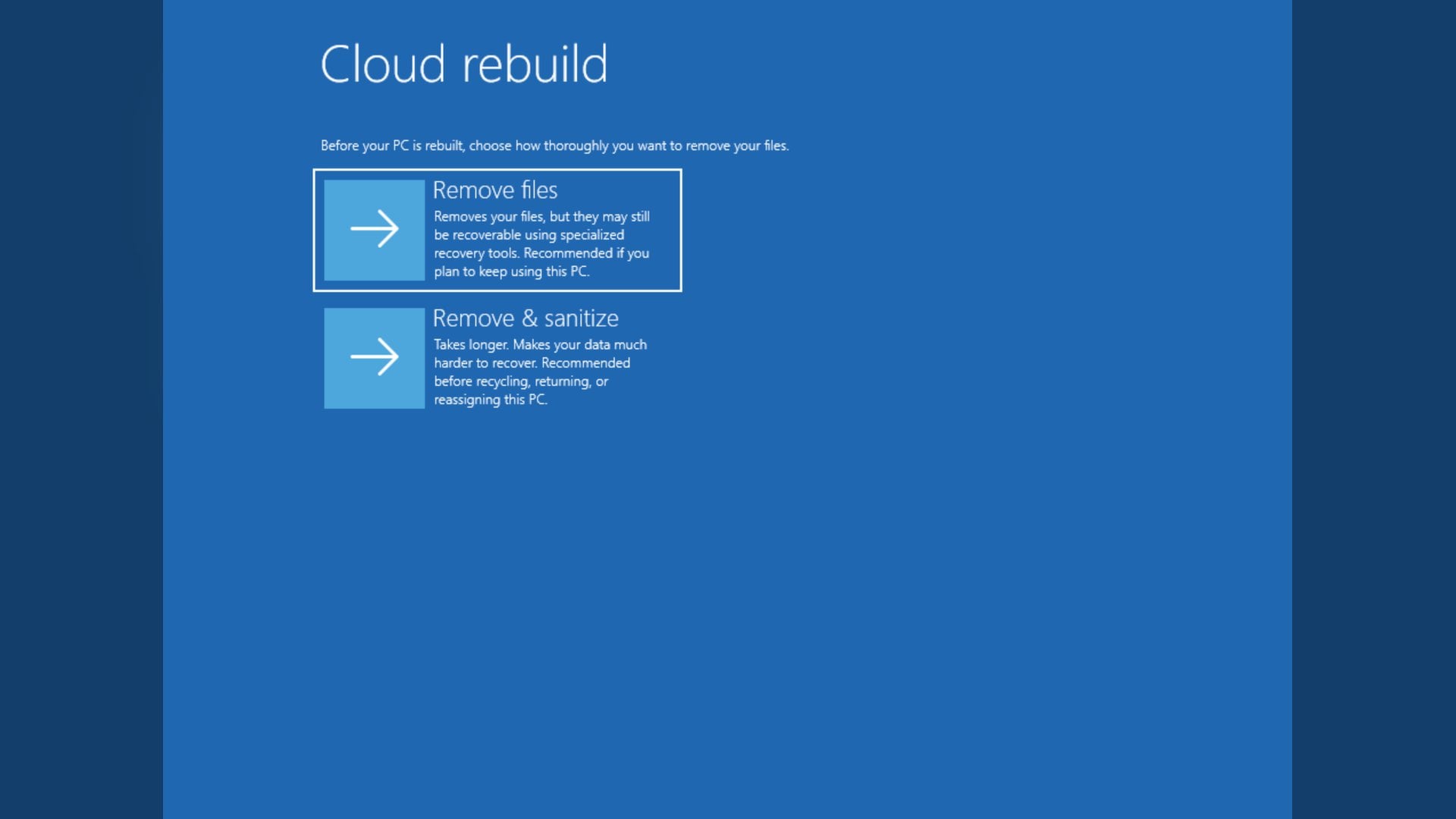
Microsoft's documentation states that cloud rebuild reformats the system disk and removes all locally stored files, accounts, apps and settings. Data held in cloud services such as OneDrive is not affected.
The only choice is how thoroughly the drive is wiped, between Remove files and Remove and sanitize files.
Remove files reformats the drive, and Microsoft warns that files might still be recoverable using specialized recovery tools. Remove and sanitize files asks the storage hardware to securely erase the data first, which Microsoft says is irreversible.
One caveat deserves Microsoft's own phrasing. The documentation says Windows requests the erase and reports what the drive returns, but cannot independently verify what the drive did.
How it relates to the reinstall options already there
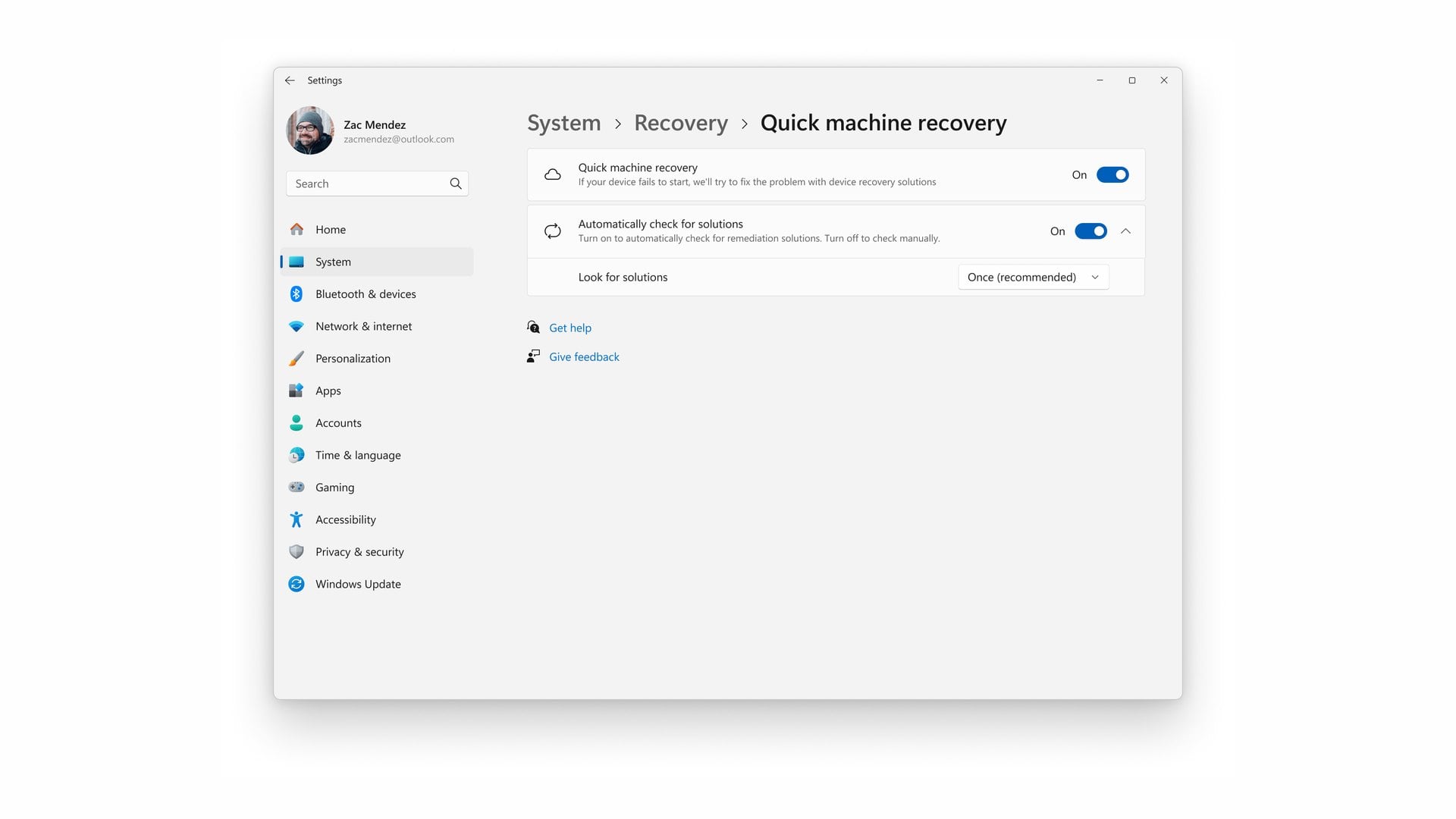
The Recovery page in Settings now carries three ways to reinstall Windows, each with a different outcome for your data.
Fix problems using Windows Update reinstalls the current version and says apps, files and settings are preserved. Reset this PC still lets you keep or remove personal files, the familiar route through resetting a PC to a fresh start.
Rebuild this PC is described on that page as cleaning or sanitizing your data, then reinstalling Windows from the cloud. The three run in order from least destructive to most.
Quick machine recovery sits on the same page but is not a reinstall. It searches Windows Update for fixes to boot failures and applies them, and Microsoft extended it to Windows Server 2025 in October.
Neither feature's documentation describes an automatic hand-off from a failed repair to a rebuild.
What it needs, and what it does not bring back
Cloud rebuild does not need a working Windows installation. It runs inside the Windows Recovery Environment, which a PC enters on its own after repeated boot failures, and it needs a network there.
Microsoft says only wired connections and WPA-2 Personal Wi-Fi are supported in that environment. The drivers are the fragile part.
If a device maker has not published a required driver to Windows Update, the rebuild fails with error 0xc1900224. Microsoft's advice then is to fall back on manufacturer recovery media.
When a rebuild finishes, the PC boots into the out-of-box experience, so your own applications do not return. Managed devices registered with Windows Autopilot reconnect to Microsoft Intune, which redeploys assigned apps and policies.
It is not a managed-device feature, though. Microsoft says a locally started rebuild is available from Settings and from the recovery environment on unmanaged devices, with no configuration required.
An earlier look at cloud rebuild in preview described a tool aimed mainly at administrators and testers. What Microsoft still does not publish is the download size or how long a rebuild takes.
The context menu and Magnifier changes
The right-click menu has drawn complaints since Windows 11 shipped, enough that restoring the classic context menu remains a common request. Microsoft says this update introduces an updated context menu that is faster, simpler and more customizable.
The release notes say it opens more quickly, reduces clutter and gives more control over the commands and app extensions that appear on a right-click. A Customize menu entry at the bottom opens its own Settings page.
There you can turn commands such as Send to and Create shortcut on or off, add Print, and move Properties to the bottom. Cut, Copy, Paste, Rename, Delete and Share can become labeled items instead of a row of icons.
Microsoft gives no figure for how much faster the menu opens.
Magnifier gains per-monitor zoom, which lets each display use its own zoom level while keeping the magnified view inside that display. It requires displays set to Extend, and Microsoft says it is on by default.
A companion viewport lock holds one display's magnified view in place while the pointer moves to another.
This is an optional update, not Patch Tuesday
A non-security preview update is opt-in. It does not install unless you open Windows Update, go to Advanced options and choose Optional updates.
Most people will not have it today. Microsoft's release notes say the changes will appear in the next security update to Windows Update for Business, the usual route by which a preview update's contents reach everyone the following month.
Even then, all three features are listed under gradual rollout, which Microsoft says means availability varies by device.
Microsoft also says a limited number of consumer and business devices might restart one additional time after a Secure Boot certificate update, across recent and upcoming updates rather than this one alone.
The release notes name no excluded edition and carry an unresolved September issue affecting USB Audio Class 1.0 devices. What is above is what Microsoft has documented, not what any particular PC will show.

Discussion (0)
Be the first to comment.