



If you are wondering what NotebookLM is and how it can enhance your productivity, it is an AI-powered research and note-taking tool developed by Google. NotebookLM helps users organize information, summarize documents, and generate insights from their own sources such as PDFs, Google Docs, or notes.
Instead of searching the internet for answers, NotebookLM analyzes the content you upload and provides explanations, summaries, and ideas based on those materials. This makes it especially useful for studying, research, and project planning.
What Is NotebookLM?
NotebookLM is an AI research assistant created by Google that works with your documents. You upload sources such as notes, articles, PDFs, or Google Docs, and the system helps you understand the material more easily.
NotebookLM can analyze your uploaded content and then:
- Summarize long documents
- Answer questions about the material
- Generate explanations or insights
- Organize research information
- Suggest ideas based on your sources
Because it focuses on your uploaded sources, the responses are grounded in your own documents.
How NotebookLM Works
NotebookLM uses artificial intelligence to read and understand the documents you provide. Instead of relying only on general internet knowledge, it references the content inside your notebook.
The process usually works like this:
- Upload documents or connect Google Docs.
- NotebookLM analyzes the content.
- Ask questions about the material.
- The AI generates responses based on your sources.
This approach helps users interact with their research more effectively.
Key Features of NotebookLM
NotebookLM offers several features designed for research and productivity.
Important features include:
- AI summaries of documents
- Question-and-answer based on uploaded sources
- Automatic note organization
- Idea generation from research material
- Source citations within responses
These features make it easier to work with large amounts of information.
How NotebookLM Can Enhance Productivity
NotebookLM can significantly improve productivity when working with complex information.
Faster Research
NotebookLM can summarize long documents quickly, saving time when reviewing research materials.
Better Understanding of Information
You can ask questions about your documents and receive explanations that clarify difficult topics.
Organized Notes
NotebookLM helps structure notes and ideas so that information is easier to navigate.
Idea Generation
The tool can suggest connections between different pieces of information, helping users develop new ideas.
Common Use Cases for NotebookLM
NotebookLM can be used in many professional and academic scenarios.
Common uses include:
- Academic research and studying
- Business reports and analysis
- Content creation and writing
- Project planning and documentation
- Learning complex topics
Students, researchers, and professionals can all benefit from this tool.
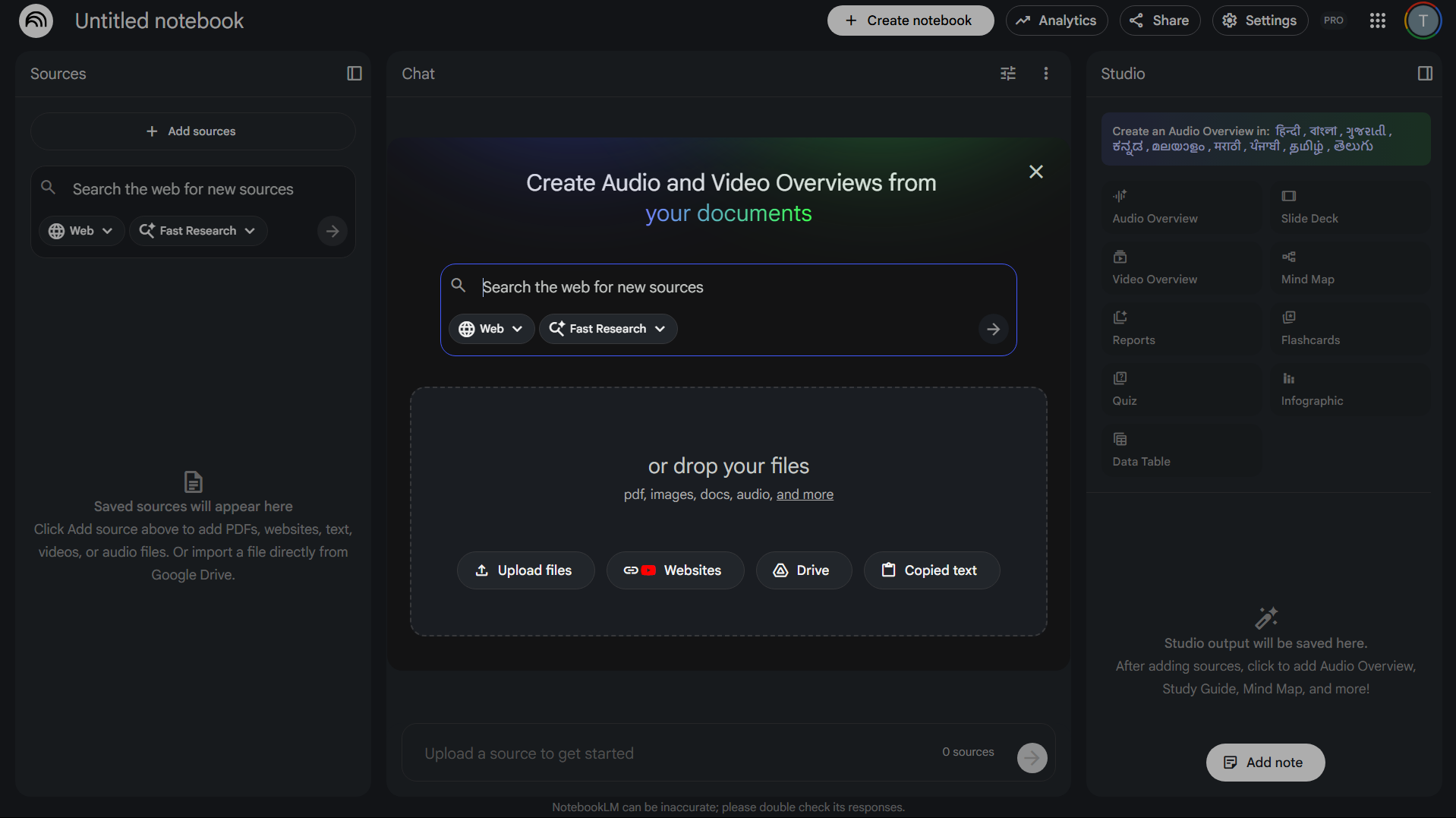
How to Start Using NotebookLM
Getting started with NotebookLM is simple.
Steps:
- Open the NotebookLM website.
- Sign in with your Google account.
- Create a new notebook.
- Upload documents or connect Google Docs.
- Start asking questions about your sources.
The AI will analyze your content and generate responses.
Tips for Using NotebookLM Effectively
To get the best results from NotebookLM:
- Upload well-structured documents
- Use clear and specific questions
- Organize sources by topic
- Review generated summaries carefully
These practices help improve the accuracy and usefulness of responses.
Final Thoughts
Understanding what NotebookLM is and how it can enhance productivity can help users manage information more effectively. By analyzing uploaded documents and generating insights from them, NotebookLM acts as a personal research assistant that simplifies complex material.
For students, professionals, and researchers working with large amounts of information, NotebookLM can significantly improve organization, understanding, and productivity.
FAQs
What is NotebookLM?
NotebookLM is an AI research assistant developed by Google that helps analyze and summarize documents.
Is NotebookLM free to use?
NotebookLM offers free access, although features may evolve depending on Google’s service updates.
What types of files can NotebookLM analyze?
It can analyze documents such as PDFs, notes, and Google Docs.
Who should use NotebookLM?
Students, researchers, writers, and professionals who work with large amounts of information can benefit from it.


Discussion (0)
Be the first to comment.