




Important dates have a way of slipping through the cracks, especially when your schedule is packed. Countdown apps for iPhone and iPad help you track upcoming events, visualize time passing, and stay focused on what matters.
At the time of writing, the apps below continue to receive updates and work reliably on current versions of iOS and iPadOS. They cover everything from simple date tracking to highly customizable countdown timers with widgets and Apple Watch support.
Countdown Star

Countdown Star focuses on visual motivation by letting you personalize each event with photos or wallpapers. It supports birthdays, holidays, and major milestones, with widgets and Apple Watch integration for quick access.
Countdown

This app keeps things straightforward by tracking unlimited events and sending reminders before they happen. Home screen widgets make it easy to see your most important countdowns at a glance.
DayCount
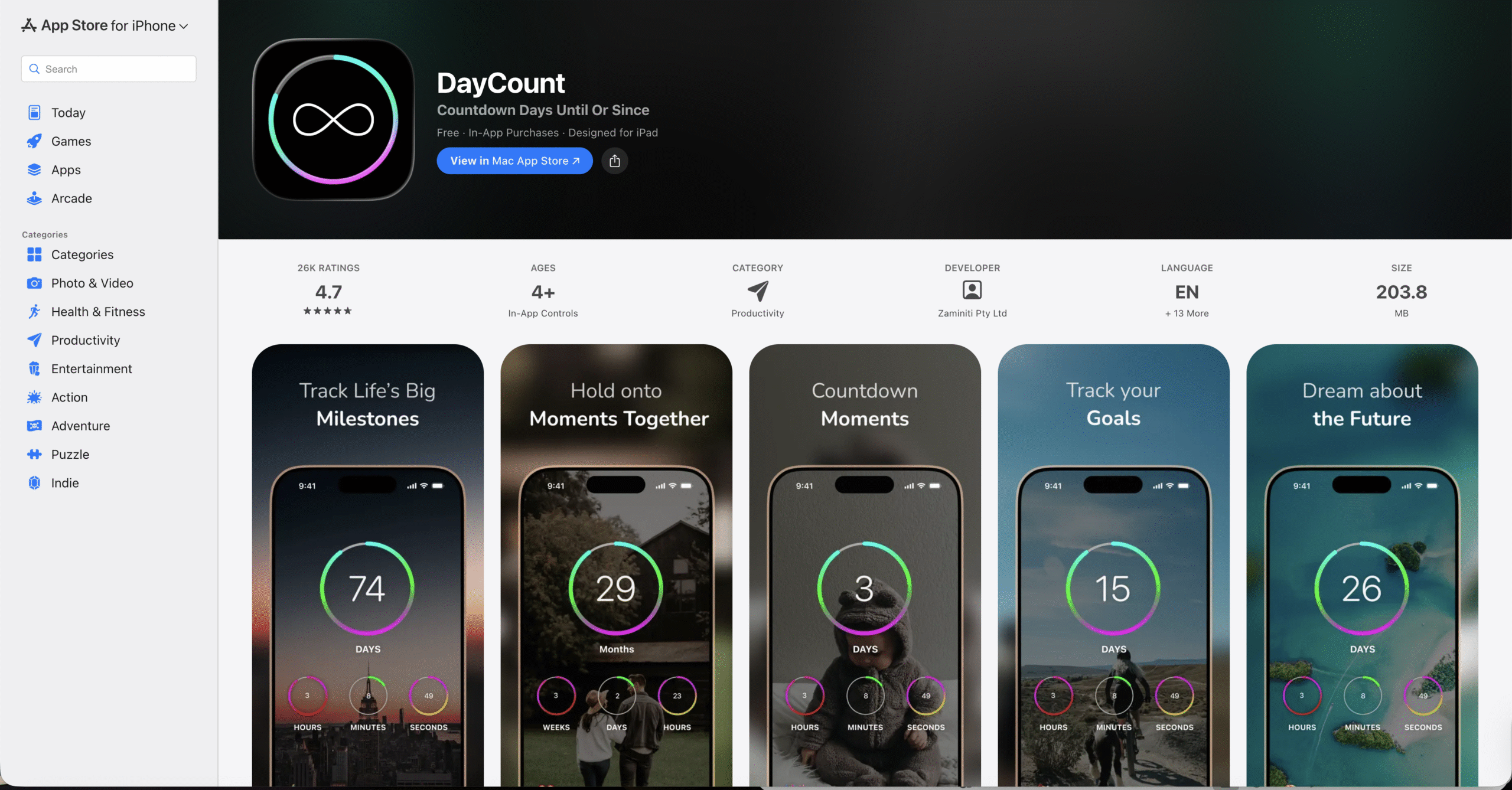
DayCount blends countdown tracking with habit building and goal setting. Custom themes and widgets make it useful for both long-term plans and recurring personal goals.
Event Countdown – Calendar App
Designed for detailed planning, this app lets you count down to the exact second and attach notes to each event. Color coding helps prioritize important dates quickly.
Countdown°
Countdown° works across iPhone, iPad, Apple Watch, and macOS. It supports recurring events, daily alerts, and secure access using biometric protection.
Countdown In Real Time
This app goes beyond standard time units by offering highly granular countdowns. Extensive customization options allow changes to fonts, colors, and background images.
Vacation Countdown App
Built specifically for trips and holidays, this app tracks the exact time until your vacation starts. Visual themes and daily quotes help maintain excitement as the date approaches.
Countdown+ Calendar
Countdown+ integrates a built-in calendar and syncs events from iOS and social platforms. Smart alerts increase as an event gets closer, reducing the risk of forgetting.
Days • Event Countdown
Minimal and distraction-free, Days emphasizes simplicity and design. Full-screen events and clean widgets keep your focus on what is coming next.
Countdowns – Track Events
This app offers deep customization, including countdown styles and notification behavior. It suits users who want fine control over how events are displayed and tracked.
Troubleshooting Common Problems
If countdown widgets do not update, check Background App Refresh and widget permissions. Restarting the device often resolves syncing delays.
Notification issues usually stem from disabled alerts or Focus modes. Confirm notifications are enabled for the app in Settings.
Tips
- Use widgets for quick visibility of upcoming events.
- Enable notifications early to avoid last-minute reminders.
- Limit the number of active countdowns to reduce clutter.
- Sync with iOS Calendar when possible.
- Customize visuals to make important events stand out.
FAQ
Are countdown apps better than calendar reminders?
Countdown apps focus on visual progress and anticipation, while calendars prioritize scheduling.
Do countdown apps work offline?
Most countdown apps continue tracking time offline, but syncing and sharing features may require internet access.
Can I use countdown apps on Apple Watch?
Many countdown apps offer Apple Watch support for quick event tracking.
Summary
- Countdown apps help track important dates visually.
- Widgets improve visibility on iPhone and iPad.
- Some apps support habits and recurring events.
- Customization improves long-term usability.
Conclusion
The best countdown apps for iPhone and iPad make time feel manageable rather than stressful. By choosing an app that matches your planning style, you can stay prepared and give every important date the attention it deserves.


Discussion (0)
Be the first to comment.