




If you see a Cancelled Call entry in your iPhone call history, it usually means the call ended before the other person answered. In most cases, this happens because you hung up quickly, but repeated cancelled calls can also point to signal problems or network issues.
Understanding the cancelled call meaning on iPhone helps you tell the difference between normal behavior and something that needs fixing.
What Does Cancelled Call Mean On iPhone?
A cancelled call on iPhone appears when a call is initiated but does not fully connect. The phone records it as cancelled instead of missed or outgoing because the call ended before the recipient picked up.
This is expected behavior and does not automatically indicate a problem with your iPhone.
Why Cancelled Calls Happen
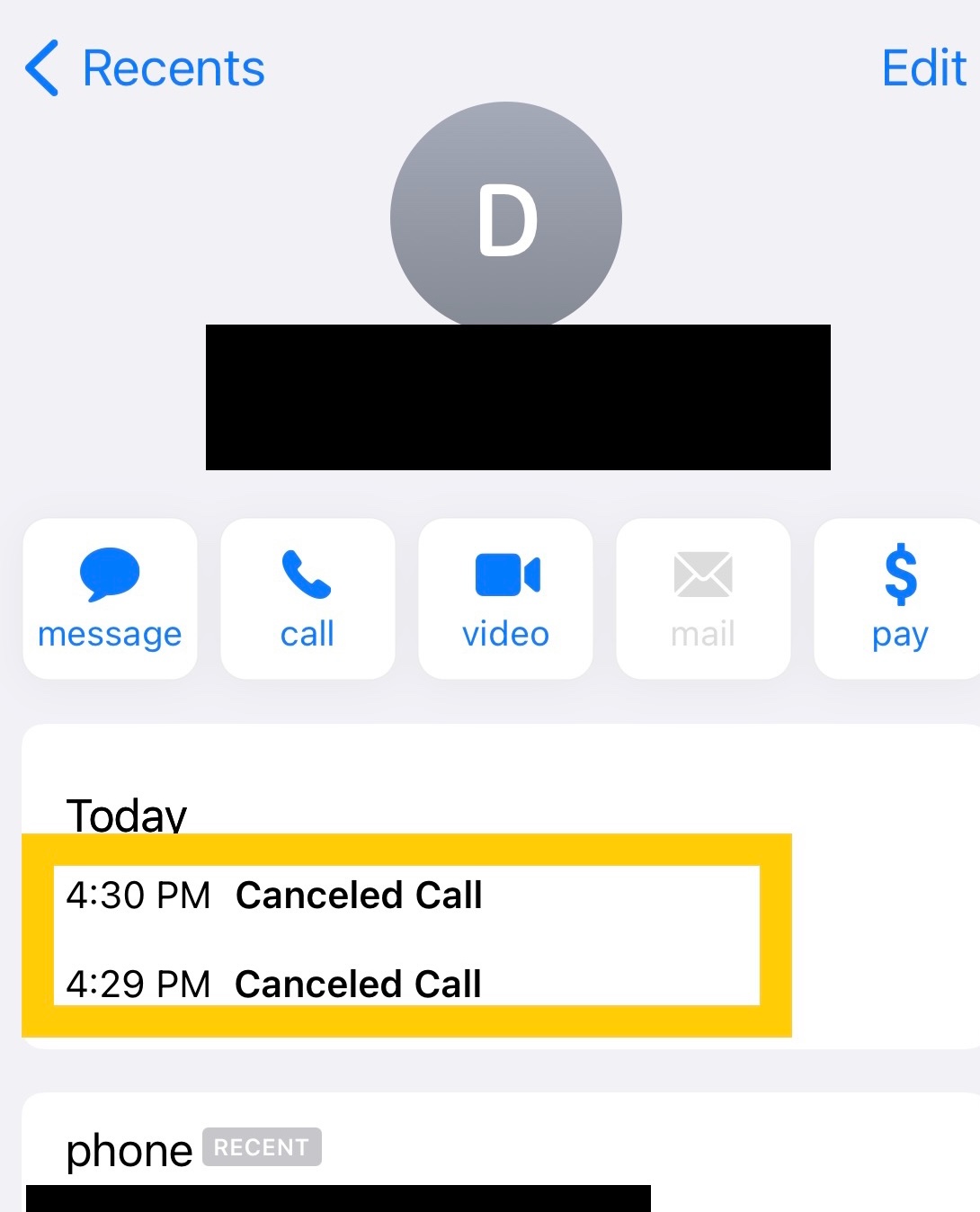
Several common situations can cause iPhone calls to show as cancelled, even when you did not intend it.
- You ended the call before the other person answered
- Weak cellular signal or unstable network coverage
- Temporary carrier or network congestion
- Call blocking or call forwarding on the recipient’s device
- Minor iOS or Phone app glitches
How To Fix Cancelled Call Issues On iPhone
If cancelled calls happen often and you are not hanging up intentionally, these steps can help restore normal call behavior.
- Check your signal strength and move to an area with better coverage
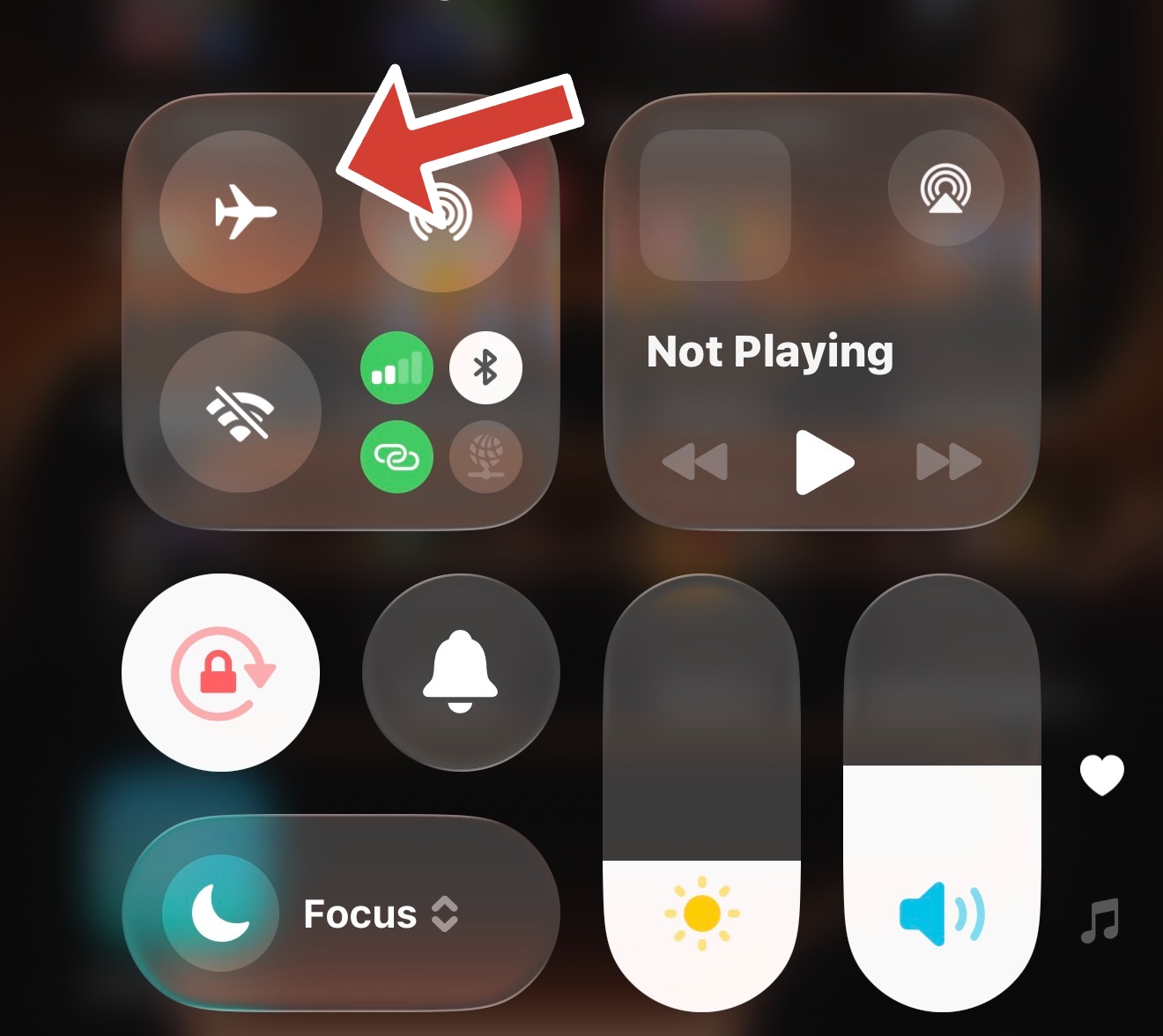
- Toggle Airplane Mode on and off to refresh the network connection
- Restart your iPhone to clear temporary software issues
- Reset network settings to fix corrupted connection data
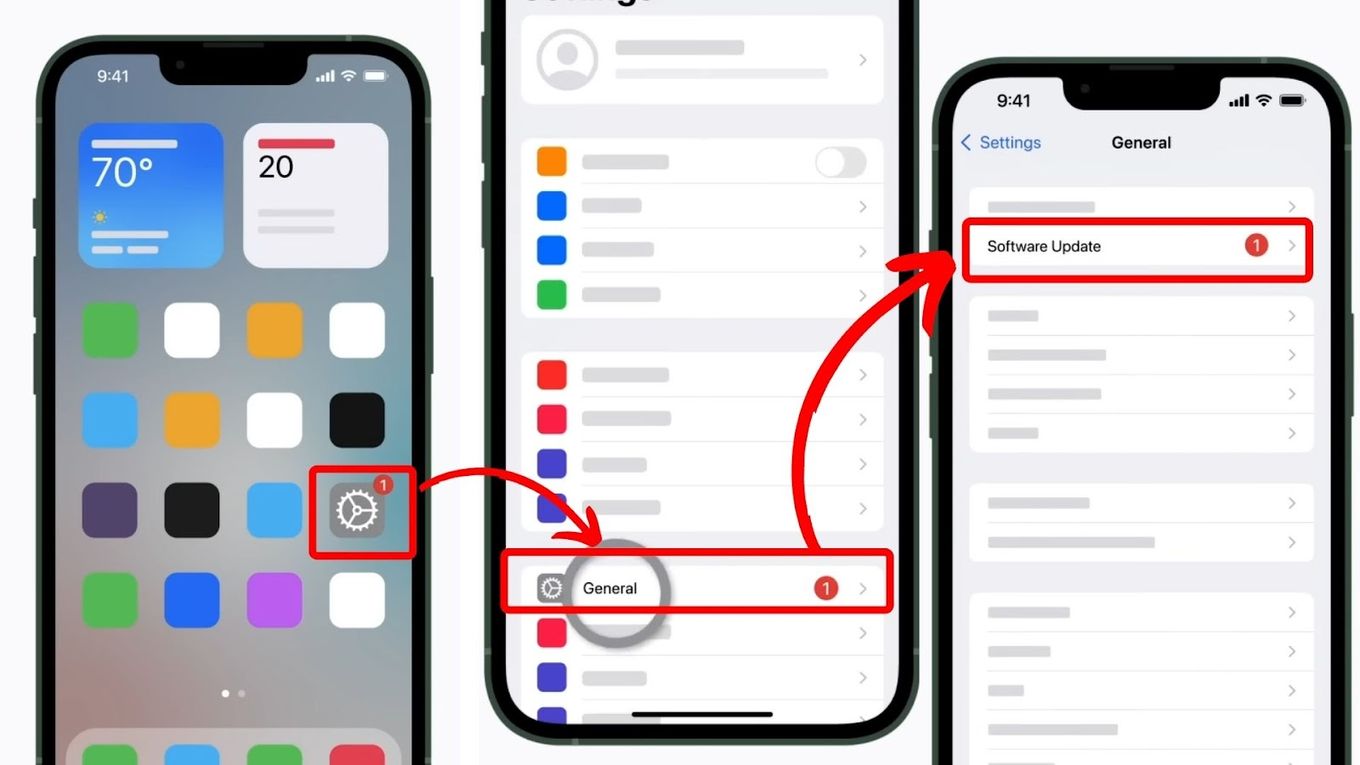
- Update iOS to ensure you are running the latest bug fixes
- Contact your carrier to rule out SIM or account issues
Troubleshooting Common Problems
If cancelled calls continue after basic fixes, the issue may relate to hardware or persistent network faults.
- Test calls using Wi-Fi Calling if available
- Remove and reinsert the SIM card
- Check for physical damage near the antenna or SIM tray
- Try the SIM card in another phone to isolate the issue
Tips
- Wait a few seconds after dialing before ending a call
- Avoid placing calls in areas with known weak coverage
- Keep iOS updated to prevent call logging bugs
- Enable Wi-Fi Calling in low-signal environments
FAQ
Is a cancelled call the same as a missed call?
No. A missed call means the other person called you and you did not answer. A cancelled call means you started the call but it ended before connecting.
Does a cancelled call mean I was blocked?
Not necessarily. Call blocking can cause cancelled calls, but poor signal or quick hang-ups are more common causes.
Can cancelled calls be a carrier issue?
Yes. Network congestion or SIM provisioning problems can trigger repeated cancelled calls.
Do cancelled calls indicate a hardware problem?
Only if they happen frequently and persist after network and software troubleshooting.
Summary
- Cancelled calls mean the call ended before being answered
- Most cancelled calls are normal and intentional
- Frequent cancellations may indicate signal or network issues
- Basic troubleshooting resolves most problems
Conclusion
Seeing Cancelled Call in your iPhone call history is usually harmless and expected. If it happens often without explanation, checking your signal, network settings, and software version can quickly identify the cause and restore reliable calling.


Discussion (0)
Be the first to comment.