



![Unable to See Who Viewed my Story on Instagram [Easy Fixes]](https://www.digitalcitizen.life/wp-content/uploads/2025/12/unable-to-see-who-viewed-my-story-on-instagram.png)
If Instagram won’t show your story viewers, you usually deal with one of three things: the story aged out, Instagram failed to load the list, or you’re checking in the wrong place (archive, highlights, or desktop). Start with the quick fixes below, then confirm the timing rules so you don’t chase a “bug” that isn’t one.
Table of contents
Try these quick fixes first
These steps fix most “viewer list not loading” cases, especially when the story still sits within its active window.
1) Refresh the viewer list the right way
Instagram sometimes shows a blank viewer panel until you force a reload. This takes under a minute and often restores the list immediately.
- Open Instagram.
- Tap Your story (top-left of the feed).
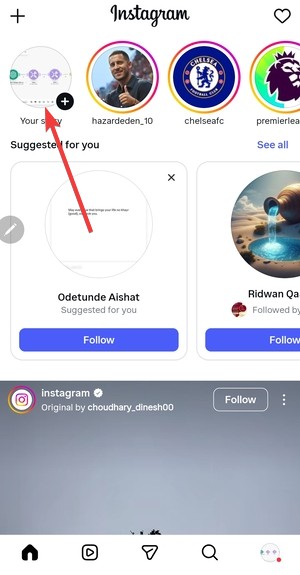

- Swipe up (or tap Activity if you see it).
- If the list looks blank, close the story, then reopen it and swipe up again.
2) Confirm you’re not checking a highlight
Highlights do not behave like active stories. Instagram may show total views for a short period, but it won’t reliably show names once the original story window passes.
- Go to your Profile.
- Tap a Highlight.
- If you only see counts (or nothing), check the original story timing in the “Timing rules” section below.
3) Update Instagram
Old app builds fail to pull story analytics correctly after backend changes. A quick update fixes many viewer-list glitches.
- Open the App Store (iPhone) or Google Play (Android).
- Search for Instagram.
- Tap Update (or install the latest version).
4) Force close Instagram and reopen it
A stuck session can prevent the app from fetching viewer names. A force close clears the current session without changing your account.
- Close Instagram fully (use the app switcher and swipe it away).
- Reopen Instagram and open Your story again.
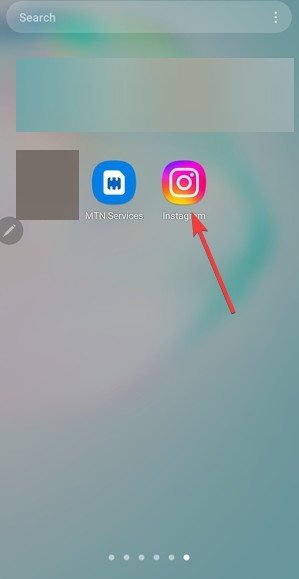

- Swipe up to check Viewers.
5) Clear Instagram cache on Android
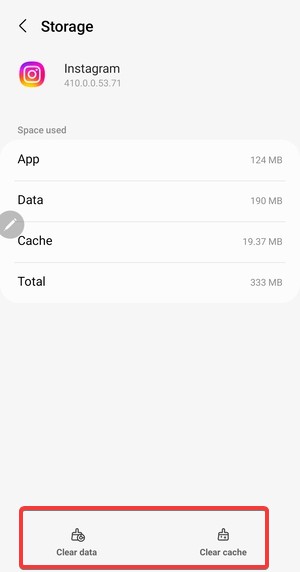
Corrupted cached data can break story analytics screens. Clearing the cache fixes this without deleting your account data.
- Open Settings on your phone.
- Tap Apps (or Apps & notifications).
- Tap Instagram.
- Tap Storage.
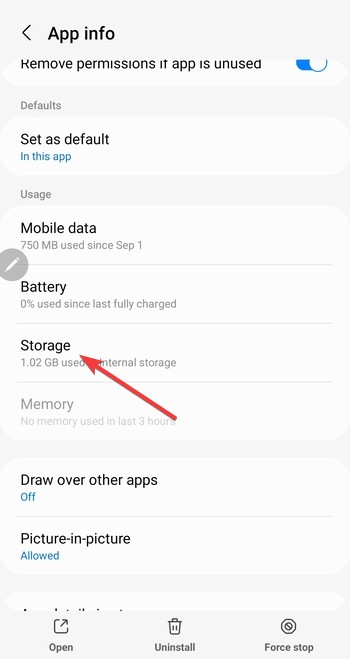

- Tap Clear cache.

6) Log out and back in
This refreshes your session token and forces Instagram to re-sync analytics. It helps when the viewer list won’t load on one device but loads elsewhere.
- Go to Profile > Menu (three lines).
- Tap Settings and privacy.
- Scroll down and tap Log out.
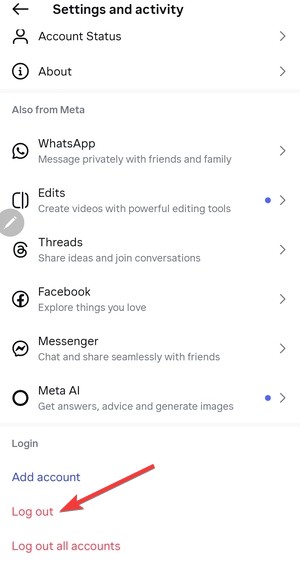
- Log back in, then open Your story and swipe up.
7) Reinstall Instagram
If the viewer list breaks across multiple stories, reinstalling fixes deeper app corruption. This also resets local storage that updates sometimes leave behind.
- Delete Instagram from your phone.
- Restart your phone.
- Reinstall Instagram from the App Store.
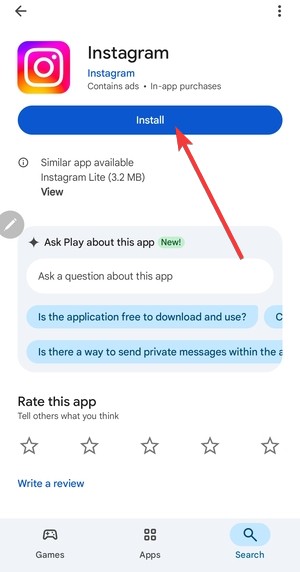
- Log in and recheck Your story viewer list.
Timing rules that make viewers “disappear”
Sometimes nothing is broken. Instagram hides the viewer list after a limited window, even if the story still exists in your archive or as a highlight.
Your story expired
Stories expire after 24 hours. After expiration, Instagram may allow a short grace period to review viewers, but it will not keep viewer names indefinitely.
You’re checking an archived story
The archive keeps the media, not unlimited viewer access. If you wait too long, Instagram removes the viewer list, and you can’t restore it.
You added it to highlights and expected “new” viewers
Highlights replay the content, but Instagram ties viewer identity to the original story window. Adding a story to highlight later does not reset the viewer-name timer.
Account and privacy checks that affect viewer names
These checks help when specific people “vanish” from the list or never appear at all.
A viewer blocked you (or you blocked them)
If someone blocks you, Instagram can remove them from your viewer list. If you block them, you will not see them in the viewers either. Also, their Instagram story will not show for you.
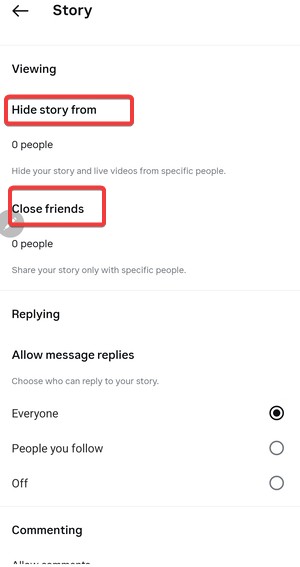
Your story audience settings filtered them out
Hidden story lists and close friends settings control who can view your story. If someone can’t view it, they can’t show up as a viewer.
- Go to Profile > Menu.
- Tap Settings and privacy > Story.
- Review Hide story from and Close friends.

Fixes for web and desktop users
Instagram on the web does not always show the same analytics as the phone app. If you check viewers on a computer, you may hit UI limits rather than an account problem.
Switch to the mobile app for viewer names
When the web UI fails to load viewer identities, the mobile app usually shows them correctly (as long as you’re still inside the allowed window).
What not to do
Some “fixes” waste time or risk your account. Skip these to avoid making the problem worse.
- Do not use third-party “story viewer” apps that ask for your Instagram password.
- Do not trust sites that claim they can reveal hidden or anonymous viewers.
- Do not keep reinstalling repeatedly if your story already aged out.
Tips to prevent this issue next time
- Check viewers within the first 24 hours, not days later.
- Keep Instagram updated so analytics screens don’t break.
- Use the phone app when you need viewer names, not the web version.
- Avoid follower-tracker apps that can interfere with account access.
FAQs
Why can’t I see who viewed my story even though it’s still up?
Instagram likely failed to load the list. Try force closing the app, updating it, then reopening the story and swiping up again.
Can I see who viewed my story after 24 hours?
Sometimes, yes, for a limited window. Instagram does not keep viewer names permanently, especially once the story ages out.
Do highlights show who viewed them?
Highlights can show limited viewer info only within a short window tied to the original story. After that, you won’t see viewer names.
Why did a specific person disappear from my viewer list?
They may have blocked you, you may have blocked them, or Instagram removed their name after the viewer window passed.
Summary
- Instagram only shows story viewers for 24 hours.
- Archived stories and highlights never show viewer lists.
- App delays and outdated versions can hide viewers temporarily.
- Account type does not extend viewer visibility.
Instagram story viewers disappear by design, not by accident. If your story expired or moved to highlights, the viewer list is gone for good. If the story is still active, updating the app or refreshing your account usually fixes the issue.


Discussion (0)
Be the first to comment.