


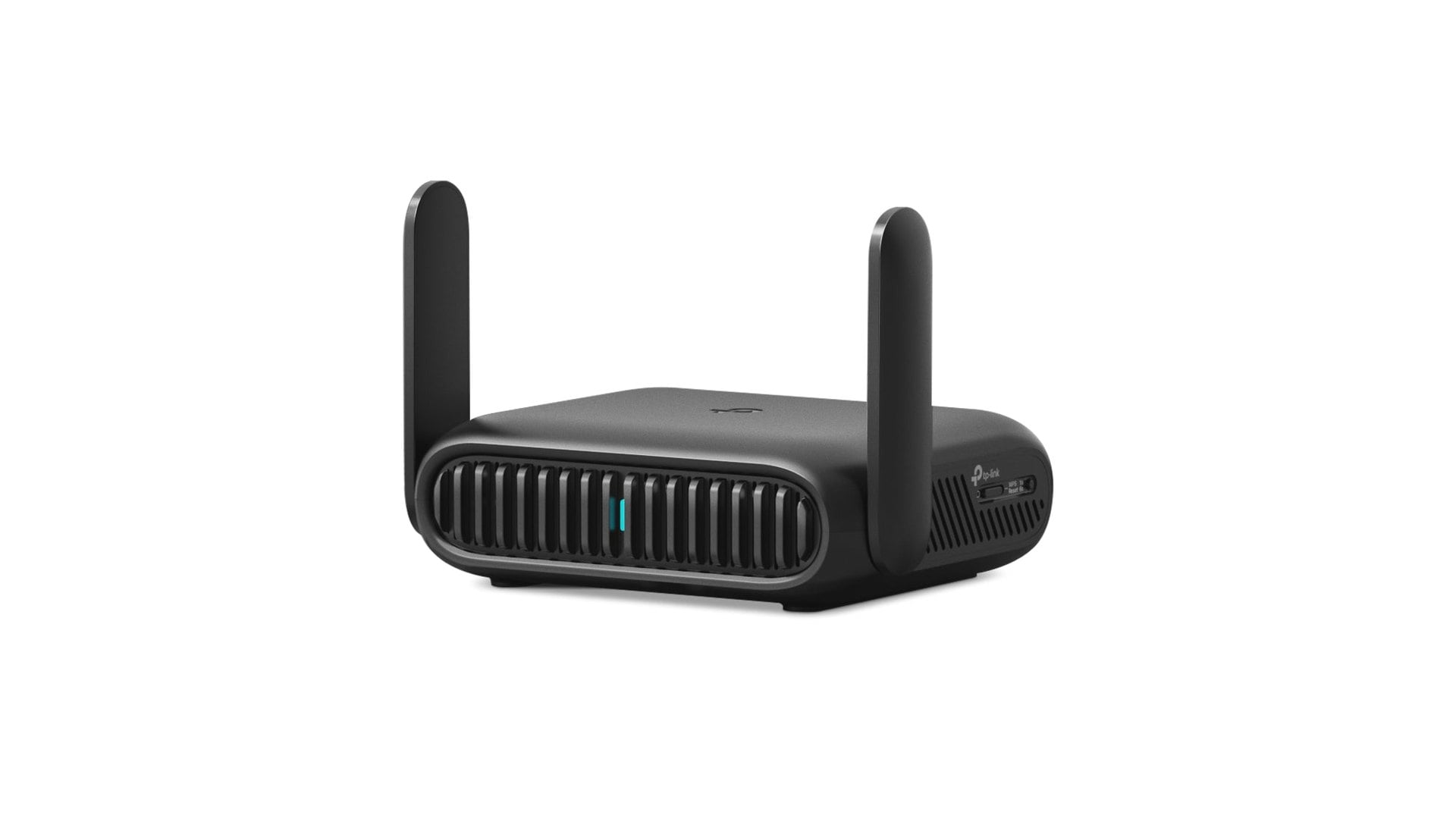
Connecting every device to hotel Wi-Fi can be a chore, especially when the network asks you to sign in through a browser on each one. A travel router gives your phone, laptop, tablet and other gadgets one familiar Wi-Fi network to join while you're away from home.

If that sounds useful for your next trip, the TP-Link Roam 7 is $87.99 at B&H Photo and on TP-Link's own store. Both list it $52 below the $139.99 reference price, a 37% discount. B&H showed the router in stock with free shipping on November 4.
There is a reason to look past the Wi-Fi 7 label, though. In independent lab testing, TP-Link's older Roam 6 has been reported to deliver faster speeds and better range. Here's what the discounted model offers and who should consider it.
How the Roam 7 puts all your travel devices on one network
The Roam 7, also sold under the less memorable model number TL-WR3602BE, is a small router designed to travel with you. It can get online through an Ethernet jack, a public Wi-Fi network, or a compatible phone or USB modem.
Once the router is online, your devices connect to the Wi-Fi network it creates. That is handy if you travel with a laptop, a tablet and a streaming stick: they all keep the same network name instead of each needing its own sign-in to the hotel's Wi-Fi.
TP-Link says the Tether app handles supported hotel sign-in pages. Expect the setup to vary with each property's login system and rules. The router also can't make a slow hotel connection faster than the service behind it, a gap explained in this guide to why Wi-Fi speed tests rarely match your plan.
A few other details matter for travelers:
- USB-C power: use the included adapter or a compatible 5V/3A power bank. The router has no built-in battery.
- Wired connections: a 2.5 Gbps internet port and a 1 Gbps LAN port for a wired device.
- Phone tethering: a compatible phone can supply the internet connection over USB, subject to its settings and mobile plan.
- VPN support: OpenVPN and WireGuard are built in, but you need your own VPN service or server. No subscription is included.
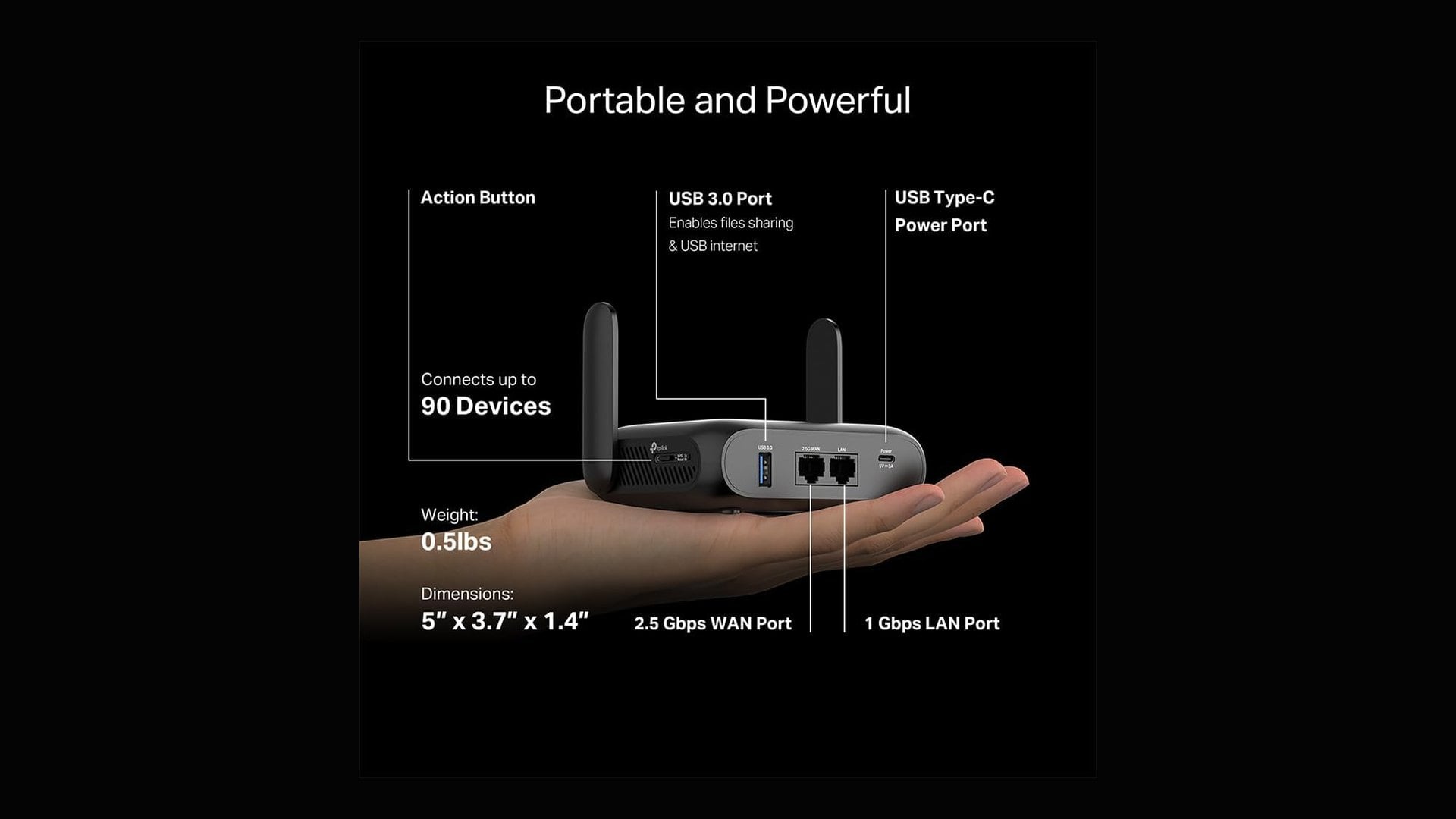
TP-Link Roam 7 vs Roam 6 specifications side by side
On paper, the two routers share most of their hardware. The Roam 7's gains are the newer Wi-Fi 7 features, not extra ports.
| Specification | Roam 7 (BE3600) | Roam 6 (AX3000) |
|---|---|---|
| Wi-Fi standard | Wi-Fi 7, dual-band | Wi-Fi 6, dual-band |
| Rated speed | 3.6 Gbps (2,882 Mbps on 5 GHz) | 3.0 Gbps |
| Wi-Fi 7 features | Multi-Link Operation, 4K-QAM, Multi-RUs | None |
| Ethernet | 1x 2.5 Gbps WAN, 1x 1 Gbps LAN | 1x 2.5 Gbps WAN, 1x 1 Gbps LAN |
| USB | USB 3.0 | USB 3.0 |
| Size | 126 x 93.5 x 36 mm | 104 x 90 x 28 mm |
The Wi-Fi 7 label comes with a few compromises
The Roam 7 uses the 2.4 GHz and 5 GHz bands. It does not have a 6 GHz band, the extra band found on pricier Wi-Fi 7 routers and covered in this explainer on what Wi-Fi 7 changes. It's built for portability, too, so it is not the device to cover a large home or vacation rental.
More surprising is how the older Roam 6 holds up. It is smaller, as TP-Link's own comparison chart shows, and independent testing found it ahead on speed and range. That won't hold in every room, but it makes the Roam 6 worth checking before you choose the newer model.
Digital Citizen has tested the ASUS RT-AX57 Go, another travel router with public Wi-Fi and VPN features. Its flexible software and Wi-Fi 6 performance stood out, although its price was one of the drawbacks. The Roam 7 has not been through the same testing, so there is no direct performance comparison between the two yet.
Is the TP-Link Roam 7 worth buying at $87.99?
The Roam 7 is worth considering if you want a compact router for a hotel room, need several ways to get online, and like keeping your devices on one familiar network while traveling. At $87.99, it costs $52 less than TP-Link's reference price.
Just don't buy it only because it says Wi-Fi 7. Check the Roam 6's current price as well, particularly if range matters more to you than the newer standard. And while this is a solid cut, price trackers have recorded the Roam 7 at $79.99 before, so it is not a record low.
See the TP-Link Roam 7 for $87.99 at B&H Photo
Prices and availability can change.



Discussion (0)
Be the first to comment.