UP

Apps

Tutorials, articles and recommendations about apps and programs that people use on their computers, smartphones, smartwatches, and other gadgets.

How to Pin & Display Modern Windows 8.1 Apps on the Taskbar

One criticism about Windows 8 was that you couldn't easily access Windows Store apps from the Desktop. They were hidden, running in a different environment and switching between them and desktop programs was harder than it should have been. Windows 8.1 fixes this problem by allowing users to pin Windows Store apps to the taskbar and to set the taskbar so that it displays running apps. Here's how to work
5 Things You Can Do with the Travel App in Windows 8.1

As summer is coming with quick steps, it is also the time of year to start planning your holiday. The Internet provides a limitless resource for travel information, so much that it feels a bit overwhelming. For this reason, we have decided to test the Travel app that comes by default with Windows 8 and 8.1 and share what you can do with it. Can this app provide all that

Introducing Windows 8.1: What is the Apps View & How to Use It

You will notice many of our tutorials referencing the Apps View from Windows 8.1. You can think of it as a full-screen Start Menu, organized in a similar way to the Start Menu in Windows 7 but with more options on how to display the list of programs installed. In order for you to understand it better and learn how to use it, I decided to create this guide which
tutorial How to Use the Camera App in Windows 8.1 with Your Webcam

How to Use the Camera App in Windows 8.1 with Your Webcam

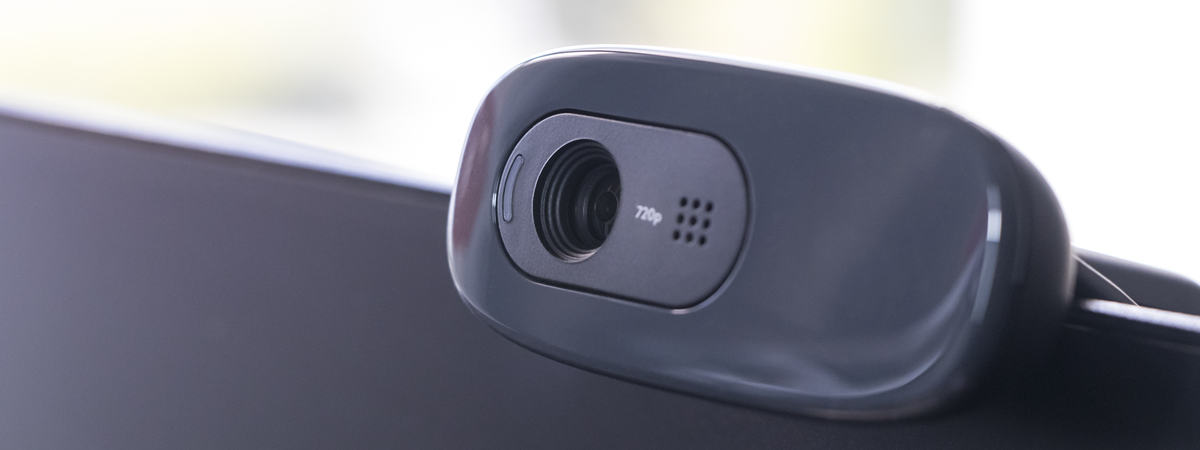
The Camera app is preinstalled in Windows 8.1. If your computer or device has a webcam, you can easily use the Camera app to take photos and record videos, or you can use it to update the picture of your Microsoft account. In this tutorial I'm going to show you how to use the Camera app from Windows 8.1. Important: If you are

How to Quickly Share or Bookmark an App from the Windows 8.1 Store

When you discover a cool game or a useful app in the Windows Store, you may want to share it with your friends or co-workers. With the help of the Share charm you can easily share a direct link to an app's page in the Windows Store or a screenshot of it. Here's how it is done: [DC-SUMMARY-BREAK] What can you share in the Windows Store? When opening an app's

How to Set the The Types of Apps Displayed by the Windows 8.1 Store

The Store in Windows 8.1 is generally well organized and user-friendly. It also allows you to set your preferences regarding the apps that it displays or it recommends for you. Setting these preferences is done using the Settings charm in Windows 8.1 Here's how it all works and what exactly you can configure: [DC-SUMMARY-BREAK] How to Open the Windows Store Preferences To get to the Preferences window, open the Windows

Keep Track of the Apps That Were Installed on Your Windows 8.1 Devices

If you use Windows 8.1 on more than one device and you try lots of apps, you will quickly lose track of the apps that you have installed on your devices. Luckily, the Windows Store has a nice feature that allows you to view all the apps that were installed on all your devices. Here's how to keep track of all your installed apps, using the Your Apps lists available

How to Find, Install and Review Apps in the Windows 8.1 Store

Windows Store is the place where Windows 8.1 users can find, install and update their apps. Because the Windows Store was launched with Windows 8, it does not yet have a large number of apps, like other app stores from Microsoft's competitors, but their number is increasing steadily. Since nobody wants an operating system without apps, you will want to use the Windows Store to discover and install apps and
tutorial 35 Keyboard Shortcuts That Increase Your Productivity in Windows 8.1

35 Keyboard Shortcuts That Increase Your Productivity in Windows 8.1

While using Windows 8.1's user interface might require some time to accommodate, the tasks of navigating through the operating system and its new apps can be simplified by using the keyboard shortcuts that Microsoft has made available. The shortcuts shared in this article were chosen by us while thinking what apps or settings you might access or use on a regular basis. They are
tutorial Introducing Windows 8.1: How to Share Screenshots from Any App

Introducing Windows 8.1: How to Share Screenshots from Any App

Windows 8.1 comes with a bundle of many apps, from Sports and News to Finance and Health & Fitness. Chances are you are going to stumble upon some interesting content while using these apps, and you may want to quickly share a screenshot with it. Traditionally this meant using the PrtScn key, saving the screenshot in an image editor and then using another program

How to Use the Video App in Windows 8.1 to Play Movies Stored Locally

I bet most of you enjoy watching movies on your computers and devices, both when at home and while travelling. With the help of the Video app you can watch all kinds of movies both from your PC and your tablet. This friendly modern app also enables you to organize your movies in a digital library. Without further ado, let's see how to use the Video app to play your

How to Record Audio with the Sound Recorder App in Windows 8.1

Windows 8.1 includes a reasonably large bundle of apps when you install it. One of these apps is Sound Recorder. This is a very interesting app that allows you to record sounds, trim their length, save them and share them with your friends. Let's take a closer look at the Sound Recorder app and see how to use it. [DC-SUMMARY-BREAK] How to launch the Sound Recorder App in Windows 8.1

How to Set Timers & Use the Stopwatch in Windows 8.1's Alarms App

Aside from setting alarms, the Alarms app in Windows 8.1 also allows you to set timers and provides a stopwatch that you can use to track laps and splits. Let's see how to use the timers and the stopwatch in Windows 8.1. [DC-SUMMARY-BREAK] How to Set Timers in the Alarms app To set a timer in the Alarms app, first launch the app itself. If you are not sure how

How to Add, Edit and Remove Alarms in Windows 8.1

If you are looking for an easy way to use your Windows 8.1 device to keep track of time during certain activities, the operating system offers an easy and friendly way of doing this - the Alarms app. It enables you to set alarms, timers or use a stopwatch for managing your time, waking up for work in the morning or even timing your favorite activities. In this first article

How to Share and Synchronize Content in Windows 8.1's Reading List App

Today we're going to take a look at two important features of the Reading List app: share and sync. They might be either a deal breaker or a deal maker in using this app. Reading List allows you to share the content you add to it with your friends. It also allows you to synchronize the its content across Windows 8.1 devices, so you can add an article to Reading

Simple Questions: What is Hands-Free Mode in Windows 8.1?

If you have used Windows 8.1 or at least read about it, you might have encountered a feature named Hands-Free Mode. As the name implies, it is about using your Windows 8.1 device without your hands. But how does it work? Is it any good? Let's find out from this guide. [DC-SUMMARY-BREAK] What is Hands-Free Mode in Windows 8.1? This feature is designed for tablet or hybrid devices that have

The Complete Guide to the Weather App in Windows 8 & 8.1

Knowing the weather is essential to planning anything from an upcoming weekend away to which route to drive to work. While many users watch the news for their weather information and others might check the Internet, Windows 8 and Windows 8.1 provide a great alternative with their bundled Weather app. Once configured, this app provides extended forecasts, hourly forecasts, weather maps and even historical data. This is a very useful

How to Remove Content & Categories from Windows 8.1's Reading List App

In this third episode of our series about the Reading List app in Windows 8.1, I will guide you through the process of removing categories and content from this app. If you want to reorganize the way content is classified or you just want to clean up some less interesting content, this guide will be useful to you. [DC-SUMMARY-BREAK] If you need to refresh your memory on how to add

How to Add & Categorize Content in Windows 8.1's Reading List App

In this second episode of our series about the Reading List app in Windows 8.1, I would like to share how to add content to this app, how to read it and how to categorize it, so that you keep everything well organized. As you will see, this app is quite versatile and can be a great tool for storing and organizing what you want to read later. [DC-SUMMARY-BREAK] If