



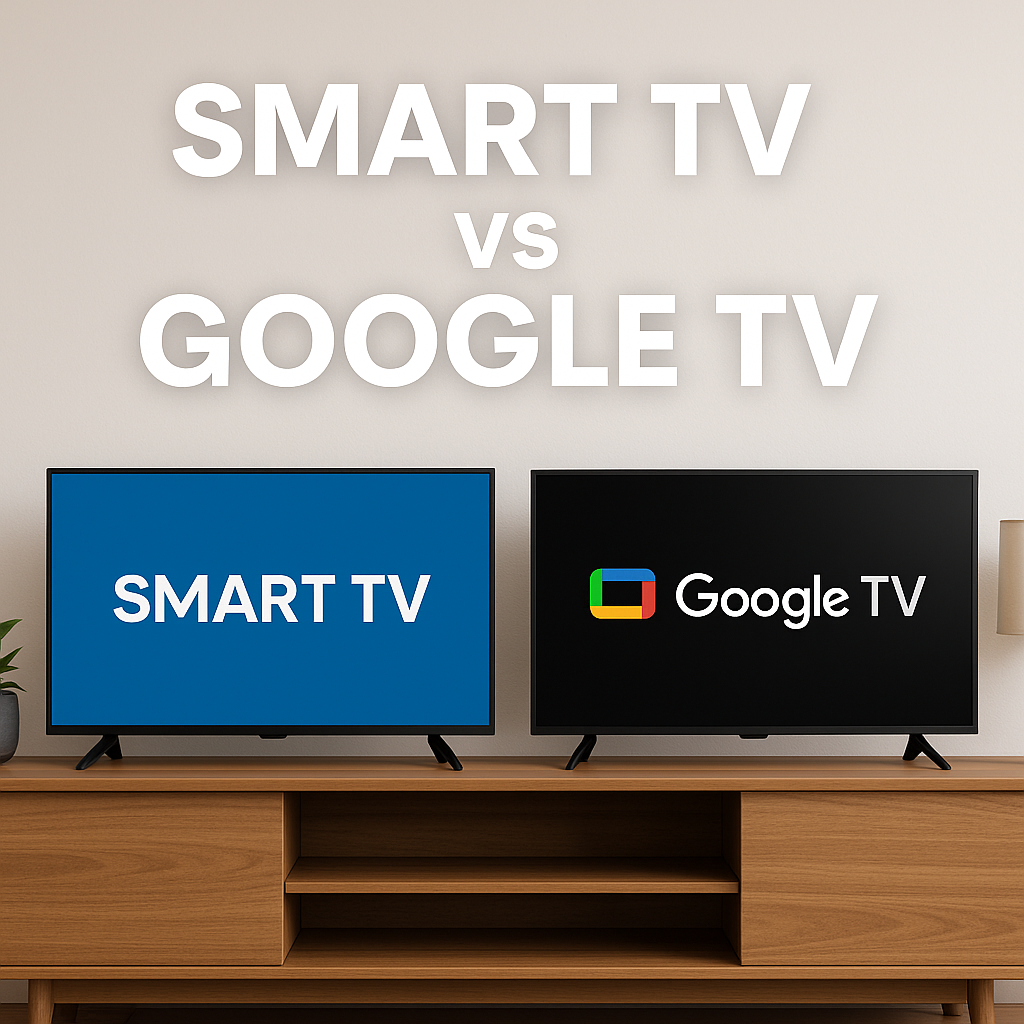
The question what is the difference between a Smart TV and a Google TV pops up a lot when you shop for a new screen. Both can stream Netflix, YouTube, and your other favorite apps, but they do not work in exactly the same way. Understanding how Smart TV vs Google TV platforms differ helps you avoid buying the wrong set for your living room.
At the time of writing, most modern televisions qualify as Smart TVs because they connect to the internet and run apps. Google TV is a specific smart TV platform from Google that sits on top of Android TV OS and focuses on personalized recommendations and tight Google integration. This guide breaks down how each option works, where they overlap, and which one makes more sense for you.
What Is A Smart TV
A Smart TV is any television that connects to the internet and runs apps without needing an external box. Manufacturers like Samsung, LG, Sony, Hisense, TCL, and others all sell Smart TVs, but they use different operating systems and app stores.
Some Smart TVs run proprietary platforms such as Tizen or webOS, while others use Roku TV, Fire TV, Android TV, or Google TV. In every case, the goal stays the same: stream video, play music, and access online services directly from the TV.
Basic Smart TVs usually focus on a simple home screen with tiles for popular apps like Netflix, Hulu, Disney Plus, and YouTube. You open each app separately, search for something to watch, then back out to the home screen when you want a different service.
What Is Google TV

Google TV is a smart TV experience developed by Google that runs on top of Android TV OS. Instead of acting like just another Smart TV interface, Google TV uses your Google account, your watch history, and your streaming subscriptions to build a content-first home screen.
When you turn on a Google TV, you see rows of recommended movies, shows, and live channels pulled from apps like Netflix, YouTube, Max, and more. The platform also supports user profiles, kids profiles, watchlists, and a Live tab for free and paid TV channels.
Newer Google TV models add deeper voice control, smart home integration, and, on select sets, upgraded AI features that improve search and recommendations. You still install apps from the Google Play Store, but the experience centers on content discovery rather than jumping between icons.
Smart TV Vs Google TV: Core Differences

Every Google TV is a Smart TV, but not every Smart TV runs Google TV. The real difference between a Smart TV and a Google TV comes from the software layer that controls apps, search, and recommendations.
Platform And Ecosystem
Smart TV is a broad label that covers many platforms. A Smart TV could run Samsung Tizen, LG webOS, Roku, Fire TV, Android TV, or Google TV. Each ecosystem has its own app store, settings, and update schedule.
Google TV is one specific ecosystem built by Google. It uses Android TV OS under the hood and the Google Play Store for apps. If you already live in the Google ecosystem with Android phones, Nest speakers, or Google Home devices, a Google TV integrates more smoothly than a generic Smart TV platform.
User Interface And Content Discovery
Many Smart TV interfaces still feel app-centric. You scroll across a row of app icons, open one, then search for something to watch inside that single app. Recommendations, if they exist, usually come from one service at a time.
Google TV takes a content-centric approach. The home screen mixes recommendations from multiple apps into one feed so you can see trending movies, shows you started on another device, and genre suggestions in one place. Profiles let each family member get their own personalized row of suggestions.
Apps, Updates, And Performance
On a basic Smart TV, the app catalog depends on the manufacturer’s store and update policy. You usually get the big streaming names, but niche or newer apps might arrive late or never show up. Long-term software updates can also slow down on older budget models.
Because Google TV uses the Google Play Store, it supports a wide range of Android TV apps, including major streaming services, music apps, fitness apps, and casual games. App and security updates ship through Google Play, while firmware updates come from the TV maker. In practice, that gives Google TV sets more consistent app support than many proprietary Smart TV platforms.
Voice Control, Search, And AI Features
Plenty of Smart TVs support basic voice control through proprietary assistants, simple search, or built-in microphones on the remote. You might be able to say the name of a show or app, but results can be limited to one service.
Google TV leans heavily on Google Assistant and, on newer models, upgraded AI features. You can search across multiple apps at once, launch content, adjust settings, or control compatible smart home devices using natural voice requests. Some recent Google TV sets also surface more advanced recommendations and live TV suggestions on the home screen.
Smart Home And Mobile Integration
Smart TVs outside the Google ecosystem may support Alexa, Siri, or their own smart home platforms. Integration works, but it often feels brand-specific and less unified if you use mixed devices.
With a Google TV, your TV acts as a hub for the Google ecosystem. You can use the Google TV mobile app to cast content, manage watchlists, and even control the TV as a remote. Compatible Google Assistant devices can turn the TV on, change inputs, or show your doorbell feed using voice commands.
Price, Choice, And Availability
Smart TVs cover everything from cheap 32-inch budget sets to premium 8K panels. You pay for screen size, panel quality, and brand reputation more than the basic Smart TV features. Entry-level Smart TVs often ship with simpler interfaces and fewer extras.
Google TV appears mostly in mid-range and higher models from brands like Sony, Hisense, and TCL, plus streaming devices such as Chromecast with Google TV. Pricing usually stays competitive with other mainstream Smart TVs, but you rarely see Google TV on the absolute lowest-end panels.
How To Decide Between A Smart TV And A Google TV
Both options stream the same major services, so your choice comes down to how you prefer to search, what ecosystem you use, and how future-proof you want your next TV to be.
- Pick a generic Smart TV if you want a simple interface, mainly watch a few apps, and care more about price and picture quality than software extras.
- Choose a Google TV if you already use Google services, want stronger voice search, and like having recommendations from all your apps on a single home screen.
- Focus on panel quality, HDMI ports, gaming features, and sound performance first, then use Smart TV vs Google TV as a tiebreaker between similar models.
- Consider a standalone Google TV streaming stick or box if you own a perfectly good Smart TV but dislike its interface.
Frequently Asked Questions
Is Google TV A Type Of Smart TV
Yes. Google TV is a specific smart TV platform that runs on top of Android TV OS. When you buy a Google TV, you are buying a Smart TV that uses Google software instead of a proprietary interface from the manufacturer.
Do Smart TVs Without Google TV Still Support Streaming Apps
They do. A Smart TV from Samsung, LG, Roku, or another brand still includes popular streaming apps. The difference is the layout, app store, and how often the platform receives updates compared to a Google TV.
Can I Add Google TV To An Existing Smart TV
You cannot convert the built-in software, but you can plug in a Chromecast with Google TV or another Google TV streaming device. Once you switch the input, your older Smart TV behaves like a Google TV set.
Is Google TV Better Than Android TV
Google TV and Android TV share the same underlying Android TV OS. Google TV adds a more modern, content-first interface, better recommendations, user profiles, and tighter integration with the Google TV mobile app. When you compare Smart TV vs Google TV models that both use Android underneath, Google TV usually feels more polished.
Summary
- A Smart TV is any internet-connected TV that runs apps, using many possible platforms.
- Google TV is a specific smart TV experience built by Google on top of Android TV OS.
- Smart TVs tend to be app-centric, while Google TV focuses on unified content discovery.
- Google TV offers broad Play Store app support, strong voice search, and Google ecosystem integration.
- Your final choice should balance picture quality, price, and whether you prefer a simple Smart TV or a more advanced Google TV interface.
Conclusion
When you ask what is the difference between a Smart TV and a Google TV, the short answer is that Smart TV describes the hardware category, while Google TV describes one specific software experience. A Smart TV can feel basic or advanced depending on the platform it runs, but a Google TV aims to deliver personalized recommendations, powerful search, and deep Google integration on every compatible set.
If you want the simplest possible setup and primarily care about screen size and price, a standard Smart TV from a trusted brand works well. If you want smarter content discovery, better voice control, and a unified Google experience across devices, a Google TV set or streaming device offers more value over time.


Discussion (0)
Be the first to comment.