




ABC remains one of America’s most-watched networks, but accessing it on smart TVs has changed. The official ABC app was retired in 2024, leaving viewers to use alternative methods to stream live or on-demand shows. This guide explains every reliable option to watch ABC on your smart TV - free or paid.
1) Check if ABC is already available on your Smart TV
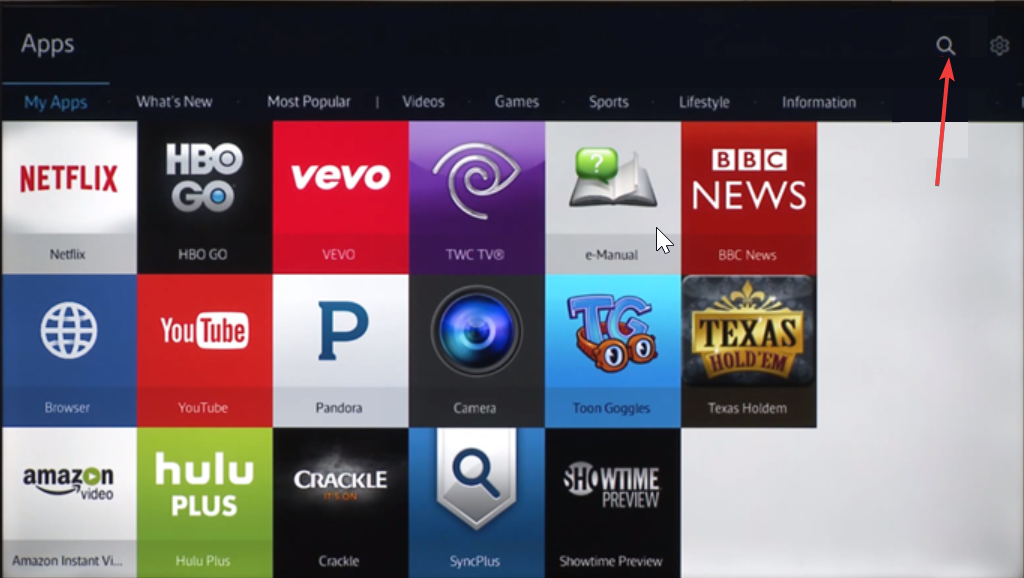
Before adding any new service, explore your TV’s built-in apps and inputs. Some smart TVs already include ABC access through partner apps or over-the-air tuners. Checking this first can save time and effort. Below are some Smart TVs and how you can check:
- Samsung Smart TV (Tizen): Press Home → Apps → Search and type “ABC,” “Hulu Live,” or “YouTube TV.”
- LG Smart TV (webOS): Press Home → Search and type “ABC.” If unavailable, look for supported apps such as Hulu or YouTube TV.
- Android/Google TV: Open Play Store → Search → Hulu Live or YouTube TV.
- Amazon Fire TV: Go to Find → Live → Networks → ABC.
If no ABC option appears, you’ll need a third-party streaming service or a digital antenna to access local broadcasts.
2) Use streaming services that carry ABC
The easiest way to stream ABC on a smart TV is through a live TV service. These platforms include ABC as part of their national or local broadcast lineup, often with free trials for new users.
| Service | ABC Live | Free Trial | Monthly Cost | Works On |
|---|---|---|---|---|
| Hulu + Live TV | ✅ | 30 days | $76.99 | All major smart TVs |
| YouTube TV | ✅ | 7 days | $72.99 | Samsung, LG, Android TV |
| fuboTV | ✅ | 7 days | $74.99 | Fire TV, LG, Roku |
| DirecTV Stream | ✅ | 5 days | $79.99 | Android TV, Roku |
| Sling TV | ⚠️ Limited markets | 7 days | $55 | Selective regions only |
Each of these services includes live ABC programming where available, along with DVR options and on-demand content. Choose one that fits your location and budget.
3) Connect an Over-the-Air (OTA) antenna for free ABC access
If you’d rather not pay for streaming, a digital antenna lets you watch ABC live for free. Most smart TVs have built-in tuners that can detect local channels, including your regional ABC affiliate.
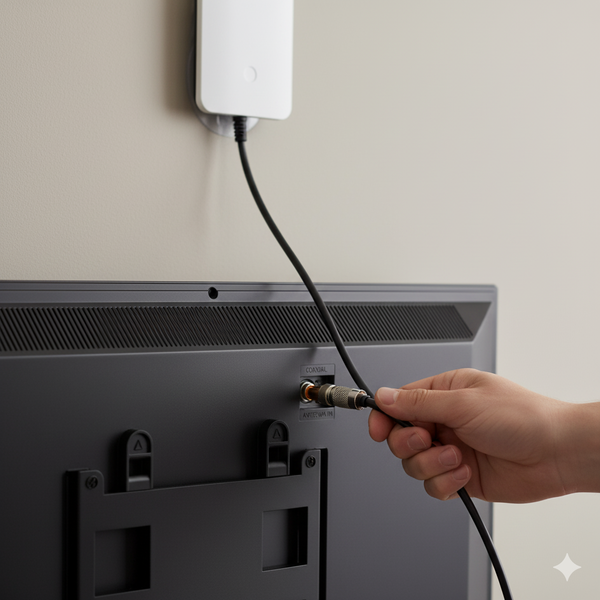
To get started, connect your HD antenna to the TV’s coaxial port and open Settings → Channel Scan → Start scan. Wait for the TV to detect all available stations, including ABC. Finally, save and add ABC to your Favorites list for quick access.
4) Sign in with your TV provider
If you still have a cable or satellite package, you may be able to access ABC through a partner app. This works by signing in with your provider’s credentials.
You just need to open a compatible live TV or network app and select Sign in with TV Provider. Next, enter your cable credentials. You should be able to access ABC content once your account is verified.
5) Troubleshooting ABC Access on Smart TVs
If ABC isn’t appearing or streaming correctly, the issue might be regional coverage or outdated firmware. These fixes often resolve common problems.
- App not found: Update your TV’s software and app store.
- No local ABC channel: Check ZIP code coverage on your streaming service’s site.
- Playback errors: Clear app cache or reinstall the app.
- Sign-in problems: Log out, restart the TV, and sign in again.
- OTA signal loss: Reposition your antenna or use an amplifier.
Tips to improve your ABC streaming experience
- Use a wired Ethernet connection for more stable playback.
- Switch to “Standard” or “Movie” picture mode for live TV clarity.
- Enable closed captions from your streaming app’s settings.
- Bookmark your local ABC affiliate within your chosen app.
FAQs About Getting ABC on Smart TVs
Can I still download the ABC app on my smart TV? No. The ABC app for connected TVs was discontinued in September 2024. You’ll need to use compatible live TV streaming services or an antenna.
Is ABC available in every city? ABC’s live broadcast depends on your local affiliate coverage. Most metro areas are supported by streaming providers like Hulu Live and YouTube TV.
Can I watch ABC for free online? Yes. You can watch ABC live using an antenna or stream select shows directly from ABC’s website through your smart TV’s browser, if supported.
Summary
- Check if ABC is already preinstalled or accessible on your TV.
- Use a live TV streaming service like Hulu Live, YouTube TV, or fuboTV.
- Connect an antenna for free local ABC broadcasts.
- Use a streaming device or console for broader app support.
- Troubleshoot regional or technical issues as needed.
Conclusion
Even with the ABC app discontinued, smart TV users still have multiple ways to stream or tune into the network. Whether you subscribe to a live TV service or use a simple antenna setup, you can continue enjoying ABC’s local news, sports, and shows without missing a beat.


Discussion (0)
Be the first to comment.