



X, formerly Twitter, hides posts labeled as sensitive by default to reduce unwanted exposure. These filters apply separately to your feed and search results, so turning on one does not automatically enable the other.
If you want full control over what you see, you need to update specific Privacy and Safety settings. The steps below work on iPhone, iPad, Android, and desktop.
Enable Sensitive Content In Your X Feed
This setting controls whether images and videos marked as sensitive appear blurred or fully visible while scrolling your feed.
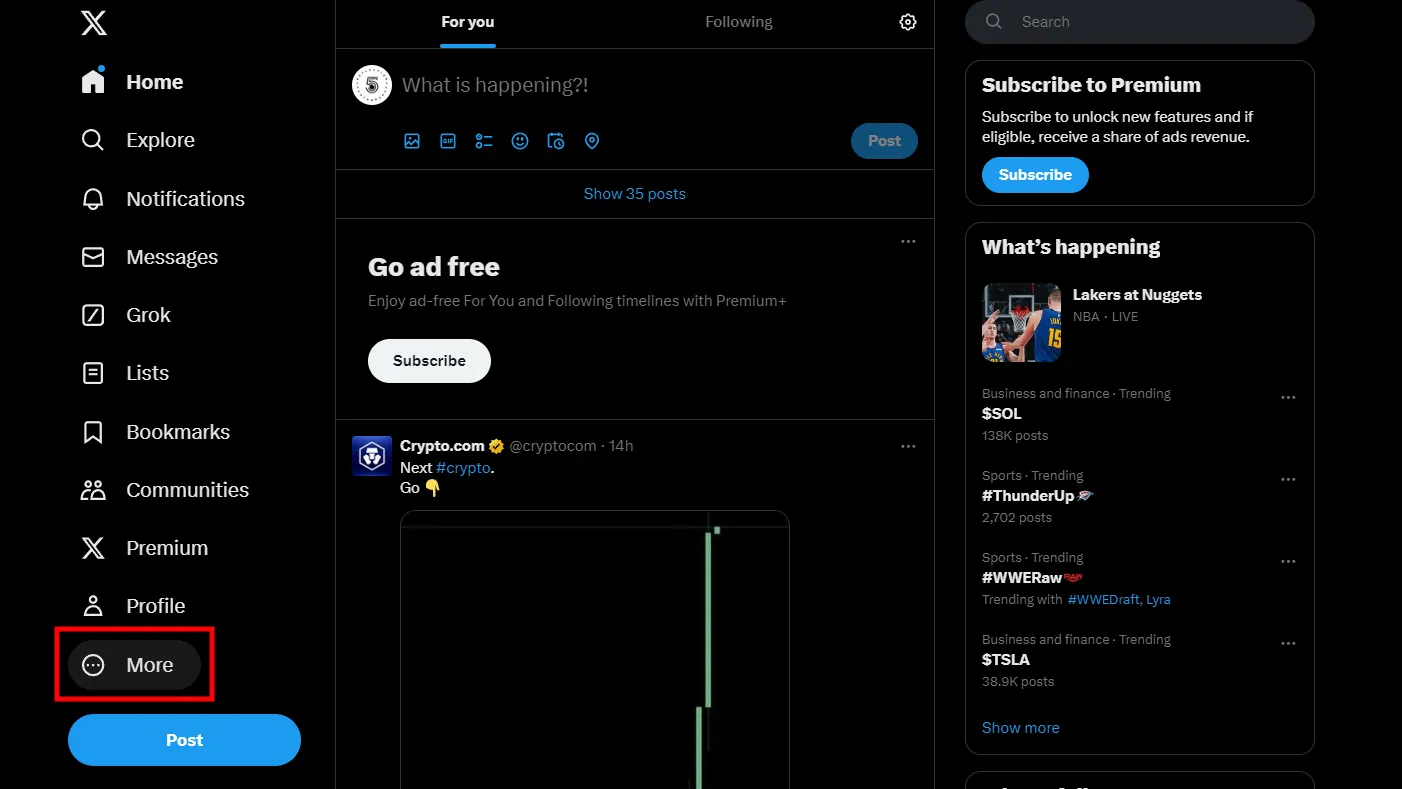
- Open the X app or go to X.com and sign in. Click More.
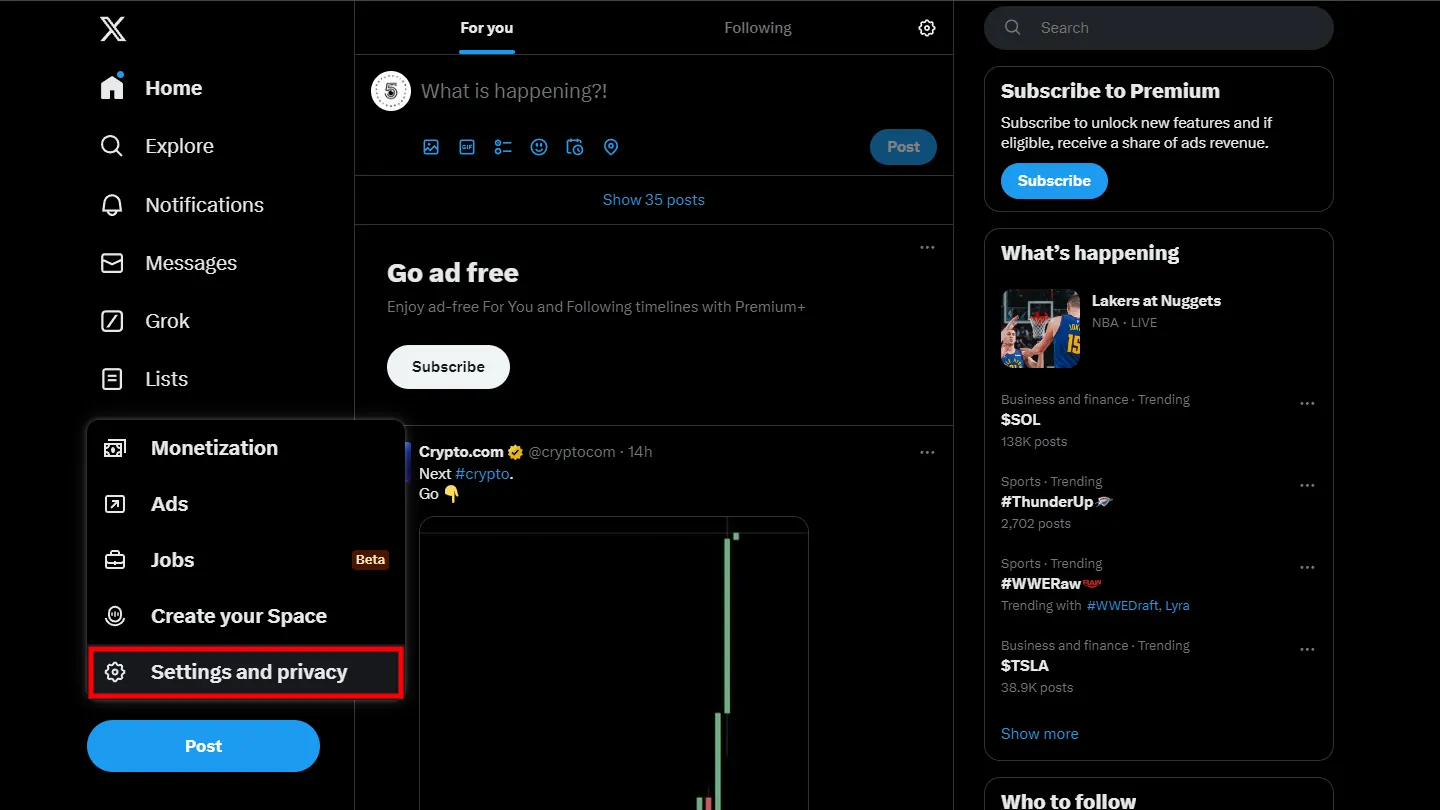
- Open Settings And Privacy
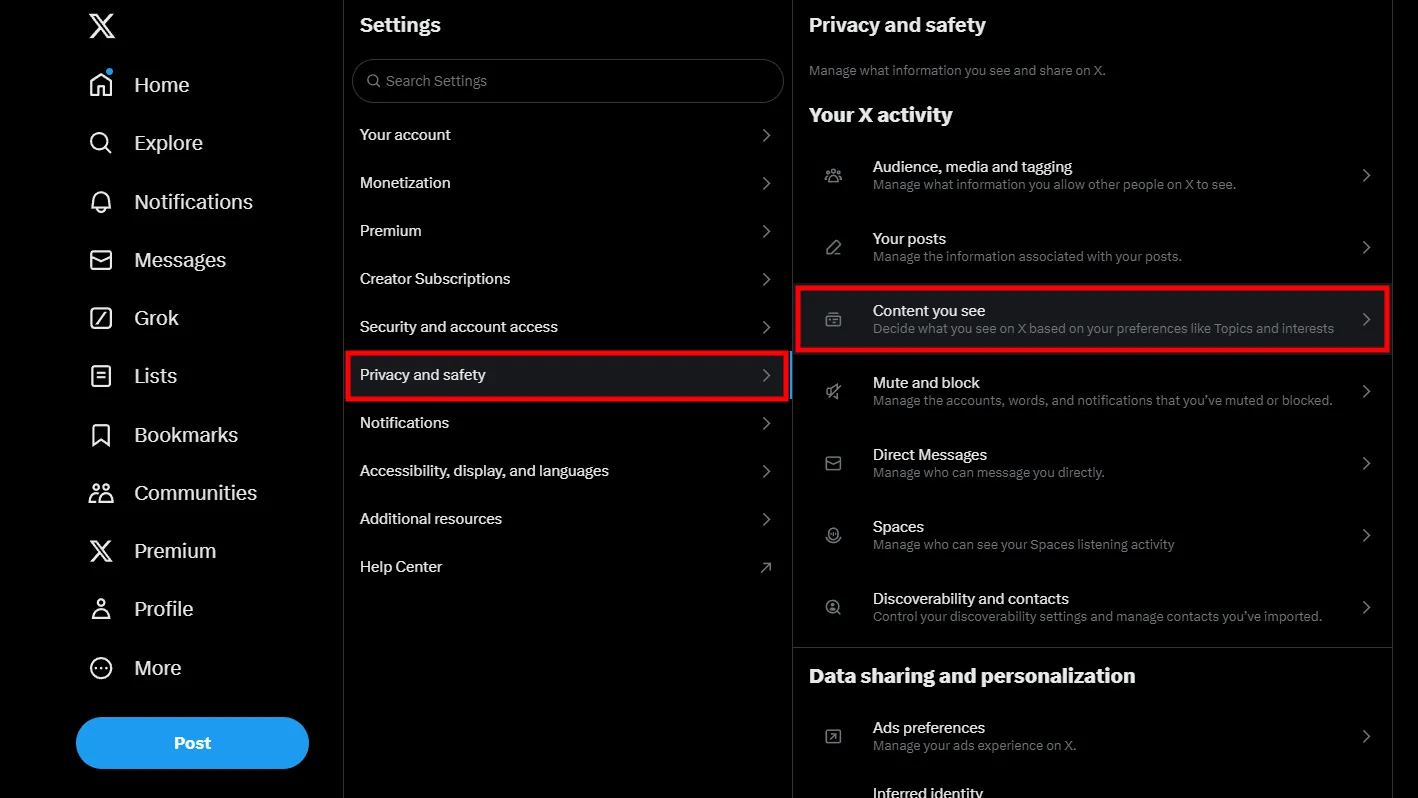
- Select Privacy And Safety
- Tap Content You See
- Enable Display Media That May Contain Sensitive Content
Show Sensitive Content In X Search Results
Search results use a separate filter and must be adjusted independently. If this option remains enabled, sensitive posts will stay hidden even if your feed allows them.
- Open Settings And Privacy
- Select Privacy And Safety
- Tap Content You See
- Open Search Settings
- Disable Hide Sensitive Content
Why Sensitive Content May Still Be Hidden
Some posts remain blocked regardless of your settings. X permanently restricts content that violates platform rules, including extreme violence and illegal material.
Additionally, accounts without a confirmed birth date or those marked under 18 will not see sensitive content options at all.
Troubleshooting Common Problems
If sensitive content still does not appear, check the following:
- Your birth date is set and confirms you are 18 or older
- You enabled sensitive content in both feed and search settings
- You updated the X app to the latest version
- You tried adjusting settings on the web version if mobile options are missing
Tips
- Use the web version of X if certain privacy settings are missing in the app
- Review sensitive content warnings before interacting or reposting
- Limit exposure if content becomes overwhelming or distressing
- Keep your account private if you engage with sensitive topics often
FAQ
What counts as sensitive content on X?
Sensitive content includes graphic violence, adult nudity, sexual behavior, and emotionally intense topics flagged to protect users.
Why can’t I see sensitive content even after enabling it?
Some posts are permanently restricted, or your account may lack age verification details.
Do feed and search settings sync automatically?
No. You must enable sensitive content separately for your feed and for search results.
Can I hide sensitive content again later?
Yes. You can disable the same toggles at any time from Privacy and Safety settings.
Summary
- X hides sensitive content by default in feed and search
- Both feed and search filters must be adjusted separately
- Age and account details affect access to sensitive content
- Some content remains restricted regardless of settings
Conclusion
Seeing sensitive content on X is ultimately about control. Once you understand where the settings live and how they work independently, you can tailor your experience without surprises.
Adjust the filters carefully, stay aware of what you engage with, and revisit these settings anytime your preferences change.


Discussion (0)
Be the first to comment.