Panda Security is an IT security company headquartered in Spain, which focuses on developing and selling specialized antivirus software for home users and businesses alike. It has been around since the dawn of the internet, 1990 to be more exact. The company is well-known for its security innovations based on cloud technologies and, generally, for preventing cybercrime. The most "complete" security solution that is developed by Panda Security, aimed at home users, is called Panda Gold Protection. For the last few days, we used and tested it, and now we want to share everything that we have found about it. If you are curious to see whether this is a good antivirus solution for you, read our review:
What is Panda Gold Protection good at?
Panda Gold Protection is a security suite that is good at:
Protecting your computer from malware, both offline and online
Offering excellent customer support, with permanent 24/7 access to technicians
Offering many additional tools for you to use
Panda Gold Protection vs. Panda Global Protection
Panda Gold Protection provides the same security tools as does Panda Global Protection. The differences lie in the fact that the Gold Protection version also includes:
Premium Support - ensures you that a technician is always there, to help you clean your computer in case of malware infection
Premium Live Chat - you can live chat with a Panda technician anytime you need to
Panda Cloud Drive - 20GB of space for you to store data and sync it across all your devices
Unless you want these offers, the slightly more affordable Panda Global Protection might be a better deal for you.
Pros and cons
Here are the positives that we identified about Panda Gold Protection:
The antivirus engine does an excellent job of detecting and removing malware from your computer
The web shield is effective in stopping you from visiting dangerous websites, in any web browser
The user interface is highly customizable
The tech support options that Panda offers are outstanding when compared to other antivirus products
On the other hand, there are also some negative aspects:
The security suite slows down the speed at which you download data from the internet a lot
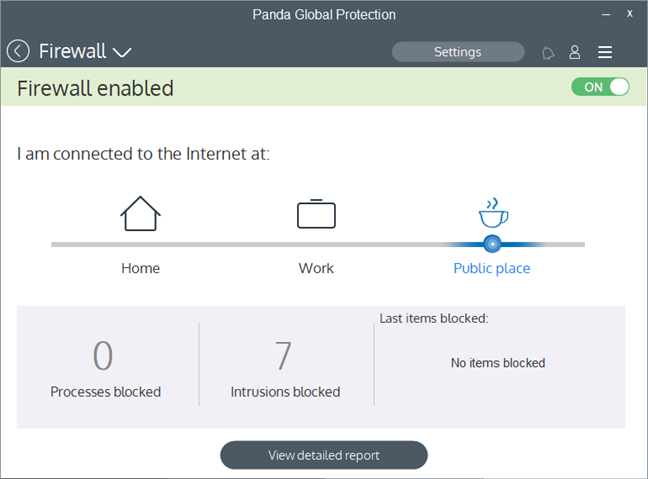
The firewall treats all the networks you connect to as Home networks, leaving you vulnerable to man-in-the-middle attacks. However, if you manually choose the Public profile in the firewall settings, it does an excellent job of protecting you.
The antivirus engine is slower than others at scanning your computer
The user interface is laggy and crowded
There are too many extra tools bundled in this security suite, and most of them are clones of what you already have in Windows
There is no VPN service included, so you cannot rely on Panda Gold Protection to secure connections when you connect to public Wi-Fi networks
Product rating3/5
Verdict
Panda Gold Protection is not a balanced security suite. What we like about it is the efficiency of the antivirus engine and its web shield. If you use this security suite, you are protected against all types of malware, both offline and online. However, Panda Gold Protection slows down the downloads you make from the internet; it is not the fastest in the world at scanning your computer for malware and, although its user interface looks nice and it is easy to use, it is also laggy. Last but not least, the firewall can protect you efficiently against network attacks but only if you manually configure it each time you connect to a new network. Panda Gold Protection is not an antivirus product suitable for everyone. It is best used by knowledgeable users who can get around its less positive aspects so that they get the best protection possible. Beginners should probably look elsewhere.
The download and installation experience
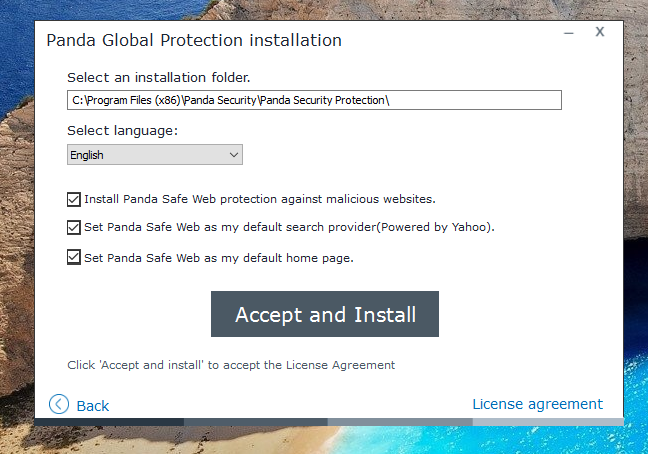
To test Panda Gold Protection, you can download and install the free trial version found on Panda's website. You get to download a small executable file called PANDAGP.exe, with a size of only 1.73 MB. When you run it, you get to choose the installation folder, the language of the security suite, and whether you also want to install Panda Safe Web. This is a web browser extension which promises to protect you against malicious websites. The installation wizard tries to make you change the default search provider and the default home page of your web browser. We recommend that you uncheck these two options. If you choose to enable them, you should know that Panda's search provider and homepage are both powered by Yahoo.
Panda, Global Protection, Gold Protection
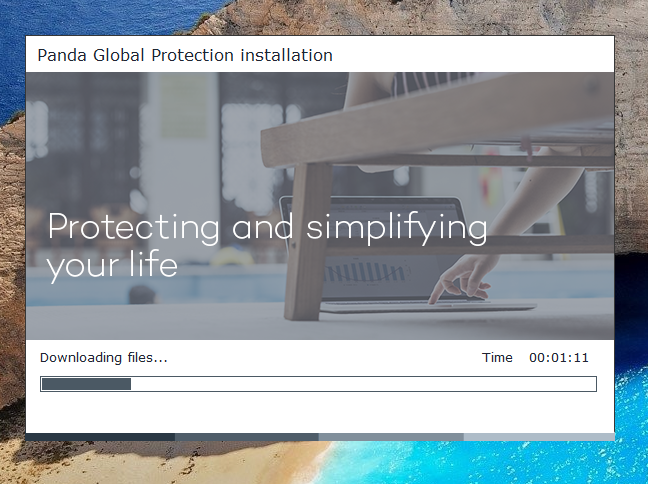
Panda Gold Protection starts downloading the data needed for the installation to continue. You cannot choose the security modules that are installed. In total, the installation wizard downloaded 74.50MB of data on our Windows 10 computer.
Panda, Global Protection, Gold Protection
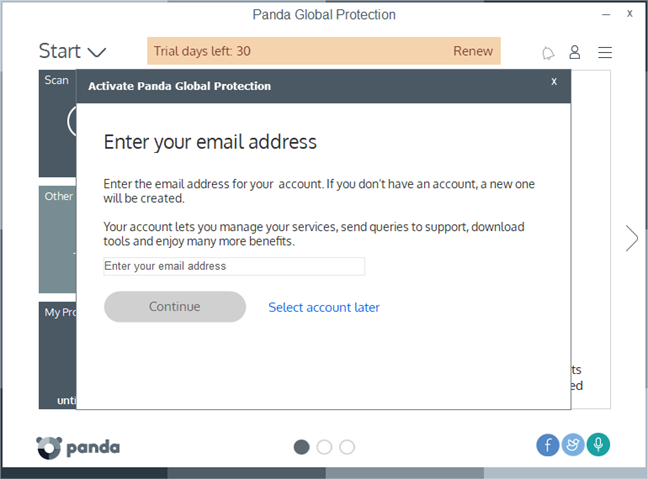
After everything is downloaded and installed, when you open its user interface, Panda Gold Protection greets you with a message in which it asks you to enter an email address. It is used to create an online account for you, but it is not mandatory, so you can click on "Select account later" if you want to test the product without purchasing it.
Panda, Global Protection, Gold Protection
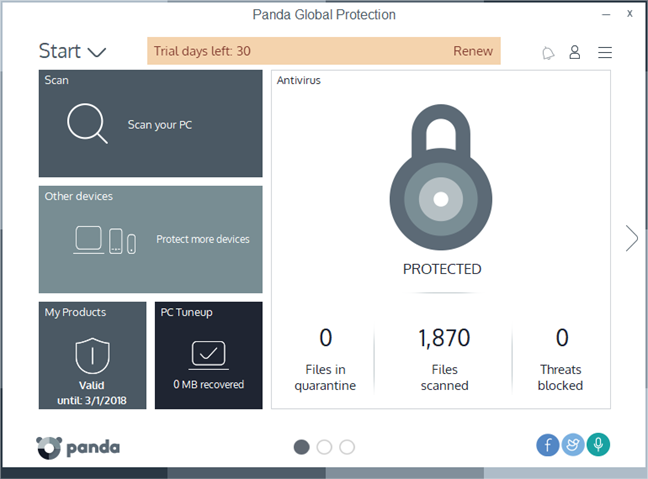
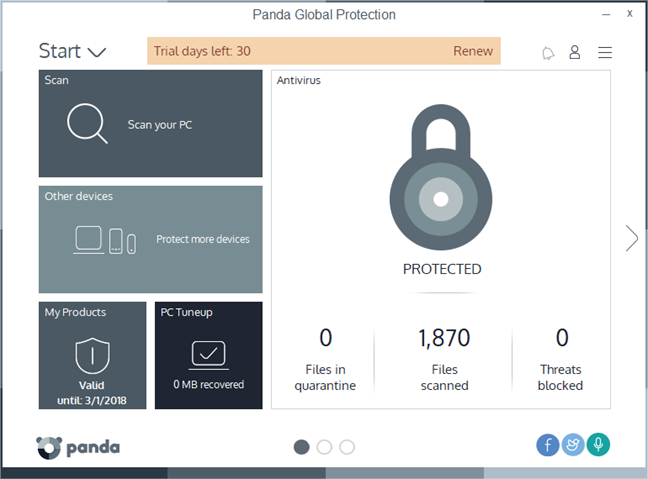
Then, you can see the user interface of the Panda Gold Protection, which looks interesting. However, we will talk more about it in the "Ease of use and configuration" section of this review.
Panda, Global Protection, Gold Protection
Downloading and installing Panda Gold Protection is an easy task. There are no complicated steps to be taken, and the company does not force you to provide personal information if all you want is to evaluate their product.
Integration with Windows, web browsers and universal Windows platform apps
The first thing we checked regarding integration with Windows, was whether Panda Gold Protection disables Windows Defender and Windows Firewall. The good news is that it does, so you should not see conflicts or performance issues, which are common when you run multiple security products at the same time. Panda's software is also reasonably well integrated with Windows 10 regarding networking. We were able to use the homegroup available on our local network, and we had no issues when sharing files or when we used universal apps.
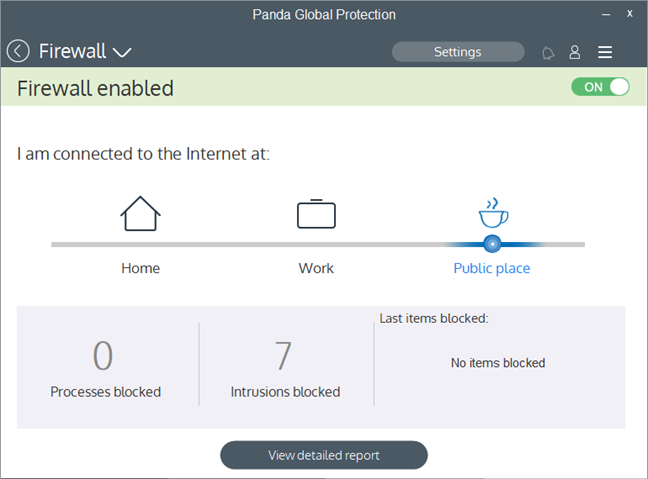
Unfortunately, the firewall module does not automatically adjust its protection mode depending on the network profile that is set in Windows. Regardless of the network profile we set in Windows, Panda's firewall always used the Home protection mode. The firewall even treats public networks as home networks. Furthermore, the firewall uses three different network profiles: Home, Work, and Public place, unlike modern Windows operating systems, which only use Private and Public profiles. It looks like Panda's firewall is on another planet.
Panda, Global Protection, Gold Protection
Regarding online security, Panda Gold Protection chooses to protect you by filtering all the internet traffic. It is a good thing because you get protection no matter what web browser you prefer. Additionally, it also includes a web browser extension called Panda Safe Web that can block malicious websites and make your web searches safer, if you are OK with using Yahoo as your search provider. This extension is available for Google Chrome and Internet Explorer.
We looked at the RAM consumption of Panda Gold Protection. We found that this security suite uses as little as 38 MB of RAM. Regarding the boot time of our test computer, BootRacer measured an increase of one second or 4%. This is a negligible increase.
To check whether the internet or local network speeds are affected by Panda Gold Protection, we also ran a few tests with Speedtest.net and with LAN Speed Test. The speeds that we measure with LAN Speed Test were the same before and after installing the security suite, which means that it has no negative impact on data transfers within the local network. However, although Speedtest.net showed that the upload speed on the internet was the same, the download speed decreased after we installed Panda Gold Protection, by a whopping 40 percent, from an average of 104 Mbps down to only 62Mbps. That is a significant decrease in our internet download speed.
Panda Gold Protection offers a web shield that filters all the internet traffic on your computer, and that means that you are protected in any web browser you prefer using. Furthermore, it also includes a web browser extension which can secure your web searches, but only in Google Chrome and only if you are OK with using Yahoo as your search provider. A positive aspect is the fact that Panda's security suite does not affect the computer boot times or data transfer speed within your local network. However, it slows down the downloads from the internet. Also, the firewall module does not adjust itself according to the network profile set in Windows.
Ease of use and configuration
Panda Gold Protection offers a user interface that is interesting. It uses tiles, like the ones from Windows 10's Start Menu or Windows 8.1's Start screen. Most modules and tools have their tiles displayed on the user interface, showing you brief information about what they do. They also serve as shortcuts to each module's options, tasks, and settings.
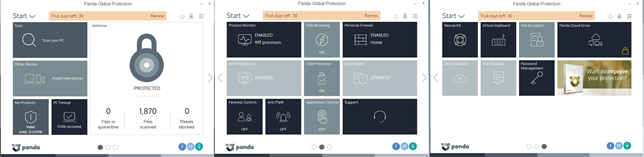
Unfortunately, the user interface is somewhat laggy, at least on our computer. On the bottom of the central console, there are three buttons which you can use to switch to the second or the third page of the user interface. Each time we pressed them, the transition stuttered.
Panda, Global Protection, Gold Protection
The user interface also feels crowded because there are just too many tiles on it. However, it is nice that you can customize it by moving the tiles around, or remove or add tiles if you wish. If you would rather have a more straightforward experience, maybe you would prefer to delete many of the tiles that are displayed by default.
Panda, Global Protection, Gold Protection
Another positive about the tiles is that they are easy to use on any device, even on those with touchscreens. That is also true regarding settings, most of which can be configured with the help of large buttons and switches.
Panda, Global Protection, Gold Protection
Regarding the help and support options, you should know that Panda offers online documentation, access to community forums and a Frequently Asked Questions page. There is also an option to email or even contact Panda on Twitter to get help. The company also offers live chat and remote distance support, if you buy Panda Gold Protection.
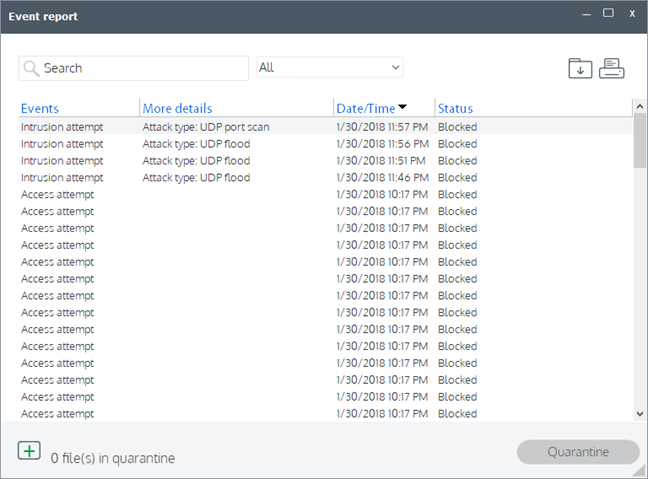
One thing many will appreciate at Panda Gold Protection is the fact that this security solution offers plenty of detailed logs and statistics. Also, it provides some visual reports about the security-related events that take place on your computer.
Panda, Global Protection, Gold Protection
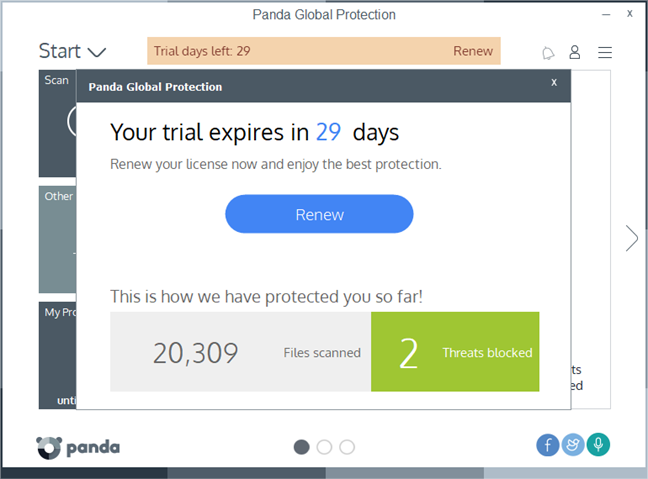
Regarding notifications and alerts, Panda Gold Protection is a bit more talkative than others. We saw malware alerts, but we also were annoyed by a notification of the trial expiration date, which kept on popping out every time we opened the user interface.
Panda, Global Protection, Gold Protection
The user interface offered by Panda Gold Protection is different from what other security suites offer. It is not difficult to use and works well on devices with touchscreens. However, the transitions between pages are laggy. We would have preferred it to be more responsive, and also less crowded.
On the following page of this review, you can see how efficient Panda Gold Protection is at protecting your computer from network attacks and malware. You can also see what additional features are bundled with this security suite, and check our recommendations for what settings you should consider adjusting.
Firewall protection
The firewall module included by Panda Gold Protection does not detect the Windows network profile. To make it worse, the firewall module does not even ask whether the networks to which you connect are public or private. Instead, the firewall always sets itself on its Home protection mode. It is OK if you connect to your home's private network, but it is a dangerous thing to do if you connect to public networks such as the WiFi networks from airports, coffee shops or other similar places. For the firewall to protect you efficiently, you must manually set its profile each time you connect to a network. Most users will not do that because they are not aware of the issue.
Panda, Global Protection, Gold Protection
To check how well the firewall is protecting you against network attacks, we ran a few tests. We used Nmap and Nessus, two network vulnerability scanners that are well-known. When we set our test computer to use a private network profile, Nmap found 2 open ports and Nessus found 1 open port and vulnerability to man-in-the-middle attacks. On a public network profile, no ports were left open. The only other information these scanners could read was the MAC address of our laptop, but that is not important from a security point of view.
Panda's firewall module can protect you efficiently against network threats. However, it works well only if you manually set the right network profile. If you do not, your Windows device is vulnerable to man-in-the-middle attacks.
Antivirus and antispyware protection
The first thing we checked in the antivirus module offered by Panda Gold Protection was its web shield. We wanted to see if it protects users against dangerous websites. To do that, it uses a network traffic filtering engine that works no matter what web browser you prefer using.
There is also a web browser extension offered, called Panda Safe Web, which can check your web searches and provide you with information about what is tracked by the websites you visit. However, this extension only works in Chrome and Internet Explorer and tries to change your default search engine with Yahoo.
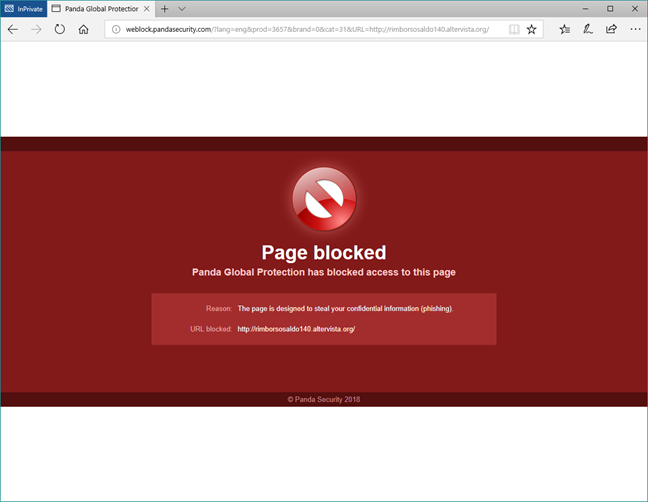
To test whether the web shield is efficient, we used the most popular web browsers today, Google Chrome, Mozilla Firefox, Microsoft Edge, and Opera, to try loading a couple of dangerous websites. The good news is that Panda Gold Protection stopped us from doing so, each time we tried.
Panda, Global Protection, Gold Protection
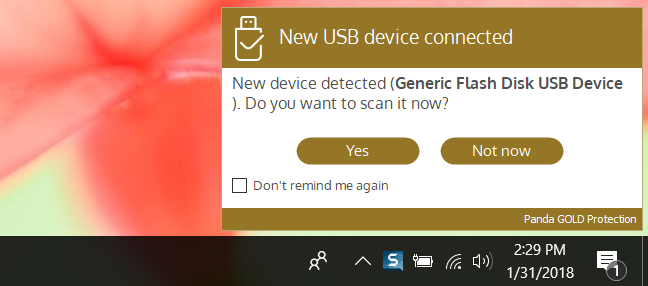
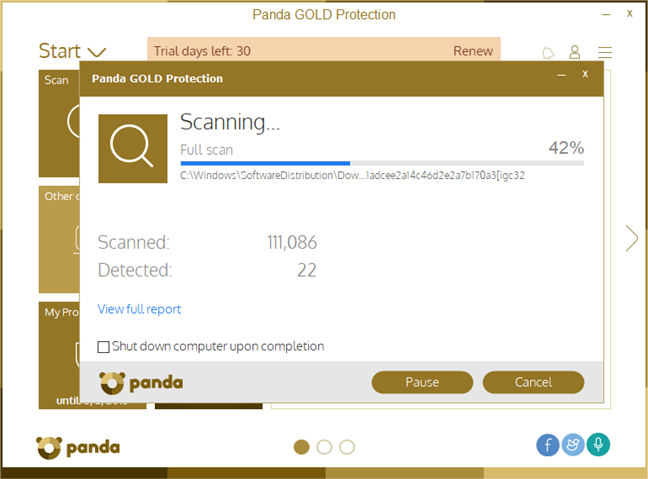
Then, we wanted to see what Panda Gold Protection does when dealing with malware stored on a removable drive: we put some infected files on a USB memory stick and plugged it into our test computer. Panda Gold Protection's reaction was to ask whether we wanted to scan it or not. We said Yes and, a minute later, it was clean of viruses. This is an excellent result!
Panda, Global Protection, Gold Protection
The final antivirus test that we ran was to make a clean install of Windows 10, infect it with malware, including a few ransomware samples, and then ask Panda Gold Protection to clean it. The security suite managed to install itself, and then immediately started detecting and removing viruses. After a reboot and a full system scan, the computer was usable again, virus-free.
Panda, Global Protection, Gold Protection
Besides the capacity to detect and remove malware from your computer, it is also important that an antivirus engine scans your computer in a decent amount of time. Panda's antivirus engine is not the fastest in the world, as it needed about 14 minutes on average to scan our 126GB Windows 10 partition with approximately 35GB of data on it.
To get a second opinion, we also looked at what other independent IT security organizations had to say about Panda Gold Protection:
AV-TEST scored Panda's antivirus with 6 points out of 6 for its protection, 3.5 points for its performance, and 6 points out of 6 for its usability.
AV-Comparatives gave Panda their Advanced badge for malware protection and the top Advanced+ badge for the performance and real-world protection tests.
Virus Bulletin offered their VB100 badge for Panda Endpoint Protection and measured a reactive detection rate of 91.70% and a proactive rate of 45.50%.
Panda Gold Protection can protect you against online threats, regardless of the web browser you prefer using. It does an excellent job also at protecting you against the malware already found on your computer or coming on removable drives.
Extra features
Panda Gold Protection bundles many additional tools. Some of them can be useful, while others probably are not:
Panda, Global Protection, Gold Protection
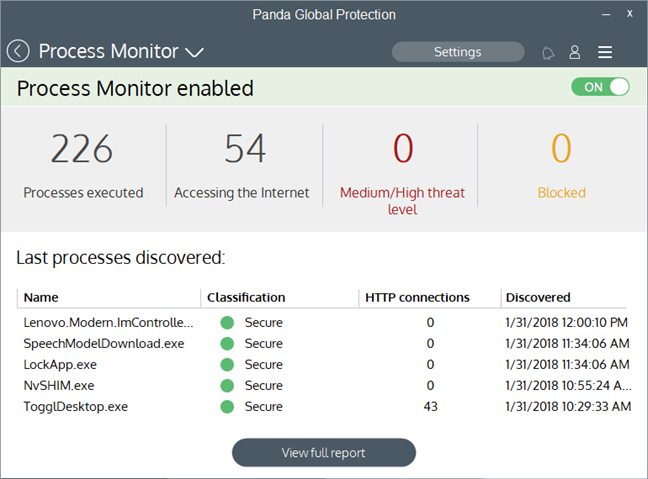
Process Monitor - lets you see the processes running on your computer and their security risks. This module can be helpful if you want to know more about a specific process.
USB Protection - this module disables autorun on removable media devices. You can also do it yourself, directly from Windows.
Wi-Fi Protection - shows you information about the wireless network to which you are connected, and other devices using the same network.
Rescue Kit - lets you create a rescue USB drive that you can use to boot from and disinfect malware infections. It is a useful tool when you can no longer boot into Windows because of malware problems. It also offers you the option to launch an advanced virus scan with Panda Cloud Cleaner, an antivirus that relies on Panda's cloud protection technology.
Parental Control - is a simple module that filters the websites accessed by children. It scans the network traffic, so it works well both with desktop browsers and modern apps.
Data Shield - monitors programs to detect those that try to steal your data. You should enable this module as it adds another layer of protection between you and information stealers.
Application Control - allows you to configure which programs from your computer may or may not execute. This feature checks each program when you first run it and sets it as allowed or disallowed, depending on your choice.
PC Tuneup - frees up space on your PC by emptying Recycle Bin and cleaning temporary files, browser history, cookies and Windows registry files. You can also select which programs are allowed to run at the Windows startup. These are all features already available in Windows.
Online Backup - gives you 2GB of online cloud storage space, using a third-party website, called Mozy. If you buy the security suite, you should get 20GB of space instead. Keep in mind though, that there are many free cloud storage services that offer more space than this.
Anti-Theft - lets you locate your devices that run Panda Gold Protection, from any browser, using your Panda online account.
File Shredder - allows you to securely erase files or folders from your computer.
File Encryptor - allows you to encrypt and decrypt files or folders from your computer.
Password Management - is a separate app that is called Password Depot 8. It can securely store your passwords and let you access them when you need them. It should also auto-complete your saved passwords when you need them, in your web browser. However, it is a complicated tool and one that we do not think that people enjoy using.
Virtual Keyboard - a virtual on-screen keyboard similar to the one provided by Windows.
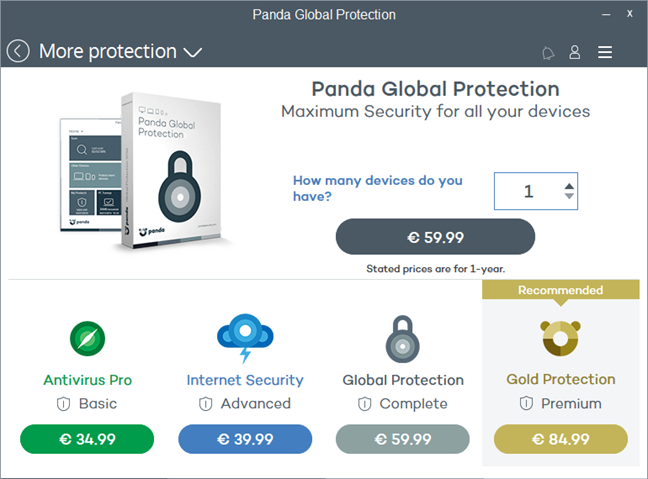
More protection - a store that lets you buy Panda's products, directly from the user interface.
Panda, Global Protection, Gold Protection
Panda Gold Protection includes a lot of extra tools. Some of them add value to the product, but many of them are only bloatware. It is worth noting that there is no VPN service included to protect you while connected to public wireless networks.
Default settings that you might want to adjust
Panda Gold Protection has lots of settings available for its protection modules. While most things are well configured, there are a few things you might want to look into and improve their default settings:
Create a scheduled scan - Panda Gold Protection has no predefined scheduled antivirus scans set. To be more secure, we recommend that you create at least one scheduled antivirus scan that runs once a week or every two weeks. You can find the scheduled scans settings in "Antivirus -> Scheduled scans -> Add scheduled scan."
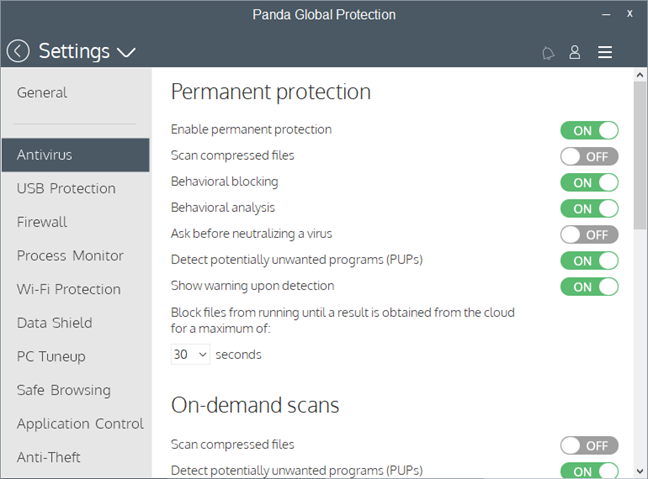
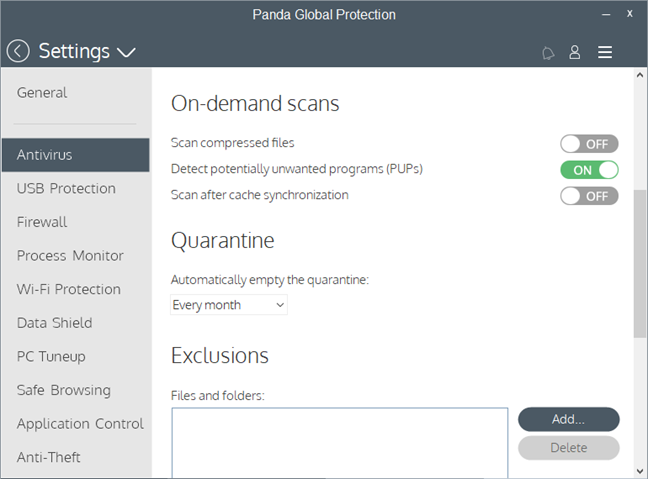
Enable "Scan compressed files" - by default, when you run a full system antivirus scan, Panda Gold Protection does not scan inside archive files. For a better level of protection, you might want to enable this option. If you do, you can find it in "Settings -> Antivirus -> On-demand scans -> Scan compressed files."
Panda, Global Protection, Gold Protection
Although most of the settings offered by Panda Gold Protection are well configured by default, there are a few things that you might consider adjusting.
What is your opinion about Panda Gold Protection?
There are some things that we like about Panda Gold Protection, but there are also some things that we do not like. The antivirus engine is excellent, and the firewall module can protect you against network threats if you manually configure it. However, the user interface is not that great, the firewall does not automatically adjust its protection mode, and there are too many useless tools bundled. But enough about what we think about this antivirus product: What do you think about Panda and what is your experience with their products? Comment below and let's discuss.
It is a good Antivirus. But many may not agree with the PC performance impact tesy for Panda Antivirus does significantly effects PC’s performance.
Further the protection that it offers is heavily dependent on cloud and requires a strong net connection.
Lack of an active net connection or compromised servers can put computer security at risk.
Ciprian Adrian Rusen ·
I agree with your perspective regarding having a solid internet connection in order to get protection.











Discussion (2)
It is a good Antivirus. But many may not agree with the PC performance impact tesy for Panda Antivirus does significantly effects PC’s performance.
Further the protection that it offers is heavily dependent on cloud and requires a strong net connection.
Lack of an active net connection or compromised servers can put computer security at risk.
I agree with your perspective regarding having a solid internet connection in order to get protection.