




More and more people are experiencing seasonal allergies (or hay fever). Whether we are talking about itching, stuffy nose, eye irritation, or more annoying symptoms that disturb your sleep and decrease your productivity, allergies are a recurring reality for many of us. Unfortunately, for me too. In the following article, I explain how I managed to improve my quality of life in my "favorite" time of the year, the middle of autumn (when the ragweed pollen usually turned me into a useless mess for at least two weeks), using the smart solutions from Samsung:
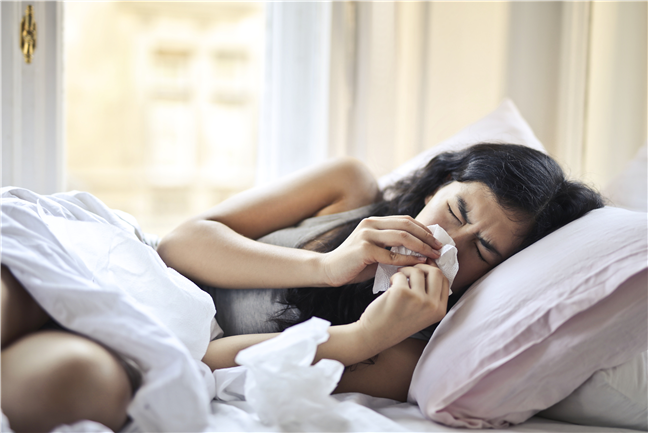
 Allergies are becoming more and more common
In my case, allergies started at the age of 20 and manifested progressively, first as a mild hay fever, then cat hair allergy, then pollen of all kinds, so at age 40, I have at least 3 months a year when I either avoid leaving the house, or I take large doses of antiallergics, which have a rather weak effect. And the icing on the cake, sometimes, after the periods of allergy pass, I have to fight the addiction to nose drops. Over time, I have learned that a certain discipline helps a lot to improve the symptoms. Here are some of the steps I usually take during critical allergy periods:
Allergies are becoming more and more common
In my case, allergies started at the age of 20 and manifested progressively, first as a mild hay fever, then cat hair allergy, then pollen of all kinds, so at age 40, I have at least 3 months a year when I either avoid leaving the house, or I take large doses of antiallergics, which have a rather weak effect. And the icing on the cake, sometimes, after the periods of allergy pass, I have to fight the addiction to nose drops. Over time, I have learned that a certain discipline helps a lot to improve the symptoms. Here are some of the steps I usually take during critical allergy periods:
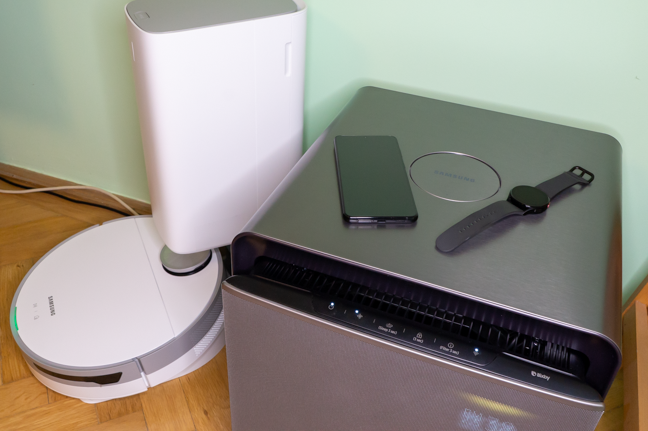
 The devices I chose for my little "experiment"
An investment of about 2300 USD or 2000 Euros may seem consistent at first glance. But let's think it through: a smartphone is something you always have with you anyway, while a smartwatch is undoubtedly the best way to monitor your sleep. As far as smartphones go, we have tested in the past some very good variants from the mid-range and budget segments. A vacuum cleaner is necessary in any home, and the air purifier has a significant effect on the quality of sleep, as you will see below. But let's take it one at a time, to understand how each device contributes to the ecosystem.
The devices I chose for my little "experiment"
An investment of about 2300 USD or 2000 Euros may seem consistent at first glance. But let's think it through: a smartphone is something you always have with you anyway, while a smartwatch is undoubtedly the best way to monitor your sleep. As far as smartphones go, we have tested in the past some very good variants from the mid-range and budget segments. A vacuum cleaner is necessary in any home, and the air purifier has a significant effect on the quality of sleep, as you will see below. But let's take it one at a time, to understand how each device contributes to the ecosystem.
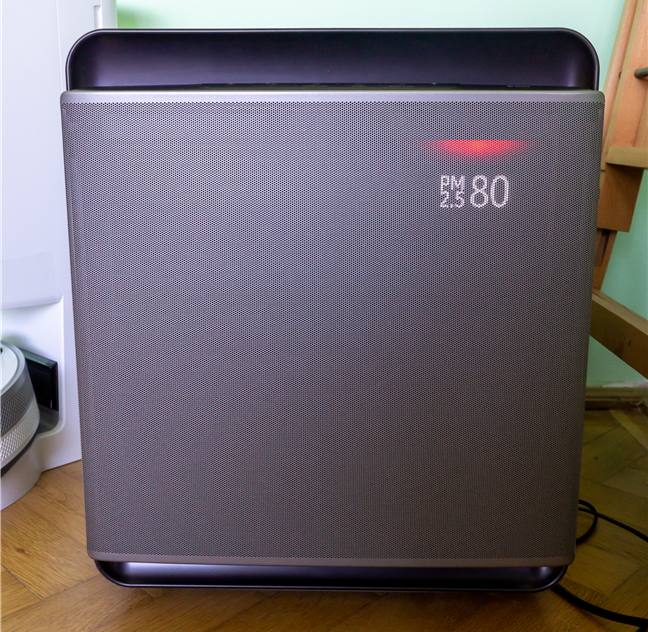
 Samsung cube is very good looking, while also being discreet
The reason is simple: as opposed to the other devices from the list that can have their functions covered with other methods, in the case of the purifier, there are no other options to quickly filter the air in an apartment. Some technical specifications for starters:
Samsung cube is very good looking, while also being discreet
The reason is simple: as opposed to the other devices from the list that can have their functions covered with other methods, in the case of the purifier, there are no other options to quickly filter the air in an apartment. Some technical specifications for starters:
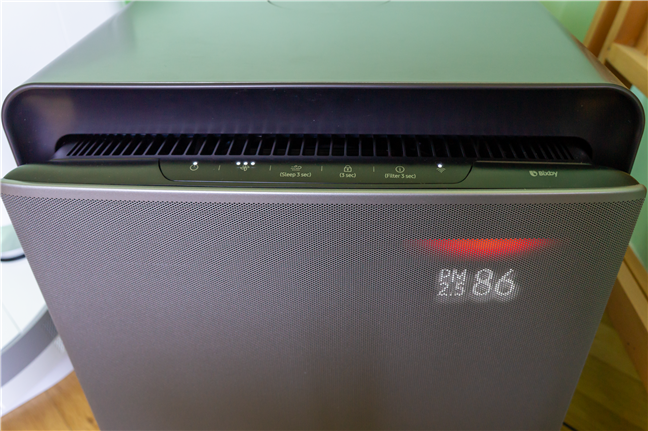 The buttons on the device are touch-sensitive
The elegant display shows the concentration of particles smaller than 2.5 microns and those up to 10 microns. Given that the smallest pollen particles are 2.5 microns, you can be sure that Samsung Cube eliminates allergens from the air.
The buttons on the device are touch-sensitive
The elegant display shows the concentration of particles smaller than 2.5 microns and those up to 10 microns. Given that the smallest pollen particles are 2.5 microns, you can be sure that Samsung Cube eliminates allergens from the air.
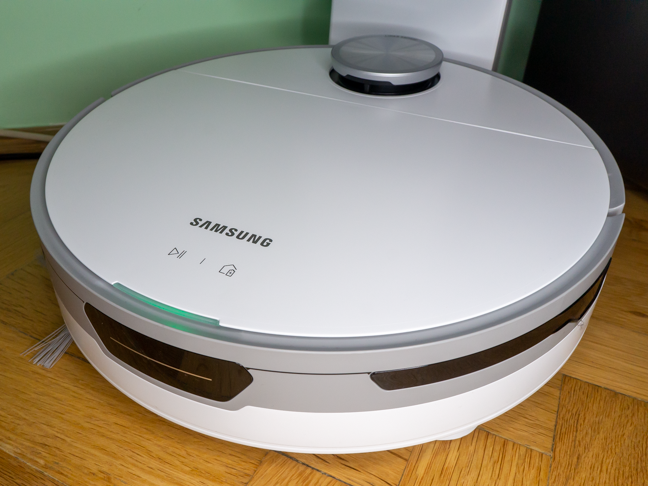
 Samsung JetBot+ cleans my house more efficiently than I ever could
The technical specifications are:
Samsung JetBot+ cleans my house more efficiently than I ever could
The technical specifications are:
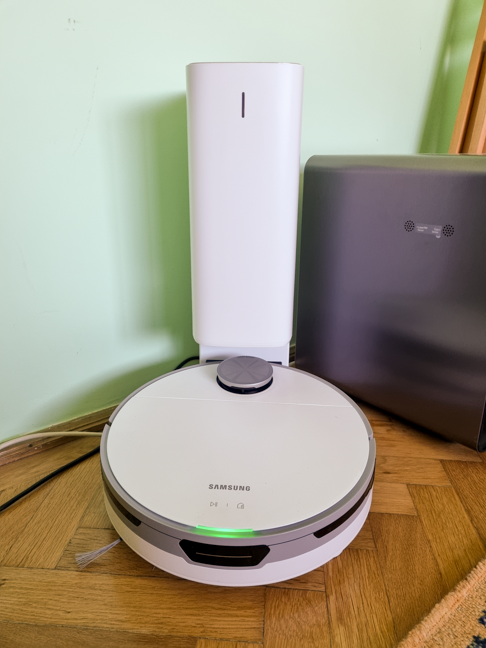
 The robot docks automatically and awaits commands
Through the SmartThings app, I set the robot to start on command, along with the air purifier, and I usually turn it on when I leave home. By the time I get back, it has finished the whole apartment and it's back in the station. The air is already filtered, and I don't come in contact with any allergens during this time.
The only thing I have to do in preparation is pick up cables or other small things that can get tangled in the robot's brushes. If the robot still gets stuck somewhere, it immediately notifies me on the phone and on my watch. After I pick it up and "rescue" it, the robot moves around a little in order to understand where I put it and then continues its work. If I'm not at home, I can see exactly which route it follows through the house, and I can even instruct it how to approach the task (clean along the walls first, the center first, or cover the entire surface as quickly as possible). I can even order it to vacuum only one room or avoid certain areas if I wish.
The robot docks automatically and awaits commands
Through the SmartThings app, I set the robot to start on command, along with the air purifier, and I usually turn it on when I leave home. By the time I get back, it has finished the whole apartment and it's back in the station. The air is already filtered, and I don't come in contact with any allergens during this time.
The only thing I have to do in preparation is pick up cables or other small things that can get tangled in the robot's brushes. If the robot still gets stuck somewhere, it immediately notifies me on the phone and on my watch. After I pick it up and "rescue" it, the robot moves around a little in order to understand where I put it and then continues its work. If I'm not at home, I can see exactly which route it follows through the house, and I can even instruct it how to approach the task (clean along the walls first, the center first, or cover the entire surface as quickly as possible). I can even order it to vacuum only one room or avoid certain areas if I wish.
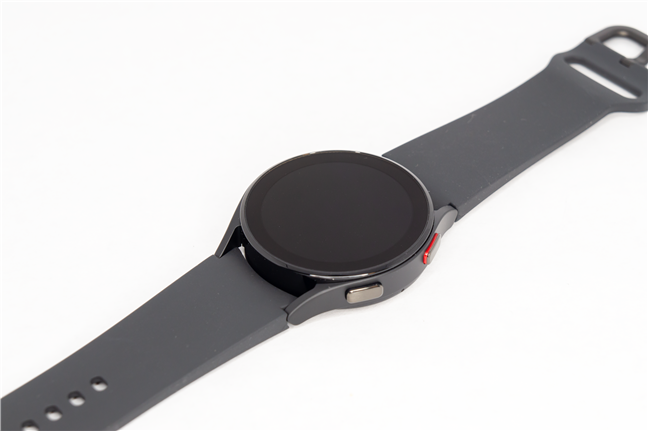 The size of the Samsung Galaxy Watch 4 is a big plus for me
It's small enough that I can wear it while sleeping, an essential quality that other Android smartwatches don't have. Some technical specifications:
The size of the Samsung Galaxy Watch 4 is a big plus for me
It's small enough that I can wear it while sleeping, an essential quality that other Android smartwatches don't have. Some technical specifications:
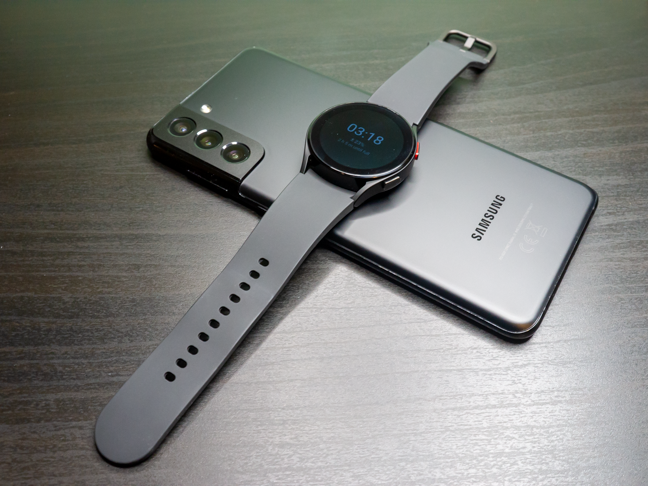 The wireless charging feature of the smartphone is very useful
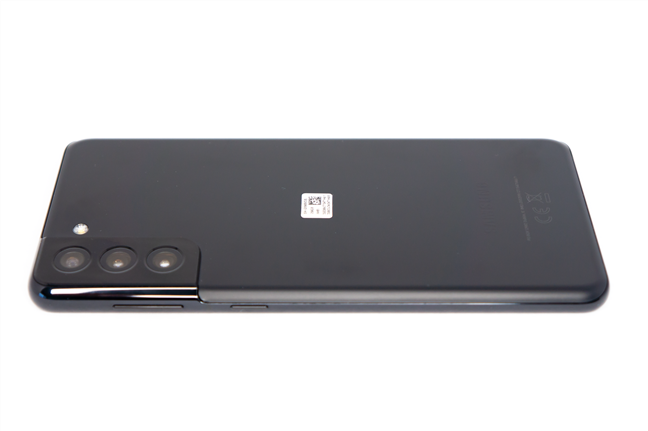 The Samsung Galaxy S21+ 5G is thin and elegant
As you can guess from the name, S21 Plus is the bigger brother of the S21, the differences being the larger screen and, most importantly, the battery with a capacity increased by 20% (4800mAh versus 4000mAh on the Samsung S21). Here are some technical features:
The Samsung Galaxy S21+ 5G is thin and elegant
As you can guess from the name, S21 Plus is the bigger brother of the S21, the differences being the larger screen and, most importantly, the battery with a capacity increased by 20% (4800mAh versus 4000mAh on the Samsung S21). Here are some technical features:
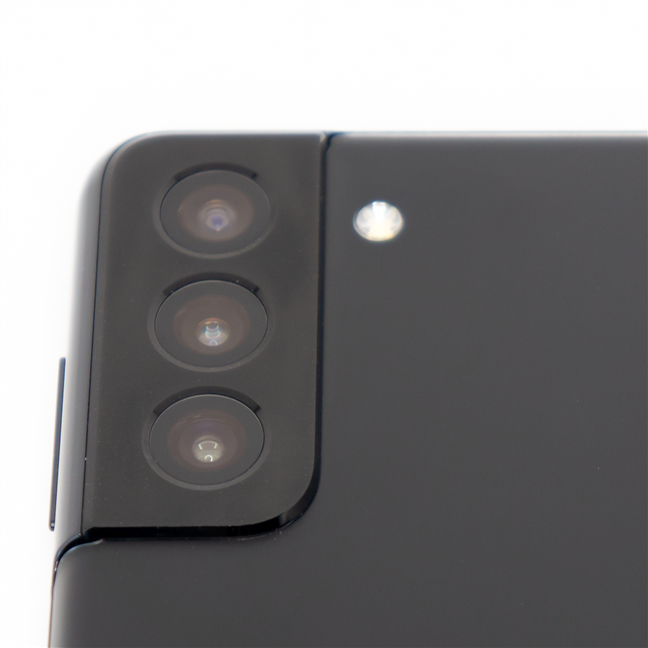
 The cameras on the S21+ 5G are impressive
If we focus strictly on the allergy solution, the phone helps me on the one hand with prevention (through monitoring applications of humidity, wind and allergen levels in the air), and on the other hand, it is the “command center” for all the other devices, through the direct connection with the Galaxy Watch 4 watch and the SmartThings application. The Samsung Health app is also essential in monitoring my daily activities and sleep. The phone can even detect and monitor your snoring!
The cameras on the S21+ 5G are impressive
If we focus strictly on the allergy solution, the phone helps me on the one hand with prevention (through monitoring applications of humidity, wind and allergen levels in the air), and on the other hand, it is the “command center” for all the other devices, through the direct connection with the Galaxy Watch 4 watch and the SmartThings application. The Samsung Health app is also essential in monitoring my daily activities and sleep. The phone can even detect and monitor your snoring!
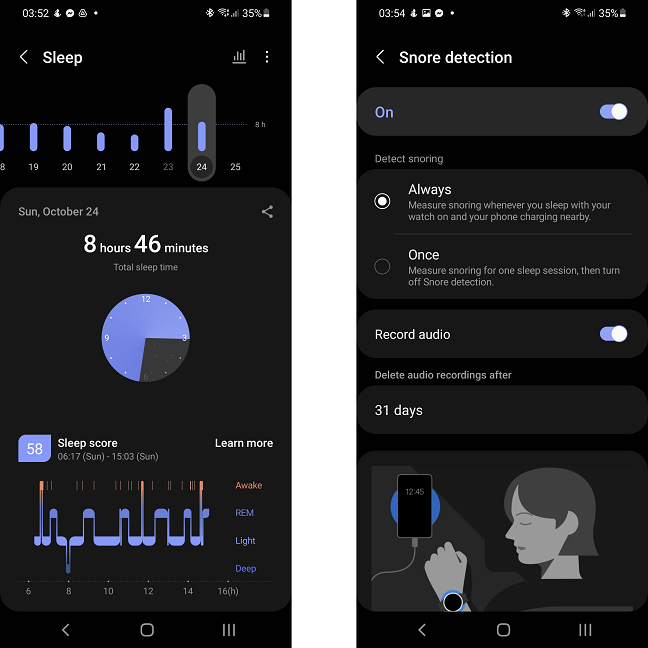 Together with the Galaxy Watch, the smartphone closely monitors my sleeping routine
The large battery matters a lot when the smartphone is continuously connected via Bluetooth to the watch or when I have to leave home for a long time and I want to monitor what happens to smart devices. In addition, as I mentioned above, the fact that it can wirelessly charge other devices helps me keep my watch charged when I need it.
Together with the Galaxy Watch, the smartphone closely monitors my sleeping routine
The large battery matters a lot when the smartphone is continuously connected via Bluetooth to the watch or when I have to leave home for a long time and I want to monitor what happens to smart devices. In addition, as I mentioned above, the fact that it can wirelessly charge other devices helps me keep my watch charged when I need it.
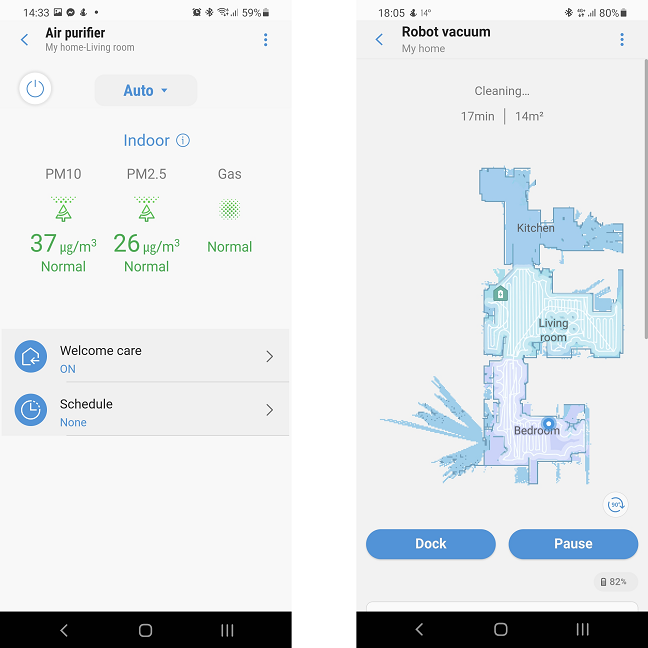 Each device has a separate interface within the SmartThings app
As I mentioned before, I created a scenario for cleaning, which, once activated, starts the robot and the air purifier. Also, I have a “leaving home” scenario, which, if activated, turns off all the smart devices in my house (TV, vacuum cleaner, purifier).
Then there are the automations. Automations do not require any action on my part once configured; they perform a series of tasks when certain conditions are met.
Each device has a separate interface within the SmartThings app
As I mentioned before, I created a scenario for cleaning, which, once activated, starts the robot and the air purifier. Also, I have a “leaving home” scenario, which, if activated, turns off all the smart devices in my house (TV, vacuum cleaner, purifier).
Then there are the automations. Automations do not require any action on my part once configured; they perform a series of tasks when certain conditions are met.
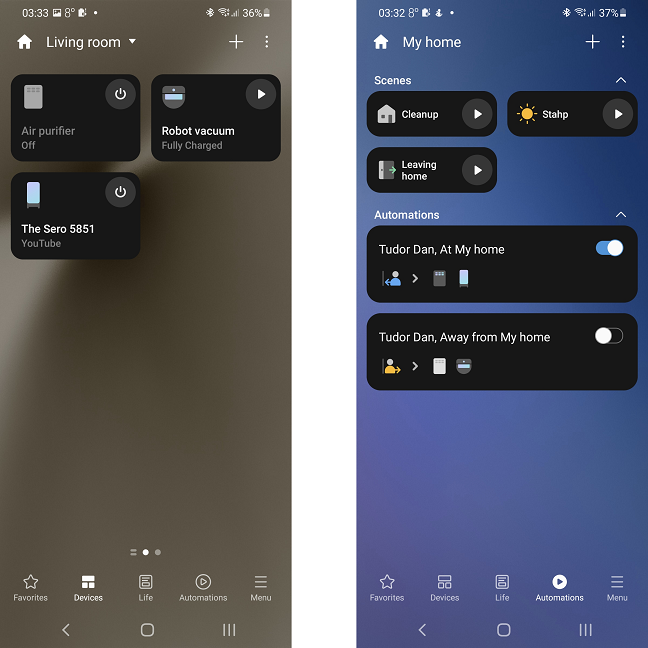 The app interface is easy to use and intuitive
The configuration is super simple: you choose your condition from a list and then the actions that will be performed when the conditions are met. For example, I created a rule so that when I approach the house, the TV starts in Ambient mode and the air purifier in Automatic mode. The smartphone constantly monitors where I am and knows when I am close to home, and the equipment then executes its set tasks.
The app interface is easy to use and intuitive
The configuration is super simple: you choose your condition from a list and then the actions that will be performed when the conditions are met. For example, I created a rule so that when I approach the house, the TV starts in Ambient mode and the air purifier in Automatic mode. The smartphone constantly monitors where I am and knows when I am close to home, and the equipment then executes its set tasks.
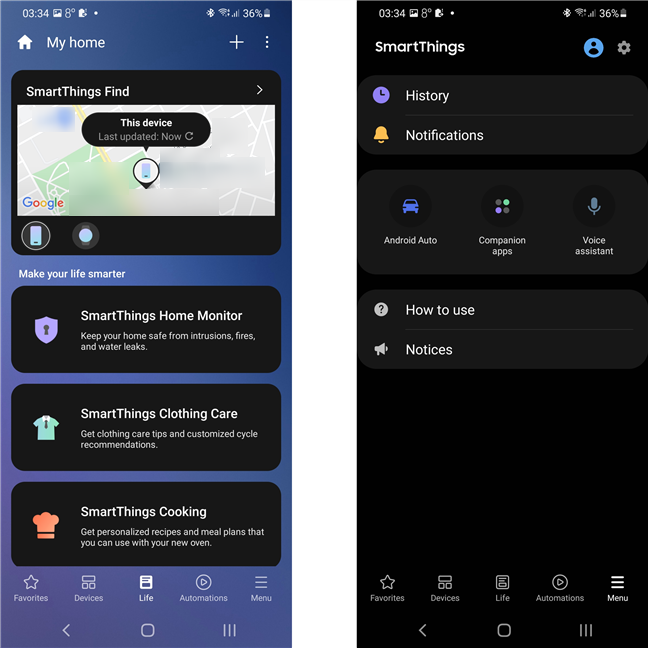 SmartThings monitors the user's location and saves the history of actions taken by the devices
It does seem a bit science-fiction, but the automation and scenarios save me a lot of time and allow me to focus on other activities, instead of taking care of each piece of equipment.
SmartThings monitors the user's location and saves the history of actions taken by the devices
It does seem a bit science-fiction, but the automation and scenarios save me a lot of time and allow me to focus on other activities, instead of taking care of each piece of equipment.
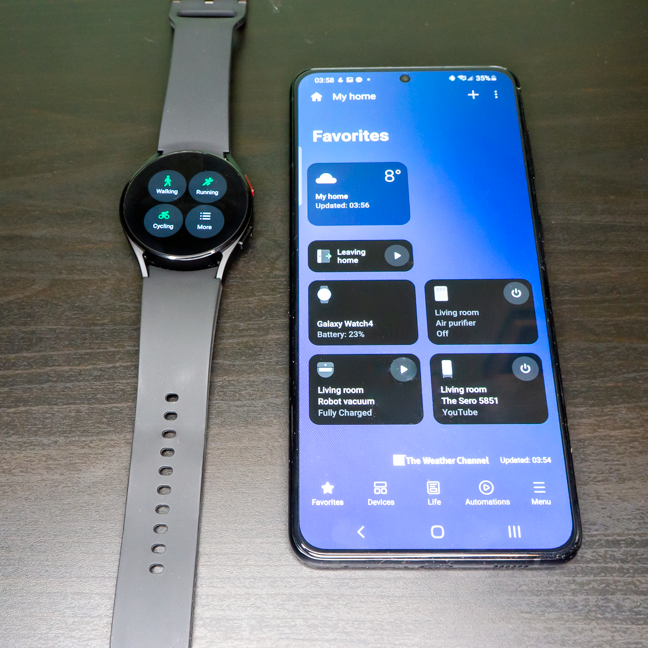 The two smart devices are the control center for the whole system
I feel the results throughout the day: no more non-stop sneezing (I barely sneeze two or three times a day), the general symptoms have diminished a lot, and I no longer feel pressured to take anti-allergic drugs. In addition, the fact that the robot vacuum cleaner is completely autonomous saves me time and, to be honest, it helps me keep the house cleaner, because it vacuums more often than I would. Sure, once a month (or even less often in your case, depending on the configuration of your apartment) I have to vacuum the areas the Samsung JetBot + can’t reach, but it's still a huge progress. I can see it in the dust that is deposited on the furniture: since I started using the devices, the amount of dust deposited from one day to the next is significantly lower (and I live in Bucharest, one of the dustiest cities in Europe).
The two smart devices are the control center for the whole system
I feel the results throughout the day: no more non-stop sneezing (I barely sneeze two or three times a day), the general symptoms have diminished a lot, and I no longer feel pressured to take anti-allergic drugs. In addition, the fact that the robot vacuum cleaner is completely autonomous saves me time and, to be honest, it helps me keep the house cleaner, because it vacuums more often than I would. Sure, once a month (or even less often in your case, depending on the configuration of your apartment) I have to vacuum the areas the Samsung JetBot + can’t reach, but it's still a huge progress. I can see it in the dust that is deposited on the furniture: since I started using the devices, the amount of dust deposited from one day to the next is significantly lower (and I live in Bucharest, one of the dustiest cities in Europe).
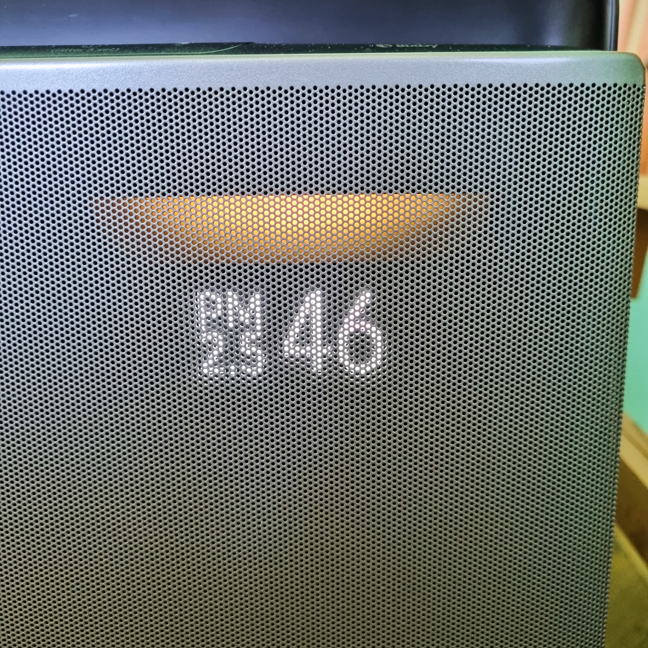 The air purifier helps me breathe a lot better
The fact that I can closely monitor my physical activities and my sleep made me pay more attention to my body and its needs, helped me exercise more and create a healthier routine.
The air purifier helps me breathe a lot better
The fact that I can closely monitor my physical activities and my sleep made me pay more attention to my body and its needs, helped me exercise more and create a healthier routine.
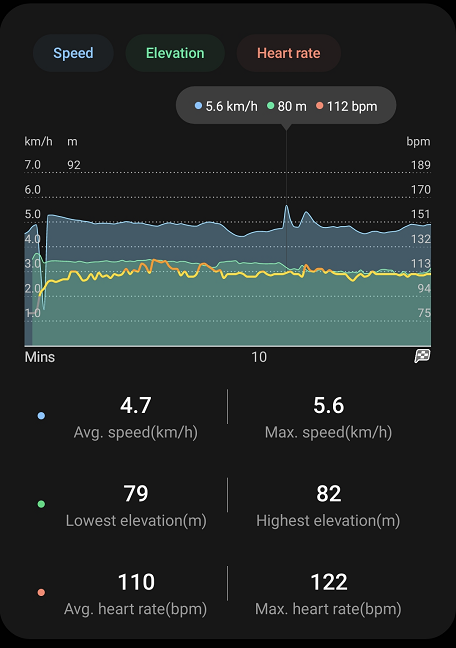
 The physical activity is monitored in great detail
Overall, these devices and their integration into the ecosystem have helped me considerably in being functional even when allergens are in high concentrations outside. I recommend similar configurations to anyone who has the same problems (trouble sleeping, sneezing and stuffy nose).
The physical activity is monitored in great detail
Overall, these devices and their integration into the ecosystem have helped me considerably in being functional even when allergens are in high concentrations outside. I recommend similar configurations to anyone who has the same problems (trouble sleeping, sneezing and stuffy nose).
Moments in the life of an allergic
If you are allergic to pollen or dust, like me, you already know the symptoms. Stuffy nose, sneezing, itching in the nose and throat, coughing, in some cases even the onset of asthma… All this leads, on one hand, to very poor sleep quality, and on the other hand, to disruption of normal activities. Some use antiallergic drugs, but for others, they cause drowsiness and cannot be used in large quantities.- I wash my face and my hair every time I get home after a trip outdoors
- I clean and vacuum the house more often
- I only open the windows at night, for a maximum of one hour
- I change the bed sheets more often
- I follow the weather forecasts for allergen predictions; I do my best to avoid outings when high concentrations are announced or when there are strong winds.
Technology can help people with allergies
You may be wondering how an app might help you reduce your allergy symptoms. I asked myself the same thing, but Samsung has the answer: if you choose the right devices and integrate them into the SmartThings ecosystem, you can automate activities that are time-consuming and expose you to allergens or schedule measures to combat the symptoms. I chose several devices, each with a very specific role:- Galaxy S21 Plus 5G smartphone - to coordinate the ecosystem, monitor my activities and to gather information about weather conditions and allergens
- Galaxy Watch 4 smartwatch - to monitor daily activities and especially sleep, as well as receive notifications about the operation of other devices
- JetBot+ robot vacuum cleaner - to regularly clean my apartment
- Cube air purifier with WindFree system - an essential element in ensuring an allergen-free environment
The Samsung Cube air purifier with WindFree system
Compact and powerful, with a capacity to purify spaces up to 310 square feet, according to specifications, the air purifier is, in principle, the most important investment for people with allergies.- Compact dimensions, only 14.4" x 17.2" x 15.0" (or 367 x 436 x 380 mm)
- Recommended area: 310 sqft (47 sqm)
- Maximum noise level: 50 dbA
- Filters: HEPA, carbon
- Power consumption: 35W
The Samsung Jet Bot+ Robot Vacuum With Clean Station
It may sound funny, but the smart vacuum cleaner is the device I've gotten most attached to. Maybe because it paces around the house and knows exactly where it is and what it has to do, or maybe because, very rarely, when a shoelace gets stuck in the brush, it lets me know on the Galaxy Watch 4 that it needs help.- Robot size: 13.8" x 3.9" x 13.8" (or 350 x 99.8 x 350 mm)
- The size with the cleaning station: 13.8" x 20.7" x 18.9" (or 350 x 525 x 480 mm)
- Maximum autonomy: 90 minutes
- Noise level: 76 dbA
- Power consumed by the robot: 60W
- Power consumption by the cleaning station: 1300W
The Samsung Galaxy Watch 4 40mm LTE smartwatch
The smartwatch is the main device for monitoring my evolution ever since I started using this solution for my allergies. Actually, I made sure to start using it before the two large appliances, in order to have some baseline information before putting them into operation. I chose the 40 mm diameter version because my arms are quite thin and I like smaller watches anyway.- Watch size: 1.59" x 1.55" x 0.38" (or 40.4 x 39.3 x 9.8 mm)
- Weight: 0.91 oz (25.9 grams)
- Storage: 16GB
- Declared average battery life: up to 40 hours
- Sensors: accelerometer, barometer, gyroscopic sensor, geomagnetic sensor, light sensor, optical heart rate sensor, electrical heart sensor, bioelectric impedance analysis sensor
The Samsung Galaxy S21 Plus 5G smartphone
The biggest investment in my equipment list is the Galaxy S21 Plus 5G smartphone. The reason I went with a handset so powerful is that I don't just use it for the “allergy project” (obviously), and my demands when it comes to smartphones are pretty high (especially when it comes to the photo/video experience).- Dimensions: 6.36" x 2.9"7 x 0.31" (or 161.5 x 75.6 x 7.8 mm)
- Weight: 200g (7.05 oz)
- Battery capacity: 4800mAh
- Diagonal screen: 6.7 inches (169.5 mm)
- Screen resolution: 2400 x 1080 pixels
- RAM memory: 8 GB
- Storage: 256 GB
- Processor: Octacore (frequencies: 1 x 2.9 GHz, 3 x 2.8 GHz and 4 x 2.2 GHz)
- Rear cameras: 12 MP, 64MP, 12MP (wide, telephoto, ultrawide)
The Samsung SmartThings app
The application that allows the coordinated operation of the equipment presented above is SmartThings, available for both Android and Apple devices, as well as for Windows. It is an application as useful as it is easy to configure. The main screen shows your favorite devices and has four sections in addition to Favourites: Devices, Life, Automations and Menu. The functions of these screens are:- Favourites - Displays shortcuts to each smart device marked as a favorite in the device list. You can click on each of them to turn them on, off or configure them.
- Devices - the complete list of devices, which can be placed in separate sections representing different rooms in the apartment.
- Life - a section dedicated to functions such as Clothing Care (clothes care with devices such as Samsung AirDresser), Cooking (recipes, food programs, shopping lists and monitoring of smart kitchen equipment) or Home Monitor (monitoring the house through various installed sensors)
- Automations - the most important section for the allergies solution, where you can create scenarios and automate all the smart equipment in the house
- Menu - a section where you can configure notifications, voice commands, account settings and where you can learn more about how to use the application.
My one week long experience with the Samsung SmartThings ecosystem
Here we are in the most important section of this article, the results. Granted, the interval was short, but the results impressed me. The most important achievement is that I had a significantly better sleep quality. From 4-5 hours a night (because the rest of the time I struggled to breathe, to blow my nose, to change my position), I reached 8 hours a night with one or a maximum of two interruptions (often caused by neighbours’ drills or even a plane, since I live near an airport). Finally, I can focus on my work activities, because I am no longer tired and I have configured the ecosystem to function autonomously. For someone who works in a creative environment where rest is important and interruptions must be kept to a minimum, Samsung's SmartThings ecosystem is very useful.

Discussion (0)
Comments are closed.